How to Inspect Brake Hardware Clips, Shims, and Pins
Inspect brake hardware clips, shims, and pins whenever pads are removed. Replace any clip, pin, or shim that shows rust, distortion, pitting, or looseness, and apply brake grease only to the pad-contact points; on designs with slide pins, apply the specified brake grease to the slide pins and bushings, while keeping friction surfaces and any parts the manufacturer says must stay dry free of lubricant. Faulty hardware can cause squeal, drag, sticking pads, and uneven wear that can damage rotors and shorten pad life. This guide gives a step-by-step home inspection, pass/fail checks, and when to clean, lubricate, or replace each part.
Brake hardware inspection matrix


Think of the hardware as a retention-and-motion system. Clips hold pad position, shims damp noise at the pad-to-caliper interface, and slide pins let the pads move without rattling. Loose or missing hardware can cause brake noise, and worn pins can add binding, squealing, brake fade in severe dragging or overheating cases, uneven braking, and reduced pad life.
| Component | What good looks like | What failure looks like | Action to take |
|---|---|---|---|
| Anti-rattle clip | Seated flat, firm spring tension, no heavy rust, no debris under the clip | Loose, missing, bent tabs, weak tension, corrosion that changes fit | Clean the seat; replace if missing, loose, bent, or heavily corroded |
| Brake shim | Flat, fully paired to the pad, no displacement, no torn layer, no missing section | Shifted, warped, damaged, separated from the pad, or absent | Replace missing or damaged shims; clean contact points before reassembly |
| Brake pin | Smooth travel, correct fit, light and even resistance, no rattle, no visible scoring | Wear, loosened tension, sticking, rust pitting, or play in the bore | Clean and lubricate if serviceable; replace if worn, stuck, or loose |
| Pad-to-caliper fit | Pad slides without excess play and sits squarely in the bracket | Pad moves too freely, binds, cocks to one side, or shows tapered wear | Correct the hardware problem; replace pads if wear is uneven or material is low |
| System debris | Clear contact areas, no packed dust, no flakes or rust chunks in slide paths | Debris blocks retraction or crowds the pad ears and slide areas | Remove debris, clean the bracket, inspect for damage, then recheck movement |
| Noise, drag, corrosion, looseness, pad binding | No, no, no, no, no | Yes to any of these means a fault is present | Noise: inspect clips, shims, and pins. Drag or binding: inspect pins, debris, and pad fit. Corrosion or looseness: replace hardware |
What should brake hardware look like?
Good brake hardware fits with purpose, not slack. Anti-rattle clips should hold the pad bracket firmly enough that the pad does not chatter, while still allowing movement when the brakes apply and release. Shims should sit flat against the pad backing plate, and slide pins should move freely without rattling.
Anti-rattle clips
Anti-rattle clips reduce pad movement and vibration. Check fit, tension, and corrosion. A good clip snaps into place and presses the pad ends or ears with steady force. A bad clip is loose, distorted, rusted, or missing. Missing hardware is a replace-now condition, not a clean-and-reuse item.
Brake shims
Brake shims reduce noise and vibration at the pad-to-caliper interface. Inspect them for damage, displacement, and missing pieces. A good shim sits flat, covers the intended backing surface, and stays attached. A missing or shifted shim can let the pad vibrate, which often shows up as squeal after a pad change.
Brake pins
Brake pins let pads move freely without rattling excessively. Inspect for wear, loosened tension, and sticking. Worn pins can cause binding, squealing, uneven braking, and reduced pad life. If a pin has obvious pitting, a loose feel in the bore, or rough movement, replacement is usually the safer call.
How do I inspect brake hardware clips?
Inspect brake hardware clips by checking whether they seat fully, hold tension, and remain free of heavy rust or packed debris. A clip that is loose, bent, or missing can let the pad chatter and can change how the pad returns after a stop. If the clip no longer holds shape, replace it.
Check clip seating and spring tension
Look for full contact between the clip and the bracket or pad support surfaces. The clip should press the pad ears or backing points with enough spring force to control movement. If it rocks, lifts, or slides easily by hand, it has lost the fit that keeps the pad quiet.
Look for bent tabs, rust, and debris under the clip
Bent tabs change the clip angle and reduce retention. Rust under the clip can hold it away from its seat and create noise or uneven pad motion. Debris trapped below the clip can also keep the pad from sitting squarely. Clean the seat only if the clip is still structurally sound.
Suppose a front floating caliper has a clip that looks intact, but one end sits high because rust has packed under it. That small lift can be enough to create a ticking or squeal on low-speed stops. In that case, remove the clip, clean the seat, and replace the clip if tension is no longer even.
Decide whether the clip can be reused
Reuse is reasonable only when the clip is straight, firmly seated, and free of deep corrosion or deformation. Replace it if the spring force feels weak, the shape has changed, or the contact points are damaged. If the clip is missing, do not treat it as optional hardware.
How do I inspect brake shims and pins?
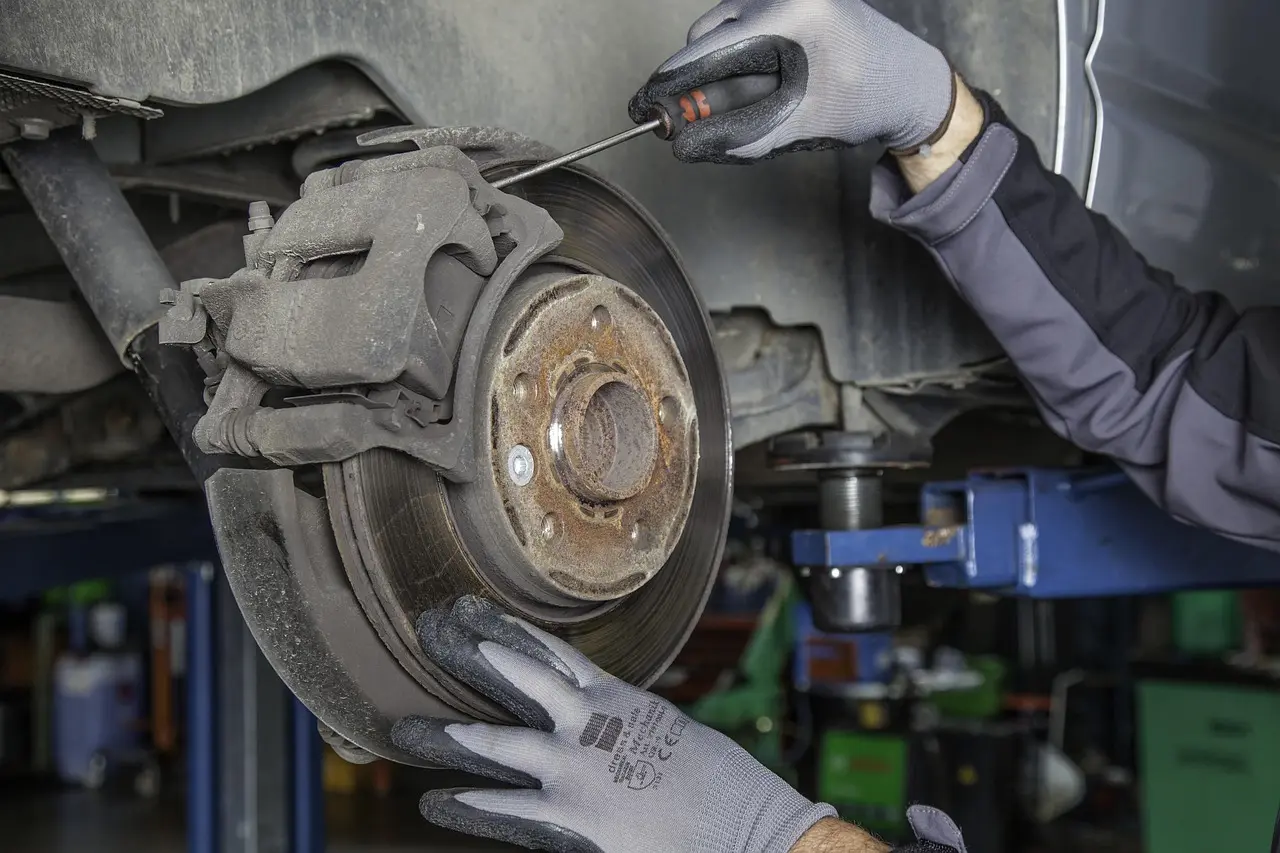
Inspect shims and pins as one system, because each part affects pad movement differently. Shims control vibration at the pad face, while slide pins control slide motion. If the shim is displaced or the pin is loose, the pad can rattle, bind, or wear unevenly even when the pad material still has life left.
Check shim-to-pad contact and displacement
Look for a shim that is centered, flat, and fully attached where the pad design calls for it. A shim that has shifted, separated, or gone missing can be a source of noise after a pad change. A damaged shim should not be reinstalled if it no longer covers the intended contact area.
Inspect pins for wear, loosened tension, and sticking
Move the pin or slide hardware by hand if the design allows it. Good slide pins glide with even resistance and move smoothly in their bores; some designs do not meaningfully self-return, so check for free travel, proper lubrication, and correct fit instead of expecting a springback. Worn pins may feel sloppy in the bore, and loosened tension lets the pad move too far before it is controlled. That extra motion can create squealing and uneven braking.
Can worn brake pins cause squealing or uneven braking? Yes. In severe cases, worn or sticking slide pins can contribute to brake fade if they cause drag and overheating, because the pad may not release or return consistently. If one side of the pad wears faster, or the pad sits crooked in the bracket, inspect the pins before blaming the rotor.
Link worn pins to pad movement symptoms
When pins lose tension, the pad can shift enough to click, squeal, or drag. If the pad feels tight in one direction and loose in another, the hardware is not controlling motion correctly. That pattern matters on rear calipers too, where space is smaller and debris tends to stay trapped longer.
How do I visually inspect brakes at home?
A home visual check starts with safe wheel removal and a clear view of the caliper hardware. Look for loose or missing clips, displaced shims, damaged pins, debris in the caliper, and pad wear that is not even across both pads. On floating calipers and many rear calipers, the slide hardware is the first place to inspect.
Safe wheel removal and view of the caliper hardware
- Park on level ground and secure the vehicle.
- Chock the wheels and support the vehicle with jack stands before removing the wheel.
- Remove the wheel so the caliper, bracket, and pad edges are visible.
- Inspect the clip, shim, and pin layout before touching anything.
- Check both inner and outer pad positions for symmetry.
- Look for debris, rust flakes, or signs that the pad has been rubbing in one spot.
What to check on floating calipers and rear calipers
Floating calipers depend on slide motion, so pin condition matters more than in fixed layouts. Rear calipers often have tighter packaging and more exposed hardware edges, which can trap debris and corrosion. In both designs, looseness, missing hardware, and sticky slides are reason enough to service the hardware before the noise grows worse.
A common first-timer mistake is assuming a noisy rear brake needs pads only, then reinstalling new pads over a rusted clip and dry pin. The noise often returns because the pad still cannot move the way the caliper design expects.
Spot tapered pads, missing pieces, and debris in the caliper
Brake pads are part of the inspection, not an afterthought. Check for looseness in the caliper, tapered wear, and material loss on the pads. Tapered wear often points to a pad that is binding on one side or sliding unevenly. Missing backing pieces, broken shims, or chipped friction material all deserve correction before reuse.
Rotor and torque checks
If the hardware looks sound but the brake still pulses or vibrates, rotor runout may be part of the problem. Oscillating feedback can come from excessive rotor runout, and brake pedal pulsation may appear with very small thickness variation. That is a vibration complaint, not a clip complaint.
When rotor runout or oscillation may be part of the problem
Rotor issues can create vibration, steering shake, or pedal pulsation that feels different from a pad squeal. Do not confuse every pulse with hardware failure. If the clips, shims, and pins are sound and the pads move correctly, rotor runout or pad material buildup becomes more likely.
Why lug nut torque matters after wheel removal
Over-torqued or unevenly torqued lug nuts can induce rotor distortion or runout. Check the vehicle manual for the proper torque rating and pattern. The diagonal method is commonly used for tightening lug nuts. Use a torque wrench, not an impact guess, so the rotor is not clamped unevenly.
Use the correct tightening pattern
After wheel installation, tighten the lugs in the pattern listed by the manual. Do not bring one lug fully tight before the others are started. Uneven clamp load can contribute to rotor distortion, which may show up later as pulsation or oscillation during braking.
What causes brake pads to bind in the caliper?
Brake pads bind when the caliper cannot let them return cleanly. The usual causes are debris in the slide path, corroded or loose pins, displaced shims, or pads mounted too loosely in the bracket. Debris in the caliper can stop brake pads from retracting properly, which can leave the brakes hot and draggy.
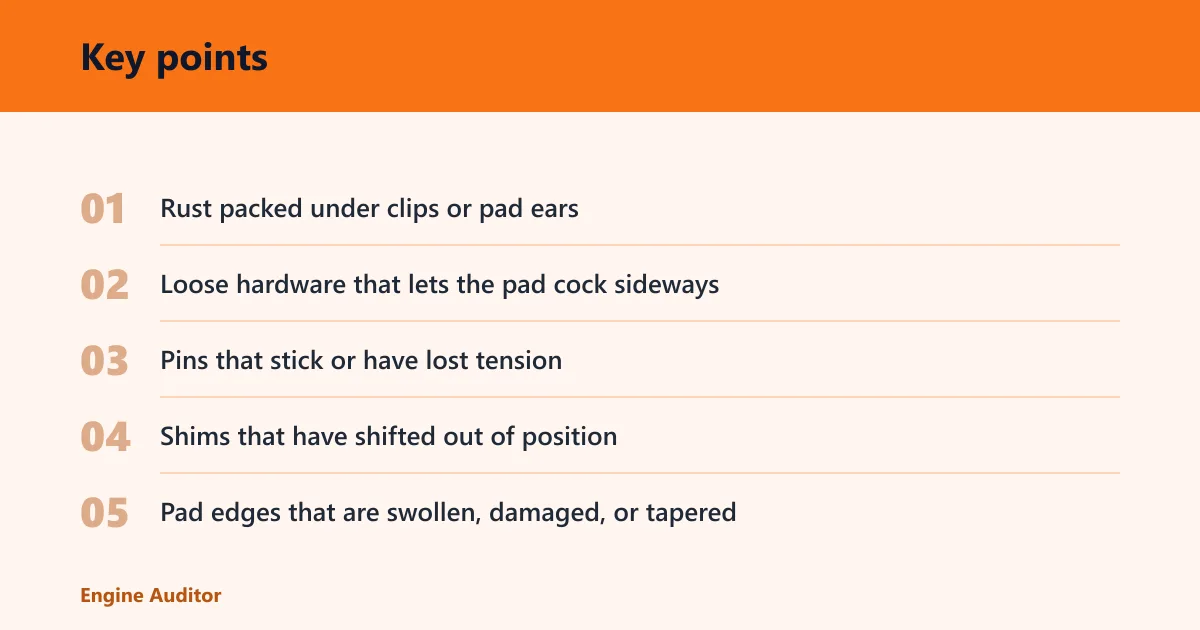
Common binding points
- Rust packed under clips or pad ears
- Loose hardware that lets the pad cock sideways
- Pins that stick or have lost tension
- Shims that have shifted out of position
- Pad edges that are swollen, damaged, or tapered
What should I check if my brakes are dragging? Start with the pins, clips, and debris in the caliper. Then check whether the pads can retract freely in the bracket. Dragging can also come from broader issues such as a sticking caliper piston, fluid problems, or a hose fault, but hardware should be ruled out first.
Why are my brakes noisy after a pad change?
Noise after a pad change often points to hardware fit rather than pad material alone. Loose or missing clips and shims are common noise causes, and pads mounted too loosely in the caliper can chatter or squeal. If the old hardware was reused without cleaning or replacement, the noise may return quickly.
Loose pads, debris, loose hardware, worn pins, and rotor issues
Loose pads can move enough to click or squeal. Debris can keep the pad from seating, while worn pins can let the pad shift under load. Rotor issues can add vibration on top of that, but they should not be blamed until the hardware fit has been checked and corrected.
When the noise points beyond hardware
If the hardware passes inspection and the noise is a pulsing vibration, rotor runout or thickness variation becomes more likely. If the complaint is squeal at very low speed, loose clips, missing shims, or pad movement usually deserve the first look. Use the symptom, not guesswork, to narrow the fault.
Frequently asked questions
How do I inspect brake shims?
Look for a shim that is flat, centered, and fully attached to the pad where the design calls for it. Missing, displaced, or damaged shims can let the pad vibrate and squeal. Clean the contact area and replace any shim that no longer sits correctly.
How do I inspect brake pins for wear?
Move the pin or slide hardware by hand if the design allows it. Good slide pins glide smoothly and move freely without sticking. Replace pins that feel sloppy, bind, or show pitting and loosened tension, because worn pins can cause squealing, fade, and uneven braking.
What should I check if my brakes are dragging?
Inspect pins, clips, and debris first, because any of them can stop the pads from retracting properly. Then look for a pad that binds in the bracket or a caliper that does not release cleanly. If the hardware is sound, broaden the diagnosis to hydraulic or piston issues.
Products related to this article
Sponsored / affiliate links. As an Amazon Associate I earn from qualifying purchases. I may earn additional commission from eligible campaigns.