Vehicle Types vs Make vs Model: How to Tell Them Apart
Sort it in this order: vehicle type first, then make, model, year, trim, and body style; type answers what it is, make answers who built it, and model answers the name on the badge. If those fields are wrong, forms bounce, VIN checks miss, and insurance records stop matching the car. I use this order on paperwork because it keeps the record clean: class first, brand next, then the exact vehicle.
| Decision factor | Vehicle types | make vs model: How to tell them apart | Winner |
|---|---|---|---|
| Best use case | Best for sorting a vehicle into a broad class on DMV, insurance, or registration paperwork. | Best for identifying the exact nameplate and matching the vehicle to a record or parts catalog. | Vehicle types |
| Precision | Broad. It may group several different vehicles under one label. | More precise. It separates the brand from the specific line, then lets year and trim narrow it further. | make vs model: How to tell them apart |
| Form-filling value | Helps when a form asks for class, body category, or road vehicle type. | Helps when a form asks for year, make, model, and VIN. | Tie |
| Risk of confusion | Lower at the top level, but easy to confuse with body style. | Higher if the user stops too early and ignores year, trim, or body style. | Vehicle types |
| Use in verification | Useful as the first filter, not the final answer. | Useful for final confirmation when matched against VIN and paperwork. | make vs model: How to tell them apart |
Vehicle type, make, and model: what each one means
Vehicle type is the broad class. Make is the manufacturer or brand, such as Honda, Toyota, or Ford. Model is the specific line within that make, such as Civic, Camry, or F-150. On forms, those fields do different jobs, and mixing them up can change how a vehicle is classified.
Vehicle type: the broad class used on forms and classifications
A vehicle is a machine designed for self-propulsion, and vehicle type is the label used to place that machine into a larger group. ISO 3833 is the international standard for road vehicle types, so it is the right place to think about class names before brand names. (en.wikipedia.org)
On registration, insurance, and DMV forms, vehicle type may appear under labels such as passenger car, pickup, van, SUV, or similar categories. That field is about the class of the road vehicle, not the badge on the hood.
Make: the manufacturer or brand name
Make is the manufacturer or brand name. If the badge says Toyota, Ford, or Honda, that is the make. It is the part of the answer that tells a clerk or adjuster who built the vehicle.
Make is not enough by itself. A Ford could be an F-150, Mustang, Escape, or Transit, and each one points to a different model with different parts, values, and paperwork details.
Model: the specific vehicle line within a make
Model is the specific vehicle line within a make. Civic, Camry, and F-150 are model names, and they sit below the make in the identification order. That is why make and model should always be read together.
Model names can stay familiar while the vehicle changes across years, trims, and body styles. That is where many forms go wrong. The badge may still say the same thing, but the exact vehicle may not be the same.
According to Vehicle – Wikipedia — ISO 3833 is the international standard for road vehicle types. (source)
How to tell them apart in the right order
Start with vehicle type, then confirm make and model, then add year, trim, and body style. That order avoids a common mistake: trying to identify a vehicle by a model badge before the broader class is clear. Once the class is set, the rest of the record becomes easier to verify.
Start with vehicle type
Ask what the vehicle is used as and how the form expects it to be classified. A pickup, a van, and a passenger car can share a similar size, yet still belong in different classes on a DMV or insurance record.
Then confirm make and model
After the type is clear, read the brand and the line name. That sequence matters because a model alone can be shared across years or body styles, while the make narrows the field to one manufacturer.
Add year, trim, and body style only after the base ID is set
Year, trim, and body style should come after the base identity is established. The model year can affect safety features and repair cost. Trim can change the exact equipment package. Body style can change classification, insurance treatment, and the way a form should be filled out.

What is vehicle type on registration or insurance forms?
Vehicle type on registration or insurance forms is the broad classification the form wants for the road vehicle, not the brand or model badge. It can differ from body style, and it can be broader than what appears on the tailgate or grille. ISO 3833 is the standard reference for road vehicle type terms.
How vehicle type differs from body style
Type is the class. Body style is the shape or layout, such as sedan, SUV, coupe, hatchback, pickup, van, or minibus. A form may ask for one or the other, and they are not interchangeable even when they look similar.
A pickup can be a vehicle type in one form and a body style in another. That is why the wording on the form matters. The clerk wants the field the form asks for, not the nearest synonym.
Where ISO 3833 fits
ISO 3833 exists to give road vehicle types common definitions. It matters because a type label on paperwork should match a shared classification idea, not a guess based on appearance. That is especially useful when a vehicle can be described in more than one way.
Why a form may use a broader class than a model name
A broad class helps with administration, insurance rating, and registration sorting. A model name alone may not tell the office whether the vehicle is a passenger car, light commercial vehicle, or something else in the form’s taxonomy. The class comes first because it sets the bucket.
Can a model name cover more than one body style?
Yes. One model name can appear on several body styles, and that is where confusion starts. A badge may stay the same while the body layout changes, so a form that only captures the model name can miss the actual vehicle configuration.
When one model name appears on several body styles
Automakers often reuse a model name across different bodies or market versions. A compact line can appear as a sedan and a hatchback. A van name can cover cargo and passenger variants. The badge alone does not always tell the full story.
Why SUV, van, pickup, and passenger car labels can conflict
Those labels can conflict because one source may describe the class and another may describe the body. A registration record might say one thing while the owner says another based on appearance. The right answer comes from the exact vehicle record, not from a quick glance.
Volkswagen Type 2 as a practical example
Volkswagen Type 2 shows why a single designation can lead to multiple body styles. It is classified as a light commercial vehicle, production began in November 1949, and the nameplate continued into the present day. Its body styles include panel van, minibus, and pickup variants, and it is also called the Volkswagen Bus and Volkswagen Kombi. (en.wikipedia.org)
The Type 2 also spans rear-engine and front-engine layouts across generations, later shifting to front-engine, front-wheel-drive layouts. That makes it a useful reminder that a nameplate can stay familiar while the vehicle’s structure and classification details change over time.
What details do you need besides make and model?
You usually need year, trim, body style, and the VIN in addition to make and model. Those details help separate similar vehicles that share a name but differ in equipment, value, or classification. If paperwork conflicts, the VIN and source document usually settle the question.
Model year and why it matters
The same model name can change across years. That can affect safety features, repair cost, and parts matching. A form that says only make and model may still be incomplete if the year is missing or wrong.
Trim level and why it changes the exact vehicle
Trim is the version or package within the model, such as a base, sport, or luxury setup. It can change equipment, parts pricing, and claim handling. Two vehicles with the same make and model can still be different enough that trim affects the estimate.
Body style and how it affects classification and pricing
Body style can affect insurance treatment and how the form is completed. Sedan, SUV, coupe, hatchback, pickup, van, and minibus are not cosmetic labels only. They can affect how the vehicle is grouped, quoted, or filed in a database.
How to find the exact vehicle from the VIN and paperwork
The VIN is the 17-character identifier that confirms exact details. Use it when the badge, title, or memory does not line up. Registration, title, and insurance declarations pages are the fastest paperwork sources for make, model, year, and VIN.
VIN locations on the vehicle
VINs are often found in places like the windshield or the driver-side door jamb. Those are the first places to check when a form must match the exact vehicle and not just the description on paper.
Registration and title documents
Registration and title documents often list the make, model, and sometimes a model code. They are official sources for vehicle identification, and they are useful when a DMV or insurer wants details that match the state record.
Insurance declarations page
The insurance declarations page often lists year, make, model, and VIN. It is a fast way to confirm what the insurer thinks the vehicle is. If the declarations page conflicts with the title or registration, the VIN should be checked first.
When the VIN settles a dispute
If the name on the car, the paperwork, and the memory do not agree, the VIN is the tie-breaker. It points to the exact vehicle and removes the guesswork from the type, make, model, year, trim, and body style chain.
Vehicle ID checklist: verify the fields in order
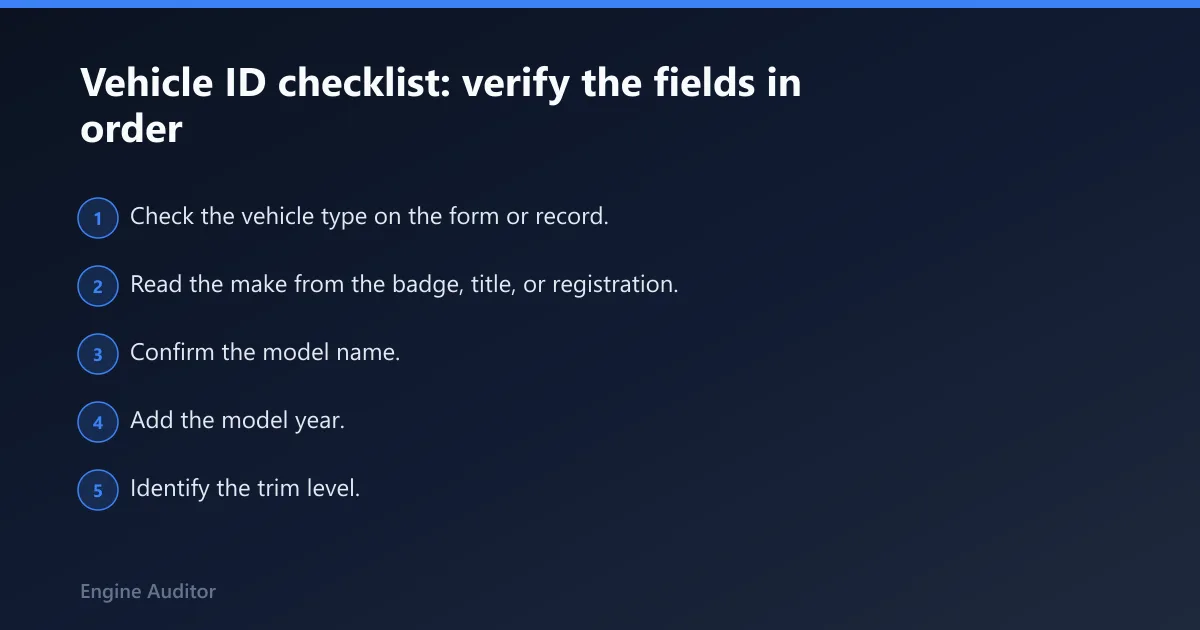
Use this checklist in order. It keeps the identification sequence tight and reduces form errors. When one field is uncertain, move to the next source instead of guessing.
- Check the vehicle type on the form or record.
- Read the make from the badge, title, or registration.
- Confirm the model name.
- Add the model year.
- Identify the trim level.
- Confirm the body style.
- Locate the VIN on the windshield or driver-side door jamb.
- Match the VIN to the registration, title, or insurance declarations page.
- Use the source document that matches the VIN if the paperwork conflicts.
| Field on the form | Compare against | What to enter | Common mistake |
|---|---|---|---|
| Vehicle type | DMV class, registration, or policy category | Passenger car, pickup, van, SUV, or the class the form asks for | Writing the model name where the type belongs |
| Make | Badge, title, registration, declarations page | Honda, Toyota, Ford, or the actual brand | Using a dealer name or trim name |
| Model | Badge, title, VIN decode, declarations page | Civic, Camry, F-150, or the actual model line | Stopping at the brand only |
| Year | Title, registration, declarations page, VIN | The exact model year listed in the record | Using the sale year instead of model year |
| Trim | VIN, window sticker, build data, declarations page | Base, sport, luxury, or the exact package | Leaving it blank when the form asks for it |
| Body style | Title, registration, VIN decode, vehicle inspection | Sedan, SUV, coupe, hatchback, pickup, van, minibus | Assuming the model name tells the whole story |
| VIN | Windshield, driver-side door jamb, paperwork | The full 17-character VIN exactly as printed | Dropping a character or swapping a letter |
Vehicle types vs make vs model: how to tell them apart on forms
The safest method is to match the form to the source document. If the form asks for type, enter the broad class. If it asks for make and model, enter the brand and line name. If it asks for year, trim, or body style, do not leave those fields to memory when the title, registration, or declarations page is available.
What to enter when the form asks for vehicle type
Use the class the form asks for, such as passenger car or pickup, not the badge on the vehicle. If the office uses a broader category, follow that wording even if the model name sounds specific. The goal is classification, not marketing language.
What to enter when the form asks for make and model
Enter the brand first and the model second. That pairing is the minimum useful identity on most forms. If the form also asks for year, add it right away so a similar vehicle does not get filed under the wrong record.
How to handle mismatched paperwork
If the title says one thing and the insurance page says another, compare both to the VIN. The VIN is the anchor. Once the VIN is verified, update the form to match the source that actually belongs to the vehicle.
How do I tell if my vehicle is a van, pickup, SUV, or passenger car?
Start with the form’s class field, then compare the vehicle’s structure and its paperwork. A pickup usually has an open cargo bed, a van usually has an enclosed body with cargo or passenger use, an SUV is usually a tall passenger-oriented body, and a passenger car is generally a car-class road vehicle. When the shape is unclear, the title or VIN decode should settle it.
Verdict
Choose vehicle type first when you are filling out a DMV, title, or insurance form that asks for class or road vehicle category. Choose make and model, then year, trim, body style, and VIN, when you need the exact vehicle identity for quotes, claims, or parts matching. If the paperwork conflicts, the VIN and source document win.
Frequently asked questions
What is the difference between vehicle type, make, and model?
Vehicle type is the broad class, such as passenger car or pickup. Make is the brand or manufacturer, such as Ford or Toyota. Model is the specific line, such as F-150 or Camry. Read them in that order, because each one narrows the vehicle more than the last.
Is make the same as brand on a car form?
Yes, in most car forms, make means the brand or manufacturer name. If the form asks for make, enter the name on the badge or the official record, such as Honda or Ford. Do not enter the model name in that field, because it answers a different question.
How do I find my car’s make and model if I only have the VIN?
Use the VIN from the windshield, door jamb, registration, title, or insurance declarations page. That 17-character identifier can be matched to the vehicle record that lists make, model, year, and often trim. If the record disagrees with the badge, the VIN should be treated as the final check.
What else do I need besides make and model when filling out insurance forms?
Most insurance forms also need the model year, VIN, and sometimes trim or body style. Those details help the insurer match the exact vehicle and avoid misclassification. A policy can look correct at a glance yet still fail a claim review if the year or trim is wrong.
Why do two cars with the same model name have different values or repair costs?
Because the model name does not tell the whole story. Year, trim, body style, and equipment can all change parts cost and claim severity. Two vehicles can share the same model badge and still have different repair paths, different safety content, and different pricing.
Can a model name describe multiple body styles?
Yes. A model name can cover more than one body style, such as sedan, hatchback, van, or pickup variants. That is why a model badge should never be treated as the full identity by itself. Check the body style and, when possible, the VIN to confirm the exact vehicle.
Products related to this article
Sponsored / affiliate links. As an Amazon Associate I earn from qualifying purchases. I may earn additional commission from eligible campaigns.