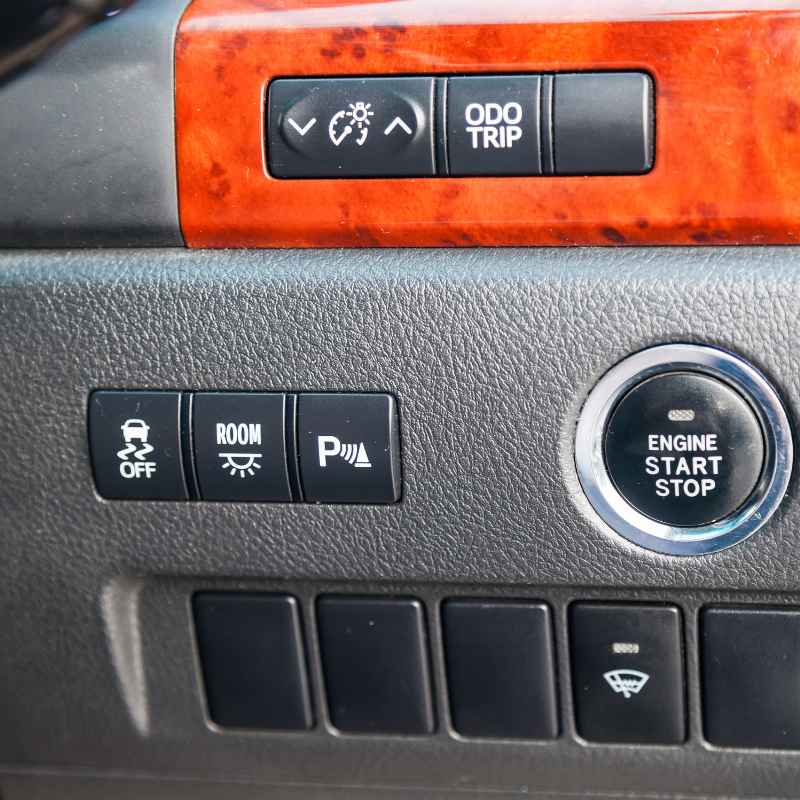
How To Use Auto Stop On A Chevy Malibu (Step-By-Step)
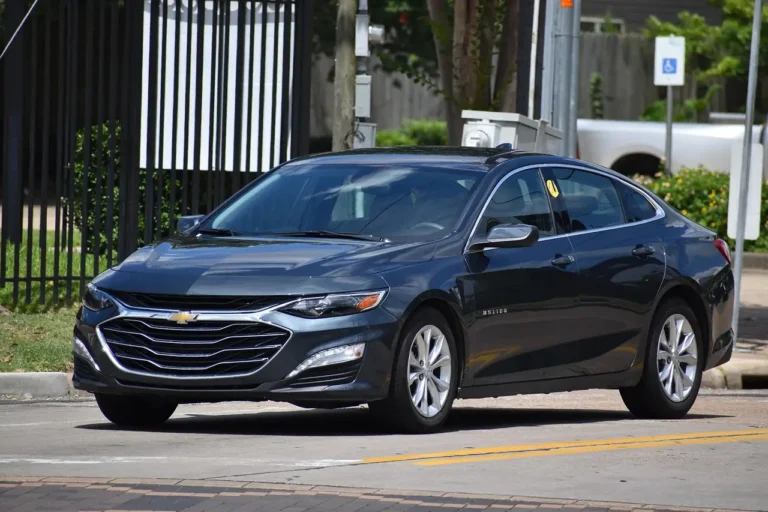
The auto stop feature on a Chevy Malibu turns off the engine when the car is stopped. This saves gas and lowers emissions. You can usually turn it on or off using a button. It works best when the engine is warm and the battery is charged.
Understanding Chevy Malibu Auto Stop
The auto stop system is part of your car’s push-button start. It’s often called “Auto Start-Stop” or “Intelligent Auto Start-Stop.” When you stop your car, like at a red light or in traffic, the engine will automatically shut off. This happens when certain conditions are met.

NJSBYL
Auto Start Stop Eliminator for 2019-2024 GMC…
- Compatible with: Our auto stop start eliminator/disabler is fit for 2019-2024 GMC Terrain, 2019-2024 Chevy Equinox, 2019-2024 Chev…
- Feature: NO MORE AUTO START/STOP! Engine no longer automatically shuts off and restarts at red lights or stop signs. Reduces engin…
- Function: With our auto stop disabler, every time you restart Chevy Equinox the engine will automatically disable the autostop fea…
As an Amazon Associate I earn from qualifying purchases.
Then, when you lift your foot off the brake pedal, the engine starts up again. It’s usually very quick.
This system is meant to help you save money on gas. Think about how much time your car spends idling. That’s wasted fuel.
Auto stop cuts down on that waste. It also helps reduce the amount of exhaust your car puts out. This is good for the environment.
Most modern cars, especially those made by General Motors (GM), include this feature.
Your Malibu might have a specific button to control this. It’s usually near the gear shift or on the dashboard. This button lets you decide if you want the auto stop to work or not.
Sometimes, the system has its own logic. It might not shut off the engine if the battery is low. Or if the air conditioning needs to run hard on a hot day.
Knowing how it works makes it less surprising. You can then choose when you want it active. It’s a smart piece of technology.
It helps your car be more efficient. Many drivers find it works seamlessly. Others prefer to have more manual control.
We’ll explore both sides.
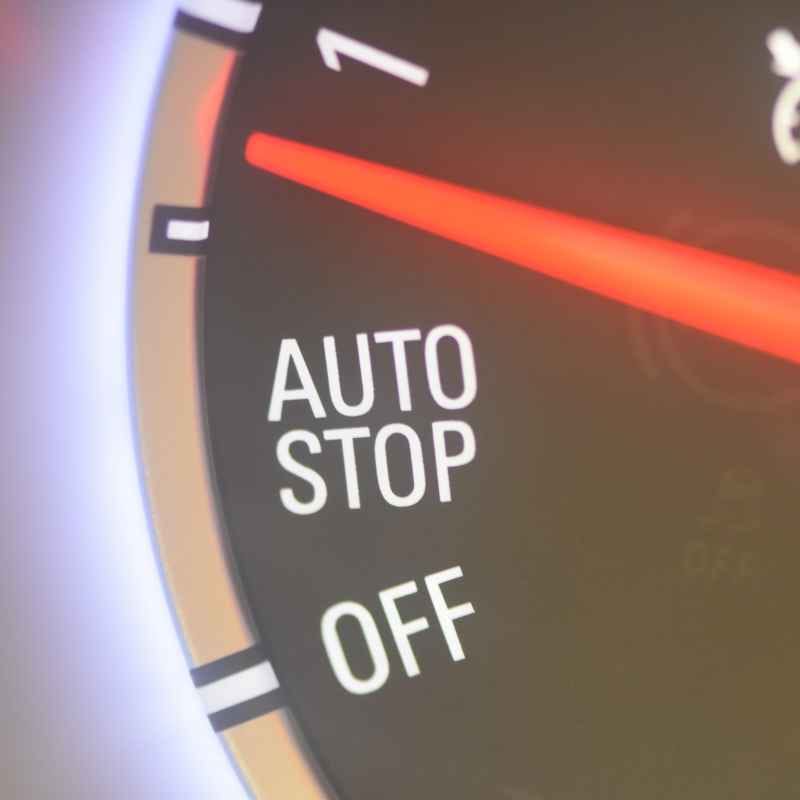
My First Time with Auto Stop
I remember the first time I really noticed my car’s auto stop. I was driving my new Chevy Equinox, a cousin to the Malibu. I’d pulled up to a busy intersection in downtown Chicago.
The light turned red, and I gently pressed the brake. Suddenly, everything went quiet. The engine sound just disappeared.
My first thought was, “Oh no! What happened?” I remember a little flash of panic. Was the car broken?
I looked at the dashboard. All the lights were still on. The radio was playing.
I was still in Drive. Then, as I took my foot off the brake, the engine purred back to life instantly.
It was so smooth I almost didn’t feel it. But the sudden silence was startling. I’d read about this feature, of course.
But experiencing it firsthand was different. It took a few more stops for me to get used to it. Now, I actually appreciate it.
Especially in city driving where you stop a lot. It’s a small thing, but it adds up.
This experience made me want to understand it better. I started looking into how these systems work. What makes them turn on or off?
Why is it sometimes more active than other times? This curiosity is what drives many of us to learn about our cars. We want to feel confident.
We want to know our vehicles are working for us. And that we can control them.
How the Auto Stop Feature Works
The auto stop system is quite clever. It uses sensors and computer controls. First, the car needs to know you are stopped.
Your foot on the brake pedal tells it this. The car also needs to be in Drive or Reverse. If you put it in Park, the engine won’t shut off.
Several factors help the system decide when to shut off the engine. These are often called “enabling conditions.” The car’s computer checks many things. It looks at the engine’s temperature.
It needs to be warm enough. If the engine is cold, it usually stays running. It also checks the battery.
The battery needs enough charge to restart the engine quickly and reliably.
Air conditioning plays a role too. On very hot days, the A/C system works hard. It uses engine power.
The system might keep the engine running so the A/C can stay cool. Similarly, if the defroster is on high, the engine might not shut off. The car’s computer tries to balance fuel savings with comfort and performance.
When you are stopped and all conditions are met, the computer sends a signal. This signal tells the engine to shut down. It’s a precise cut-off.
When you want to go, you simply lift your foot from the brake pedal. A sensor detects this movement. It immediately tells the engine to start up again.
The starter motor is often a more powerful type. It’s designed for many quick starts.
The goal is always a smooth and fast restart. You should not feel a long delay. Most drivers find it happens in less than a second.
This whole process is managed by the car’s Body Control Module (BCM). This module is like the car’s central computer for many everyday functions.
Auto Stop: What Makes It Go?
Engine Warmth: The engine must reach its normal operating temperature. A cold engine won’t shut off.
Battery Charge: The battery needs sufficient power. This ensures a quick restart.
Climate Control: Heavy A/C or defroster use might keep the engine running.
Brake Pedal: Your foot must be pressing the brake pedal firmly.
Gear Selection: The car must be in Drive (D) or Reverse (R).
Using the Auto Stop Disable Button
Most Chevy Malibu models with auto stop have a button to turn the feature off. This is great for when you don’t want the engine to shut down. You might want it off in certain situations.
For example, if you are in stop-and-go traffic. Or if you are on a steep hill and want the car to be ready to move instantly.
Look for a button with an “A” symbol inside a circle, often with a line through it. It might also say “Auto Stop OFF” or something similar. On many Malibu models, this button is located on the center console.
It’s usually near the gear shifter. It could also be on the dashboard to the left of the steering wheel. Sometimes it’s part of a group of buttons controlling other vehicle features.
When you press this button, you are telling the car’s computer to disable the auto stop system. A light on the button or on the dashboard will usually come on. This light confirms that the auto stop feature is now turned off.
Your engine will no longer shut off when you stop.
It’s important to know that this setting might not be permanent. Many cars will reset the auto stop system to “on” each time you turn off the car. So, if you want auto stop disabled the next time you drive, you’ll likely need to press the button again.
This is a safety feature. It ensures you don’t accidentally drive with it off all the time if you didn’t intend to.
Some people dislike the interruption of the engine shutting off. They might have a personal preference for it to always be running. Others might find it useful in specific climates.
For instance, if you often sit in traffic in very hot weather, you might prefer the engine running to keep the A/C strong. The disable button gives you that control.
Locating Your Auto Stop Button
- Common Area: Center console, near the gear shifter.
- Dashboard: Left side of the steering wheel, among other vehicle controls.
- Button Icon: Look for an ‘A’ inside a circle with a slash through it.
- Indicator Light: A dashboard light confirms when the system is OFF.
When Auto Stop Might Not Engage
Even if you want the auto stop to work, it doesn’t always. This is by design. The car’s computer is always monitoring.
It makes sure the system is safe and comfortable for you. Here are common reasons why auto stop might not activate:
1. Cold Engine: If you just started your car, the engine is cold. It needs to warm up to its normal operating temperature.
This takes a few minutes of driving. Until then, auto stop will stay off.
2. Low Battery Charge: Your car’s battery needs enough power. This is to reliably restart the engine.
If the battery is low, the system will prevent auto stop. This ensures you can always start your car. You might see a battery warning light if this is a frequent issue.
3. Climate Control Demands: If it’s very hot outside, your air conditioning will work hard. The system needs engine power to run the A/C compressor.
If the A/C is blowing very cold or the fan is high, auto stop may not engage. The same is true for the defroster on a cold or wet day.
4. Driving Style: If you brake very suddenly or aggressively, the system might not have time to engage auto stop. It prefers a gentle stop.
Also, if you are on a steep incline, the car might keep the engine running for better control. Some systems are programmed to prevent rollback on hills.
5. Doors or Hood Open: If any doors are not fully latched, or if the hood is not securely closed, the auto stop system may be disabled. This is a safety precaution.
The car wants to ensure all systems are functioning correctly.
6. Seatbelt Unbuckled: In some vehicles, if the driver’s seatbelt is unbuckled, the auto stop might be prevented from engaging. This is another safety measure to ensure the driver is properly seated.
7. Towing Mode: If your Malibu is equipped with towing features and you are in a towing mode, the auto stop system might be disabled. This is to ensure the vehicle has full power available when needed for towing.
It’s helpful to pay attention to your car’s dashboard. Sometimes, a message will appear. It might explain why auto stop is not active.
For example, it could say “Auto Stop Unavailable – A/C Load High.” This tells you exactly what’s going on.
When Auto Stop Sleeps:
- Engine is still cold.
- Battery needs more charge.
- A/C or defroster is working very hard.
- Braking was too sudden.
- Car is on a steep hill.
- Doors are not fully closed.
Real-World Scenarios with Auto Stop
Let’s think about some everyday situations where auto stop is noticeable. Imagine you’re driving in Los Angeles traffic. You’re crawling along.
Every few car lengths, you stop. Your Malibu’s engine is shutting off and starting up repeatedly. This can feel like a lot.
Many drivers find they prefer to press the disable button in such heavy, slow traffic. It makes the drive feel smoother.
Now, picture yourself driving on a highway. You exit the freeway and approach a toll booth. You slow down and stop.
The engine turns off. As the car ahead moves, you lift your foot off the brake. The engine starts, and you drive forward.
This is a perfect use case for auto stop. It saves fuel without you even thinking about it.
Consider a different scenario. It’s a sweltering August afternoon in Texas. You’re waiting for your kids at their school.
The sun is beating down. Your A/C is running full blast. Your Malibu’s engine might stay on even when you’re stopped.
This is because the computer knows the A/C needs the engine’s power. You’ll stay cool and comfortable.
What about a cold morning in Minnesota? You’ve just started your car. The engine is icy.
Auto stop won’t engage until the engine warms up. This is good. A cold engine doesn’t perform as well.
Letting it run for a bit helps it reach optimal running conditions. It also helps warm up the cabin faster.
These examples show how context matters. The car’s system tries to adapt. It learns from the conditions.
Whether you use the disable button or let the system work is a personal choice. There’s no single “right” way. It depends on your driving habits and preferences.
In my experience, I tend to use the disable button more in very specific situations. Like when I’m waiting for someone for just a few seconds. Or when I’m in extremely slow traffic.
For normal stops, I let the system do its thing. I trust it’s saving me a little gas and reducing emissions.
Auto Stop in Action:
- Daily Commute: Engine stops at red lights, starts when you go.
- Heavy Traffic: Can be frequent stops and starts. Many drivers disable it here.
- Hot Weather: A/C might keep the engine running to stay cool.
- Cold Weather: Engine needs to warm up before auto stop works.
- Waiting Briefly: Engine stops, starts when you move.
What This Means for Your Chevy Malibu
The auto stop feature is designed to make your Malibu more fuel-efficient. It’s a simple way to cut down on wasted gasoline. When it’s working, you might notice a small improvement in your miles per gallon (MPG).
This can add up over time. Especially if you do a lot of city driving.
It also contributes to lower emissions. By reducing idling time, your car emits fewer greenhouse gases. This is a small step towards cleaner air.
Most drivers won’t notice a huge difference immediately. But over the life of the vehicle, these savings are real.
For some, the system might feel a little strange at first. The sudden silence of the engine can be unexpected. But most people get used to it quickly.
If you don’t like it, the disable button is there. You have the choice. It’s about finding what works best for your driving comfort.
One thing to consider is battery health. The auto stop system puts more demands on the battery because of frequent starts. Modern car batteries are designed for this.
However, if your battery is old or weak, you might notice auto stop not engaging as often. Or you might need to replace your battery sooner.
Also, pay attention to warning lights. If you see a battery light or a specific auto stop warning, it’s worth getting checked. It might be a simple fix, like a weak battery or a sensor issue.
But ignoring it could lead to bigger problems.
In essence, auto stop is a tool. It’s meant to help you. Whether you use it or disable it, it’s there for a reason.
Understanding its function empowers you to make the best choice for your driving experience. It’s part of the evolution of car technology. Making cars smarter and more efficient.
Your Malibu and Auto Stop:
- Fuel Savings: Expect slightly better MPG, especially in city driving.
- Lower Emissions: Reduces the car’s environmental footprint.
- Comfort Choice: You can disable it if you prefer.
- Battery Check: Frequent starts can impact battery life.
- Warning Lights: Pay attention to dashboard indicators.
Quick Tips for Managing Auto Stop
Here are a few simple tips to help you manage the auto stop feature in your Chevy Malibu:
1. Know Your Button: Make sure you know where the auto stop disable button is. Practice using it a few times so you can find it easily by feel if needed.
2. Observe Dashboard Lights: Watch your dashboard. If auto stop isn’t engaging, there might be a message explaining why.
This helps you understand the car’s behavior.
3. Battery Health Matters: If you notice auto stop is frequently unavailable, consider having your battery tested. A strong battery is crucial for this system.
4. Gentle Braking is Key: For the system to engage smoothly, try to brake gently and progressively. This gives the car’s computer time to register the stop.
5. Consider Your Climate: In extremely hot or cold weather, if you find the cabin temperature not to your liking, remember that climate control can affect auto stop. You can choose to disable it if needed.
6. Test Drive Different Modes: Try driving with auto stop enabled for a week. Then, try disabling it for a week.
See which feels better for your typical driving routes and habits. This personal testing is the best way to decide.
7. Read Your Owner’s Manual: The most detailed information for your specific model year will always be in your owner’s manual. It can offer specific insights into how your Malibu’s system operates.
These tips are designed to make using auto stop easier. It’s a feature that, once understood, can become second nature. Or, it’s a feature you can easily bypass when you want to.
Frequently Asked Questions About Chevy Malibu Auto Stop
How do I turn off the auto stop on my Chevy Malibu?
Look for a button on the center console or dashboard, often with an ‘A’ symbol inside a circle with a line through it. Pressing this button will disable the auto stop feature. A light on the button or dashboard will usually indicate that it is off.
Will auto stop damage my engine?
No, the auto stop system is designed by engineers to not harm your engine. Modern cars have specialized starter motors and batteries built to handle the frequent starts. It’s a tested and safe feature.
How can I tell if auto stop is working?
When you stop your car and place your foot on the brake, the engine will suddenly turn off. The tachometer needle will drop to zero. When you lift your foot off the brake, the engine will restart instantly.
Does auto stop save a lot of gas?
It saves a noticeable amount of gas, especially in city driving with frequent stops. While the exact savings vary, it can contribute to better overall fuel economy over time. It reduces fuel wasted during idling.
Why does my auto stop not work when it’s hot outside?
On hot days, the air conditioning system works harder. This uses more engine power. To maintain cabin comfort, the car’s computer may keep the engine running and prevent auto stop from engaging.
This ensures your A/C can keep you cool.
Does auto stop affect my car’s warranty?
No, using the auto stop feature does not void your car’s warranty. It is a designed and integrated function of the vehicle. As long as you maintain your vehicle according to the manufacturer’s schedule, your warranty should remain valid.
Can I use cruise control with auto stop?
Yes, you can use cruise control. However, the auto stop feature might still engage if you come to a complete stop while cruise control is set. When you disengage cruise control, the engine will restart.
It’s best to be aware of how the systems interact.
Final Thoughts on Auto Stop
The auto stop feature in your Chevy Malibu is a smart addition. It aims to boost fuel efficiency and lower emissions. While it might take some getting used to, it’s a feature designed to work for you.
Understanding when it engages and when it doesn’t is key. Having the option to disable it gives you ultimate control. Use it when it makes sense for your drive.
Enjoy the benefits of a more efficient vehicle.
Related pick: Check today's price on Amazon
Products related to this article
Sponsored / affiliate links. As an Amazon Associate I earn from qualifying purchases. I may earn additional commission from eligible campaigns.