How To Make Your Chevy Car Payment Online (Easy Steps)
Making your Chevy car payment online is straightforward. Most owners can pay through the official GM Financial website, by phone, or via their bank’s bill pay service. These methods ensure secure and timely transactions, helping you manage your Chevrolet financing with ease and avoid late fees. If you drive a Ford instead, the same idea applies through Ford Credit – see our guide on paying your Ford car payment.
Understanding Your Chevy Financing
When you buy a Chevrolet, you often finance it. This means you borrow money for the car. A company, usually GM Financial, lends you this money.
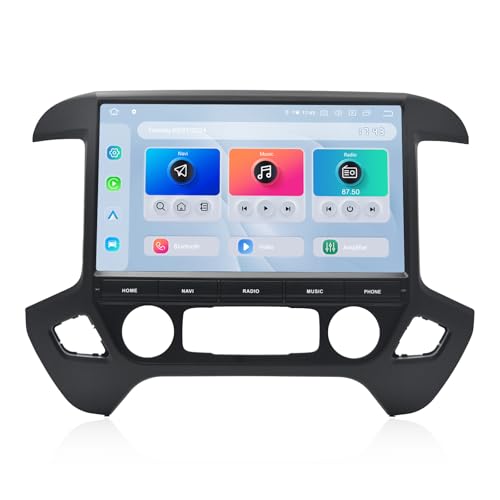
dasaita
Dasaita 13.3" Car Stereo for Chevrolet Silverado…
- 【For Silverado and Sierra 2014 to 2019】This Dasaita car stereo custom fit for Chevrolet Silverado and GMC Sierra 2014-2019. Enjoy…
- 【Experience PC-Like Speed & Massive 256GB Storage】Tired of sluggish factory head units? This Dasaita head unit runs genuine Androi…
- 【13.3" QLED Touchscreen with Physical Controls】This Dasaita radio with 13.3" 2000×1200 laminated QLED display outperforms standard…
As an Amazon Associate I earn from qualifying purchases.
You then pay them back over time. These payments include the loan amount and interest. Your payment schedule is set in your loan contract.
Knowing your loan details is key. This includes your payment due date and the amount owed.
GM Financial handles most Chevrolet loans. They offer several ways to manage your account. Online payments are one of the most popular methods.
It’s fast and convenient. You can access your account from anywhere. This makes it easy to stay on top of your bills.
Understanding who handles your loan helps you know where to go for help.

The Official GM Financial Website: Your Main Hub
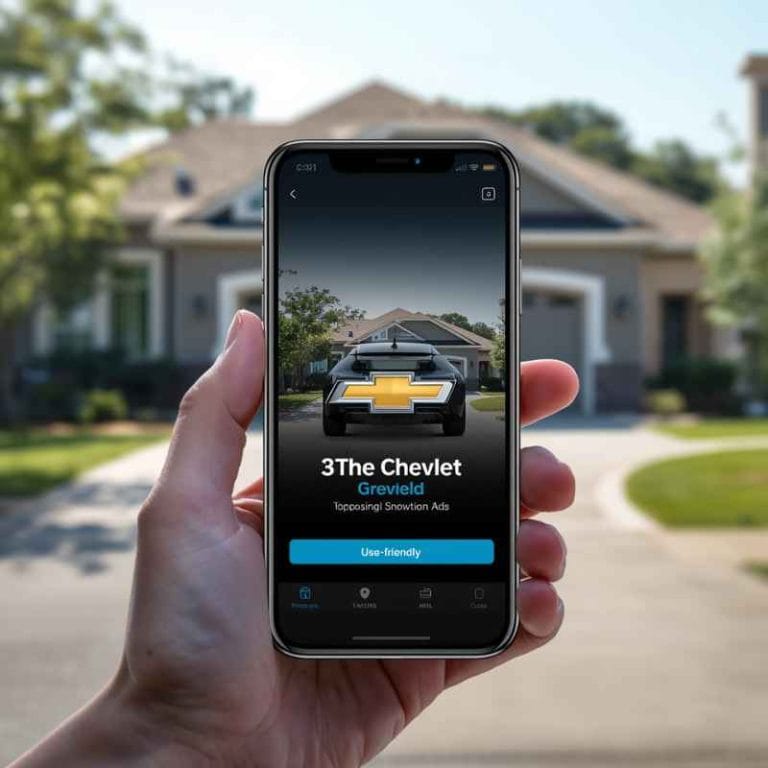
The GM Financial website is the primary place for most Chevrolet owners to manage their car payments. It’s designed to be user-friendly. You can find all the information you need about your loan here.
Setting up an account is usually the first step. This gives you access to your account details anytime.
Once you have an account, you can see your balance. You can also view past payments. Upcoming payment dates are clearly displayed.
This helps you plan ahead. The website is secure. It uses technology to protect your personal and financial information.
This is very important when dealing with money online.
Setting Up Your GM Financial Account
To start, you’ll need to visit the GM Financial website. Look for a section that says “Sign In” or “Create Account.” You’ll need some information handy. This usually includes your account number.
You can find this on your loan statement. You might also need your Social Security Number or a VIN. Follow the on-screen prompts to create a username and password.
Make sure to choose a strong password. This protects your account. You may also need to set up security questions.
These help verify your identity if you forget your password. Once your account is active, you can log in whenever you need to. This portal becomes your go-to spot for all things related to your car loan.
Making a One-Time Payment
After logging in, navigate to the payment section. There will be an option for making a one-time payment. You’ll be asked to enter the payment amount.
You can usually pay the full amount due. You can also pay more than the minimum if you wish. Some people like to pay extra to reduce their loan faster.
There might be an option to pay a custom amount.
Next, you’ll need to select your payment method. Most commonly, this is an electronic check (ACH) from your bank account. You’ll need to provide your bank’s routing number and your checking account number.
These are found on your bank checks. Alternatively, you can often use a debit card or credit card, though fees may apply.
Confirm the details carefully. Check the payment amount and the bank account information. Once you submit, you should see a confirmation screen.
You’ll likely receive an email confirmation too. Keep this for your records. This confirms your payment was successfully processed.
Setting Up Automatic Payments (AutoPay)
For ultimate convenience, consider setting up automatic payments. This is called AutoPay. You link your bank account or card to your GM Financial account.
Then, you set a payment date. Payments will be made automatically each month. This is a great way to avoid missing a payment deadline.
You can typically choose the payment date. It might be your exact due date. Or, you can pick a few days before.
This gives you peace of mind. You can usually set it up to pay the minimum amount due. Some systems allow you to set it to pay a fixed amount each month.
Always check your loan agreement for details on paying extra automatically.
To set up AutoPay, go to the payment section of your GM Financial account. Look for “AutoPay” or “Automatic Payments.” Follow the steps to link your bank account. You’ll need your routing and account numbers again.
Review the terms and conditions. Then, confirm the setup. You can usually pause or cancel AutoPay if needed.
Just make sure to do it before the next payment is scheduled.
Quick Payment Options at a Glance
- Online Account: Full control, payment history, AutoPay setup.
- Phone: Speak with a representative for assistance.
- Mail: Send a check or money order.
- Bank Bill Pay: Use your bank’s online system.
Paying Through Your Bank’s Bill Pay Service
Many people already use their bank’s online bill pay service. This is a very secure and common way to pay bills. You can add GM Financial as a payee.
Your bank will then send the payment for you. This is a good option if you prefer to manage all your bills from one place.
To set this up, log in to your online banking portal. Find the “Bill Pay” section. You’ll need to add a new payee.
The payee name is usually “GM Financial.” You will also need GM Financial’s payment address. This is typically found on your loan statement or the GM Financial website. Crucially, you’ll need to enter your GM Financial account number.
When you schedule a payment, your bank will process it. They often use an electronic method. Sometimes, they might mail a physical check.
It’s important to schedule your payment a few days before your due date. This accounts for processing and mail times. Most banks allow you to set up recurring payments this way too.
This is similar to AutoPay.
I remember when I first set up bill pay for my own car loan. I was a bit nervous about sending money through my bank to another company. I double-checked the payee name and account number multiple times.
It felt strange to just click “pay” and trust it would work. But after the first month, I saw the payment reflected on my loan statement. It was such a relief!
It made managing my finances feel so much simpler, all from my bank’s website.
Paying by Phone
If you prefer to speak with someone, you can pay by phone. GM Financial offers a phone payment service. This can be helpful if you have questions or run into issues online.
You’ll need your account number ready. You’ll also need your payment information, like your bank account or card details.
The phone number for payments is usually on your statement. You can also find it on the GM Financial website. When you call, follow the automated prompts.
Or, ask to speak to a customer service representative. They can guide you through the payment process. Be aware that there might be a fee for payments made over the phone.
It’s wise to have your bank account and routing numbers handy. This is for electronic checks. If you use a debit or credit card, have that card ready.
They will confirm the payment details before processing. Get a confirmation number. This is proof of your payment.
Keep it in a safe place.
When to Use Phone Payments
- Need Help: If you’re unsure about online steps.
- Technical Issues: When the website isn’t working.
- Specific Questions: If you need to discuss your account.
- Preference: If you just feel more comfortable talking to a person.
Paying by Mail
While less common now, you can still pay by mail. This involves sending a check or money order. Make sure to write your account number clearly on the check.
This helps GM Financial credit the payment correctly. The payment address is on your monthly statement.
It’s crucial to mail your payment well in advance of the due date. Mail can take several days to arrive. Then, it takes time for GM Financial to process it.
Allow at least 7-10 business days for your payment to be reflected on your account. Missing a deadline this way can lead to late fees.
Always send payments to the correct address. Using the wrong address can cause delays. You might want to send payments via certified mail.
This gives you tracking and proof of delivery. This is an extra layer of security for your payment.
Important Information to Have Ready
No matter which method you choose, some information is always needed. Having these details ready makes the process much smoother. It saves you from scrambling to find them when you’re in the middle of making a payment.
Your GM Financial Account Number
This is the most critical piece of information. Your account number uniquely identifies your loan. It’s usually a series of numbers.
You’ll find it prominently displayed on any statement you receive from GM Financial. If you can’t find it, check your original loan contract. It should be there.
Without this number, you can’t make a payment to your specific account.
Bank Account and Routing Numbers
If you’re paying by electronic check (ACH), you’ll need these. The routing number identifies your bank. The account number identifies your specific checking account.
Both are found at the bottom of your checks. The routing number is usually the first set of nine digits. The account number is typically the next set.
Your bank’s website or app can also often provide these numbers.
Debit or Credit Card Information
If you plan to pay with a card, have it handy. This includes the card number, expiration date, and security code (CVV). Remember that some payment methods, like credit cards, might incur extra fees.
Check GM Financial’s policy on card payments and any associated costs.
Payment Method Checklist
| Method | Required Info | Notes |
|---|---|---|
| Online (ACH) | Account Number, Bank Routing & Account Numbers | Fast, usually no fees. |
| Online (Card) | Account Number, Card Number, Expiry, CVV | May have fees. Check policy. |
| Phone | Account Number, Payment Details | May have fees. |
| Account Number (on check), Check/Money Order | Allow ample mail time. |
Avoiding Common Payment Pitfalls
Even with simple online methods, mistakes can happen. Being aware of common issues can help you avoid them. This saves you stress and potential fees.
Paying your Chevy car payment on time is important for your credit.
Incorrect Account Information
This is a big one. If you enter the wrong account number, your payment won’t be applied correctly. It might go to someone else’s account (rare but possible) or get rejected.
Always double-check your GM Financial account number. Make sure it matches your statement exactly. This is true for bank account numbers too.
Payment Processing Times
Online payments are usually fast. But they aren’t always instant. There can be a short delay.
Payments made near the due date might not be processed by that date. Always make payments at least one or two business days before the due date. This is especially important for mail or phone payments.
Ignoring Payment Confirmation
After you make a payment, you usually get a confirmation. This might be on-screen or via email. Don’t just close the window!
Save or screenshot the confirmation. This is your proof that you made the payment. If there’s ever a dispute, this confirmation is vital.
It shows you met your obligation.
When to Contact GM Financial Directly
Sometimes, things don’t go as planned. You might have a question about your bill. Or perhaps a payment didn’t go through as expected.
In these situations, it’s best to contact GM Financial directly. They are there to help resolve issues.
You might need to call them if:
- You suspect a payment error.
- You need to discuss payment options due to financial hardship.
- Your payment method details have changed (e.g., new bank account).
- You have questions about your loan balance or terms.
- You are unable to access your online account.
Having your account number ready when you call will speed things up. Customer service representatives can look up your account. They can explain statements.
They can also help you set up or adjust payment arrangements. Don’t hesitate to reach out if you’re unsure about anything.
Experiencing a Glitch: My AutoPay Scare
I had a moment of panic once with my own car payment. I had set up AutoPay through the GM Financial portal for my previous car. Everything had been smooth for over a year.
Then, one month, my bank statement showed my car payment hadn’t cleared. My heart sank. I immediately logged into my GM Financial account, expecting to see a huge red alert.
But the account showed the payment was scheduled. It just hadn’t been debited yet. I felt a knot of anxiety in my stomach.
Had I forgotten to fund the account? Was there a bank error? I called my bank first.
They confirmed everything looked normal on their end. Then, I called GM Financial. The representative checked and found that my bank’s routing number had recently been updated by my bank.
This small change, which I hadn’t even noticed, had caused the automatic payment to fail. She was able to update it right then over the phone. I made the payment manually that day.
It was a stressful hour, but it taught me to pay attention to bank notifications and to have a backup plan.
Understanding Your Statements
Your monthly statement from GM Financial is a vital document. It details your loan status. It shows your payment history.
It also tells you exactly how much you owe and when it’s due. Regularly reviewing your statement helps you catch any potential errors early.
Look for key information on your statement:
- Your account number.
- The billing period.
- The amount due.
- The payment due date.
- Your payment history (payments received).
- Your current balance.
- Any past-due amounts, if applicable.
- Interest paid for the period.
If you notice anything that doesn’t look right, contact GM Financial immediately. This could be a payment that isn’t showing up. Or it could be an incorrect balance.
Catching these issues early prevents them from becoming bigger problems.
Security Tips for Online Payments
When you’re making any financial transaction online, security is paramount. GM Financial uses security measures, but you should too. Taking a few simple steps can help protect your information.
Stay Secure Online
- Use Strong Passwords: Mix letters, numbers, and symbols.
- Beware of Phishing: Never click suspicious links in emails.
- Use Secure Networks: Avoid public Wi-Fi for financial tasks.
- Log Out: Always log out of your account when finished.
- Monitor Your Accounts: Check bank and credit card statements regularly.
Always ensure you are on the official GM Financial website. Look for “https” at the beginning of the web address. This means the connection is secure.
Never share your login credentials with anyone. If you use a shared computer, clear your browser history and cookies afterwards.
What if I Miss a Payment?
Life happens. Sometimes, a payment gets missed. The most important thing is to act quickly.
Don’t ignore it. Contact GM Financial as soon as possible. They might be able to offer solutions or payment plans.
Missing a payment can result in:
- Late Fees: These are added to your balance.
- Damage to Your Credit Score: Payments are reported to credit bureaus.
- Higher Interest Rates: In some cases, your interest rate could increase.
- Repossession: If payments are significantly missed over time.
The sooner you address a missed payment, the better. GM Financial wants to work with you. They prefer to find a solution rather than repossess the vehicle.
Be honest about your situation when you speak with them.
Future-Proofing Your Chevrolet Payments
To make managing your Chevy car payment even easier, consider these long-term strategies. These help prevent stress and keep your finances in good order.
Budgeting for Your Car Payment
Before you even buy a car, factor the payment into your budget. Know how much you can comfortably afford each month. This prevents financial strain later.
When you know it’s budgeted, you’re less likely to miss it.
Setting Payment Reminders
Even with AutoPay, it’s good to have a reminder. Set a reminder on your phone or calendar a few days before the payment is due. This is especially helpful if you are paying manually or if you want to double-check that AutoPay processed correctly.
My calendar alerts are my lifesaver for bills!
Reviewing Your Loan Terms Periodically
As your financial situation changes, you might want to explore options. Can you refinance your loan to get a better interest rate? Can you make a large payment to reduce your principal?
Keeping an eye on your loan terms can save you money over time.

Frequently Asked Questions about Chevy Car Payments
What is the best way to make my Chevy car payment online?
The most straightforward way is usually through the official GM Financial website. You can set up an account, make one-time payments, or set up automatic payments (AutoPay) for convenience and to avoid late fees.
Can I pay my Chevy car payment with a credit card?
GM Financial may allow credit card payments, but it’s common for them to charge a fee for this service. Check the GM Financial website or contact them directly to confirm if credit card payments are accepted and what fees apply.
How long does it take for an online Chevy car payment to process?
Electronic payments (ACH) typically process within 1-2 business days. Payments made closer to the weekend or holidays might take a little longer. It’s best to make your payment at least a couple of business days before your due date to ensure it’s received on time.
What happens if I miss my Chevy car payment due date?
If you miss a payment, you will likely incur a late fee. Your credit score could also be negatively affected, especially if the payment remains overdue for an extended period. Contact GM Financial immediately to discuss your situation and potential payment arrangements.
Where can I find my GM Financial account number?
Your GM Financial account number is located on your monthly billing statement. It should also be in your original loan contract paperwork. If you cannot locate it, contact GM Financial customer service for assistance.
Is it safe to make my Chevy car payment through my bank’s bill pay service?
Yes, using your bank’s bill pay service is generally safe and convenient. Ensure you enter the correct payee information (GM Financial) and your account number accurately. Schedule payments with enough time for processing and delivery.
Final Thoughts on Paying Your Chevrolet Bill
Managing your Chevrolet car payment online is designed to be simple. By using the GM Financial website, your bank’s bill pay, or phone services, you can keep your account in good standing. Remember to have your account details ready.
And always confirm your payment was received. This makes for a stress-free car ownership experience.
Related pick: Check today's price on Amazon
Products related to this article
Sponsored / affiliate links. As an Amazon Associate I earn from qualifying purchases. I may earn additional commission from eligible campaigns.