Can Chevy Auto Stop Be Turned Off? Yes, Here’S How
Many car owners want more control over their driving experience. This feature is one of those things that can change how a car feels to operate. We’ll explore how you can manage this system.
You’ll learn what it does and how to adjust it for your comfort.
Chevy Auto Stop can indeed be turned off or managed by the driver. While it’s an automatic feature designed for fuel efficiency and emissions reduction, most Chevrolet vehicles offer a button or setting to temporarily disable it for each drive, or in some cases, a more permanent solution might be available through coding or aftermarket devices.
Understanding Chevy Auto Stop
So, what exactly is this Auto Stop system doing? It’s part of a larger set of technologies often called start-stop or idle-stop systems. The main goal is simple: when your car is stopped and doesn’t need its engine running, the engine turns off.

NJSBYL
Auto Start Stop Eliminator for 2019-2024 GMC…
- Compatible with: Our auto stop start eliminator/disabler is fit for 2019-2024 GMC Terrain, 2019-2024 Chevy Equinox, 2019-2024 Chev…
- Feature: NO MORE AUTO START/STOP! Engine no longer automatically shuts off and restarts at red lights or stop signs. Reduces engin…
- Function: With our auto stop disabler, every time you restart Chevy Equinox the engine will automatically disable the autostop fea…
As an Amazon Associate I earn from qualifying purchases.
This saves fuel because you’re not burning gas while sitting still.
It also helps reduce tailpipe emissions when the car is idling. Think about it: no engine running means no exhaust fumes being released into the air while you wait. This is a big deal for environmental regulations and for making cars greener.
The system uses sensors. These sensors detect when the vehicle is completely stopped. This usually happens when you apply the brake pedal firmly.
Once stopped, the engine management system shuts down the engine. When you release the brake pedal, or if the system detects you’re about to move, the engine starts up again. This restart is usually very quick and smooth, thanks to advanced starter motors and battery technology.
Some cars might also shut off the engine if you put the transmission in Park. Others do it based on steering input. The specifics can vary between different Chevy models and even model years.
But the core idea remains the same: conserve fuel and reduce emissions by turning the engine off when it’s not needed.
It’s important to know that this system is integrated into your car’s computer. It works with many other systems. This includes the battery, alternator, and climate control.
The system is designed to be smart. It won’t shut off the engine if the battery is too low. It also usually keeps running if the air conditioning needs to work hard to cool the cabin.
This means it’s trying to balance your comfort with its efficiency goals.
My Own Experience with Auto Stop
I remember the first time I drove a car with Auto Stop. It was a newer SUV, and I was stuck in some city traffic. The light turned red, I braked, and the engine just went silent.
My first thought was, “Oh no, something’s wrong!” I even instinctively tried to restart it. Then I remembered. The car was fine.
But honestly, it felt weird. Every time the engine cut out, I felt a little jolt of surprise. It was especially odd when I was only stopped for a few seconds.
I found myself keeping my foot lightly on the brake, trying to avoid the engine shutting off. It felt like a little dance between me and the car.
One time, I was picking up my daughter from school. I pulled up to the curb, put the car in Park, and the engine stopped. She got in, and as I was buckling her in, I went to start the car.
But I didn’t need to! The engine had already started on its own. That was a bit confusing.
It showed me how sophisticated the system is, but also how it can catch you off guard if you’re not used to it.
I kept looking for a button to turn it off. I wanted that familiar engine hum when I was stopped. It took me a while to find the actual button.
Once I did, I turned it off and my driving experience immediately felt more normal to me. It’s a preference thing, for sure. Some people love it, some don’t.
And that’s perfectly okay.
Why Drivers Seek to Disable Auto Stop
Many people find the Auto Stop feature disruptive. Here’s why:
- Sudden Silence: The engine stopping can be unexpected and unsettling.
- Restart Hesitation: Some drivers feel a slight delay when the engine restarts.
- Accessory Power: Concerns arise about battery drain or reduced accessory performance.
- Wear and Tear: Questions about increased wear on starter motors and other components.
- Personal Preference: Many simply prefer the consistent sound and feel of an idling engine.
Finding the Auto Stop Disable Button
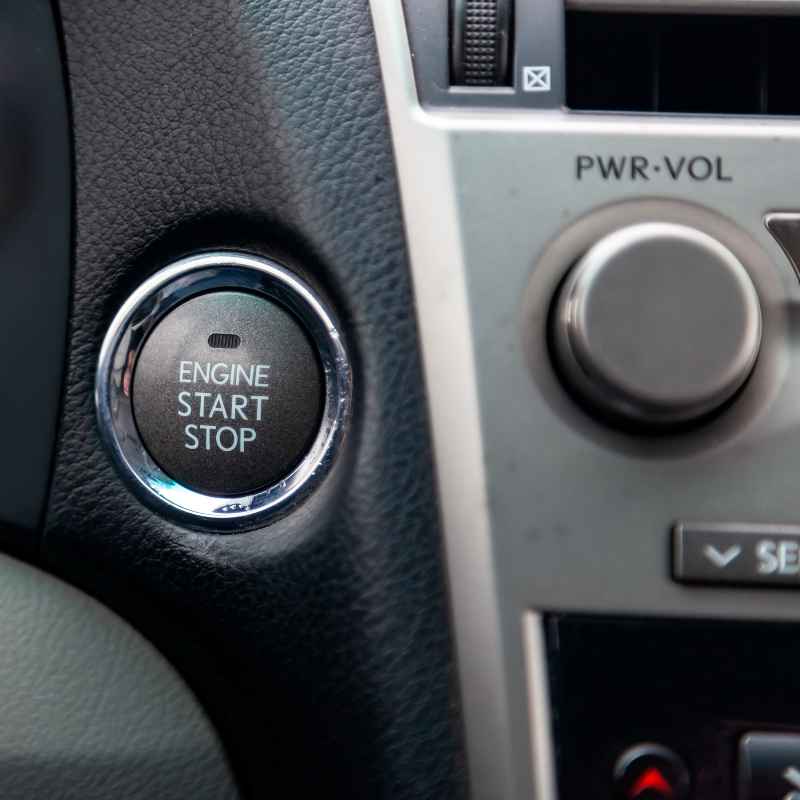
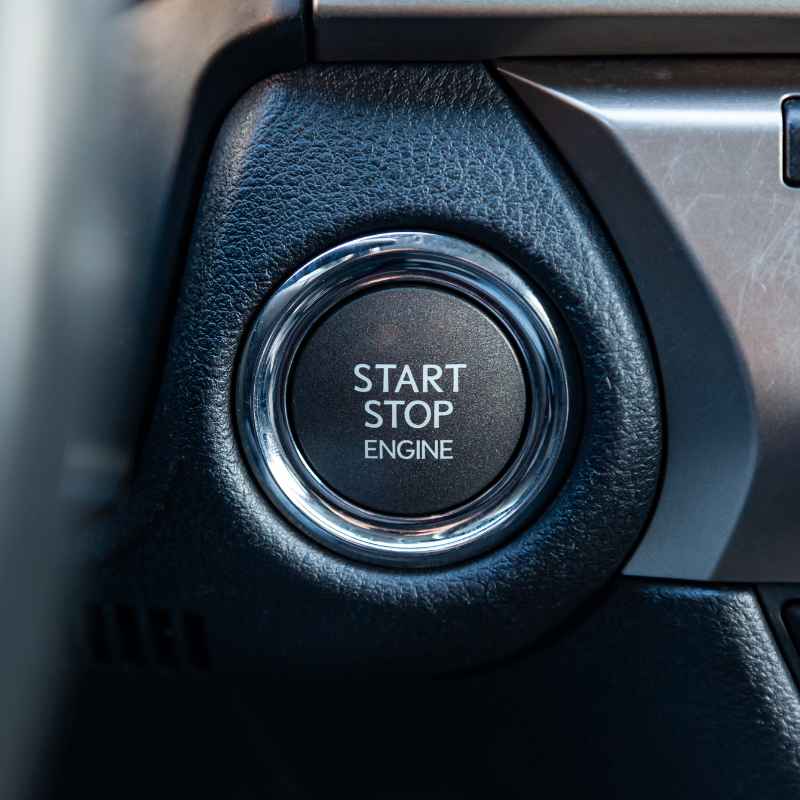
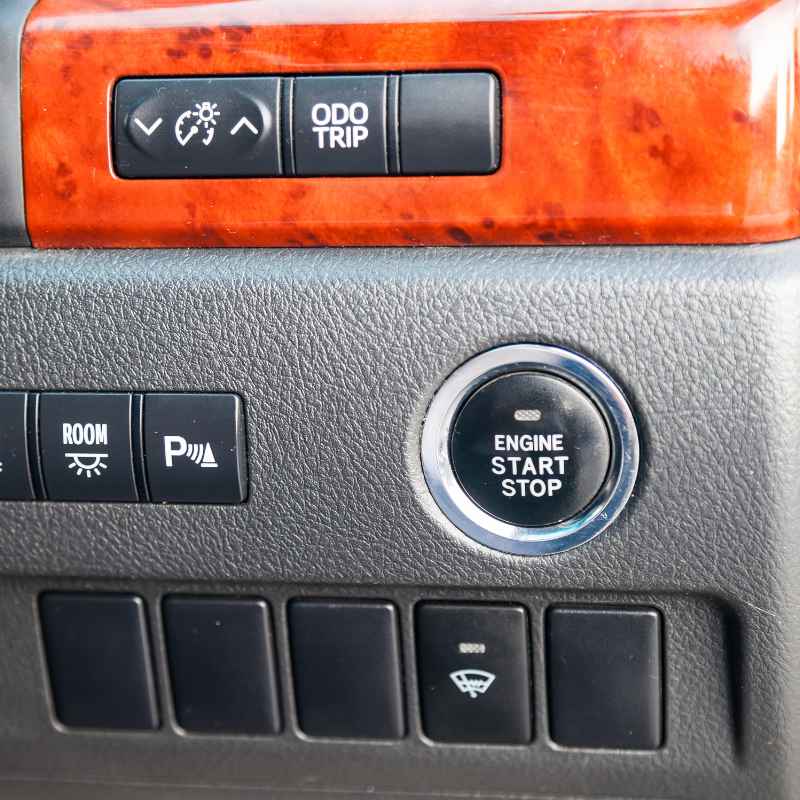
Okay, let’s get to the main point: how do you turn it off? The good news is that on most Chevrolet vehicles equipped with Auto Stop, there’s a physical button designed for this. It’s usually located somewhere accessible to the driver.
Think about the dashboard or the center console.
Common places include near the steering wheel, on the lower part of the dashboard, or sometimes within the climate control panel. You’re looking for a button with a symbol. The symbol often looks like a circle with a letter “A” inside, and maybe a line or arrow through it.
Sometimes it’s labeled with words like “Auto Stop,” “Auto Start/Stop,” or “Engine Stop-Start.”
When you find the button, simply press it. Usually, a light will illuminate on the button or on your dashboard to show that the Auto Stop system is now turned off. This means the engine will stay running when you stop.
The light is your confirmation. If the light is off, the system is active.
Now, here’s a key point: on many Chevy models, this button only disables the system for that particular driving session. When you turn off your car and start it again, the Auto Stop system will typically re-engage automatically. This is a safety feature designed by the manufacturers.
They want to ensure the system is active by default for fuel economy and emissions reasons.
So, if you want to disable it every single time you drive, you’ll need to press that button each time you start your car. This is a very common setup. It’s designed to be a conscious choice for the driver.
Common Button Locations for Auto Stop Disable
Look for this button in these areas:
- Driver’s Side Dashboard: Often to the left of the steering wheel.
- Center Console: Near the gear shifter or other vehicle controls.
- Below the Steering Wheel: On the lower dash panel.
- Around Climate Controls: Sometimes integrated with other buttons.
The symbol typically looks like a circle with an ‘A’ inside and a line through it.
Different Models, Different Controls
It’s really important to note that not all Chevrolet vehicles are the same. The exact way to disable Auto Stop can vary quite a bit. This depends on your specific model, year, and trim level.
What works for a Silverado might not be the same for a Malibu or a Traverse.
For example, some newer models might have this option buried in the infotainment system settings. Instead of a physical button, you might need to navigate through menus on your touchscreen. You’d look for something like “Vehicle Settings” or “Driving Options” and then find the Auto Stop setting there.
If you can’t find a physical button and you don’t see it in the infotainment system, your best bet is to check your owner’s manual. It’s the ultimate guide for your specific car. It will tell you exactly how the features work and how to control them.
You can usually find a digital version on Chevrolet’s official website if you don’t have the physical book handy.
I’ve also heard of some owners using aftermarket devices. These devices can be plugged into the car’s OBD-II port. They can sometimes permanently disable the Auto Stop feature.
However, using such devices can have implications. It might void your warranty. It’s also something to approach with caution.
Always research thoroughly before considering these options.
Another approach some people take is reprogramming. Certain dealerships or specialized shops might offer services to permanently disable the feature through the car’s computer. Again, this is a more advanced step.
It’s crucial to understand the risks and potential consequences, especially regarding your vehicle’s warranty and long-term reliability. For most people, the button or infotainment setting is the easiest and safest way.
Understanding the “Auto” Nature of the Disable Button
Let’s dive a bit deeper into why that button often resets. Manufacturers design cars to be as safe and efficient as possible by default. The Auto Stop feature is a big part of their strategy for meeting fuel economy standards and reducing emissions.
Think of it as a feature that’s turned on for your benefit, and the environment’s benefit, unless you actively choose to override it.
When you press the disable button, you’re essentially telling the car’s computer, “For this trip, I don’t want the engine to shut off.” The computer acknowledges this command. It changes its behavior accordingly. But once the car powers down completely, the computer resets its default settings.
It goes back to its original programming, which includes having Auto Stop enabled.
This resetting behavior is quite common across many car brands, not just Chevrolet. It’s a way for automakers to ensure that the fuel-saving and emissions-reducing features are always active unless the driver makes a specific, conscious decision to turn them off each time they drive. They want to encourage greener driving habits.
Some drivers find this slightly inconvenient. They have to press the button every time they start the car. But from a manufacturer’s perspective, it’s a way to make sure the feature is always an active choice.
It avoids drivers accidentally disabling a feature they might later want or need for fuel savings. It’s a balance between driver preference and manufacturer goals.
Why Auto Stop Resets (Quick Scan Table)
| Feature | Reason for Resetting |
|---|---|
| Default Setting | Manufacturer programming prioritizes fuel economy/emissions. |
| Driver Override | Manual button press changes behavior for the current drive. |
| Power Cycle | Car’s computer resets to default upon ignition off. |
| Safety & Compliance | Ensures feature is active unless intentionally disabled each time. |
When Auto Stop Might Not Work
Even if you want the Auto Stop feature to work, or if you’ve decided to leave it on, there are situations where it simply won’t engage. The car’s computer is pretty smart about this. It has built-in logic to prevent the engine from shutting off if certain conditions aren’t met.
This is for your comfort and the car’s well-being.
For instance, if the battery charge is low, the system will usually prevent the engine from stopping. It needs enough power to restart the engine reliably. Similarly, if the engine is still too cold or too hot, it might not shut off.
The car needs to maintain a certain operating temperature.
Your climate control system plays a role too. If it’s extremely hot outside and you have the air conditioning blasting, the engine might stay on to keep the AC running effectively. The same can happen if it’s very cold and the defroster is on high.
The system tries to balance fuel savings with keeping the cabin comfortable.
Another factor can be the steering wheel. If you are making a sharp turn while stopped, the engine might stay on. This is because the power steering system often relies on the engine running.
Also, if you are on a steep hill, some systems might prevent the engine from shutting off to ensure you have immediate power to move.
Finally, if you press the brake pedal very lightly, the system might not register it as a complete stop. It waits for a firm press to ensure you intend to stay put. These are all normal behaviors.
They show the system is working as designed, prioritizing function and comfort.
The Impact on Your Battery and Starter
A common concern among drivers is whether the frequent starting and stopping of the engine will put extra strain on the battery and the starter motor. This is a valid question, and it’s one that engineers have put a lot of thought into.
Automobiles equipped with Auto Stop systems are fitted with enhanced batteries. These are typically heavy-duty, absorbed glass mat (AGM) batteries. These batteries are designed to handle more deep cycling.
They are more robust than standard batteries and can withstand the frequent demands of the start-stop system. They are built to last for many thousands of starts.
The starter motors are also beefed up. They are designed for a much longer service life. They can endure many more cycles than a standard starter.
Think of them as being built for heavy-duty, repetitive tasks. Manufacturers estimate these components should last the typical lifespan of the vehicle. They factor this into their designs and warranties.
So, while it might seem like more wear, the components are specifically engineered to handle it. If you do decide to disable the system, it might mean your battery and starter motor experience less of this specific type of wear. However, they still have many other demands placed on them.
If you’re someone who disables the Auto Stop feature every time, it’s still a good idea to have your battery checked periodically. Cold weather, shorter trips, and overall age can affect any battery. But generally, the system is designed to be reliable with the parts it comes with.
Auto Stop System Components
Key parts designed for this feature:
- Enhanced Batteries: Usually AGM batteries, built for deep cycling.
- Heavy-Duty Starter Motors: Engineered for thousands more starts.
- Smart Engine Management: Monitors conditions to optimize start/stop cycles.
Myths vs. Reality: Auto Stop Concerns
There are a lot of whispers and worries about Auto Stop. Let’s clear up some common myths. One big myth is that the system causes excessive wear and tear on the engine itself.
The idea is that constantly stopping and starting is hard on the engine’s internal parts.
The reality is that modern engines are built with very tight tolerances. They also have advanced lubrication systems. When the engine stops, the oil pressure drops, but there’s still a film of oil on critical components.
The restart is also designed to be quick and use oil pressure immediately. So, the “wear” is generally considered minimal and within the design life of the engine.
Another myth is that disabling the Auto Stop feature will significantly decrease your fuel economy. For some drivers, especially those who do a lot of stop-and-go driving in cities, disabling it might lead to a noticeable difference in MPG. However, for drivers who spend more time on highways or make fewer stops, the impact might be very small.
The system is designed to offer a certain percentage of fuel savings. If you’re not in situations where that saving is applicable, disabling it won’t hurt your economy much. The fuel saved is often cited as around 3-5% in city driving.
This can add up over a year, but many drivers feel the trade-off for a smoother experience is worth it.
A final myth is that the system can leave you stranded. While there are many checks to prevent shut-off, if there is a genuine fault with the Auto Stop system or a related component (like a weak battery), the system will typically disable itself. The car will revert to normal engine operation, and a warning light might illuminate on the dashboard.
It’s designed to fail in a way that keeps you driving, not stops you.
Auto Stop: Myth vs. Reality
Myth: Auto Stop causes excessive engine wear.
Reality: Modern engines and components are designed for it; wear is minimal.
Myth: Disabling Auto Stop always ruins fuel economy.
Reality: Impact varies; minimal on highway, more noticeable in city driving.
Myth: The system can leave you stranded if it fails.
Reality: System usually disables itself and warns the driver if a fault occurs.
When Is It Normal for Auto Stop Not to Work?
We’ve touched on this, but it’s worth repeating. It’s perfectly normal for your Chevy’s Auto Stop system to not engage in several scenarios. The engineers programmed these exceptions for a reason.
Understanding these can prevent unnecessary worry.
Engine Temperature: If the engine coolant temperature is too low (cold start) or too high (overheating), Auto Stop will not function. The car needs the engine running to reach optimal operating temperature or to cool down.
Battery Charge Level: If the battery voltage is below a certain threshold, the system will prevent shut-off. The car needs reliable power for restarts. You might see a battery icon related to this.
Climate Control Demand: When the cabin requires significant heating or cooling, the engine may stay on to power the AC compressor or heater fan at full capacity. This is especially true if you have the defroster active.
Driving Conditions: If the car is on a steep incline or decline, or if the steering wheel is turned sharply, the system may disengage to maintain control and power assist.
Seatbelt Status: On some vehicles, if the driver’s seatbelt is unbuckled, the Auto Stop system may not engage. This is a safety measure.
Recent Engine Shutoff: If you’ve recently turned the car off and on quickly, the system might delay re-engaging to prevent excessive cycling.
System Fault: If there’s an issue with the Auto Stop system itself or a related sensor, the system will disable itself. A warning light on the dashboard (like a check engine light or a specific Auto Stop warning) would typically accompany this.
Knowing these normal exceptions can save you from thinking something is wrong when your car is actually just functioning as designed.
My Favorite Hack for Disabling Auto Stop (If Applicable)
I’ve found that on many cars, there’s a slight delay between when you put the car into Park and when the Auto Stop system fully activates. For me, this sometimes creates a small window. If I’m quick enough, I can press the disable button right after parking, but before the engine cuts out.
This isn’t a guaranteed method, and it depends on the car’s programming. It’s more of a quirky observation than a reliable fix. What I really like, though, is the dedicated button.
It’s clear, it’s simple, and it’s right there. For my personal driving style, I often find myself disabling it at the start of every trip.
It’s not that I dislike the technology. It’s just that I personally prefer the consistent feel of my engine running. It gives me a sense of immediate readiness.
I also don’t do a lot of heavy city driving where the fuel savings would be most dramatic. So, for me, the button is the best solution. It allows me to have control over the driving experience.
I have a friend who, on the other hand, loves the Auto Stop feature. He says it makes him feel like he’s doing his part for the environment and saving a bit of money on gas. He’ll often forget to turn it off, and then when he sees the engine stop, he’ll smile.
It’s really about what feels right to you.
What If There’s No Button?
What if you’ve searched high and low on your dashboard, center console, and infotainment system, and you simply cannot find a button or setting to disable Auto Stop on your Chevy? This can be frustrating. It might mean your particular model or trim level doesn’t offer an easy driver-controlled override.
In some cases, especially with older models or specific configurations, the Auto Stop feature might be permanently enabled by the manufacturer. They might have done this to meet certain emissions standards or fuel economy ratings. In these situations, a simple button press won’t work.
If this is the case, your options become more limited and potentially more complex. 1. Check Your Owner’s Manual: Before giving up, give your owner’s manual one last, thorough read.
Sometimes the control is in an unexpected place or uses a less obvious symbol. 2. Consult a Dealership: Your local Chevrolet dealer might have specific information about your vehicle.
They may know if there are any software updates or dealer-installed options that can modify the system’s behavior. Be aware that they might not offer to disable it, as it goes against manufacturer programming. 3.
Aftermarket Solutions: As mentioned earlier, there are devices available that plug into your car’s OBD-II port. These devices often claim to disable Auto Stop permanently or until you remove the device. Research these thoroughly.
Look for reputable brands and read reviews. Understand that using these could potentially affect your vehicle’s warranty. 4.
Professional Coding Services: Some specialized auto shops or tuners offer services to reprogram your car’s computer modules. They can sometimes disable features like Auto Stop. This is a more advanced modification and should only be done by trusted professionals who understand the implications for your vehicle’s complex electronic systems.
It’s crucial to weigh the pros and cons. Disabling a manufacturer-programmed feature can have unintended consequences. Always prioritize safety and warranty considerations.
Quick Fixes and Tips
For most Chevrolet owners, the primary “fix” is simply using the dedicated button. Here are some tips related to that:
- Make it a Routine: Get into the habit of pressing the Auto Stop disable button right after starting your car, before you even put it in Drive.
- Dashboard Check: Glance at the button or the dashboard indicator light after starting your car to confirm the system is off if you prefer it that way.
- Owner’s Manual is Key: If you’re ever unsure about your specific model’s Auto Stop behavior or how to control it, your owner’s manual is your best friend.
- Understand the Reset: Remember that the system will likely re-engage when you turn the car off and restart it.
- Listen to Your Car: Pay attention to how your car behaves. If you notice any unusual issues when the Auto Stop system is active or disabled, it’s worth getting it checked.
Frequently Asked Questions
How do I know if my Chevy has Auto Stop?
Most newer Chevrolet models, especially those focused on fuel efficiency, come with Auto Stop. You’ll notice the engine shutting off when you come to a complete stop and restarting when you release the brake. You might also see a button on your dashboard or in your settings menu labeled “Auto Stop” or with a similar symbol. Your owner’s manual is the best place to confirm.
Is it bad for my car if I turn off Auto Stop?
Turning off the Auto Stop feature is generally not bad for your car. The components are designed to handle the feature as intended. By disabling it, you might simply reduce the number of start cycles your starter and battery experience, which could potentially extend their life, though they are built for the system.
What does the “A” symbol with a line through it mean on my dashboard?
That symbol usually indicates the Auto Stop or Auto Start-Stop system. If the symbol is illuminated (often yellow or orange), it typically means the Auto Stop feature has been disabled by the driver or is temporarily unavailable due to operating conditions. If the symbol is off, the system is active and will shut off the engine when stopped.
Can I permanently disable Auto Stop on my Chevy without a button?
On some models, permanent disabling requires aftermarket devices or professional reprogramming. Most vehicles with this feature offer a button or setting to disable it for each drive. If your car lacks an easy override, consult your owner’s manual or a dealership for model-specific options, but be aware of warranty implications.
Does Auto Stop work in all driving conditions?
No, Auto Stop does not work in all conditions. It typically won’t engage if the engine is too cold or too hot, the battery charge is low, or if the climate control system is under high demand (like strong AC or defroster use). It also usually stays off on steep hills or during sharp turns for safety.
Will disabling Auto Stop void my warranty?
Using the factory-provided button or infotainment setting to disable Auto Stop will NOT void your warranty. However, using aftermarket devices or having your car’s computer reprogrammed by a third party to disable the feature could potentially void your warranty, especially if issues arise related to the system or its disabling.
Conclusion
Dealing with your Chevrolet’s Auto Stop feature is usually straightforward. Most models provide a simple button to turn it off for each drive. This gives you the control you want.
Remember that this system is designed to save fuel and cut emissions. But if it doesn’t fit your driving style or comfort, disabling it is an option. Always check your owner’s manual for the specifics of your car.
Enjoy your drive, your way!
Related pick: Check today's price on Amazon
Products related to this article
Sponsored / affiliate links. As an Amazon Associate I earn from qualifying purchases. I may earn additional commission from eligible campaigns.