What Car Key Battery Honda Civic 2012: Quick Replacement Guide
Everyday routines often rely on small things we rarely notice—like your car key fob. If you drive a 2012 Honda Civic, your key fob is more than just a piece of plastic. It’s a remote control, a security device, and sometimes, the only way you can start your car. But what happens when it stops working? Most often, the cause is a dead battery.
Knowing which battery you need, how to replace it, and common mistakes to avoid can save you time, money, and stress. Let’s dive deep into the world of the car key battery for the Honda Civic Digital Display Problems- How to Fix it?” target=”_blank” rel=”noopener” data-wpil-monitor-id=”5211″>Honda Civic 2012, so you never get stuck outside your car wondering what went wrong.
Understanding The Honda Civic 2012 Key Fob
The 2012 Honda Civic uses a key fob that combines a remote transmitter and, in many versions, a built-in key. This fob lets you lock, unlock, and even open the trunk from a distance. Some models also have an immobilizer chip that prevents the engine from starting without the correct fob.
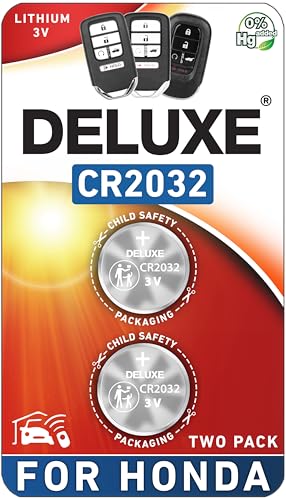
Deluxe Batteries
Key Fob Replacement Batteries for Honda, Pack…
- CONFIRM FIT - **Please confirm compatibility using the fitment guide located in the product images**
- Not compatible with standard Honda key fobs that have the key sticking out of the fob. Not compatible with Prologue or Element.
- Compatible with the Honda Smart Fob for ✔ CR-V (2008-2026), ✔ Civic (2008-2026), ✔ Accord (2008-2026), ✔ Pilot (2009-2026), ✔ Odys…
As an Amazon Associate I earn from qualifying purchases.
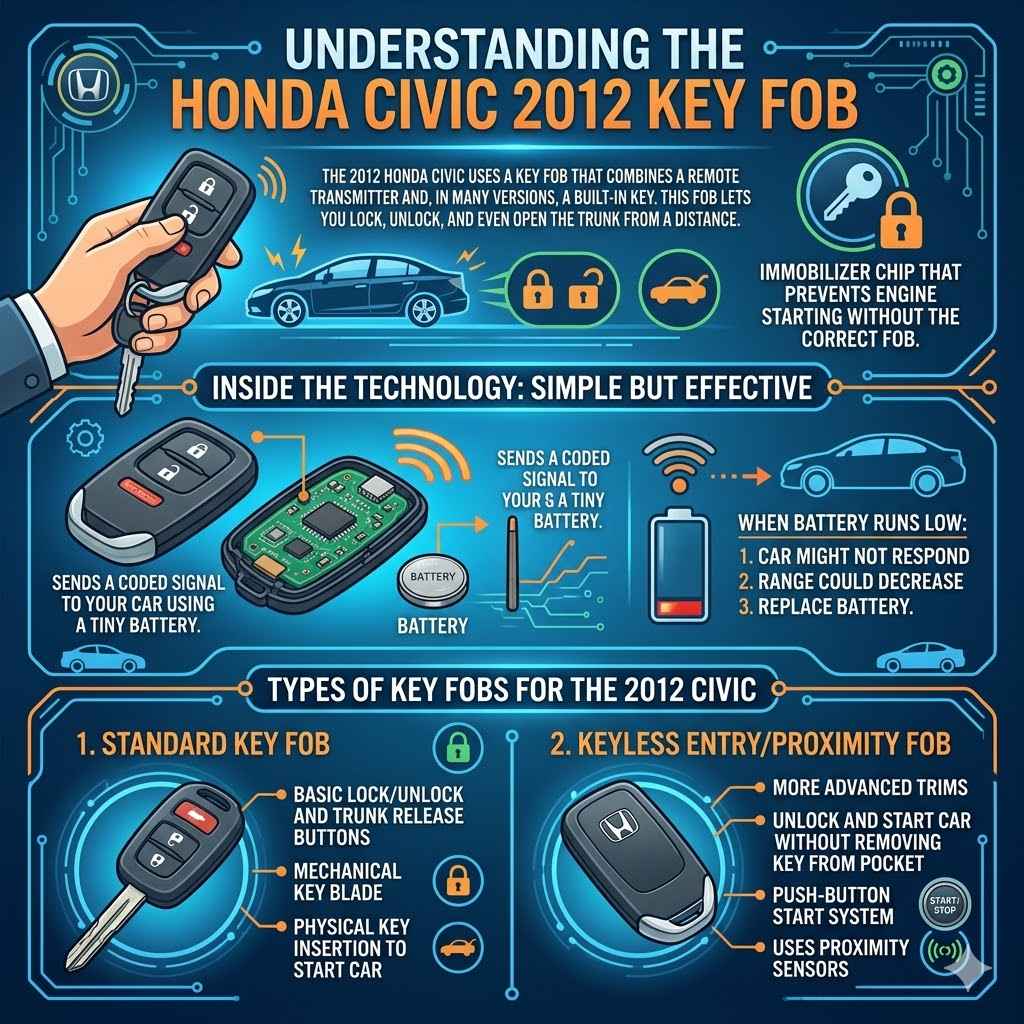
Inside, the technology is simple but effective. The fob sends a coded signal to your car using a tiny battery. When this battery runs low, your car might not respond, or the range of the remote could decrease. That’s when you need to replace the battery.
Types Of Key Fobs For The 2012 Civic
There are two main types you’ll find:
- Standard Key Fob: This remote comes with basic lock/unlock and trunk release buttons, plus a mechanical key blade.
- Keyless Entry/Proximity Fob: More advanced trims have a fob that allows you to unlock and start the car without removing the key from your pocket.
Despite the differences in features, the battery type is usually the same.
What Battery Does A 2012 Honda Civic Key Use?
The most important question: What battery do you need? For the 2012 Honda Civic, the answer is almost always the CR2032 lithium coin cell battery. This battery is widely available and inexpensive.
Why Cr2032?
- Voltage: 3 volts, providing consistent power for your fob.
- Size: 20mm diameter and 3.2mm thickness, a standard for small electronics.
- Lifespan: Usually 2–4 years in a key fob.
Other similar coin batteries (like CR2025) fit in some fobs, but Honda recommends CR2032 for best performance and reliability.
Data Table: Common Coin Cell Battery Comparison
Here’s how the CR2032 compares to other common coin batteries:
| Battery Type | Voltage | Diameter (mm) | Thickness (mm) | Typical Use |
|---|---|---|---|---|
| CR2032 | 3V | 20 | 3.2 | Honda Civic 2012 Key Fob |
| CR2025 | 3V | 20 | 2.5 | Other car remotes, calculators |
| CR2016 | 3V | 20 | 1.6 | Watches, fitness trackers |
Signs Your Honda Civic Key Battery Is Dying
A weak or dead key fob battery often gives you warning signs. Pay attention to these:
- Reduced Range: You have to stand closer to your car for the remote to work.
- Inconsistent Operation: Sometimes it works, sometimes it doesn’t.
- Button Presses Required: You must press buttons several times before the car responds.
- No Response: The fob stops working entirely.
Many drivers ignore these signs, thinking it’s a car issue rather than a simple battery problem. Replacing the battery early can save you from getting locked out.
How To Replace The Battery In A 2012 Honda Civic Key Fob
Changing the key fob battery is easier than you might think. You don’t need special tools or technical skills. Here’s how you can do it at home.
Step-by-step Guide To Replace The Battery
- Gather Your Supplies
- New CR2032 battery (buy a quality brand for reliability)
- Small flathead screwdriver or a sturdy coin
- Open the Key Fob
- Locate the seam or groove along the side of the fob.
- Insert the flathead screwdriver or coin into the groove and gently twist to pop the fob open.
- Be careful not to use too much force, as you don’t want to crack the plastic.
- Remove the Old Battery
- Take note of the battery’s orientation (which side is facing up).
- Use the screwdriver to carefully lift the battery out.
- Insert the New Battery
- Place the new CR2032 battery in the same position as the old one.
- Make sure the positive (+) side is facing the correct direction (usually up).
- Close the Key Fob
- Align the two halves of the fob and press them together until they snap back into place.
- Test the Key Fob
- Try locking and unlocking your car from several distances to ensure the new battery works.
Table: Battery Replacement Steps Overview
| Step | Action | Tips |
|---|---|---|
| 1 | Gather supplies | Use a good brand battery for longer life |
| 2 | Open the key fob | Twist gently to avoid damage |
| 3 | Remove old battery | Remember battery orientation |
| 4 | Insert new battery | Match polarity (+/-) correctly |
| 5 | Close the key fob | Ensure both halves snap firmly |
| 6 | Test the key fob | Check all buttons work as expected |
Where To Buy A Cr2032 Battery
The CR2032 is very common, so you have many options:
- Supermarkets and convenience stores: Look in the battery section.
- Electronics retailers: Stores like Best Buy or electronics chains.
- Online platforms: Amazon, eBay, and specialist battery shops.
- Automotive stores: AutoZone, Advance Auto Parts, and similar places.
When buying, check the manufacture date. A fresh battery will last longer. Avoid very cheap, unknown brands as they may not last or could even leak.
How Long Does A Honda Civic Key Fob Battery Last?
On average, a CR2032 in a 2012 Honda Civic key fob lasts about 2 to 4 years. The exact life depends on:
- How often you use the remote
- The quality of the battery
- Storage conditions (extreme heat or cold can shorten battery life)
If your fob is in constant use or exposed to high temperatures, you may need to replace the battery more often.
Table: Key Fob Battery Lifespan Factors
| Factor | Effect on Battery Life | Advice |
|---|---|---|
| Usage frequency | More use = shorter life | Replace every 2 years if used daily |
| Battery quality | Cheap brands die faster | Buy well-known brands |
| Temperature exposure | Heat/cold drains battery | Store keys inside, not in car |
| Fob design | Some fobs use more power | Check manual for specific advice |
Choosing The Right Cr2032 Battery Brand
All CR2032 batteries are not equal. Brand quality affects how long and how well your key fob works. Here’s what to consider:
Top Battery Brands
- Panasonic
- Energizer
- Duracell
- Sony
- Maxell
These brands offer reliable power and are less likely to leak or fail early.
What To Avoid
- No-name brands from unknown sellers
- Batteries with old manufacturing dates
- Batteries sold in bulk for very low prices
It’s tempting to save money, but poor-quality batteries can leak, damage your key fob, or die after just a few months.
Non-obvious Insight
Many people don’t realize that fake batteries are common online. Always buy from a trusted store or official dealer. If the price seems too good to be true, it probably is.
Common Mistakes When Changing The Battery
Replacing a key fob battery is simple, but there are mistakes to watch out for:
- Forcing the Fob Open: Use gentle pressure and the right tool. Too much force can crack the plastic.
- Installing the Battery Upside Down: Always check the (+) and (–) sides before putting the new battery in.
- Touching the Battery Contacts with Bare Hands: Oils from your skin can reduce contact quality. Use a tissue or gloves if possible.
- Losing Small Parts: Some fobs have tiny springs or buttons that can fall out. Open the fob over a table.
- Not Testing Before Reassembling: Before fully snapping the fob back together, test the new battery to ensure it works.
- Forgetting to Dispose of Old Batteries Safely: Coin batteries can be dangerous if swallowed. Recycle them properly.
Hidden Tip
If your fob still doesn’t work after changing the battery, try cleaning the battery contacts inside the fob with a bit of rubbing alcohol on a cotton swab. Sometimes, dust or corrosion causes issues.
Honda Civic 2012 Key Fob Programming: Is It Needed After Battery Change?
A common fear is that changing the battery will erase the fob’s programming. For the 2012 Honda Civic, this is not the case. The fob keeps its connection to your car, and you do not need to reprogram it after a simple battery swap.
However, if your fob still doesn’t work after changing the battery, the issue could be:
- The new battery is defective or low-quality.
- The battery was not installed correctly.
- The fob itself is damaged or has internal issues.
- The car’s receiver has a fault (rare).
If you have a keyless entry/proximity fob and it stops working after a battery change, double-check the orientation of the new battery and try again before seeking help.
Can You Use A Cr2025 Instead Of A Cr2032?
Both CR2025 and CR2032 batteries have the same diameter and voltage, but the CR2032 is thicker and stores more energy. If you are in a pinch, a CR2025 can fit, but it will not last as long. It’s best to use the recommended CR2032 for reliability.
What To Do If Your Key Fob Still Doesn’t Work
If the fob is still unresponsive after replacing the battery, here’s what you should check:
- Battery Orientation: Make sure the battery is installed correctly.
- Contact Points: Clean the metal contacts inside the fob.
- Test the Battery: Try the new battery in another device if possible.
- Check for Physical Damage: Look for cracks or broken buttons.
- Try a Spare Key Fob: If you have a backup, test it to see if the issue is with the fob or the car.
If all else fails, visit a Honda dealer or an automotive locksmith. Sometimes, the fob’s internal circuit board can fail, which requires professional repair or replacement.
How Much Does It Cost To Replace A Honda Civic Key Fob Battery?
Replacing the battery yourself is very cheap. Most CR2032 batteries cost between $2–$6 each, depending on the brand. If you go to a dealership or auto shop, they may charge a service fee (usually $10–$25 for labor).
You save money and time by doing it yourself, and the process takes less than five minutes.
Why Your Key Fob Battery Dies Faster Than Expected
Sometimes, the battery in your key fob dies quickly—much faster than the average. Here’s why:
- The fob is stored near electronics: Devices like routers or phones can trigger the fob repeatedly, draining the battery.
- Faulty button: A stuck button keeps the fob active, draining power.
- Extreme temperatures: Leaving your keys in a hot car can weaken the battery.
- Old stock: Buying a battery that’s been sitting on the shelf for years means it’s already lost some charge.
Avoid these situations, and your battery will last much longer.
Environmental Impact And Safe Disposal
Coin cell batteries, like the CR2032, contain chemicals that should not end up in regular trash. Improper disposal can harm the environment and even pose a risk to children and pets.
- Always recycle old batteries at electronics stores, recycling centers, or battery collection bins.
- Store used batteries out of reach of children, as swallowing can be dangerous.
For more on recycling, the EPA’s battery recycling guide is a reliable resource.
The Value Of A Spare Key Fob
It’s wise to have a spare key fob for your Honda Civic. If your main fob battery dies, you can use the backup while replacing the battery in the first one. Keep your spare in a safe place at home, not in the car.
Some owners rotate the use of both fobs to ensure neither one’s battery goes flat from sitting unused for years.
Diy Vs. Professional Service
Changing a Honda Civic 2012 key fob battery is a simple DIY task, but some people prefer professional help for peace of mind.
- DIY: Quick, cheap, and satisfying. You learn about your car and save money.
- Dealership/Auto Shop: Good if you are unsure or if the fob is damaged. They check for other issues too.
If you have mobility or vision challenges, or you’re worried about breaking the fob, let a professional do it.
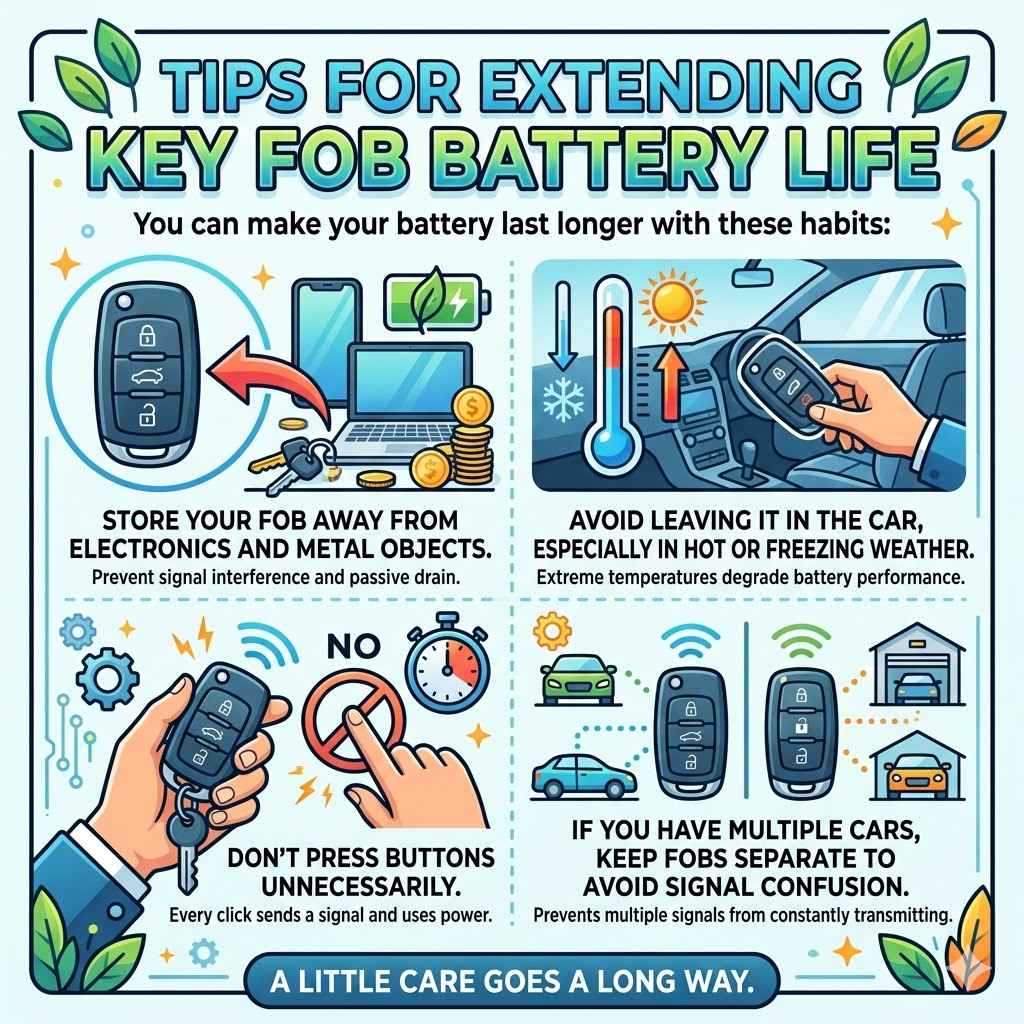
Tips For Extending Key Fob Battery Life
You can make your battery last longer with these habits:
- Store your fob away from electronics and metal objects.
- Avoid leaving it in the car, especially in hot or freezing weather.
- Don’t press buttons unnecessarily.
- If you have multiple cars, keep fobs separate to avoid signal confusion.
A little care goes a long way.
Frequently Asked Questions
What Battery Does A 2012 Honda Civic Key Fob Use?
The 2012 Honda Civic key fob uses a CR2032 lithium coin cell battery. Always use the recommended size for best performance and longevity.
How Do I Know When My Key Fob Battery Is Low?
Common signs are reduced remote range, delayed response, or needing to press buttons repeatedly. If the fob stops working completely, the battery is likely dead.
Can I Use A Cr2025 Battery Instead Of A Cr2032?
A CR2025 will fit but has less capacity and will not last as long. It’s better to use a CR2032 as Honda recommends.
Do I Need To Reprogram My Key Fob After Changing The Battery?
No, changing the battery does not erase your fob’s programming. The fob will continue to work with your car as before, unless there is another issue.
Where Can I Buy A Cr2032 Battery For My Honda Civic Key?
You can buy CR2032 batteries at supermarkets, electronics stores, automotive retailers, and online. Choose a reliable brand and check the manufacture date for freshness.
Taking care of your Honda Civic’s key fob battery is a small task with a big impact. With the right knowledge, you can avoid frustration, stay prepared, and keep your car accessible at all times. Now, you’re ready for whatever your day brings—no more surprises from a silent key fob.
Related pick: Check today's price on Amazon
Products related to this article
Sponsored / affiliate links. As an Amazon Associate I earn from qualifying purchases. I may earn additional commission from eligible campaigns.