How to Make a Ford Car Payment Online (Step-By-Step)
Paying for your Ford vehicle doesn’t have to be a hassle or require waiting in line at a dealership. In today’s digital-first world, making your Ford car payment online is not only possible but highly convenient, secure, and efficient. With Ford Credit’s robust online platform, you can manage payments, set up auto-pay, track your loan or lease balance, and avoid late fees—all from the comfort of your home or on the go.
Yet, many Ford owners are still unsure about how to navigate the online payment process or maximize the features of Ford’s digital services. Whether you’re a first-time Ford buyer or a longtime customer, understanding the step-by-step process and best practices for online payments can save you time, money, and stress.
This comprehensive guide will walk you through each stage of making a Ford car payment online, provide actionable tips, compare payment methods, and answer the most common questions—all to ensure you never miss a payment again.
Key Takeaways
- Making your Ford car payment online is fast, secure, and can be completed in minutes.
- You can pay through the Ford Credit Account Manager, mobile app, third-party bill pay, or auto-pay services.
- Knowing the steps for account setup, payment scheduling, and troubleshooting helps avoid late fees and credit issues.
- Real-world examples illustrate how online payments benefit Ford owners in different scenarios.
- Comparison tables and actionable tips help you choose the best payment method for your needs.
Credit: www.ford.com
Understanding Ford Credit’s Online Payment System
Ford Motor Credit Company, commonly known as Ford Credit, is the financial arm of Ford Motor Company. It offers online tools and services that allow Ford customers to manage loans and leases with ease. In addition to its longstanding reputation for reliability, Ford Credit has continually invested in digital solutions to simplify and streamline the payment process for consumers.
What Is Ford Credit Online?
The Ford Credit Account Manager is the main online portal where customers can:
- View account information and payment history
- Make one-time or recurring payments
- Set up automatic payments
- Download statements and payoff quotes
- Update personal information, including mailing address and contact details
Accessible via Ford Credit’s official website, the platform is available 24/7 and accessible from any device with internet connectivity. The interface is designed to be intuitive, with clear menus and prompts to guide you through each task. Whether you’re checking your payment status at midnight or setting up auto-pay while traveling, the flexibility and reliability of the system are key advantages.
Why Pay Online?
Paying your Ford car payment online offers:
- Speed: Payments post faster than mailed checks.
- Convenience: No need to visit a dealership or bank.
- Security: Encrypted transactions protect your sensitive data.
- Control: Schedule payments, set up reminders, and track your balance.
- Accessibility: Manage your account 24/7 from anywhere, including mobile devices.
- Transparency: Immediate access to payment confirmations, statements, and payoff quotes.
For example, if you’re traveling for work or on vacation, you can log in from anywhere to make a payment or check your account—removing the worry of missing a due date or mailing delays.
Who Should Use Online Payments?
- New Ford buyers who want to avoid manual paperwork and streamline their financial management.
- Busy professionals seeking efficiency, especially those juggling multiple obligations.
- Lease customers aiming to avoid end-of-term surprises by tracking payment and lease status.
- Anyone who values flexibility and real-time account management.
- Families or businesses managing multiple Ford vehicles, benefiting from consolidated oversight.
Common Myths About Online Car Payments
- Myth: Online payments are less secure than mailing checks.
- Fact: Ford Credit uses high-level encryption and security measures, often safer than physical mail, which can be lost or stolen.
- Myth: You need advanced tech skills.
- Fact: The process is straightforward and user-friendly. Ford Credit’s help guides and customer service are available if you need assistance.
- Myth: Online payments incur extra fees.
- Fact: Most online payments through Ford Credit are free, though some third-party options may charge fees.
- Myth: You can only pay during business hours.
- Fact: The online portal is available 24/7, letting you pay on your schedule.

Credit: www.frontroyalford.com
Step-by-step Guide: Making A Ford Car Payment Online
Here’s a detailed walkthrough of the exact process to make a Ford car payment online, whether you’re using the website, mobile app, or third-party service.
Step 1: Register For Ford Credit Account Manager
- Visit Ford Credit Account Manager.
- Click “Register” if you don’t already have an account.
- Provide your Ford Credit account number, the last four digits of your Social Security Number (SSN), and your email address.
- Create a secure username and password.
- Verify your email through the confirmation link sent by Ford Credit.
Tip: Use a strong password and enable two-factor authentication if offered. This adds a second layer of security to your account, minimizing the risk of unauthorized access.
Step 2: Log In To Your Account
- Go to the Ford Credit Account Manager login page.
- Enter your username and password.
- If prompted, complete multi-factor authentication for extra security.
- If you forget your credentials, use the “Forgot Username or Password?” links to regain access.
Step 3: Link Your Payment Method
You can pay using:
- Bank Account (ACH)
- Debit Card
- Third-Party Bill Pay (bank or credit union)
- MoneyGram/Western Union (for last-minute or international payments)
To add a bank account:
- Navigate to the “Payment Methods” section.
- Click “Add Bank Account”.
- Enter your routing number and account number.
- Optionally, save this account for future use.
Note: Ford Credit does not accept credit cards for monthly payments. Using a checking or savings account ensures the lowest possible fees and fastest processing.
Step 4: Make A One-time Payment
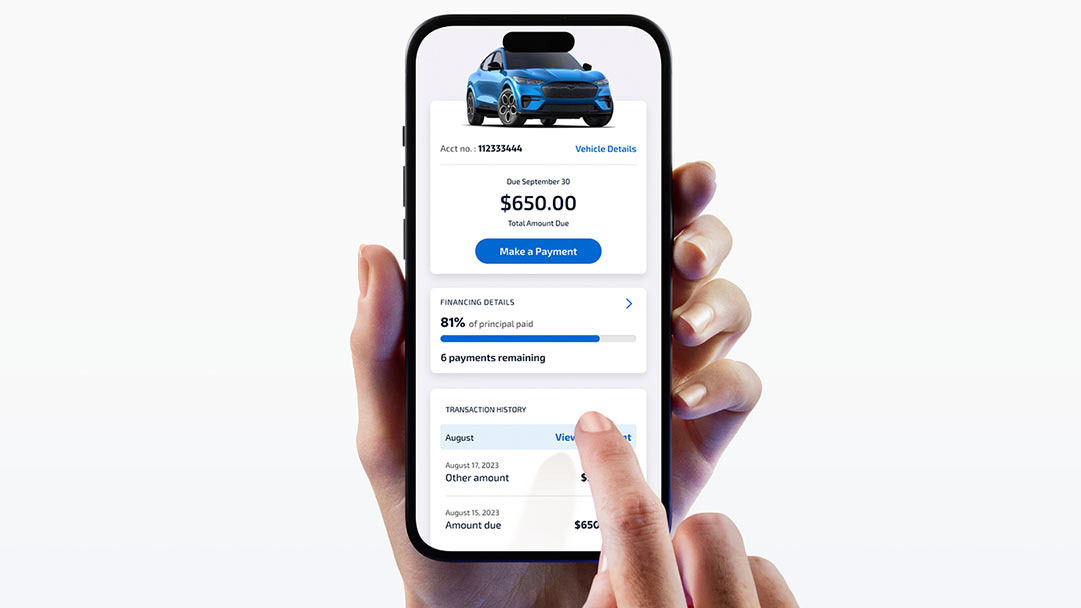
- In your dashboard, select “Make a Payment”.
- Choose the amount (minimum due, full payment, or custom).
- Select your bank account or debit card.
- Pick the payment date (today or schedule in advance).
- Review details and submit your payment.
You’ll receive a confirmation email and can view the transaction in your account history. If you’re uncertain about any details, double-check the payment summary before submitting.
Step 5: Set Up Automatic Payments (auto-pay)
- Go to “AutoPay” in the navigation menu.
- Choose your payment account and recurring payment date.
- Confirm and enroll.
Benefits: Eliminates risk of missed payments, helps your credit, and saves time. Auto-pay can be modified or canceled at any time, offering both convenience and flexibility.
Step 6: Monitor And Manage Payments
- Check payment status: Confirm processing or completion.
- Update payment methods: Edit or remove accounts as needed.
- Download receipts: For tax or reimbursement purposes.
- Review payment history: Track past payments and verify your account is in good standing.
Step 7: Troubleshoot Common Issues
- Payment not posting: Wait 1–2 business days or contact Ford Credit.
- Login problems: Use password reset or contact customer service.
- Bank account changes: Update promptly to avoid failed payments.
- Scheduled payments not showing: Refresh your dashboard or log out and back in to see updates.
Example: How Sarah Avoided Late Fees
Sarah, a busy nurse from Michigan, set up auto-pay through her Ford Credit online account. By scheduling recurring payments just after each payday, she never missed a payment—even during hectic 12-hour shifts. When her bank account changed, she quickly updated her info online, ensuring a seamless transition.
This proactive approach allowed her to avoid costly late fees and maintain a strong credit profile, illustrating the practical benefits of using Ford’s online tools.

Credit: www.youtube.com
Comparing Ford Car Payment Methods
Choosing the right payment method is crucial for convenience, speed, and avoiding fees. Here’s a data-driven comparison of the top ways to pay your Ford car bill.
| Payment Method | Processing Time | Convenience | Fees | Best For |
|---|---|---|---|---|
| Ford Credit Online Portal | Same/Next Day | High | None | Most Users |
| Mobile App | Same/Next Day | Very High | None | On-the-Go Payments |
| Third-Party Bill Pay | 1–3 Days | Medium | Possible | Bank Integration |
| Mail-in Check | 5–10 Days | Low | Stamp Cost | No Internet Users |
| MoneyGram/Western Union | Same Day | Low | $5–$15 | Last-Minute Payments |
Ford Credit Online Portal
- Pros: Fast, free, trackable, real-time confirmation.
- Cons: Requires account setup and internet access.
- Additional Note: Integrates with FordPass app for enhanced mobile experience.
Fordpass Mobile App
Available for iOS and Android, the FordPass app allows you to:
- Make payments
- Check account balance
- Receive payment reminders
- Access roadside assistance and vehicle health alerts
Download it from Ford’s official site for seamless mobile management. The app is especially useful for people who prefer managing their accounts on the go and want push notifications for upcoming payments.
Third-party Bill Pay
You can use your bank’s bill pay service to send payments to Ford Credit.
- Pros: Integrates with your banking dashboard; helpful if you manage multiple bills from one place.
- Cons: Payments may take longer to post; possible bank fees; less control over payment timing.
- Tip: Double-check Ford Credit’s address and account number when setting up bill pay to avoid errors.
Mail-in And In-person Payments
While still available, these methods are slower and less secure. Only use as a backup if online options aren’t possible. Mail can be delayed by holidays, weather, or postal errors, increasing the risk of late fees.
Example: Real-world Comparison
John used to mail checks to Ford Credit, but after a payment was delayed in transit, he incurred a late fee and a ding to his credit. Switching to online payments via the Ford Credit portal, his payments now post in 24 hours, and he receives instant confirmation—saving time and avoiding stress.
This shift not only improved his financial management but also gave him peace of mind that his payments were always on time.
How To Set Up And Use Ford Auto-pay
Automatic payments, or Auto-Pay, are the most reliable way to ensure your Ford loan or lease is always paid on time.
Benefits Of Auto-pay
- Never miss a payment—protect your credit score.
- No late fees—payments post automatically.
- Customizable—choose your payment date and account.
- Stress-free: Set it once and let the system handle future payments.
- Flexibility: Easily update or cancel auto-pay as your needs change.
Setting Up Auto-pay: Step-by-step
- Log in to your Ford Credit account.
- Go to “AutoPay” under payments.
- Select bank account for withdrawals.
- Choose payment date: Align with your paycheck or bill cycle.
- Agree to terms and submit.
After enrollment, you’ll receive a confirmation email. You can always adjust or cancel the schedule as your financial situation evolves.
Managing And Modifying Auto-pay
- Change payment amount/date as your finances shift.
- Update banking info if you change accounts.
- Pause or cancel auto-pay at any time through the portal.
- Monitor notifications: Ford Credit will notify you by email if there are any issues with processing your auto-pay.
Auto-pay Best Practices
- Schedule payment 1–2 days before the due date for buffer.
- Ensure sufficient funds in your account to avoid overdrafts.
- Set up email/text alerts for payment confirmations.
- Review your payment status monthly to ensure payments are posting correctly.
Example: Avoiding Overdrafts
Maria scheduled her Ford auto-pay just after her biweekly paycheck deposit, ensuring funds were always available. She also set alerts to notify her of successful payments—peace of mind on autopilot. This proactive management helped her avoid overdraft fees and ensured her car payments never conflicted with other bills.
Troubleshooting Common Ford Online Payment Issues
Even with a smooth system, occasional issues may arise. Here’s how to identify, prevent, and resolve the most common Ford online payment problems.
Payment Not Posting Or Delayed
- Allow 1–2 business days for ACH payments to clear.
- Check for bank holidays that might delay processing.
- Confirm your payment method is valid and active.
- Review your email for confirmation or error notices.
Action: If still pending after 48 hours, contact Ford Credit support at their customer service page. Keep your confirmation number handy for faster service.
Login Or Account Access Problems
- Use the password reset feature if you forget your credentials.
- Clear your browser’s cache or try a different device.
- For two-factor issues, verify you’re using the latest contact info.
- If your account is locked due to too many failed attempts, wait 30 minutes before trying again.
Action: Persistent issues may require calling Ford Credit’s support line. Consider updating your browser or app to the latest version.
Failed Payments Or Returned Transactions
- Ensure your bank account is funded on payment date.
- Double-check routing/account numbers.
- Monitor email for NSF (non-sufficient funds) notices.
- If a payment is returned, Ford Credit may attempt a second withdrawal or notify you to take action.
Changing Or Removing Payment Methods
- Update bank info immediately after closing or switching accounts.
- Remove outdated payment methods to avoid errors.
- Always verify new payment details before submitting.
Disputing Or Canceling Payments
- Contact Ford Credit within 24 hours of an error for the best chance at reversal.
- Document all transactions and confirmation numbers.
- In case of a double payment or incorrect amount, reach out promptly for resolution.
Case Study: Payment Error Resolution
After a failed auto-pay due to a closed bank account, Mike received a late fee notice. He immediately updated his bank info online, paid the overdue balance, and contacted Ford Credit. Thanks to prompt action and documentation, the late fee was reversed and his credit unaffected.
This example underscores the importance of monitoring your account and acting quickly if issues arise.
Security And Privacy: Staying Safe When Paying Online
Protecting your personal and financial data is essential. Ford Credit implements modern security protocols, but users should also take precautions.
Ford’s Security Measures
- SSL encryption on all login and payment pages
- Two-factor authentication (when enabled)
- Automatic logout after inactivity
- Continuous monitoring for suspicious account activity
Reference: Ford Credit’s privacy policy outlines how your data is protected and used. The company invests in ongoing security training for staff and upgrades its technology regularly to defend against evolving threats.
User Best Practices
- Use unique, complex passwords for your Ford account.
- Never access your account from public Wi-Fi without a VPN.
- Regularly update your contact info and review account activity.
- Log out after each session, especially on shared devices.
Recognizing And Avoiding Scams
- Ford will never ask for your password via email or phone.
- Beware of phishing emails pretending to be Ford Credit.
- Always access your account via the official website or app.
- Check the website URL for “https: //” and a lock icon before entering credentials.
What To Do If You Suspect Fraud
- Change your password immediately.
- Contact Ford Credit and your bank to report suspicious activity.
- Monitor your credit report for unauthorized inquiries or accounts.
- Enable fraud alerts through your bank and credit bureaus if necessary.
Example: Preventing Account Takeover
When Lisa noticed a suspicious login attempt alert from Ford Credit, she reset her password and enabled two-factor authentication. The quick response prevented unauthorized access to her payment info, and Ford’s support team assisted her through the process. Her vigilance helped her avoid potential financial loss and identity theft.
Advanced Tips For Managing Ford Car Payments Online
Take your online payment experience to the next level with these pro strategies and tools.
Using Fordpass For More Than Payments
The FordPass app integrates with your Ford vehicle and Ford Credit account, allowing you to:
- Schedule service appointments
- Remotely start/lock your vehicle
- View maintenance records
- Locate your parked car or find fuel stations
Learn more at:FordPass on Wikipedia
Setting Up Payment Reminders
- Enable email and SMS alerts for upcoming payments.
- Sync payment dates with your calendar app.
- Use push notifications through FordPass for real-time updates.
Managing Multiple Ford Accounts
For families or businesses with more than one Ford vehicle:
- Add multiple accounts within the Ford Credit portal.
- Track all payments and statements in one dashboard.
- Assign nicknames to each account for easy identification.
Paying Off Your Ford Early
- Use the Payoff Quote tool to see the current balance and any early payoff fees.
- Make extra payments online to reduce interest.
- Consider splitting payments (biweekly instead of monthly) to save on interest.
Tracking Payment History And Downloading Statements
- Easily access 12–24 months of payment history.
- Download statements for taxes, reimbursements, or loan applications.
- Export history to PDF or Excel for record-keeping.
Integrating With Budgeting Tools
Some banks and financial apps can pull your Ford Credit transactions for budgeting.
- Export payment data to Quicken, Mint, or spreadsheets.
- Set spending alerts for your auto expenses.
- Analyze trends to adjust your budget as needed.
Comparing Ford Credit To Other Auto Lenders
How does Ford Credit’s online payment platform stack up against competitors?
| Lender | Online Payments | Auto-Pay Option | Mobile App | Same-Day Posting |
|---|---|---|---|---|
| Ford Credit | Yes | Yes | Yes (FordPass) | Yes |
| GM Financial | Yes | Yes | Yes | No |
| Toyota Financial | Yes | Yes | Yes | Yes |
| Chase Auto | Yes | Yes | Yes | No |
Ford Credit stands out for same-day payment posting and integration with the FordPass app, offering a seamless experience for users who value speed and advanced vehicle management features.
Maximizing Savings And Avoiding Fees
Smart payment management can save you money and headaches over the life of your Ford loan or lease.
Avoiding Late Fees
- Set up auto-pay or reminders.
- Pay at least two business days before the due date.
- Monitor your bank for returned payments.
- Consider making payments early in the month to avoid last-minute issues.
Reducing Interest With Extra Payments
- Make additional payments online to principal.
- Check for prepayment penalties in your contract.
- Use the Ford Credit portal to allocate extra payments directly to principal, not interest.
Understanding Payment Grace Periods
Ford Credit typically offers a 7–15 day grace period, but late fees apply after this window. Pay online to avoid missing deadlines. Always review your contract for specific terms regarding grace periods and late fees.
Dealing With Financial Hardship
If you’re struggling to make payments:
- Contact Ford Credit early to discuss hardship programs.
- Request payment deferment or restructuring.
- Explore refinancing options if available.
- Use online chat or the customer service portal for privacy and convenience.
Resource: The Consumer Financial Protection Bureau provides guidance on auto loans and hardship options.
Protecting Your Credit Score
- On-time payments are reported to major credit bureaus.
- Set up alerts for missed or failed payments.
- Dispute any errors in your payment history promptly.
- Check your credit report annually to ensure accuracy.
Example: Maximizing Savings
A Texas family made extra payments through Ford Credit’s portal each month, shaving six months off their loan term and saving over $600 in interest—without ever visiting a dealership or mailing a check. Their proactive approach not only reduced their total cost but also built a positive payment history.
Frequently Asked Questions
How Do I Set Up Ford Credit Account Manager For The First Time?
To set up your Ford Credit Account Manager:
- Go to accountmanager.ford.com.
- Click “Register.”
- Enter your Ford Credit account number, last four digits of your SSN, and email address.
- Create a username and password.
- Confirm your registration via the email link.
Can I Pay My Ford Car Payment With A Credit Card?
No, Ford Credit does not accept credit cards for regular monthly payments. You can use a bank account (ACH) or debit card for online payments. For special circumstances (such as paying off your loan), contact Ford Credit directly.
What Should I Do If My Online Payment Fails?
First, check your bank account for sufficient funds and verify your payment method details. If the issue persists, contact Ford Credit customer service through their official contact page for assistance.
Are There Any Fees For Making Ford Car Payments Online?
Payments made through the Ford Credit online portal or mobile app are generally free. However, third-party payment services like MoneyGram or Western Union may charge fees, especially for expedited payments.
How Soon Will My Online Payment Be Credited To My Ford Account?
Most online payments through the Ford Credit portal or FordPass app are credited on the same or next business day. Payments made via third-party bill pay or mail may take longer to post.
Resources For Further Help
For additional support and information on managing your Ford car payments online, visit these authoritative resources:
- Ford Credit Account Manager
- Ford Credit Financing Options
- Ford Credit Customer Service
- Consumer Financial Protection Bureau
- Ford Motor Credit Company Wikipedia
- FordPass on Wikipedia
Paying your Ford car bill online is a powerful tool for managing your finances with speed, security, and confidence. By leveraging Ford Credit’s digital platform and following the best practices outlined above, you can ensure timely payments, avoid costly fees, and gain full control over your vehicle financing—so you can focus on enjoying the drive.