How to Stop a Ford Car Alarm That Won’T Shut Off
When a Ford car alarm refuses to shut off, it can rapidly escalate from a minor inconvenience to a major disruption—disturbing your neighborhood, draining your battery, and signaling potential security system malfunctions. Alarms are meant to protect your vehicle from theft or vandalism, but when they fail to turn off, frustration mounts. Whether you’re dealing with an older Ford Taurus or a newer F-150, understanding how to quickly and safely stop a persistent alarm is essential for every Ford owner.
This comprehensive guide explores the common causes of Ford car alarms that won’t shut off, step-by-step troubleshooting methods, and expert-backed solutions. Drawing from real-world scenarios, manufacturer recommendations, and automotive security data, we’ll equip you with actionable strategies to restore peace and keep your Ford’s alarm system reliable.
If you’ve ever found yourself helplessly fumbling for your key fob in the dead of night or wondering if your alarm’s hyperactivity could mask a real emergency, this article is for you.
Key Takeaways
- Common causes of persistent Ford car alarms include faulty sensors, low battery, wiring issues, or malfunctioning key fobs.
- Immediate steps like using the key fob, unlocking the door manually, or disconnecting the battery can silence most alarms.
- DIY troubleshooting can resolve many alarm issues, but professional help is often necessary for complex electrical faults.
- Regular maintenance and simple preventive measures reduce the likelihood of alarm malfunctions.
- Comparing Ford models reveals differences in alarm systems; newer models often require different reset procedures.
- Case studies and data show that alarm malfunctions are among the top five causes of non-starting vehicles in the US.
Credit: www.yourmechanic.com
Understanding Why A Ford Car Alarm Won’t Shut Off
Modern car alarm systems are a blend of sensors, control modules, and wiring designed to detect unauthorized entry or movement. When they work as intended, they’re a powerful deterrent—but when they don’t, confusion and annoyance follow. Let’s break down the most common causes.
Faulty Sensors
The most frequent culprit is a malfunctioning door, hood, or trunk sensor. If a sensor falsely detects that a door is open or being tampered with, the alarm may sound continuously. These sensors can wear out or become misaligned, especially in older vehicles.
Weak Or Dead Battery
A low car battery can cause the alarm system to misbehave. When voltage drops below a certain threshold, the alarm control module may interpret this as a tampering attempt, triggering the siren. According to a 2026 AAA report, battery issues account for nearly 30% of all car-related electrical problems in the US.
Key Fob Malfunction
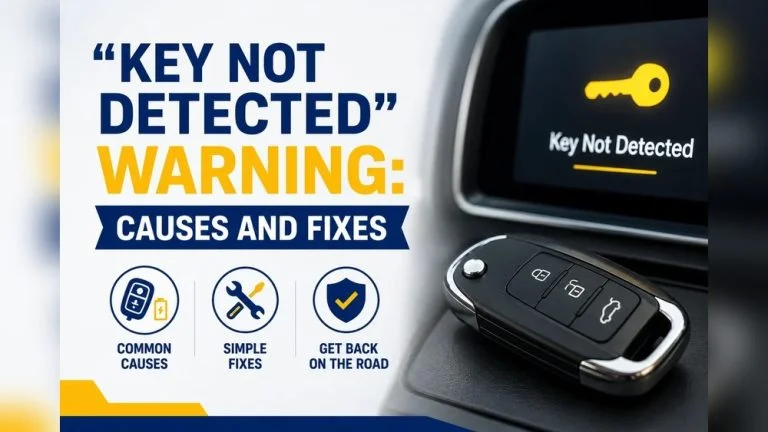
A faulty or unresponsive key fob can prevent the alarm from recognizing authorized access. Dead fob batteries or internal circuit issues often lead to persistent alarms.
Electrical Or Wiring Issues
Corroded wiring, blown fuses, or loose connections within the alarm system can result in false alarms or prevent the alarm from shutting off. This is especially common in older Ford models or vehicles exposed to harsh weather conditions.
Aftermarket Alarm System Complications
If your Ford has an aftermarket alarm or remote start system, integration issues can arise. Non-OEM systems sometimes conflict with factory security modules, leading to unpredictable alarm behavior.
Credit: hawkglow.com
Immediate Steps To Stop A Ford Car Alarm
When your Ford’s alarm won’t shut off, acting quickly and methodically can save your sanity and prevent further vehicle issues. Follow these steps to silence the alarm and identify the root cause.
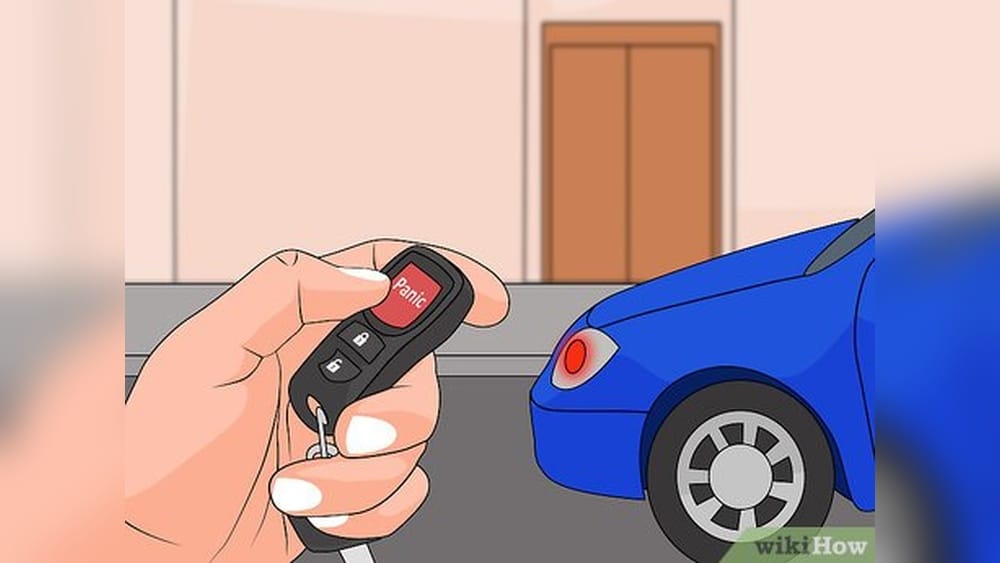
1. Use The Key Fob To Unlock And Lock
The simplest solution is often the most effective. Press the unlock button on your key fob—this usually sends a signal to the alarm control module to disarm. If the alarm persists, try locking and unlocking the car several times.
- Tip: If your key fob battery is weak, hold it close to the driver’s window for better signal transmission.
2. Start The Engine
Most Ford alarm systems will shut off once the correct key is used to start the vehicle. Insert your key into the ignition and start the engine. This signals the system that an authorized user is present.
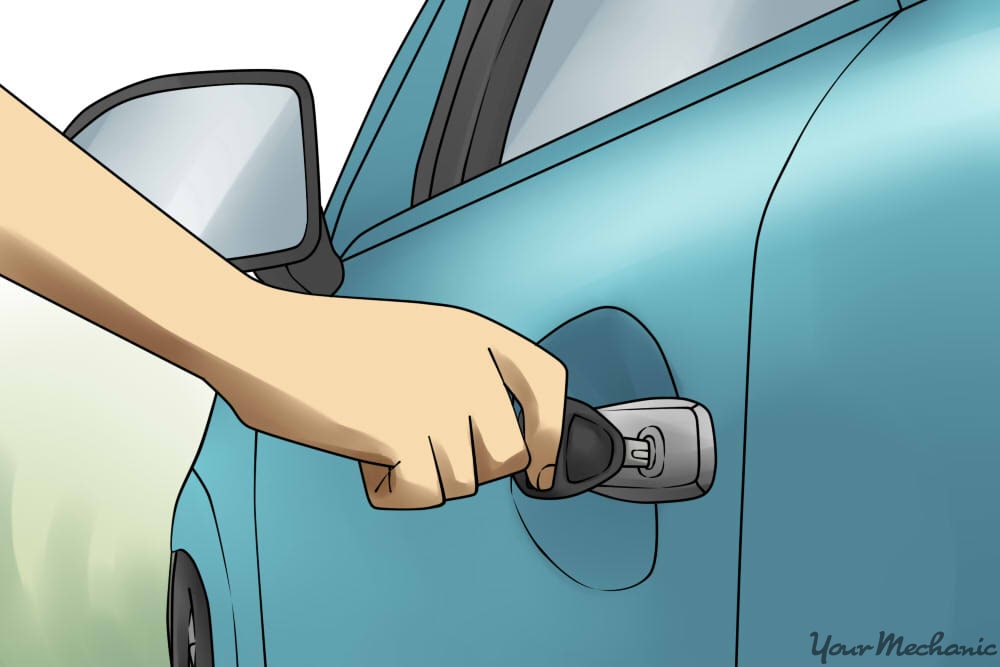
3. Manual Key Entry
If the key fob fails, use the physical key to unlock the driver’s door. Some older Ford models have a “lock cylinder switch” that resets the alarm when the door is unlocked manually.
4. Press The Alarm Reset Button
Certain Ford vehicles feature a dedicated alarm reset button—usually located under the dashboard, near the steering column, or in the glove box. Consult your owner’s manual for exact location and instructions.
5. Disconnect The Car Battery
As a last resort, open the hood and disconnect the negative terminal of the battery. Wait 30–60 seconds, then reconnect. This hard-resets the vehicle’s electronics, often silencing the alarm.
Safety Note:
Always wear gloves and safety glasses when working with the car battery. Disconnect the negative terminal first to prevent sparks.
6. Check For Faulty Door Or Hood Latches
Open and firmly close all doors, the hood, and the trunk. If the alarm stops, a misaligned latch or faulty sensor was likely to blame.
Step-by-step Quick Reference Table
| Step | Action | Expected Outcome |
|---|---|---|
| 1 | Use key fob to unlock/lock | Alarm disarms if fob is functional |
| 2 | Start the engine | Alarm recognizes authorized key |
| 3 | Manual key entry | Resets factory alarm in many models |
| 4 | Press reset button (if available) | Disarms aftermarket/factory alarms |
| 5 | Disconnect battery | Resets alarm and vehicle electronics |
| 6 | Check door/hood latches | Addresses sensor alignment issues |

Credit: www.wikihow.com
Troubleshooting Persistent Alarm Problems
If the basic steps above don’t silence your Ford’s alarm, it’s time for deeper troubleshooting. This section covers systematic diagnosis for common alarm faults.
Diagnosing Sensor Issues
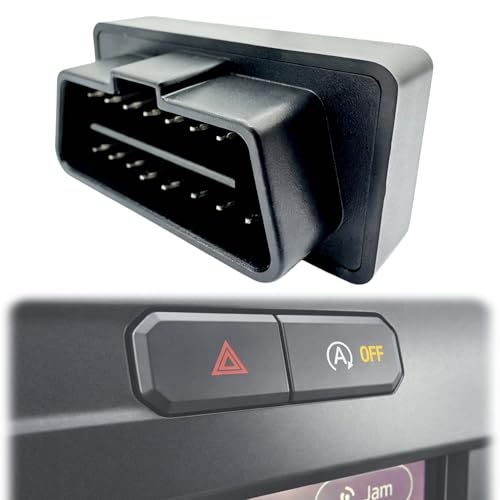
Use a code reader or OBD-II scanner to check for alarm-related fault codes. Many Ford models will store a code if a door, hood, or trunk sensor is malfunctioning. Inspect each sensor for physical damage, corrosion, or loose connections.
- Tip: Spray electrical contact cleaner on suspect connectors and check for improved function.
Testing The Key Fob
Replace the key fob battery with a fresh CR2032 or equivalent. If the fob remains unresponsive, consider reprogramming it (instructions vary by model; see your owner’s manual). For advanced diagnosis, a Ford dealer can test the fob’s signal strength and integrity.
Inspecting The Alarm Module And Wiring
Locate the alarm control module, usually hidden beneath the dashboard or behind the glove box. Check for:
- Burnt or frayed wires
- Loose connectors
- Signs of water damage or corrosion
Replace damaged wiring and secure all connections. If you suspect a failed alarm module, it may require dealer-level diagnostics or replacement.
Addressing Aftermarket Alarm System Conflicts
If your Ford has an aftermarket alarm, consult the installer or manufacturer’s website for troubleshooting guides. Sometimes, disconnecting the aftermarket module or resetting it per the user manual will resolve persistent alarms. Always ensure aftermarket systems are properly integrated with factory wiring to avoid electrical cross-talk.
Resetting The Anti-theft System
Some Ford models (especially newer ones) feature a Passive Anti-Theft System (PATS). If the alarm is stuck due to a PATS error:
- Insert the key into the ignition.
- Turn to “ON” (do not start).
- Wait 10 minutes or until the security light stops blinking.
- Turn off and try starting the engine.
This resets many anti-theft system glitches.
Common Diagnostic Tools And Their Uses
| Tool | Purpose | Average Cost (USD) |
|---|---|---|
| OBD-II Scanner | Reads error codes, identifies sensor faults | $30–$150 |
| Multimeter | Tests wiring continuity and voltage | $15–$50 |
| Electrical Contact Cleaner | Cleans corrosion on connectors | $5–$10 |
| Key Fob Tester | Checks fob signal strength | $20–$60 |
Real-world Examples And Case Studies
Examining real Ford owners’ experiences provides valuable insights into alarm issues and effective solutions.
Case Study 1: 2018 Ford Escape Alarm Nightmare
Scenario: Maria, owner of a 2018 Ford Escape, reported her alarm going off randomly at night, despite all doors being locked.
Diagnosis: After multiple failed attempts with the key fob and manual entry, a Ford technician discovered a faulty hood latch sensor. Water ingress had corroded the sensor, causing false triggers.
Solution: The sensor was replaced, and the wiring sealed. Maria’s alarm system returned to normal function.
Case Study 2: 2012 Ford F-150 And Aftermarket Remote Start
Scenario: John installed an aftermarket remote start on his F-150. The alarm began sounding every time he used remote start.
Diagnosis: The aftermarket system was not properly integrated with the factory anti-theft system, causing the alarm to interpret remote starts as break-in attempts.
Solution: The installer reprogrammed the remote start to communicate with the factory module, resolving the false alarms.
Case Study 3: 2006 Ford Taurus Battery Drain
Scenario: Laura’s 2006 Taurus alarm wouldn’t stop, leading to a dead battery.
Diagnosis: The root cause was a failing door sensor. Because the alarm kept sounding, the battery was depleted overnight.
Solution: Replacing the door sensor stopped the alarm and preserved battery life.
Data Snapshot: Alarm Issues By Ford Model
| Ford Model | Most Common Alarm Issue | Typical Solution |
|---|---|---|
| F-150 (2015–2026) | Key fob malfunction | Replace fob battery, reprogram |
| Escape (2013–2026) | Hood sensor false triggers | Replace or clean sensor |
| Taurus (2000–2007) | Worn door sensors | Replace sensor |
| Explorer (2011–2020) | Aftermarket system conflicts | Professional integration/rewire |
Preventive Measures To Avoid Alarm Problems
Preventing alarm malfunctions is easier—and less stressful—than dealing with them after the fact. Here are proven strategies to keep your Ford’s alarm system reliable.
Regular Key Fob Maintenance
- Replace key fob batteries every 1–2 years.
- Keep a spare fob battery in your glove compartment.
- Avoid dropping or exposing the fob to water.
Inspect Sensors And Latches
- Check all door, hood, and trunk latches for tight closure.
- Clean latch areas regularly to prevent debris buildup.
- Use silicone spray to lubricate and protect moving parts.
Battery Health Checks
- Test your car battery annually, especially before winter.
- Replace old batteries proactively—most last 3–5 years.
- Clean battery terminals to prevent voltage drops.
Secure Aftermarket Installations
- Choose certified installers for alarm or remote start systems.
- Request documentation and wiring diagrams for reference.
- Test alarm functions after any installation.
Update Vehicle Software
Ford periodically releases software updates for security systems. Visit your dealer for the latest patches, especially if your vehicle is under warranty.
Park Smart
Avoid parking under trees or near construction zones where falling debris or vibrations could trigger sensitive sensors.
Preventive Maintenance Checklist
- Replace key fob batteries
- Inspect and clean all door, hood, and trunk sensors
- Test car battery voltage
- Verify aftermarket alarm integration
- Update vehicle software at the dealer
When To Seek Professional Help
While many alarm issues can be resolved with DIY steps, some situations require expert intervention.
Persistent Or Recurring Alarms
If your alarm reactivates after every reset, or if you notice patterns (e. g. , always at night or after rain), a deeper electrical issue may exist. Professional diagnostics can identify hidden faults.
Complex Electrical Or Module Faults
Alarm modules and vehicle wiring can be intricate. If you’re uncomfortable working with automotive electronics, consult a certified Ford technician or reputable auto electrician.
Warranty And Recall Concerns
If your Ford is still under warranty, avoid DIY repairs that could void coverage. Check for recalls related to alarm or anti-theft systems on the NHTSA recall database.
Advanced Anti-theft System Issues
For models with advanced anti-theft systems (e. g. , Ford MyKey, PATS), dealer-level tools may be necessary for reprogramming or resetting modules.
Finding A Qualified Technician
Look for shops certified by the National Institute for Automotive Service Excellence (ASE) or check reviews on AAA’s Auto Repair Network.
Comparing Ford Car Alarm Systems
Ford’s alarm systems have evolved over the decades, with newer models featuring more sophisticated technology. Understanding these differences can help you apply the right troubleshooting steps.
Factory Vs. Aftermarket Alarms
Factory alarms are integrated with your vehicle’s Body Control Module (BCM) and anti-theft systems, while aftermarket alarms operate independently or piggyback on factory wiring.
- Factory alarms: Easier to reset, better reliability, covered by warranty.
- Aftermarket alarms: Customizable, potentially more features, but higher risk of integration issues.
Model Year Differences
- Pre-2010 Fords: Simpler systems, often reset by manual key entry.
- 2011–2018 Fords: Integration with immobilizer chips; may require key fob reprogramming.
- 2019–present Fords: Advanced security modules, remote diagnostics, and over-the-air updates.
Global Vs. North American Models
Some Ford models sold outside the US have different alarm configurations and reset procedures. Always refer to your region-specific owner’s manual.
Comparison Table: Ford Alarm System Features By Model Year
| Model Year | Factory Alarm Type | Reset Procedure | Key Tech Feature |
|---|---|---|---|
| 2000–2010 | Basic, sensor-driven | Manual key entry | Simple immobilizer |
| 2011–2018 | Integrated with anti-theft | Fob reprogramming, PATS reset | Chip keys, BCM integration |
| 2019–2026 | Advanced, connected | Dealer diagnostics, OTA update | Remote start, app integration |
Resources For Model-specific Information
- Ford’s official site: Owner’s Manuals
- Ford forums: Ford-Trucks Forums
- Automotive security guides: Wikipedia: Car Alarm
Common Mistakes To Avoid When Dealing With Car Alarms
Avoiding simple errors can save time, money, and reduce the risk of further issues.
Ignoring Warning Lights Or Sounds
A persistent alarm often signals an underlying problem. Don’t ignore dashboard warning lights or unusual sounds associated with the alarm system.
Forcing Doors Or Disconnecting Wires Improperly
Never force doors open or randomly disconnect alarm wires; this can trigger the immobilizer and strand your vehicle.
Overlooking The Owner’s Manual
Many Ford alarm issues have model-specific reset instructions in the owner’s manual. Review it before attempting complex fixes.
Neglecting Regular Maintenance
Failing to maintain latches, sensors, and the car battery increases the risk of alarm malfunctions.
Using Non-oem Parts
Using off-brand sensors or key fobs can cause compatibility issues. Always choose OEM (Original Equipment Manufacturer) parts for reliability.
Not Consulting A Professional
If your DIY efforts fail, seek help from a qualified technician to prevent further damage.
Frequently Asked Questions
What Causes My Ford Car Alarm To Keep Going Off Randomly?
Several factors can trigger random alarms, including faulty door/hood sensors, low battery voltage, key fob issues, or wiring problems. Environmental factors like vibrations or extreme temperatures can also set off sensitive alarm systems. It’s important to diagnose the root cause to prevent recurrence. For more details, see Ford’s troubleshooting guide on their official support site.
How Do I Reset My Ford Anti-theft System If The Alarm Won’t Stop?
To reset most Ford anti-theft systems:
- Insert the key into the ignition.
- Turn to the “ON” position without starting the engine.
- Wait 10 minutes or until the security light turns off.
- Turn off, then start the vehicle.
Some newer models may require dealer-level diagnostics or software updates. Always check your owner’s manual for model-specific instructions.
Can A Dead Car Battery Cause The Alarm To Go Off?
Yes, a dead or weak battery can cause your Ford’s alarm system to malfunction. Low voltage may be interpreted as tampering, triggering the alarm. If your alarm sounds when starting the car or after the battery dies, replace or recharge the battery and reset the system.
Should I Disconnect The Car Battery To Stop A Persistent Alarm?
Disconnecting the negative battery terminal is a last-resort method that can silence most alarms by resetting the vehicle’s electronics. However, this will also reset your radio presets and may require entering a security code for some infotainment systems. Always wear safety gear and follow proper procedures.
When Should I Consult A Professional For Ford Alarm Issues?
Seek professional help if:
- The alarm persists after trying all basic resets.
- There are signs of electrical or wiring faults.
- Your vehicle is under warranty.
- You’re dealing with advanced anti-theft or immobilizer systems.
Professional technicians have the diagnostic tools and expertise to address complex alarm malfunctions.
Additional Resources
- Why ASE Certification Matters
- AAA Auto Repair Locator
- Wikipedia: Car Alarm
- Ford Official Support
- NHTSA Recall Database
- Ford Owner’s Manuals
A Ford car alarm that won’t shut off can be a source of stress, but with the right approach, most issues can be resolved quickly and safely. By understanding the causes, following logical troubleshooting steps, and knowing when to call in the experts, you’ll keep your vehicle secure—and your sanity intact.
Regular maintenance and attention to detail go a long way in preventing alarm mishaps. Stay proactive, and your Ford’s alarm system will serve as a reliable guardian for years to come.
Products related to this article
Sponsored / affiliate links. As an Amazon Associate I earn from qualifying purchases. I may earn additional commission from eligible campaigns.