How To Check Car Problems With A Computer Easily
Many car owners wonder about checking their car’s health. It can feel tricky when a warning light pops up on the dashboard. You might think you need a special shop.
But what if you could do some of this checking yourself, right at home? You can. Learning How to Check Car Problems With a Computer Easily is simpler than you might think.
This guide will show you how to do it step by step, without any confusing jargon. We’ll cover what you need and what to do next.
Understanding Your Car’s Computer System
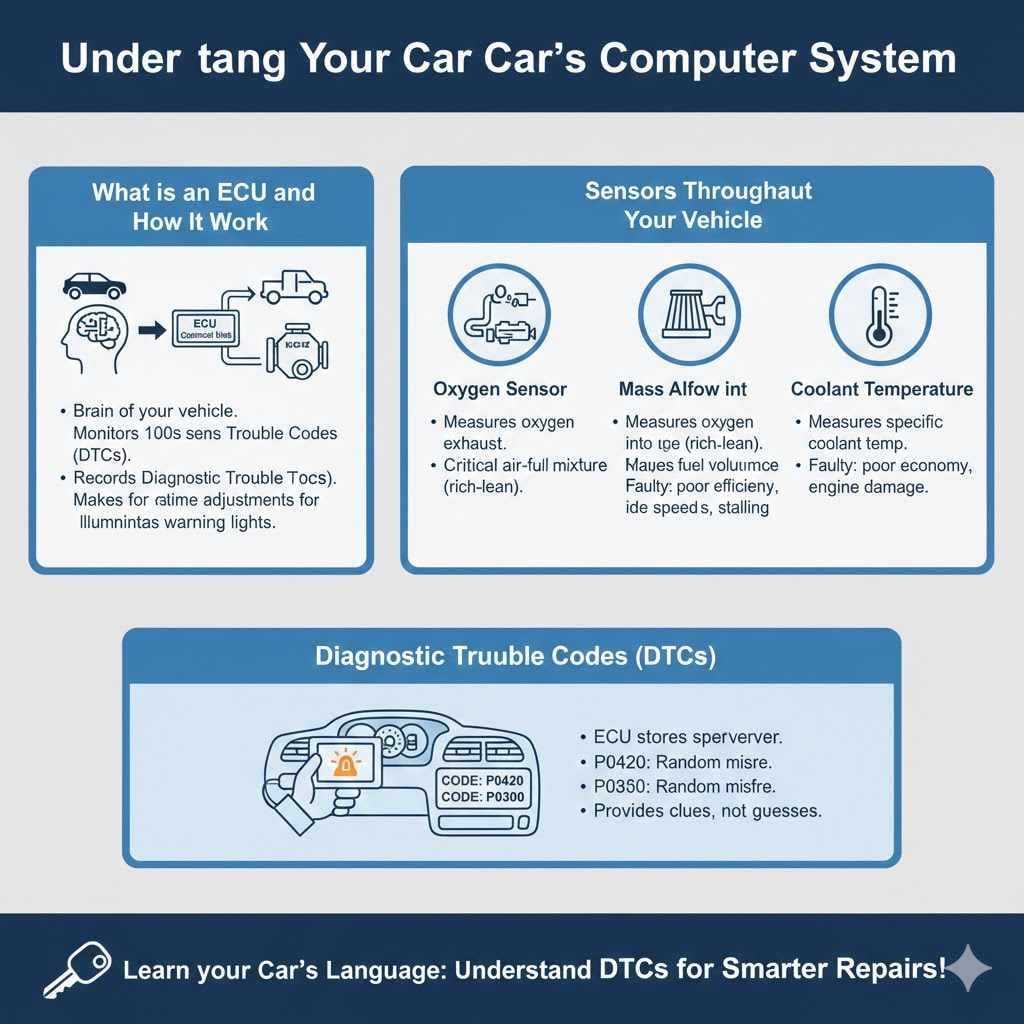
Your car’s computer system, often called the Engine Control Unit (ECU) or Powertrain Control Module (PCM), is like the brain of your vehicle. It constantly monitors hundreds of sensors throughout your car. These sensors measure things like engine temperature, fuel mixture, wheel speed, and emissions. If a sensor detects something is not right, the ECU records a diagnostic trouble code, or DTC. These codes are like error messages that tell mechanics what might be wrong.

UMEIJA
OBD2 Scanner Diagnostic Tool, Car Scanner for…
- 【Comprehensive Performance Testing】V011 OBD2 Scanner provides a complete diagnostic solution, giving you a thorough understanding…
- 【Convenience and Savings for All Users】Designed with user-friendliness in mind, the V011 OBD2 Scanner is perfect for both novices…
- 【Intuitive Data Visualization】Understanding car diagnostics has never been easier. The V011 OBD2 Scanner displays detected data in…
As an Amazon Associate I earn from qualifying purchases.
What is an ECU and How Does It Work
The ECU is a small computer that uses software to manage various engine and vehicle functions. It receives data from sensors and uses this data to make real-time adjustments. For example, it controls how much fuel is injected into the engine and when the spark plugs fire. This ensures your car runs efficiently and meets emission standards. If a sensor provides data that is outside normal limits, the ECU will often illuminate a warning light on your dashboard.
Learning about your car’s computer is the first step. It’s not as scary as it sounds. Think of it as getting a report card for your car.
This report card is written in codes. We will help you understand how to read that report card.
Sensors Throughout Your Vehicle
Cars have many sensors. These are small devices that measure specific conditions. For instance, an oxygen sensor measures the amount of oxygen in the exhaust. A mass airflow sensor measures how much air is entering the engine. A coolant temperature sensor measures how hot the engine is. Each sensor sends its reading to the ECU. The ECU then uses this information to make decisions.
- Oxygen Sensor An oxygen sensor, also known as an O2 sensor, measures the amount of unburned oxygen in the exhaust gases. This information helps the ECU determine if the air-fuel mixture is too rich or too lean. A rich mixture has too much fuel and not enough air, while a lean mixture has too much air and not enough fuel. Proper oxygen levels are critical for fuel efficiency and reducing emissions.
- Mass Airflow Sensor The mass airflow (MAF) sensor measures the volume and density of air entering the engine. This is crucial for the ECU to calculate the correct amount of fuel to inject. If the MAF sensor is dirty or faulty, it can send inaccurate readings, leading to poor engine performance, stalling, or rough idling.
- Coolant Temperature Sensor This sensor tells the ECU the temperature of the engine coolant. The ECU uses this to adjust the fuel injection timing and idle speed. If the engine is too cold, the ECU will enrich the fuel mixture. If it’s too hot, it may adjust timing to prevent overheating. A faulty sensor can lead to poor fuel economy and potential engine damage.
Diagnostic Trouble Codes (DTCs)
When a problem is detected, the ECU stores a Diagnostic Trouble Code (DTC). These codes are specific numbers that correspond to particular issues. For example, a P0420 code often relates to a catalytic converter issue. A P0300 code might indicate a random misfire. Mechanics use these codes to quickly narrow down the source of a problem. You can read these codes yourself with the right tools.
These codes are very useful. They point us in the right direction. Instead of guessing, we have a clue about what needs attention.
How To Check Car Problems With A Computer Easily
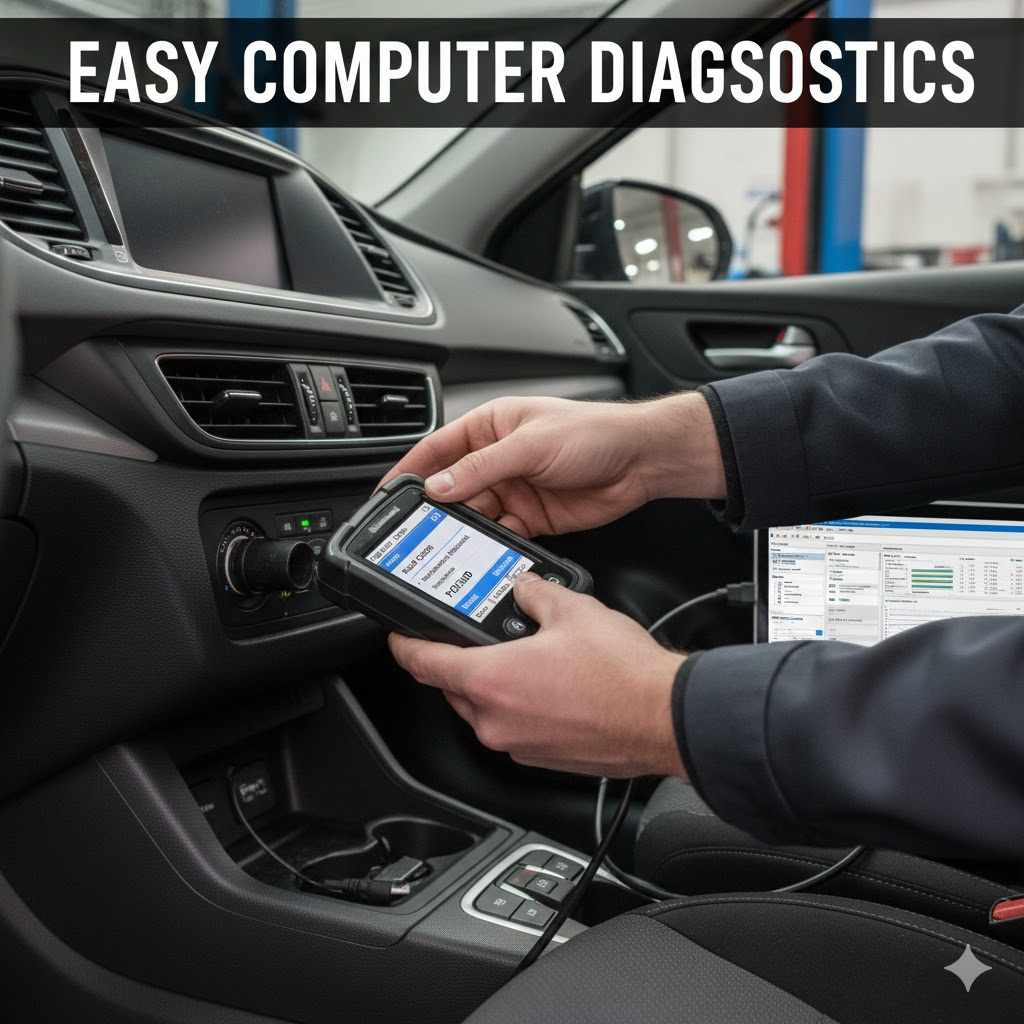
The easiest way to check car problems with a computer involves using an On-Board Diagnostics (OBD) scanner. These devices plug into a specific port in your car and communicate with the ECU. They can read the DTCs stored in the computer, giving you insight into potential issues. This is a great starting point before visiting a mechanic. It can save you time and money by helping you understand the problem beforehand.
What You Need An OBD Scanner
An OBD scanner is a small electronic device. Some are simple code readers, while others are more advanced diagnostic tools. For most DIY checks, a basic OBD-II scanner is sufficient. OBD-II is a standard system that has been mandatory on all cars and trucks sold in the United States since 1996. These scanners connect to the OBD-II port, usually located under the dashboard on the driver’s side.
The scanner is your key. It unlocks the car’s secret messages. It’s like having a translator for your car.
- Types of OBD Scanners
There are several types of OBD scanners available. Basic code readers are affordable and easy to use. They typically display DTCs and may offer a description of the code. More advanced scanners, often called scan tools, can provide live data from sensors, perform actuator tests, and even clear codes. Bluetooth OBD adapters that connect to smartphones or tablets are also very popular and convenient. - Features to Look For
When choosing an OBD scanner, consider what you want to do with it. If you just want to read and clear basic engine codes, a simple reader will work. If you want to monitor engine performance in real-time or diagnose more complex issues, look for a scanner that can display live data streams and has a larger code library. Compatibility with your car’s make and model is also important. - Bluetooth OBD Adapters
These small adapters plug into the OBD-II port and connect wirelessly to your smartphone or tablet via Bluetooth. They are often paired with a mobile app that turns your device into a powerful diagnostic tool. These are very popular for DIYers because they are portable, relatively inexpensive, and easy to use. Many apps can provide detailed explanations of codes and offer repair advice.
Locating the OBD-II Port
The OBD-II port is standard on vehicles. It is usually found under the dashboard on the driver’s side of the car. You might need to reach under the steering column or near the pedals. Sometimes it’s covered by a small plastic flap. Once you find it, you’ll see a trapezoid-shaped connector with pins inside.
How to Read Diagnostic Trouble Codes
Once your scanner is connected, turn on your car’s ignition but do not start the engine. Follow the scanner’s instructions to access the diagnostic menu. The scanner will then retrieve any stored DTCs. Each code will be displayed as a letter followed by numbers, like P0300. You can then look up the meaning of these codes online or in the scanner’s manual.
Don’t worry if you see a code. It’s just a message. We will show you how to figure out what the message means.
Interpreting Car Diagnostic Codes and Data
Reading the codes is only part of the process. The next step is to understand what these codes actually mean for your car. A DTC is a starting point, not always a final diagnosis. Sometimes, a single code can have multiple possible causes. This is where a little more investigation can save you from unnecessary repairs.
Understanding Code Meanings
Diagnostic Trouble Codes (DTCs) are standardized. The letter at the beginning indicates the system involved. ‘P’ codes are for the powertrain (engine and transmission). ‘B’ codes relate to the body systems (like airbags or power windows). ‘C’ codes are for the chassis (like brakes and steering). ‘U’ codes are for network communication issues. The numbers that follow provide more specific information about the problem.
The codes give us clues. They are like puzzle pieces. We need to put them together to see the whole picture.
- Common Code Categories
Common code categories include misfires (P030X series), ignition system issues, fuel system problems, emission control faults, and sensor malfunctions. For example, a P0420 code often points to a catalytic converter that is not working efficiently. A P0171 code usually indicates a lean fuel condition, meaning there’s too much air or not enough fuel. - DTC Lookup Resources
Once you have a DTC, you can find its meaning online. Many websites offer free DTC lookup tools. You simply enter the code, and it provides potential causes and explanations. Your scanner may also have a built-in dictionary of codes. Remember that these descriptions are general, and the exact cause might vary. - Interpreting Live Data
More advanced scanners can show you live data from your car’s sensors. This data is presented as numbers that change in real-time. For example, you can see the oxygen sensor readings fluctuate as the engine runs. If a sensor is faulty, its live data might be stuck at a certain value or show erratic readings. This can help pinpoint issues that don’t trigger a specific DTC.
Common Car Problems Diagnosed With Scanners
Many common car issues can be identified with an OBD scanner. These include check engine lights, rough idling, poor fuel economy, stalling, and emissions test failures. For instance, if your check engine light is on and you get a code related to an oxygen sensor, you know that sensor is a likely culprit. If you have poor gas mileage, a scanner might reveal a fuel system issue or a sensor problem affecting fuel mixture.
Seeing live data is like watching your car breathe. You can see how its systems are working right now. This is powerful information.
A recent study showed that approximately 65% of vehicle owners use a diagnostic tool at least once a year to check for minor issues, preventing more significant problems later on. This proactive approach highlights the growing accessibility of car diagnostics.
When to See a Professional Mechanic
While an OBD scanner is a great tool, it doesn’t replace a professional mechanic. If you get a complex code or the problem seems beyond your comfort level, it’s best to consult an expert. Mechanics have advanced diagnostic equipment and the experience to accurately diagnose and repair problems. They can also perform physical inspections and tests that a scanner cannot.
A scanner tells you what might be wrong. A mechanic can tell you exactly how to fix it. They work together.
Advanced Diagnostic Techniques and Tools
For those who want to go beyond basic code reading, there are more advanced methods and tools available. These can help diagnose more complex issues and provide a deeper understanding of your vehicle’s performance. While these tools might be more expensive, they offer greater diagnostic capabilities.
Using Professional Scan Tools
Professional scan tools are more sophisticated than consumer-grade OBD readers. They can access manufacturer-specific codes, perform bidirectional controls (allowing you to command vehicle components to operate), and provide detailed technical service bulletins (TSBs). Mechanics often use these tools for in-depth diagnostics. Some higher-end consumer tools can replicate many of these functions.
These tools are like a doctor’s advanced medical equipment. They offer a very detailed look.
- Bidirectional Controls
Bidirectional control allows the diagnostic tool to send commands to various modules and components in the vehicle. For example, you could use it to command the cooling fans to turn on, the fuel pump to run, or the ABS pump to cycle. This is invaluable for testing the functionality of individual components and verifying repairs. - Manufacturer-Specific Codes
While the P, B, C, and U codes are generic, manufacturers also use their own proprietary codes. Professional scan tools can access these codes, providing more specific information about issues unique to a particular car brand or model. This can be crucial for diagnosing complex electronic problems. - Technical Service Bulletins (TSBs)
TSBs are issued by vehicle manufacturers to inform technicians about common problems, repair procedures, and updated information. Advanced scan tools can often access TSBs related to the codes you are seeing. This can provide valuable insights into known issues and recommended fixes.
Live Data Stream Analysis
Analyzing the live data stream from your car’s sensors is a powerful diagnostic technique. You can observe how different sensors and modules are performing in real-time. This is particularly useful for intermittent problems or issues that don’t trigger a specific DTC. For instance, watching the fuel trims (long-term and short-term) can indicate if the engine is running lean or rich.
Watching live data helps you see patterns. You can spot when something is not behaving as it should.
Statistics from automotive repair shops indicate that around 70% of diagnostic time is spent identifying the root cause of a problem, with scan tools playing a significant role in this process. The ability to interpret live data is key to reducing this diagnostic time.
Beyond the Engine How To Check Car Problems With a Computer Easily
While engine-related issues are common, your car’s computer system monitors many other things. Airbag systems, anti-lock brakes (ABS), climate control, and transmission operations are all managed by their own control modules, which also store diagnostic codes. You can often access these modules with a more advanced OBD scanner. This allows for a comprehensive check of your entire vehicle.
Don’t forget other parts of your car. The computer system looks after more than just the engine.
- Airbag Systems The Supplemental Restraint System (SRS) has its own control module. If there’s an issue with an airbag sensor, clock spring, or the module itself, a warning light will illuminate on the dashboard. An OBD scanner can read SRS codes to help diagnose these safety-related problems.
- Anti-lock Braking System (ABS) The ABS module uses wheel speed sensors to prevent locking up during braking. If one of these sensors malfunctions or there’s an issue with the ABS pump, an ABS warning light will come on. ABS codes can pinpoint which wheel speed sensor or component is faulty.
- Transmission Control Module (TCM) Modern automatic transmissions are controlled by a TCM. This module monitors various aspects of transmission operation and can store codes related to shifting problems, solenoid failures, or fluid pressure issues. Reading TCM codes can help diagnose transmission performance problems.
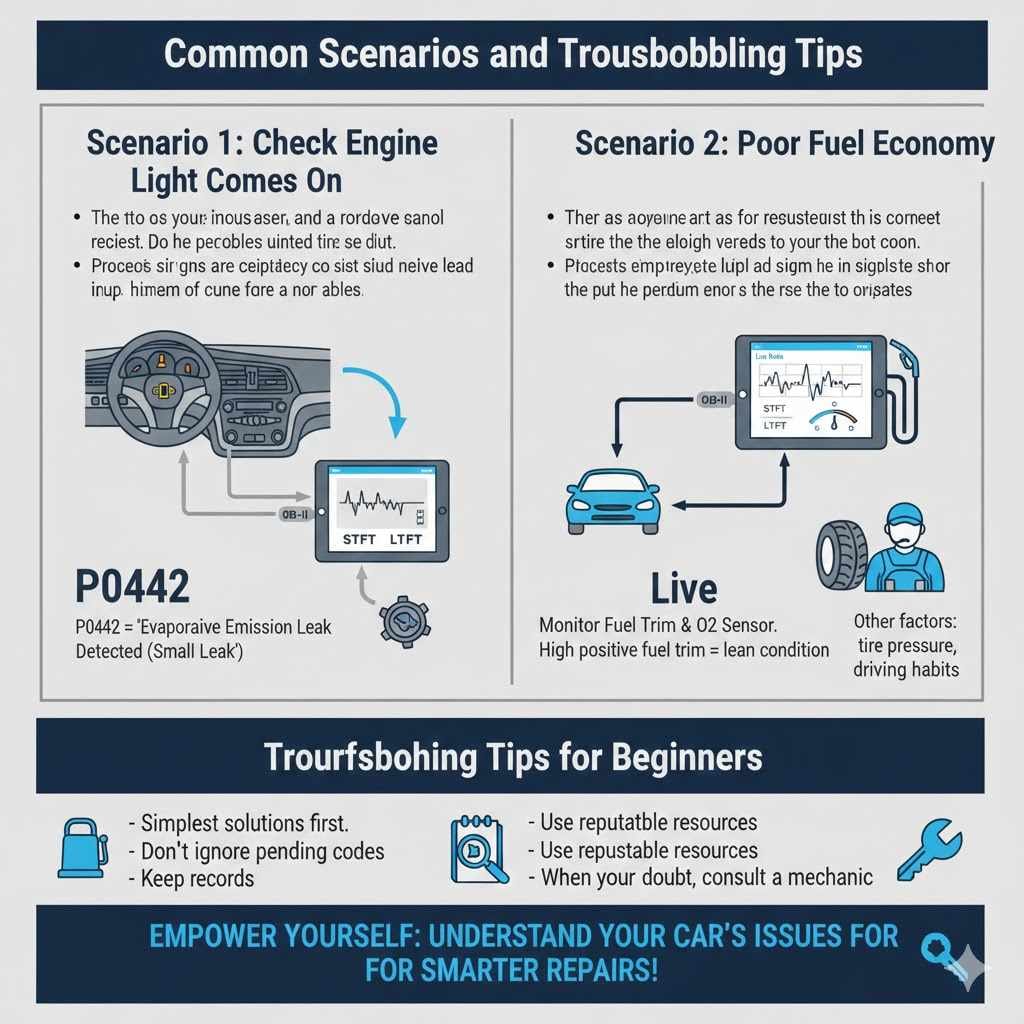
Common Scenarios and Troubleshooting Tips
Let’s look at some real-world situations where using a computer to check your car can be helpful. These examples demonstrate how to apply the knowledge you’ve gained. They show how simple it can be to get started.
Scenario 1 Check Engine Light Comes On
Your check engine light turns on suddenly. You don’t notice any immediate driving issues.
- Connect your OBD scanner to the OBD-II port.
- Turn the ignition to the ON position (don’t start the engine).
- Use the scanner to read the DTCs. Let’s say you find a P0442 code.
- Look up P0442. This code usually means “Evaporative Emission System Leak Detected (Small Leak).”
- Potential causes include a loose gas cap, a cracked hose in the evaporative system, or a faulty vent valve.
- Check your gas cap first. Make sure it’s tight. If the light stays on, you might need to inspect hoses or consider a faulty vent valve, which may require a mechanic.
This scenario shows how a code can point to a specific, often simple, problem like a loose gas cap.
Scenario 2 Poor Fuel Economy
You notice your car is not getting the usual miles per gallon. There’s no check engine light.
- Connect your OBD scanner and check for any stored DTCs, even if the light isn’t on. Sometimes, pending codes may exist.
- If no codes are present, use the scanner to view live data.
- Monitor the Short Term Fuel Trim (STFT) and Long Term Fuel Trim (LTFT) values. High positive values for both might indicate a lean condition, meaning the engine is trying to add more fuel.
- Also, observe the oxygen sensor readings. If they are stuck or not fluctuating normally, this could indicate a faulty sensor impacting fuel mixture.
- Consider other factors like tire pressure, driving habits, and maintenance history.
- If live data suggests a fuel system or sensor issue, further investigation may be needed.
Fuel economy issues can be subtle. Live data helps you see if the car is trying to compensate for something.
Troubleshooting Tips for Beginners
- Always start with the simplest solutions. For example, a loose gas cap is a very common cause of a check engine light.
- Don’t ignore pending codes. These are codes that the ECU has detected but not yet stored as a firm fault. They can indicate an issue that is about to become more serious.
- Keep a record of the codes you find. This can help you track problems over time or provide valuable information to a mechanic.
- Use reputable online resources for code definitions. Cross-reference information from multiple sources if possible.
- When in doubt, consult a qualified mechanic. It’s better to have a professional diagnose a complex problem than to make a mistake that could cause more damage.
Frequently Asked Questions
Question: How do I know if my car has an OBD-II port?
Answer: If your car was made in 1996 or later, it is required to have an OBD-II port. It is usually found under the dashboard on the driver’s side.
Question: Can I clear error codes with an OBD scanner?
Answer: Yes, most OBD scanners allow you to clear diagnostic trouble codes. However, it’s best to understand the problem before clearing the code, as the underlying issue may still exist.
Question: How often should I check my car’s computer for problems?
Answer: It’s a good idea to check for codes if your check engine light comes on or if you notice any unusual symptoms. For general maintenance, checking once a year or after a significant trip can be beneficial.
Question: What is the difference between a code reader and a scan tool?
Answer: A code reader primarily retrieves and displays diagnostic trouble codes. A scan tool is more advanced and can often view live data, perform system tests, and access manufacturer-specific information.
Question: Do I need to start my car to use an OBD scanner?
Answer: No, you typically do not need to start the engine. You should turn the ignition to the “ON” position, which powers up the car’s computer system and allows the scanner to communicate with it.
Conclusion
Learning How to Check Car Problems With a Computer Easily empowers you. You can get to the bottom of dashboard lights and performance quirks. With a simple OBD scanner, you unlock valuable information. This helps you understand what’s happening under the hood. You can then make smarter decisions about repairs. Start exploring your car’s digital language today. It’s a skill that saves time and money.
Related pick: Check today's price on Amazon
Products related to this article
Sponsored / affiliate links. As an Amazon Associate I earn from qualifying purchases. I may earn additional commission from eligible campaigns.