How to Compare Car Tech Features Without Overpaying
Compare car tech features by scoring each item on three checks: need, real-world usability, and total cost difference; if a feature fails any one, skip the pricier trim. Ignore that filter and you often pay for flashy software, hidden subscriptions, or driver-assist bundles you barely use. This guide helps you compare infotainment, safety tech, EV features, and software packages without paying for extras that do little for you.
What you’ll need
- Both window stickers or build sheets
- A note app or paper sheet for prices, packages, subscriptions, and warranty terms
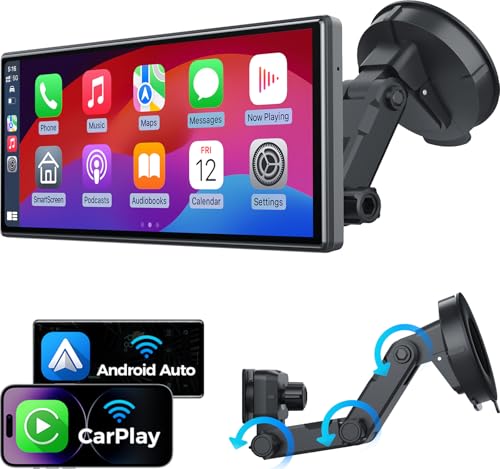
- A smartphone with Bluetooth, Apple CarPlay, and Android Auto ready to pair
- A short route for a test drive with daylight glare, parking maneuvers, and stop-and-go traffic
- The owner’s manual or spec sheet for each model-year trim
Tech value delta worksheet
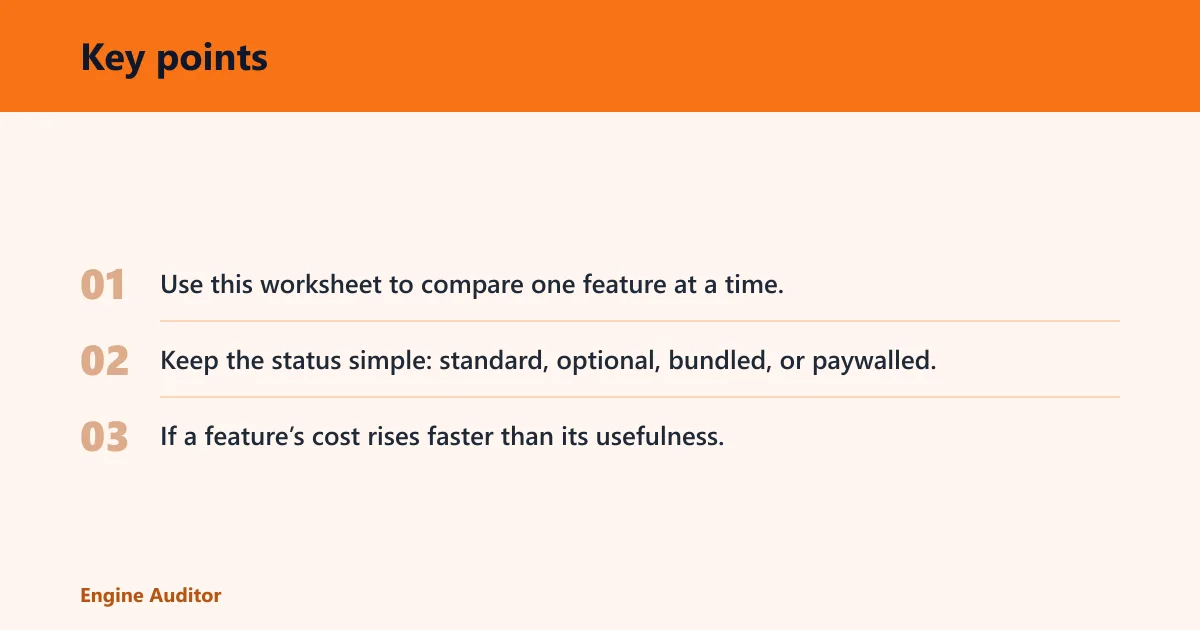
Use this worksheet to compare one feature at a time, then total the cost gap against the next trim. Keep the status simple: standard, optional, bundled, or paywalled. If a feature’s cost rises faster than its usefulness, the higher trim is not the better buy.
| Feature | Standard / optional status | Real-world usefulness | Hidden costs | Failure risk | Estimated value gained or lost vs. next trim |
|---|---|---|---|---|---|
| Wireless Apple CarPlay / Android Auto | Optional on many trims | High if you use phone navigation and music daily | May require a higher trim or package | Connection drops, lag, or slow startup | Value gained if it replaces wired use; lost if it adds a large trim jump |
| Adaptive cruise control | Often bundled | High for highway commuting | Package pricing, possible steering-wheel control differences | Poor low-speed tuning or abrupt braking | Worth more when included in a small package than a major trim upgrade |
| Rearview / 360-degree cameras | Sometimes standard, sometimes optional | High for parking and tight garages | Higher trim or camera package | Low resolution, glare, or slow camera switching | Good value if the base car lacks visibility |
| OTA update support | Varies by model | Medium to high for long ownership | Feature subscriptions or data plans | Support lifespan may end sooner than expected | Positive only if the maker shows a clear support policy |
| DC fast charging | EV-specific; varies by trim | High for road trips | Higher trim, charging fees, possible preconditioning dependency | Charge speed falls in cold weather or at high state of charge | Worth paying for if you travel beyond home charging range |
How do you compare car tech features?
Start with the feature you will actually use, then mark whether it is standard, optional, bundled, or paywalled. Score the feature on day-to-day usefulness, not brochure language. A trim is only worth more money if the added tech solves a real problem you expect to face every week.
Use the same checklist on both vehicles
- List the exact trim and model year for each car.
- Write every tech feature under the same headings.
- Mark standard, optional, bundled, or paywalled for each item.
- Assign a simple usability score from 1 to 5.
- Add hidden costs such as subscriptions, installation, or accessories.
- Subtract the cost difference from the next trim only after the feature passes your use test.
Suppose one compact SUV adds wireless phone integration, but only on a package that also includes a panoramic roof and premium audio. If you only want phone mirroring, the extra money goes to two unrelated items. That bundle may still be worth it, but the worksheet makes the trade visible.
How do you compare infotainment systems before buying a car?
Test infotainment in person with your own phone, because wireless Apple CarPlay / Android Auto support, menu lag, and voice control quality matter more than screen size alone. Look for physical backup controls, clear daylight visibility, built-in navigation that is actually usable, and OTA update support that does not depend on vague promises.
Check the screen and menus first
- Pair your phone and confirm wireless Apple CarPlay or Android Auto.
- Open maps, audio, and settings to see if menus bury simple tasks.
- Watch for lag when switching pages or changing sources.
- Check daylight glare from the driver’s seat.
- Use the volume knob, tune knob, or steering-wheel buttons if the screen freezes.
Infotainment lag and confusing menus are common complaints, so a slow system should count against the trim even if the spec sheet looks strong. Built-in navigation is only a plus if it is easy to enter a destination, update maps, and read directions without extra tapping.
Confirm what the software can do later
Ask whether OTA updates cover only bug fixes or also feature changes. Then check whether any connected services, remote start, or map data require a subscription after the trial period. Software-defined ownership is part of the price, and paywalled features can turn a bargain trim into a costly one.
How can you tell if driver-assist features are good or just marketing?

Compare driver-assist systems by availability and behavior, not by feature names. Adaptive cruise control should manage traffic flow smoothly, lane centering should hold the lane without ping-ponging, and AEB should be present as safety equipment, not marketed as a convenience upgrade. Parking assist and traffic jam assist deserve the same trim-by-trim check.
Separate core ADAS from premium extras
- Check whether adaptive cruise control is standard or trimmed up only.
- Confirm lane centering, lane keep assist, and automatic emergency braking by trim.
- Look for parking assist and traffic jam assist as separate items.
- Read the conditions where each feature works and where it does not.
- Review the steering-wheel, camera, or sensor alerts for clarity.
Do not judge AEB by trying to trigger it in normal traffic. Controlled conditions are the only safe way to evaluate emergency braking behavior, and a dealer demonstration should follow the manufacturer’s process. For everyday comparison, focus on whether the system is available on your trim and whether the warning logic feels calm instead of jumpy.
A common first-timer mistake is assuming every car with “driver assist” has the same hardware. One model may offer lane centering on a mid trim, while another keeps it for a higher package and only includes lane keep assist below that. Those names sound similar, but the value is not the same.
What hidden costs should you check when comparing car tech packages?
Hidden tech costs include installation, subscriptions, replacement parts, warranty limits, and any accessory the feature needs to work. A lower sticker price can still cost more over time if the package needs a data plan, a special charger, a sensor replacement, or a software fee after the trial ends.
Add the costs that do not show on the window sticker
- Check whether the feature needs hardware installation or dealer activation.
- Look for subscription fees after the free trial period ends.
- Confirm whether replacement cameras, sensors, or screens are covered under warranty.
- Note any accessory requirements, such as a charging cable or app plan.
- Ask whether privacy settings allow you to limit data sharing.
Base price matters, but so do recurring charges. Average new-car transaction prices are around $48,000 in the U.S. for 2025–2026, so a paid feature that adds ongoing fees deserves closer scrutiny. Reliability still matters more than horsepower for ownership costs, and that logic applies to software as well.
What should you compare on EV and hybrid tech?
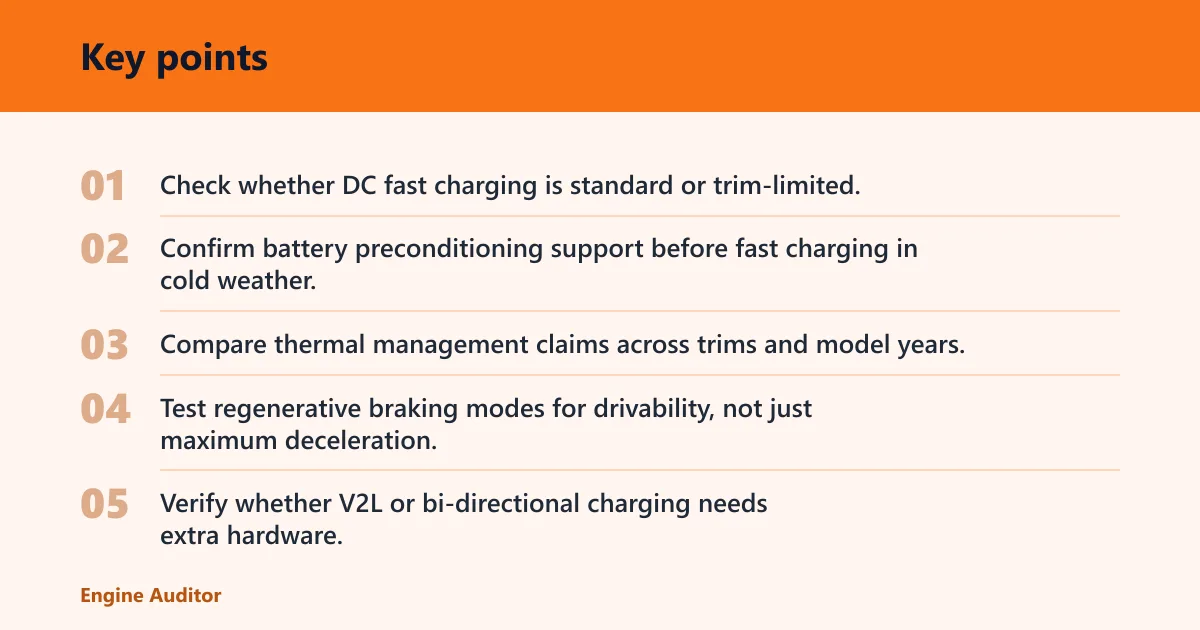
For EVs and hybrids, compare DC fast charging, battery thermal management, regenerative braking modes, battery preconditioning, and V2L or bi-directional charging. These features affect daily charging, road-trip time, and resale value. If you charge mostly at home, some of them may matter less than a strong battery heat-management strategy.
Judge charging and battery systems together
- Check whether DC fast charging is standard or trim-limited.
- Confirm battery preconditioning support before fast charging in cold weather.
- Compare thermal management claims across trims and model years.
- Test regenerative braking modes for drivability, not just maximum deceleration.
- Verify whether V2L or bi-directional charging needs extra hardware.
If you are cross-shopping hybrids, compare the tech that affects long-term value, not just MPG claims. A $28,000 Toyota Camry Hybrid and a $44,000 Lexus ES Hybrid can serve different buyers, but the worksheet still works: compare what comes standard, what is optional, and what the next trim actually buys.
Safety tech checklist
- Blind spot monitoring
- Rear cross-traffic alert
- Rearview camera
- 360-degree camera system
- TPMS
- Lane keep assist
Check whether the camera image is clear in daylight and whether the warning alerts are easy to understand. Keep items out of airbag zones and the driver’s view, and follow the vehicle manual, never work under a vehicle held only by a jack, never exceed the vehicle’s rated roof/hitch/tow limit, and check local laws.
Common mistakes
- Buying by trim name instead of feature list. Trim labels can hide major differences in standard equipment.
- Assuming two systems with the same name behave the same. Compare hardware, software, and model-year changes.
- Ignoring package bundling. A single desired feature may be locked inside a larger, pricier bundle.
- Overlooking subscriptions and support limits. A free trial does not equal free ownership.
- Skipping the in-person test. Screen glare, lag, and menu depth are hard to judge from photos.
Frequently asked questions
Which car tech features are actually worth paying extra for?
Pay extra for features that solve a real daily problem: wireless Apple CarPlay / Android Auto, a clear rearview or 360-degree camera, adaptive cruise control for highway driving, and useful lane centering. If the feature is bundled with items you do not want, compare the bundle price against the value of the one feature you will use.
How do I compare EV and hybrid tech features fairly?
Compare DC fast charging, battery thermal management, preconditioning, regenerative braking, and any V2L or bi-directional charging support. Judge whether the feature matches your driving pattern. A feature that matters on road trips may be less useful than a simpler system if you charge at home and drive short distances.
What car tech features are standard versus optional?
That varies by model and trim, so check the window sticker and the manufacturer’s listing for your exact build. Many brands move wireless phone integration, adaptive cruise control, camera upgrades, or OTA support between trims and packages. The only safe rule is to compare the exact vehicle, not the marketing name.
How do you compare cars without paying for gimmicks?
Use the worksheet: need, usability, and cost delta. If a feature scores low on usefulness, depends on subscriptions, or forces a big trim jump, skip it. Favor standard safety tech, practical infotainment, and clear charging or software support over features that sound advanced but do little for daily driving.
Products related to this article
Sponsored / affiliate links. As an Amazon Associate I earn from qualifying purchases. I may earn additional commission from eligible campaigns.