Honda Civic Brake Maintenance: Signs Pads or Rotors Need Work
A brief squeak usually points to worn pads, while grinding, pedal pulsation, or a brake warning light means you should inspect pads, rotors, fluid level, and calipers right away. Ignore it, and a pad job can turn into rotor damage, caliper failure, and a much larger repair. Honda owner’s manual guidance and brake-system references from service literature consistently treat warning lights, pad wear, and fluid level as linked checks, not isolated problems. This guide shows which Civic brake symptoms match pad, rotor, fluid, or caliper problems and what to check next.
Brake symptom triage table


| Symptom | Visible checks | Likely cause | Urgency | Action |
|---|---|---|---|---|
| Light squeak at low speeds | Check pad thickness through the wheel spokes; thin pads often need attention soon. Look for even pad wear and a small wear indicator tab. | Pad wear indicator, pads near minimum thickness, or light surface rust after sitting | Inspect now | Drive carefully only if braking feel is normal. Book service soon. |
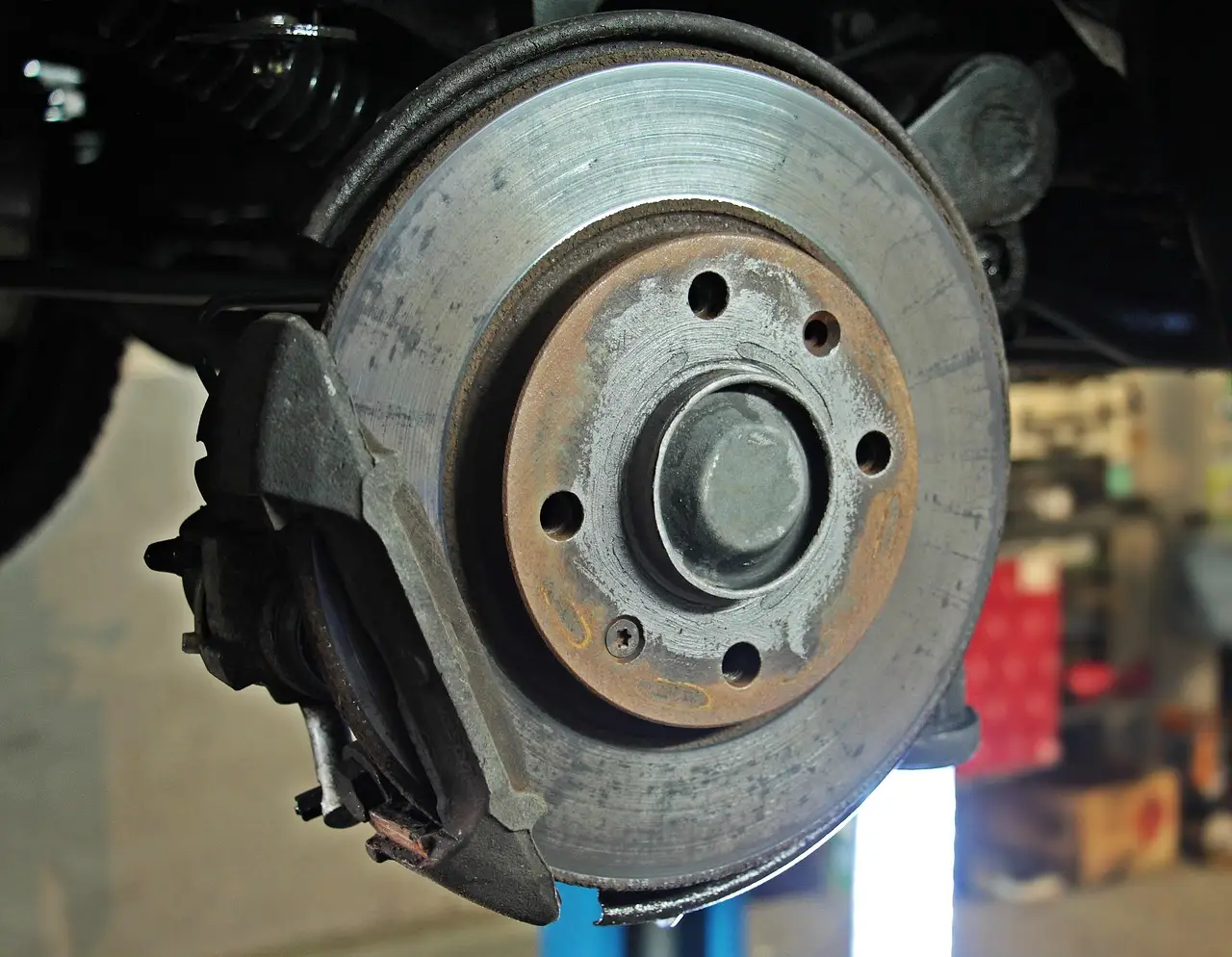
| Grinding while braking | Look for pad material gone, deep rotor grooves, and a pronounced wear lip on the rotor edge. | Pads at or near metal backing; rotor damage already in progress | Stop driving immediately | Do not keep driving. Arrange inspection and repair right away. |
| Pedal pulsation or steering wheel shake | Check for scored rotors, uneven wear, and blue or patchy rotor surfaces if visible through the wheel. | Rotor runout, uneven rotor wear, or a stuck caliper | Inspect now | Book service soon; stop driving if stopping distance also increases. |
| Brake warning light | Check brake fluid level in the reservoir and inspect pad thickness if you can do so safely. | Low fluid, extreme pad wear, or another brake-system fault | Inspect now | Prompt diagnosis is needed. Ignore the light at your risk. |
| ABS warning light | Check for other warning lights and any recent loss of traction control or braking changes. | ABS fault that needs scan-tool diagnosis | Inspect now | Drive cautiously if normal braking feels unchanged, then get a scan. |
| Longer stopping distance | Look for sound, vibration, low fluid, and thin pads at the same time. | Pad wear, rotor wear, fluid issue, or caliper problem | Inspect now | Stop driving immediately if the change is sudden or severe. |
Why are my Honda Civic brakes squeaking at low speeds?
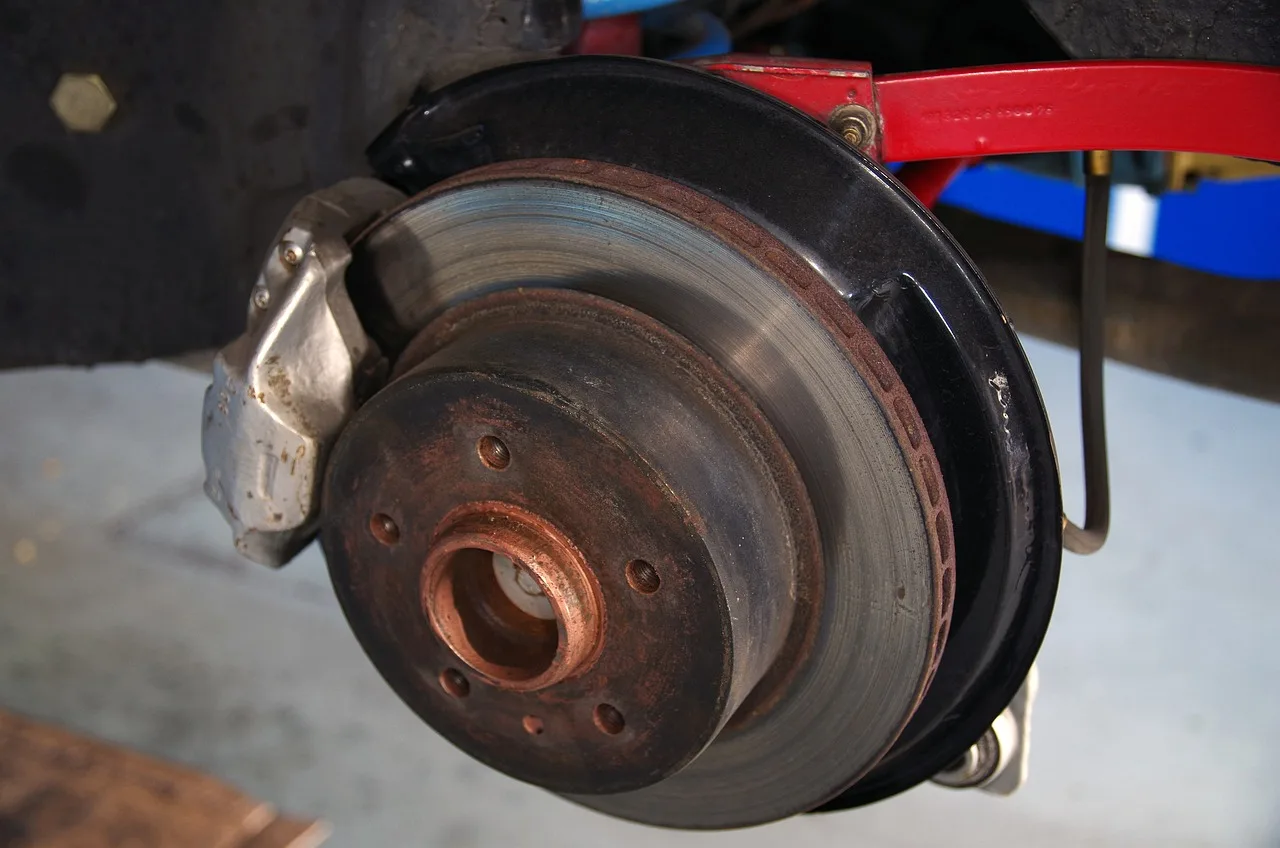
A low-speed squeak on a Honda Civic usually points to pad wear rather than an immediate failure. Brake pads often give warning before they fail, and a wear indicator squeak commonly means the pads are near minimum thickness. If the pedal still feels normal, you can usually drive carefully and book service soon.
Front and rear noise can differ
Front axle pads usually do more work, so front squeaks are more common than rear squeaks. On many Civics, the front set wears faster because it handles more stopping force. Rear brake noise can still happen, but a rear squeak can also come from light rust after the car sits or from uneven rear pad wear.
What to check at the wheel
Look through the wheel spokes for pad thickness. Honda service information and general brake references commonly treat pad thickness, rotor condition, and fluid level as part of the same inspection. Exact pad thickness specs vary by Civic year and trim, so confirm the minimum for your specific generation in the owner’s manual or service manual before deciding whether the pads are serviceable. If the squeak only happens for the first few stops after rain or parking, surface rust is also possible.
What does grinding noise when braking mean on a Honda Civic?
Grinding means the pads are already metal-on-rotor, so this is a stop-driving-now symptom. By the time a Civic brakes with a grind, the pad material is usually gone or nearly gone, and the rotor is likely being damaged. That can raise the repair from a pad job to pads, rotors, and sometimes calipers.
Rotor damage usually follows fast
A rotor that has been ground by bare pad backing can show deep scoring, grooves, and a wear lip at the outer edge. Honda service manuals and brake suppliers generally set rotor service limits by minimum thickness, and that limit varies by model year, trim, and brake package. If the rotor surface is already cut up, resurfacing may not be the right fix. Replacement often makes more sense when the groove depth, heat spotting, or wear pattern is too severe for a clean, even finish.
Why the bill rises
Once the rotor is scarred or the caliper is damaged, the repair usually expands beyond a simple pad swap. The key trust issue is not a single price number but the escalation itself: ignoring a grind lets the damage spread into more parts and more labor. A common first-timer mistake is to keep driving after the first grind for “just a few days.”
How do I know if my Honda Civic needs pads, rotors, or both?
Start with pad thickness, then judge the rotors. If the pads are near the minimum for your Civic generation, replacement is due soon. If the rotor face has grooves, scoring, or a strong wear lip, pads alone usually will not solve the problem. Honda brake service guidance, as well as widely used brake references, ties this decision to both pad thickness and rotor thickness limits.
Use a simple driveway check
- Park on level ground and let the brakes cool.
- Look through the wheel spokes at the pad material.
- Check for less than 3 mm of friction material.
- Inspect the rotor face for grooves, ridges, or patchy wear.
- Check the brake fluid reservoir level.
Resurface or replace
On Civic brakes, a lightly marked rotor may be serviceable if the surface is still even and the rotor meets thickness limits. Deep scoring, uneven wear, or a clear lip usually pushes the decision toward replacement. Most professional mechanics replace pads and rotors together because fresh pads on worn rotors can create noise, vibration, and uneven bedding. The exact minimum rotor thickness is generation-specific, so confirm the service limit for your Civic before choosing resurfacing.
Should brake pads and rotors be replaced at the same time?
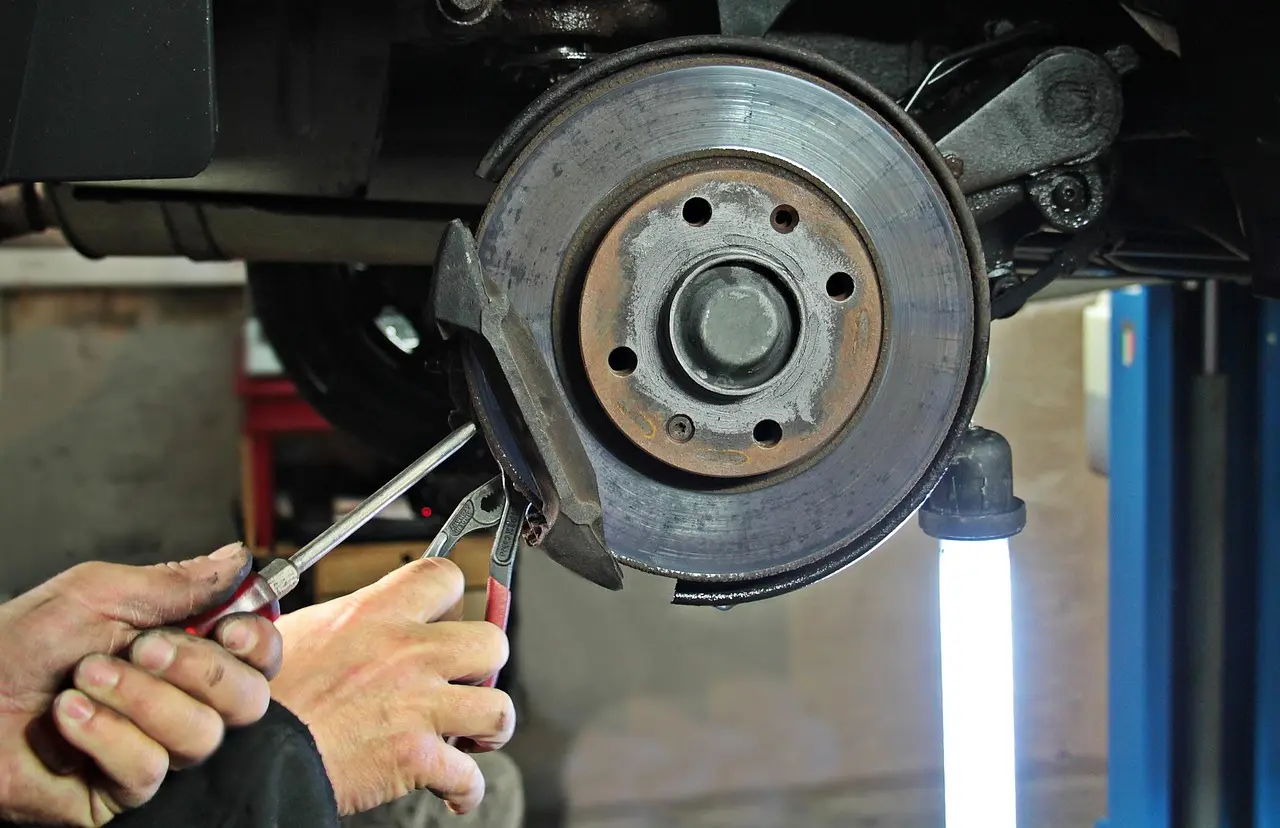
Not always. Pads only can be acceptable when the rotors are smooth, within thickness limits, and free of heat damage, heavy scoring, or runout problems. Rotors should be replaced when they are below the service limit, deeply grooved, warped enough to cause pulsation, or contaminated by heat damage that resurfacing will not cure. If one caliper is sticking or seized, that fault should be corrected first or at the same time; otherwise, new pads and rotors can wear unevenly or fail early.
When pads only is reasonable
Pads only can make sense if the rotor surface is even, the rotor still measures above the minimum thickness for your Civic, and braking feel is normal. That approach is more likely when the old pads wore normally and there is no vibration, scoring, or pulling. Even then, the rotor still needs a careful inspection before new pads go on.
When rotors must be replaced
Replace rotors if the wear surface is below Honda’s service limit for your year and trim, if there are deep grooves or heavy rust pitting, or if the pedal pulsates because of rotor variation. Rotor replacement is also the safer choice when resurfacing would leave too little metal to stay within the factory limit. A rotor that cannot meet the specification should not be reused.
When a stuck caliper changes the job
A stuck caliper can overheat one wheel, wear one pad much faster than the other, and damage the rotor on that corner. In that case, the repair should address the caliper or slide hardware along with the pads and any affected rotor. Otherwise, the same uneven wear can come right back after the new parts are installed.
When ceramic pads make sense
Ceramic pad options can be a good fit if you want quieter operation and less brake dust, as long as the rest of the system is healthy. They do not fix a scored rotor or a stuck caliper. If the rotors are already damaged, new pads alone will not erase the symptom.
Can I drive my Honda Civic if the brakes are vibrating or pulsing?
Vibration or pedal pulsation usually points to rotor unevenness, runout, or a caliper issue, and it should be inspected soon. If the pulsation is mild and braking distance is unchanged, cautious driving to a shop may be reasonable. If stopping distance grows or the shake gets worse, stop driving immediately.
Pedal feel gives a clue
A soft pedal suggests a hydraulic problem, air in the system, or low fluid. A pulsating pedal points more toward rotor variation than pad wear alone. Steering wheel vibration during braking can also point to rotor trouble on the front axle, since the front brakes do most of the work and feed symptoms into the steering.
When calipers are part of the problem
A stuck caliper can cause pulling to one side, uneven pad wear, and heat on one wheel. As pads wear, the caliper piston extends farther to keep contact, which is normal up to a point. If grinding is ignored, the caliper can be damaged too, which adds another repair item.
Picture a vehicle that only shakes when braking from about highway speed down to a stop, but feels normal at city speeds. That pattern points more toward rotor wear or runout than a simple squeak. If the pedal also feels longer than usual, the car needs a brake inspection before more driving.
What does a brake warning light mean on a Honda Civic?
A solid brake warning light can mean low fluid, extreme pad wear, or another brake-system fault, so it usually needs prompt diagnosis. Honda dashboard warnings are not all the same, so if you are unsure which lamp is lit, use the Honda Civic dashboard symbols guide to identify it first. Do not treat a brake warning light like a reminder light. If the light appears with a soft pedal, longer travel, or a change in stopping distance, the car needs attention right away.
Brake fluid matters more than many drivers think
Low fluid can trigger the warning light, but low fluid is often a symptom of worn pads rather than the root cause. As pads wear, fluid level can drop because the caliper pistons may extend farther. Honda service information and brake-fluid references also note that brake fluid absorbs moisture over time, which lowers boiling point and can increase corrosion risk; that is one reason Honda specifies periodic fluid replacement in the maintenance schedule. If the fluid is low enough to trigger the light, the system should be checked for pad wear, leaks, and other faults rather than topped off blindly.
ABS light is different
The ABS warning light is separate from the standard brake warning light and needs scan-tool diagnosis. It may not change normal braking feel immediately, but it can mean the anti-lock system is disabled. If both lights appear, or if the brake warning light appears with ABS symptoms, the diagnosis should not wait. On a Civic, the exact behavior can vary by year and trim, so confirm the meaning of the light for your model in the owner’s manual or the service literature.
Suppose the brake light comes on after a longer highway drive and the reservoir is just below the minimum mark. That can happen when the pads are worn and the pistons have moved outward. The car may still stop, but it should be inspected before the fluid level drops farther or another fault is missed.
What should Civic owners confirm for their specific year and trim?
Exact pad thickness specs, rotor minimum thickness, and warning-light behavior vary by Honda Civic generation, trim, brake package, and sometimes drivetrain. That matters because a value that is acceptable on one Civic may be below service limit on another. For your car, confirm the correct limits in the owner’s manual or Honda service information before deciding whether pads can stay in service, whether rotors can be resurfaced, or whether a warning light means immediate repair. The same model name can cover very different brake hardware across years.
Why generation matters
Some Civics use different front and rear brake sizes, different rotor designs, or different electronic brake alerts depending on trim and option package. That changes the thickness limit and the way a warning light behaves. A careful check should therefore match the brake system to the exact Civic year, trim, and axle, not just the badge on the trunk.
What to verify before buying parts
Check the production year, trim level, engine, and whether the car has a standard brake warning lamp, ABS lamp, or both. Then compare pad thickness, rotor thickness, and any service limits in Honda’s manual or dealer service data. If the car has already shown grinding, pulsation, or a brake warning light, do not assume every Civic uses the same brake parts or thresholds.
Frequently asked questions
What happens if I ignore worn brake pads on my Honda Civic?
Ignoring worn pads can turn a relatively small repair into rotor damage, caliper damage, and a much higher bill. A pad-only repair may stay simple if the rotors are still within spec, while delayed service can lead to far more parts and labor. The car may still drive for a while, but the risk climbs fast.
Products related to this article
Sponsored / affiliate links. As an Amazon Associate I earn from qualifying purchases. I may earn additional commission from eligible campaigns.