Transmission Control System Scan Tools That Can Read TCM Codes
To read TCM codes, buy a scanner with transmission-specific or OEM-enhanced coverage, not basic OBD2. On many vehicles, generic code readers may miss module faults, live data, and reset functions. Pick the wrong tool and you can swap parts blindly while the transmission problem stays unsolved. This guide shows which scanner features matter, which ones are enough, and where to spend your money.
Which scanner is best for most buyers?


For many DIY transmission checks, a scanner that can access the transmission module, show live data, and clear codes is often the best fit. A basic engine-code reader can point you in the right direction, but it often stops short of the TCM data you need for shift, solenoid, or fluid-temperature problems.
If you want one tool that handles common transmission checks without moving to a dealer-level unit, start with a scanner that lists transmission coverage explicitly and supports live data. That gives you more than a warning light and less clutter than a full pro unit.
Quick buying checklist
- Confirm the scanner can read transmission codes on your make, model, and year.
- Look for live transmission data, not just code clearing.
- Check whether it can access manufacturer-specific modules or only generic OBD-II.
- Decide whether reset functions matter, or whether diagnosis-only is enough.
- Verify how updates work before you buy.
Which scanner matches your need?
- Best for basic code reading: FOXWELL NT604 Elite for a simple handheld that reads transmission codes along with engine, ABS, and SRS codes.
- Best for live data and diagnosis: BLCKTEC 460T for fast auto-scan, AutoVIN, live data graphing, and broader service functions.
- Best for reset functions: TOPDON AD500 if you want transmission-related checks plus EPB, throttle, and SAS resets.
- Best for older-car owners: a transmission-capable handheld with broad OBD-II support and simple menus, since older cars may not need deep app or cloud features.
Which scanners can read TCM codes?
| Scanner type or model | Generic powertrain codes vs direct TCM access | Manufacturer-specific code support | Live PID examples | Bidirectional / active tests | Subscription / update cost | Likely user fit | What it can miss |
|---|---|---|---|---|---|---|---|
| Basic OBD-II code reader | Often only generic powertrain codes; may show P0700 but not direct TCM access | Usually little to none | Usually basic engine PIDs only, if any | Usually no | Varies; often USB or app-based, sometimes no paid plan | Drivers who want a light check-engine tool | Module-specific TCM faults, live shift data, pressure clues, and many manufacturer-specific transmission codes |
| Handheld transmission-capable scanner | Reads transmission codes directly on supported vehicles | Often yes, with vehicle-dependent enhanced coverage | May include transmission fluid temperature, RPM, gear command, and shift-related PIDs | Sometimes limited; depends on model | Usually card, cable, or online update; some include lifetime updates | DIY owners who want a stand-alone tool | Deep module access on some newer vehicles and advanced bi-directional controls |
| FOXWELL NT604 Elite | Reads engine, ABS, SRS, and transmission codes | Enhanced system coverage is vehicle-dependent; confirm your exact make/model/year before buying | Includes live data and a built-in DTC library | No service or reset functions | Product/update terms should be verified on the seller’s current listing | Buyers who want code reading plus live data without service menus | Reset functions, service routines, and deeper transmission diagnosis beyond code and data access |
| BLCKTEC 460T | Transmission code coverage with fast auto-scan and AutoVIN | Enhanced coverage depends on the vehicle; check the current supported-vehicle list | Real-time live data and graphing | Includes service functions; confirm the exact active tests supported for your car | Update policy may vary by platform or listing | Owners who want diagnosis plus maintenance functions | It can still miss vehicle-specific module depth on some makes and years |
| Launch CRP123 V2.0 | Reads and clears transmission, engine, ABS, and airbag codes | Coverage can be broader than a generic reader, but exact transmission depth is vehicle-specific | Supports live data graphing | Code clearing, with no claim of full service depth | Supports lifetime updates | DIY users who want broad system coverage and ongoing updates | Not every transmission issue will expose full module data or advanced tests |
| TOPDON AD500 | Transmission-aware coverage on supported vehicles | Enhanced coverage and reset support vary by vehicle; check exact compatibility before purchase | Clear live data with fast VIN auto-detect | Includes EPB, throttle, and SAS reset functions | App or device update workflow may vary by package | Owners who want a touchscreen unit with reset functions | Some vehicle coverage gaps and less depth than higher-end module tools |
What’s the difference between OBD-II and TCM access?
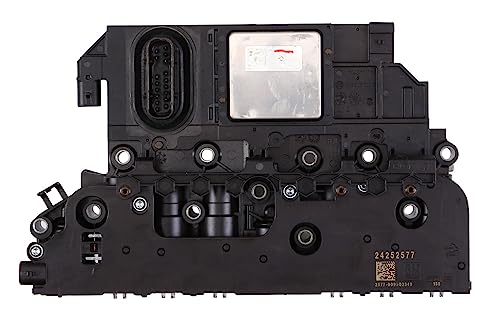
True TCM access comes from a scanner that can talk to the transmission module, not just the engine side of the car. A generic OBD-II scanner can read standard trouble codes, but that does not mean it can query the TCM, see transmission PIDs, or explain why the transmission fault set the light. In practice, generic OBD-II coverage is standardized engine-side access, while module-level access is vehicle- and tool-dependent. A neutral overview of that difference is also explained in OBD-II references such as NAPA’s diagnostic coverage guide: https://www.napaonline.com/en/knowhow/car-parts/automotive-tools/obd2-scanner-buying-guide
OBD-II scanners versus module-level scanners
A basic OBD-II scanner plugs into the OBD-II port and reads standard diagnostic trouble codes. That can help with engine faults and some broad transmission warnings, but it often stops at a generic P0700-style clue. Module-level scanners can query the transmission control module directly and often show the codes the TCM stored first.
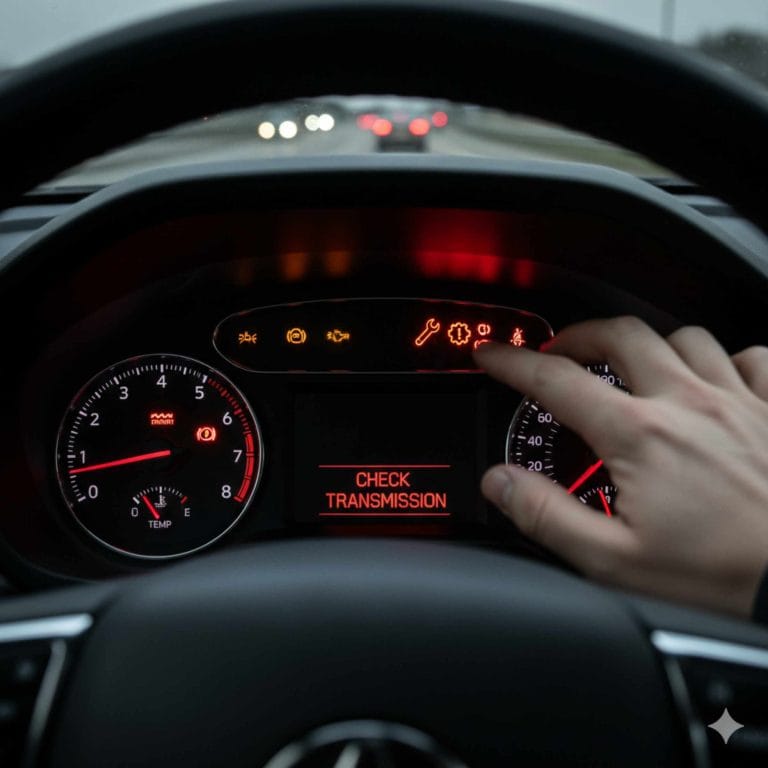
That difference matters. A P0700 message may mean the transmission module asked the engine side to turn on the warning light. The useful code may be a P07xx or a manufacturer-specific TCM fault stored in the transmission module itself.
When a generic reader is enough
A generic reader is enough when you only need to confirm that the car has a fault and you are starting with the basics. It can help you avoid guessing on a dead battery, a loose connector, or a simple engine issue that is acting like a transmission complaint.
When you need direct TCM access
You need direct TCM access when the complaint is shifting flare, harsh engagement, slip, or a warning that returns after a code clear. Live transmission data matters here because RPM, fluid temperature, and shift-related PIDs can show whether the fault is electrical, hydraulic, or temperature related.
Suppose a sedan drops into limp mode after 20 minutes on the highway and only stores P0700. A scanner that can reach the TCM may also show a pressure-control or solenoid code, plus fluid temperature data that helps separate an electrical fault from an overheating issue.
Which scanner fits your vehicle?
The right scanner depends on how much module support your car exposes. Older vehicles often work with simpler handheld tools, while newer vehicles can need deeper module access and better update support. Make, model, and year still matter more than brand name on the box.
Older vehicles and looser module support
Older vehicles often need less complexity, especially if you mainly want transmission codes, a few live values, and a clean menu. A handheld scanner with direct transmission coverage is usually enough when the car does not need broad module scanning or frequent software updates.
Newer vehicles and deeper module access
Newer vehicles can hide useful data behind module access rules that a basic OBD-II reader will never reach. If the complaint involves solenoids, pressure faults, or temperature control, choose a scanner that lists transmission coverage and live data for the exact make and year you own.
Make- and model-specific checks
- Check that the scanner lists your vehicle make, model, and year before you buy.
- Confirm that it can read transmission codes, not just engine codes.
- Look for live data that includes transmission-related PIDs.
- Check whether resets matter to you, or whether diagnosis-only is enough.
- Look at the update method, because some tools are easier to keep current than others.
A common first-timer mistake is buying a reader that clears the warning light but cannot show transmission data. That saves a little money up front and costs more later when the fault returns and the real cause is still hidden.
FOXWELL NT604 Elite: best for code reading with live data
The FOXWELL NT604 Elite is best for buyers who want a straightforward handheld scanner that reads transmission codes along with engine, ABS, and SRS systems. Foxwell’s product page says it covers those four systems and includes live data and a DTC library, but it does not claim service resets on this model. Check the current Foxwell listing and vehicle-coverage table before buying, because transmission depth can vary by make, model, and year: https://www.foxwelltech.com/products/nt604-elite
Exact strengths: simple menus, live data access, and a built-in code library for common diagnosis steps.
Likely limitations: no service functions and no replacement for deeper OEM-level module access on every vehicle.
Update method: confirm the current update workflow on Foxwell’s support or seller page before purchase.
Compatibility warning: treat broad “works with most vehicles” claims carefully; verify your exact make/model/year, especially for newer vehicles with enhanced transmission modules.
BLCKTEC 460T: best for faster diagnosis and maintenance functions
The BLCKTEC 460T is aimed at buyers who want a faster scan workflow, AutoVIN, graphing, and broader service functions in one handheld unit. BLCKTEC’s product information highlights auto-scan, live data, graphing, and service capabilities, but supported functions can vary by vehicle and software version: https://blcktec.com/products/blcktec-460t
Exact strengths: quick vehicle ID, live-data graphing, and a stronger diagnosis-plus-maintenance balance than a basic reader.
Likely limitations: not every vehicle will expose the same transmission module depth or active test coverage.
Update method: verify the platform’s current update process and any included update period on BLCKTEC’s listing.
Compatibility warning: confirm make/model/year support if you need transmission-specific coverage on a newer import or a less common trim.
Launch CRP123 V2.0: best for broad system coverage with updates
The Launch CRP123 V2.0 is a good fit for DIY users who want engine, transmission, ABS, and airbag coverage with lifetime updates. Launch’s product page lists those system categories and live-data graphing support, while also making clear that this is a scan-and-clear tool rather than a dealer-level module programmer: https://www.launchtechusa.com/product/crp123-v2-0/
Exact strengths: broad system coverage, easy everyday diagnosis, and lifetime updates for long-term use.
Likely limitations: it may not expose the deepest manufacturer-specific transmission functions on every vehicle.
Update method: lifetime updates are listed by Launch, which is useful if you want to keep the tool current without recurring fees.
Compatibility warning: do not assume every transmission issue will show advanced OEM-only PIDs or active tests; check your exact vehicle support first.
TOPDON AD500: best for reset functions and touchscreen convenience
The TOPDON AD500 is best for buyers who want a touchscreen scanner with reset functions alongside transmission-aware diagnosis on supported vehicles. TOPDON’s product page lists AutoVIN, live data, and reset functions including EPB, throttle, and SAS, but compatibility depends on the specific vehicle and software support: https://www.topdon.com/products/ad500
Exact strengths: easy touchscreen workflow, vehicle auto-detection, and useful service resets after repair.
Likely limitations: it is not a guarantee of deep transmission-module access on every make and year.
Update method: check TOPDON’s current app or device update process for the package you buy.
Compatibility warning: verify transmission coverage for your exact year and drivetrain, especially if you need module-level diagnosis rather than basic code clearing.
Can a cheap OBD2 scanner read TCM codes?
Sometimes, but only in a limited way. A cheap OBD2 scanner usually reads generic engine-side codes and may catch a broad transmission warning like P0700. It often cannot reach the TCM itself, cannot show useful transmission live data, and may not clear a module fault for long.
What cheap readers usually can do
Cheaper readers often pull standard engine codes, clear stored codes, and show basic freeze-frame information when the vehicle supports it. That is enough for a simple engine light, but it is not the same as reading transmission module data.
Where cheap readers fall short
They fail when the diagnosis needs transmission-specific codes, fluid temperature, shift timing, or pressure data. They also fall short when the car stores a module fault without a simple engine-side clue. In those cases, the tool may say very little while the transmission issue remains active.
When spending more is justified
Spend more when the car has shifting problems, limp mode, repeated transmission warnings, or a history of module-related faults. That extra money buys access to the TCM, live data, and sometimes service resets, which is far more useful than a cheap code clear.
How do you choose the right transmission scanner?
Start with the kind of fault you expect, then match the tool to that depth. If you only want a broad check, a handheld reader with transmission coverage may be enough. If you want to trace a pressure fault or solenoid issue, live data and graphing matter more than a long feature list.
Live transmission data to prioritize
A common rule of thumb is to look for RPM, fluid temperature, commanded gear, gear ratio, shift timing, and any pressure-related PIDs the tool lists for your vehicle. Those values help confirm whether the complaint matches the code. Without them, the scanner may tell you what failed, but not how or when it failed.
AutoVIN, graphing, and code library features
AutoVIN saves time on supported vehicles because it identifies the car faster and reduces manual setup. Graphing helps spot drops, spikes, and delayed shifts in a way that single-screen numbers often miss. A built-in DTC library is useful when you want quick code context without jumping between manuals.
FOXWELL NT604 Elite fits the buyer who wants transmission codes, live data, and a built-in DTC library, but no service functions. BLCKTEC 460T fits the buyer who wants fast auto-scan, AutoVIN, real-time live data and graphing, plus lots of service resets. Launch CRP123 V2.0 fits the buyer who wants transmission, engine, ABS, and airbag code coverage with lifetime updates. TOPDON AD500 fits the buyer who wants fast VIN auto-detect and reset functions such as EPB, throttle, and SAS.
Reset functions versus diagnosis-only tools
Reset functions are useful, but they are not the reason to buy the scanner if your real goal is diagnosis. Code clearing is common on many tools, but clearing is not a repair. Fix the fault first, then clear the code so you can confirm whether it returns.
Picture a compact SUV with a shifting complaint and a transmission code that comes back after every clear. A reset-capable scanner helps after the repair, but the real value during diagnosis is the ability to read the module and watch live transmission data while the fault is present.
Update policy and workflow
Check how the tool gets updates before you buy. Some scanners support lifetime updates, while others depend on a card, cable, or app process that may be less convenient. If you want to keep the scanner useful across several vehicles, updates matter more than a flashy screen.
Frequently asked questions
What scan tools can read transmission codes?
Scan tools that list transmission coverage or direct TCM access can read transmission codes on supported vehicles. Basic OBD-II readers may only show generic engine-side clues. A better tool also shows live data, which helps confirm whether the fault is electrical, hydraulic, or temperature related.
Do I need a scanner that reads transmission module codes specifically?
If the car has hard shifting, limp mode, repeated transmission warnings, or a code that keeps returning, yes. Module-specific access is what separates a useful diagnosis from a generic guess. It also matters when the engine side shows only a warning and not the real transmission fault.
Which scanner is best for transmission codes on my car?
Match the scanner to your vehicle age and the depth of the fault. Older vehicles often do fine with a handheld transmission-capable scanner. Newer vehicles may need deeper module access, stronger live data, and better update support, so verify make, model, and year before buying.
Will a code reader show live transmission data?
Only if it is built for transmission diagnostics. Many basic code readers do not show the live PIDs you need, such as fluid temperature, shift timing, or RPM-related data. Those values help you judge whether a code is a sensor issue, a pressure issue, or something else.
Can these scanners clear transmission codes too?
Many can clear codes, but clearing is not a repair. You should clear a transmission code only after diagnosis and after the underlying problem is fixed. If the code returns, that usually means the fault is still present or the vehicle still sees it as active.
What is the difference between engine codes and transmission codes?
Engine codes usually point to faults in fueling, ignition, emissions, or sensors that affect engine operation. Transmission codes point to faults in the shift system, solenoids, pressure control, gear ratio logic, or the TCM itself. A scanner that only reads generic engine-side codes can miss the transmission module fault that caused the warning.
Products related to this article
Sponsored / affiliate links. As an Amazon Associate I earn from qualifying purchases. I may earn additional commission from eligible campaigns.