Ford Key Fob Battery Replacement: Symptoms and Steps
For many Ford key fobs, a weak CR2032 battery can cause short range, intermittent locking, or a dash “No Key Detected” warning. In some Ford fob designs, the correct cell is instead a CR2025, so the exact fob style matters. If the backup start works after a battery swap, the battery was likely the issue. Ignore those signs, and you can end up locked out, stranded at a push-button start, or replacing a fob that only needed a coin cell. This guide shows how to separate battery, fob, and vehicle faults, then replace the battery correctly.
Identifying battery, fob, or vehicle issues



A dying Ford fob usually shows a pattern, not a single failure. The first clues are reduced range, buttons that work only sometimes, or a message such as “Key Battery Low” or “No Key Detected.” On Ford fobs, the exact warning behavior can vary by model era, but if the fob still works when held close to the vehicle, the battery is usually the first place to check.
Battery-warning and range-loss clues
Reduced range is a common sign that the battery is fading, and intermittent response is another. On push-start models, the car may also fail to detect the fob at normal distance even though lock and unlock still work at arm’s length. That mix points more to battery weakness than to a dead fob, especially on newer Intelligent Access smart key systems.
Signs the fob itself may be failing
If new batteries do not restore normal range or response, suspect worn buttons, corroded contacts, or a cracked shell that keeps the cell from sitting flat. A fob that only works when pressed hard, or only after repeated button presses, often has a contact problem rather than a battery problem. That is true across flip key, smart key, and older integrated keyhead transmitter designs.
When the vehicle is the likely problem
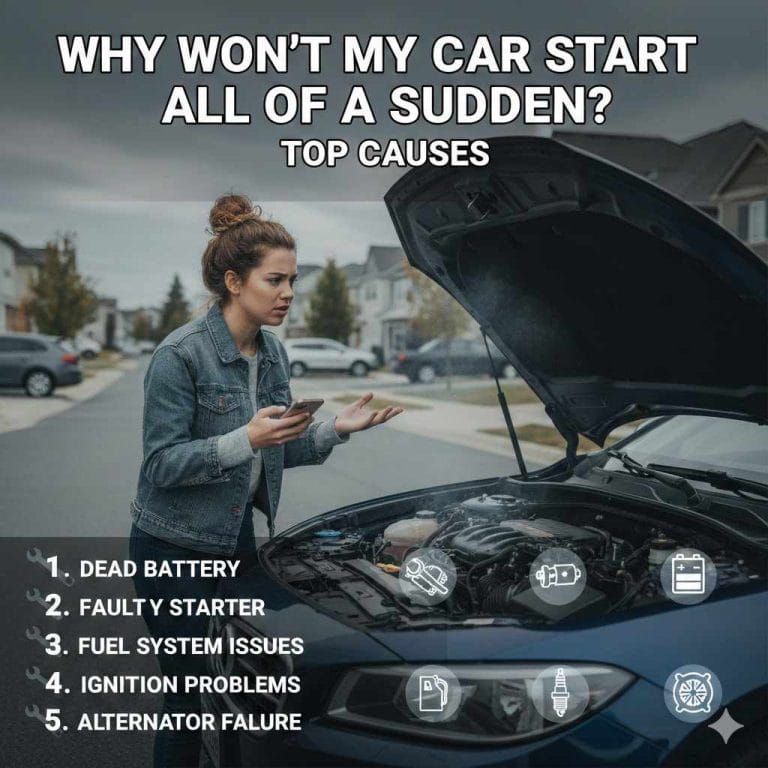
If the fob works in another Ford of the same type, or if a backup start fails even with a fresh cell, the issue may be on the vehicle side. A push-start system that does not see the fob’s proximity signal, a dead vehicle battery, or a keypad issue on models with SecuriCode can mimic a bad fob. Ford backup-start behavior also varies by vehicle and model year.
What you’ll need
- Replacement coin-cell battery that matches the fob, commonly CR2032 and in some cases CR2025
- Owner’s manual for the exact battery type and backup start procedure
- Coin or small flathead screwdriver for the case seam or notch
- Clean fingertip or nonmetal tool for lifting the old cell
- Dry cloth to keep contacts clean
Ford key fob troubleshooting table
| Symptom | Most likely cause | Quick test | Next step |
|---|---|---|---|
| Short range before failure | Weak coin-cell battery | Stand closer and try lock/unlock | Replace the battery with the exact size in the manual |
| Buttons work only sometimes | Weak battery or dirty contacts | Press each button once with the fob near the vehicle | Open the fob, inspect the contacts, and install a fresh cell |
| Dashboard says “Key Battery Low” | Battery nearing end of life | Try the spare fob, if available | Replace the cell in the warned fob first |
| “No Key Detected” at push-start | Weak battery, dead fob, or detection issue | Hold the fob against the start button | Use the backup start method, then replace the battery |
| Door will not open from the fob | Dead battery or damaged fob | Try the hidden mechanical key blade | Open the door manually and continue diagnosis |
| No change after battery swap | Contact corrosion, worn buttons, or programming issue | Check battery orientation and contact pressure | Clean contacts or stop and call a locksmith or dealer |
How do you replace the battery in a Ford key fob?
Open the fob at the seam or notch, line up the battery the same way the old one sat, and swap in the correct coin cell. Ford fobs do not all use the same battery: many use a CR2032, while some designs use a CR2025. The right choice depends on the exact fob style, not a brand-wide assumption. Reassemble the shell, then test the buttons right away so you know the new cell is seated correctly.
Choose the right Ford fob style first
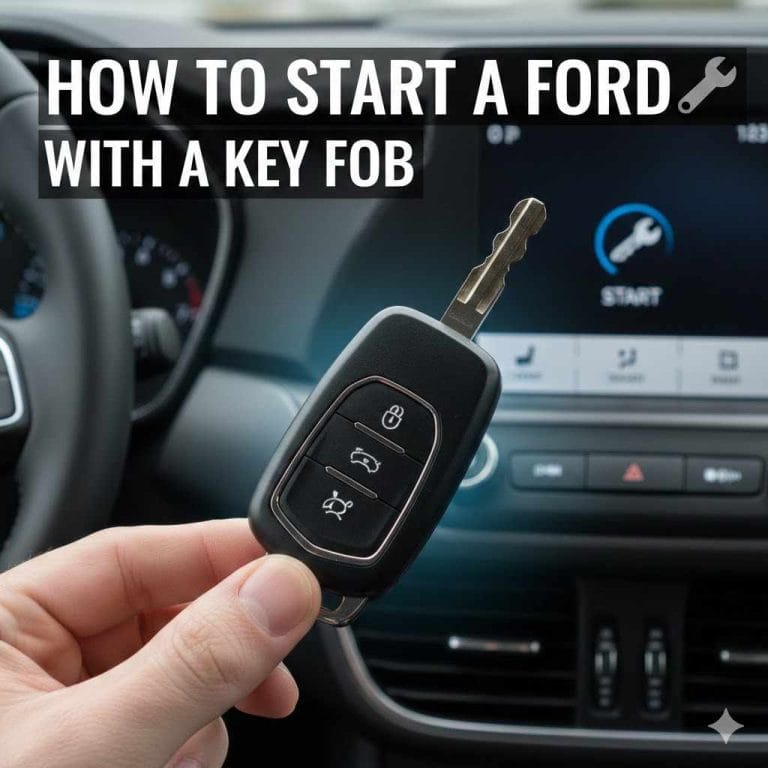
Ford key fobs generally fall into three practical groups: flip key designs, Intelligent Access smart keys, and older integrated keyhead transmitter styles. The opening method and battery size can differ between them. Before forcing the housing open, match the fob shape and release point to the exact design so you do not damage the case or install the wrong cell.
-
Find the release point. Look for a seam, notch, or release button on the edge of the fob. Ford flip keys can also use a coin in a slot to open the shell.
-
Split the case gently. Use a coin or small flathead screwdriver at the seam and twist lightly. Do not pry hard; a cracked shell can keep the new battery from sitting flat.
-
Record the battery direction. Before lifting the old cell, note which side faces up and which side faces down. Install the new one in the same direction.
-
Install the new coin cell. Seat the replacement fully in the tray without bending the clips. A CR2032 is a 3V lithium coin cell with 20mm diameter and 3.2mm thickness; a CR2025 is a 3V lithium coin cell with 20mm diameter and 2.5mm thickness.
-
Snap the shell shut. Press the halves together until the seam closes evenly. Test every button immediately after reassembly, because a loose shell can mimic a dead battery.
Open the fob housing
Some Ford smart keys split at a side seam; others hide the opening point near the mechanical key release. If the fob has a hidden mechanical key blade, remove it first so you can reach the housing or use it for manual door entry later. The exact entry point differs by flip key, smart key, and older integrated keyhead transmitter styles.
Swap the coin cell
Set the old battery aside and match the replacement to the old size before installing it. Ford most often uses a CR2032, but some slim fobs use a CR2025, so the owner’s manual matters here. If the new cell feels loose, stop and confirm the size instead of forcing the case closed.
Close the case and test the buttons
Press the shell together until the seam is even all the way around. Then stand near the vehicle and test lock, unlock, panic, and remote start if equipped. Testing right away catches an upside-down cell, a bent clip, or a shell that did not fully latch.
Will a Ford start with a dead fob battery?
Many Ford models can still start with a dead fob battery if the backup procedure is used. On push-start vehicles, hold the fob near the start button when the car does not detect it normally. Some Ford models also allow access through the SecuriCode keypad or by using the hidden mechanical blade to get into the vehicle. The exact procedure depends on the vehicle and model year, so the owner’s manual is the safest reference.
Smart-key backup start
With the vehicle in Park, press the brake and hold the fob directly against the start button or the marked backup area, then press the button. Ford backup starting can use the fob held against the start button, which helps when the battery is too weak for normal proximity detection. The warning-message behavior may also change after a successful backup start, so confirm normal operation afterward.
Manual door entry with the hidden blade
Many Ford fobs include a hidden mechanical key blade. Use the release button to remove it, then open the driver door manually if the fob will not operate the lock. That gets you inside so you can try the backup start procedure.
What to try if the car still will not detect the fob
If the backup start fails after a battery swap, check the vehicle battery and try the spare fob if you have one. A common mistake is blaming the key fob battery when the real issue is a weak vehicle battery or a dead starter. If both fobs fail the same way, the problem is more likely in the vehicle or the programming.
What if a new battery does not fix it?
If the symptoms stay the same after a fresh cell, move from battery checks to fob hardware and vehicle-side issues. Worn buttons, dirty contacts, and shell damage are common on older fobs. If those look normal, the next question is whether the fob needs programming or the vehicle needs service. That is especially important when the spare fob behaves the same way.
-
Inspect the contacts. Look for corrosion, bent metal, or a battery clip that no longer presses firmly. Clean only with a dry cloth unless the owner’s manual allows a specific cleaner.
-
Check the button pads. Press each button and feel for one that sticks or feels mushy. A damaged rubber pad can make the fob seem dead even with a good battery.
-
Confirm the manual details. Verify the exact battery type and emergency start procedure in the owner’s manual. That manual also shows model-specific fob layouts, which vary across Ford smart keys and flip-key designs.
-
Escalate if needed. If the fob still fails after battery and contact checks, call a locksmith or dealer for programming or replacement. That is the right move when the shell is damaged, the buttons fail, or the vehicle no longer recognizes a known-good fob.
Say your Ford shows “Key Battery Low” and the lock range drops to a few feet. That points first to the coin cell, not a bad transmitter. Replace the battery, then test from normal distance before buying a new fob.
Suppose the new CR2032 goes in correctly but the message stays on the dash and the buttons still act erratically. That shifts attention to the contacts, button pads, or a programming issue. At that point, replacement battery cost is no longer the main question.
Common mistakes
- Buying the wrong coin cell. Confirm CR2032 versus CR2025 in the owner’s manual.
- Prying the shell apart with force. Open at the seam or notch and stop if the plastic resists.
- Installing the battery upside down. Match the original orientation before closing the case.
- Skipping the post-repair test. Check the buttons immediately after snapping the fob shut.
- Replacing parts too early. If the backup start works, the battery was likely the problem.
A typical Ford key fob battery replacement costs $3–$8, and the swap can be done in under 5 minutes. That is an approximate cost range for the battery itself, and it can vary with battery brand and retailer. If the fob is only weak, that is far cheaper than replacing the whole unit. If the issue survives a new cell, stop spending on batteries and diagnose the contacts or the vehicle.
Frequently asked questions
What are the symptoms of a dying Ford key fob battery?
The most common signs are reduced range, intermittent response, and a dash warning such as “Key Battery Low.” On push-button start models, the vehicle may not detect the fob at normal distance. If the fob works only when held close, the battery is the first suspect. In Ford systems, warning-message behavior can vary by model and fob style.
What battery does a Ford key fob use?
Ford most often uses a CR2032 battery, which is a 3V lithium coin cell with 20mm diameter and 3.2mm thickness. Some slimmer fobs use a CR2025, which is the same diameter but 2.5mm thick. Check the owner’s manual before buying a replacement, because the correct cell depends on the exact Ford fob design.
How do I open a Ford key fob to replace the battery?
Find the seam or notch on the edge of the fob, then open it gently with a coin or small flathead screwdriver. Ford flip keys can use a coin in a slot, and some designs use a release button for the hidden mechanical key blade first. Avoid twisting hard, because the opening point differs across Ford fob styles.
How do I replace the battery in a Ford key fob without damaging it?
Note the old battery’s orientation before removal, install the new cell the same way, and make sure it sits flat in the tray. Close the shell evenly without forcing it. Test the buttons immediately after reassembly so you catch a loose clip or upside-down cell.
Will my Ford still start if the key fob battery is dead?
Often yes. On many Ford push-start models, hold the fob against the start button and press the brake and start switch. If the vehicle has SecuriCode, that keypad can also provide backup access on some models. Check the owner’s manual for the exact workflow, since backup-start behavior varies by vehicle and era.
How much does Ford key fob battery replacement cost?
A typical replacement costs $3–$8 for the battery itself. Because the job is usually quick, the main expense is the cell, not labor. If a fresh battery does not solve the problem, the next cost jump usually comes from fob repair, programming, or replacement. Treat that range as approximate, since battery brand and retailer can change the price.
Products related to this article
Sponsored / affiliate links. As an Amazon Associate I earn from qualifying purchases. I may earn additional commission from eligible campaigns.