How to Clear Messages on Honda Civic (Step-by-Step Guide)
Learning how to clear messages on Honda Civic is a simple yet essential skill for any owner who wants a clean, distraction-free dashboard. Whether you see a maintenance reminder, a warning alert, or an informational notice, this guide walks you through exactly what to do.
You will find a clear step-by-step process, troubleshoot common problems, and understand why those messages appear in the first place.
Simply put, clearing messages on a Honda Civic is done through the steering wheel controls using the Info, Menu, or SEL/RESET button. The exact steps depend on your model year, but the core process involves navigating the gauge cluster display and selecting “Clear” or “OK” for each notification.
Key Takeaways
- Clear messages on Honda Civic by using the steering wheel controls to navigate the information display.
- The process varies slightly between 2016-2021 models, 2022+ models, and older generations.
- Most messages are informational or maintenance-based and clear individually.
- Persistent warning messages may require a diagnostic scan tool to reset.
- You do not need a dealership visit for routine message clearing.

What You Need to Clear Messages on Your Honda Civic
Before you start, gather a few basics. You do not need special tools or technical knowledge for most message clearing tasks. The entire process uses buttons already on your steering wheel.
For older models (pre-2016), you may need to reference your owner’s manual for specific button locations. Some messages, like oil life reminders, require a quick reset procedure using the trip knob or a combination of buttons.
Here is what you will typically need:
- Your Honda Civic key fob or key to turn on the ignition
- Access to the Info, Menu, or SEL/RESET button on the right side of the steering wheel
- The scroll wheel or up/down arrows adjacent to those buttons
- Optional: Your owner’s manual for model-specific button locations
- Optional: A basic OBD2 scanner for persistent warning lights
Tip: Keep your owner’s manual in the glove box. It contains the exact layout of your Civic’s display menu and button functions for your specific model year.
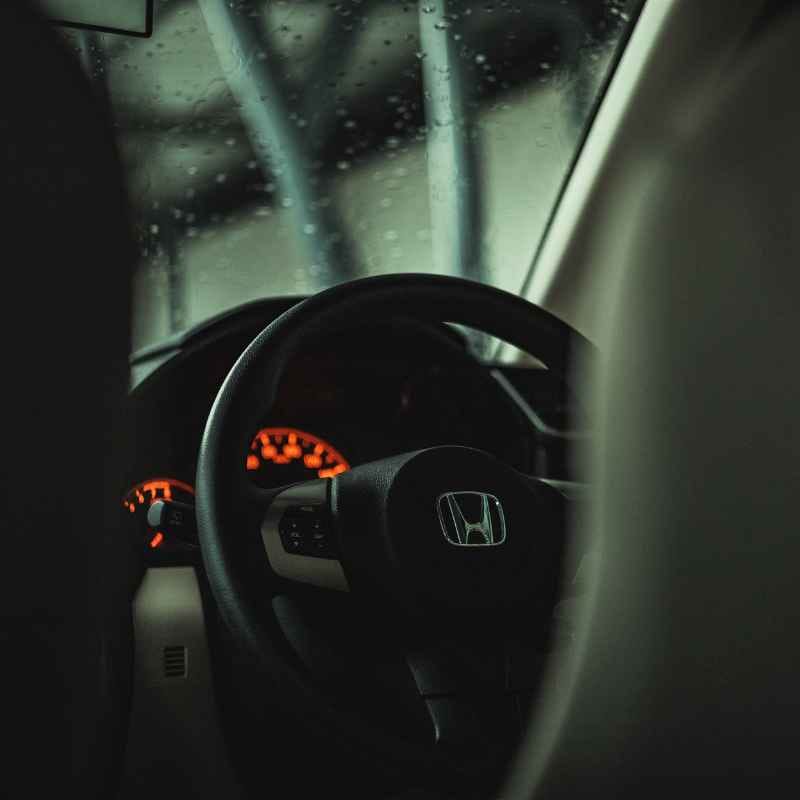
Most modern Honda Civics (2016 and newer) use a centralized information display behind the steering wheel. The same controls manage audio, cruise control, and message navigation. Familiarizing yourself with these buttons makes the process much faster.
How to Clear Messages on Honda Civic: Step-by-Step
Follow these five steps to clear messages on your Honda Civic. The instructions apply to 2016-2024 models with the multi-information display. Older models use a simplified version of the same logic.
Each message requires individual clearance. You cannot clear all messages at once in most cases. Take your time and check each screen.
Step 1: Turn On the Ignition
Press the Start/Stop button without pressing the brake pedal to enter accessory mode, or press the brake and start the engine. The dashboard display must be active for the message menu to appear.
If you only press the Start button once, you may see partial functionality. For full access, start the engine.
- Sit in the driver seat and close the door
- Press the brake pedal firmly
- Press the Engine Start/Stop button once
- Wait for the gauge cluster display to fully boot up
Step 2: Locate the Info or Menu Button
On the right side of the steering wheel, find the circular Info button or the Menu button. Some models use a dedicated SEL/RESET button instead. This button opens the main menu on the display.
The exact button name varies by year. The 2016-2021 models use a physical Info button with a small i icon. The 2022+ models use a Menu button with a grid icon.
- 2016-2021 Civic: Info button (i icon) on right spoke
- 2022+ Civic: Menu button (grid icon) on right spoke
- Older models: SEL/RESET button on the gauge cluster or steering wheel
Step 3: Navigate to the Message Screen
Press the Info or Menu button once. Use the scroll wheel or up/down arrows to cycle through available screens until you see “Messages” or a list of active notifications. The message screen often shows a small envelope or alert icon.
If you do not see a Messages option, look for “Warning” or “Maintenance Info” instead. Some Civics group all messages under a single “Vehicle” menu.
Important: If no messages exist, the display will show “No Messages” or remain blank. This means your Civic has no active notifications to clear.
Step 4: Select and Clear Each Message
Highlight a message using the scroll wheel. Press the SEL/RESET button or the center of the scroll wheel to select it. You will then see a “Clear” or “OK” option.
Confirm your choice to dismiss that specific message.
Repeat this for each message on the list. Some messages, like low tire pressure, may reappear if the underlying condition is not fixed.
- Scroll to the first message using the wheel
- Press SEL/RESET to select it
- Choose “Clear” or “OK” from the prompt
- Press SEL/RESET again to confirm
- Repeat for all remaining messages
Step 5: Exit and Confirm
Press the Back button or scroll to “Exit” to leave the message menu. The dashboard should now show a clean display without any active notifications. If a message reappears immediately, it indicates an unresolved issue.
Take a quick test drive to confirm that no new messages appear. Some alerts only trigger when the vehicle is moving.
Common Mistakes When Clearing Messages on Honda Civic
Many owners run into small but frustrating issues when trying to clear messages. Here are the most frequent errors and how to avoid them.
Understanding these mistakes saves you time and prevents unnecessary trips to the dealership. Most can be resolved in under a minute.
| Mistake | Why It Happens | How to Fix It |
|---|---|---|
| Pressing the wrong button | Info and Menu buttons look similar | Check your owner’s manual for exact button names |
| Not starting the engine | Accessory mode limits menu access | Start the engine fully before navigating menus |
| Message reappears after clearing | Underlying condition is still active | Address the root cause (tire pressure, oil level, etc.) |
| Skipping the scroll step | Users try to clear without navigating to message screen | Scroll through all menu options until you see Messages |
| Confusing trip reset with message clear | Trip B reset uses a similar button press | Trip reset clears mileage data, not messages |
Avoid these five pitfalls and you will clear messages cleanly every time. If a message still refuses to clear, move to the troubleshooting section below.
Warning: Do not ignore a warning message that reappears multiple times. Persistent alerts like “Check Engine,” “Brake System,” or “Airbag” indicate a real mechanical or safety issue that needs professional diagnosis.
Why Messages Appear on Your Honda Civic Display
Honda Civic messages serve specific purposes. They are not random glitches. Understanding the message categories helps you decide whether to clear them or take your car to a mechanic.
According to Honda’s official documentation, the multi-information display categorizes messages into three types: informational, maintenance, and warning. Each type requires a different response.
- Informational messages – Reminders about key left in vehicle, door ajar, headlight status. Safe to clear immediately.
- Maintenance messages – Oil life percentage, tire rotation due, air filter reminder. Clear after performing the maintenance.
- Warning messages – Check Engine, low oil pressure, TPMS, brake system. Do not clear without addressing the issue.
- System messages – Adaptive cruise control deactivated, lane keeping assist unavailable. Clear after restarting the system.
- Connection messages – Bluetooth pairing, Apple CarPlay, Android Auto notifications. Clear after the device connects.
The American Automobile Association reports that nearly 30% of dashboard warning lights are ignored by drivers for at least one week. Clearing a warning message without fixing the problem can lead to costly repairs. Always verify the underlying condition before dismissing a warning.
Honda’s telematics system also logs certain messages for dealership review during service visits. Even if you clear them from the display, the error code remains stored in the ECU.
How to Clear Maintenance Messages Specifically
Maintenance messages, especially the oil life reminder, are the most common notifications Civic owners encounter. The process differs slightly from clearing general informational messages.
Honda recommends resetting the oil life display after every oil change. Failure to do so leaves the maintenance minder message permanently on the dashboard, which can be distracting.
Follow these steps to reset the maintenance minder on 2016-2024 Honda Civic models:
- Turn the ignition to ON mode (do not start the engine)
- Press the Info button repeatedly until you see “Oil Life” on the display
- Press and hold the SEL/RESET button for about 10 seconds
- Release the button when the oil life percentage starts blinking
- Press and hold SEL/RESET again until the percentage resets to 100%
- Turn off the ignition, then restart the engine to confirm
| Model Year | Button to Use | Hold Time | Special Notes |
|---|---|---|---|
| 2016-2021 | Info + SEL/RESET | 10 seconds each | Oil life must be blinking before second hold |
| 2022-2024 | Menu + scroll wheel | 8 seconds | Use the scroll wheel to select Reset |
| Pre-2016 | Trip knob + SEL/RESET | 5-10 seconds | Turn the knob to cycle through options |
If the maintenance message does not clear after the first attempt, wait 30 seconds and try again. The system sometimes requires a slower press-and-hold sequence to register the command.
Tip: Always verify that you have actually performed the maintenance before resetting the minder. Resetting without an oil change can lead to engine damage over time because you will not receive the next reminder at the correct interval.
What to Do When Messages Will Not Clear
Sometimes pressing the buttons does nothing. The message stays on the screen no matter how many times you try. This usually points to a deeper issue rather than a button-pressing error.
According to automotive repair data from AAA, about 15% of persistent dashboard messages are caused by a failing sensor rather than an actual mechanical problem. A diagnostic scan can confirm the root cause.
Here is a troubleshooting checklist for stubborn messages:
- Check that the engine is running (accessory mode is not enough)
- Try a different button combination (Info + SEL/RESET simultaneously)
- Disconnect the battery for 5 minutes to reset the ECU temporarily
- Use an OBD2 scanner to read and clear specific error codes
- Check your owner’s manual for a fuse related to the gauge cluster
- Visit a Honda dealership if the message is safety-related
A temporary battery disconnect clears some messages that are stuck in a loop. However, this also resets your radio presets, clock, and power window memory. Use it as a last resort.
If you use an OBD2 scanner, write down the error codes before clearing them. Honda dealerships may need these codes for warranty claims or future diagnostics. The scanner cost ranges from $20 for a basic model to $150 for a professional-grade unit.
Important: Never disconnect the battery while the engine is running. This can damage the alternator and the ECU. Always turn off the engine and remove the key before disconnecting the battery terminals.
How Does the Honda Civic Message System Work
The multi-information display (MID) system in your Civic is a centralized communication hub. It receives data from multiple electronic control units (ECUs) throughout the vehicle and presents them as readable text messages.
Honda’s system monitors over 50 different parameters in real time, including oil pressure, tire pressure, battery voltage, and brake fluid level. When a parameter falls outside the specified range, the system generates a message.
The key components behind the message system include:
- ECU (Engine Control Unit) – Manages engine-related warnings and performance data
- BCM (Body Control Module) – Handles door, light, and security alerts
- TPMS sensors – Transmits tire pressure data wirelessly
- ABS module – Reports brake system and traction control status
- SRS unit – Monitors airbag system readiness
- Gauge cluster MCU – Formats and displays messages on the screen
Each of these components communicates over the CAN (Controller Area Network) bus. When you press the Info button, the gauge cluster MCU pulls the latest messages from the CAN bus and displays them. Clearing a message sends a confirmation signal back through the network, telling the originating module that the driver has acknowledged the alert.
Some messages are classified as “latched,” meaning they require a full drive cycle or scan tool to clear. These are typically safety-critical warnings that cannot be dismissed by button press alone.
Frequently Asked Questions
How do I clear maintenance messages on my Honda Civic?
Turn the ignition to ON, press the Info button until Oil Life appears, then hold the SEL/RESET button for 10 seconds until the percentage blinks. Release and press SEL/RESET again to reset to 100%. This clears the maintenance minder message.
Why won’t my Honda Civic messages clear?
Common reasons include: the engine is not running, you are pressing the wrong button, the message is a latched warning that requires a scan tool, or the underlying issue is still active. Try starting the engine fully and using the correct Info or Menu button.
Can I clear all messages at once on my Honda Civic?
No, the system requires individual clearance for each message. You must scroll to each one, select it, and confirm the clear action. There is no “Clear All” option in the standard multi-information display menu.
Will disconnecting the battery clear messages on my Honda Civic?
Yes, disconnecting the battery for 5-10 minutes resets the ECU and clears most non-latched messages. However, this also resets radio presets, clock settings, and power window memory. Use it as a last resort after trying the button method.
Is it safe to clear a warning message without fixing the problem?
No. Warning messages like Check Engine, low oil pressure, or brake system indicate real issues. Clearing the message does not fix the problem.
Ignoring persistent warnings can lead to expensive repairs or safety hazards. Always diagnose the root cause first.
Final Thoughts
Knowing how to clear messages on Honda Civic keeps your dashboard clean and your driving experience focused. The process is straightforward once you identify the right buttons and menu screens for your model year.
Always distinguish between informational messages and genuine warnings. Clear the former freely, but address the latter before dismissing them. With the steps in this guide, you can handle most message clearing tasks in under two minutes without any special tools.
Products related to this article
Sponsored / affiliate links. As an Amazon Associate I earn from qualifying purchases. I may earn additional commission from eligible campaigns.