Ford Car Key Stopped Working? Here’S the Quick Fix
When your Ford car key suddenly stops working, it can feel like the start of a major headache. Whether you’re rushing to work, picking up the kids, or about to embark on a road trip, nothing disrupts your plans like a key fob that won’t unlock the doors or start the engine. Fortunately, most issues with Ford car keys have fast, straightforward solutions you can tackle yourself—before resorting to an expensive dealership visit.
Today’s Ford vehicles use a range of key technologies, from classic transponder keys to advanced proximity fobs. Each of these can fail for different reasons, but with the right troubleshooting steps, you can often restore full function in minutes. In this comprehensive guide, you’ll learn how to diagnose, fix, and prevent Ford key failures with expert-backed strategies, data-driven comparisons, and real-world examples.
Key Takeaways
- Most Ford key issues are caused by dead batteries, sync errors, or worn-out components.
- Step-by-step troubleshooting can resolve 80–90% of car key problems without professional help.
- Knowing the type of Ford key you have is crucial for selecting the right fix.
- DIY solutions can save you up to $200 compared to dealership repairs.
- Preventative maintenance can significantly extend your Ford key’s lifespan.
Credit: us.gooloo.com
Understanding Ford Car Key Types
Ford vehicles are equipped with several types of keys, each with unique features and common failure points. Identifying your key type is essential for accurate troubleshooting.
Traditional Transponder Keys
These are standard metal keys with a built-in chip. When inserted into the ignition, the chip communicates with the car’s immobilizer system. If the chip is damaged or desynchronized, the car won’t start.
Common symptoms of failure:
- Key turns but engine doesn’t crank.
- Security light blinks rapidly.
Remote Key Fobs
Remote key fobs combine traditional key blades with wireless locking/unlocking buttons. They rely on battery power and a radio signal.
Common symptoms of failure:
- Buttons stop working, but the key blade still turns.
- Inconsistent remote range.
Smart Keys And Proximity Fobs
Modern Ford models use smart keys that allow for push-button start and keyless entry. The fob communicates with the car via a secure radio frequency.
Common symptoms of failure:
- Push-button start does not recognize the key.
- Doors won’t unlock by touch.
Emergency Backup Keys
Some smart fobs contain a hidden mechanical backup key for emergencies. This can unlock the door if the electronic functions fail.
Important note: Backup keys only unlock doors; they don’t start push-button Ford models without the fob present.
Ford Keyless Entry Pads
Many Ford vehicles feature a keypad on the door for keyless entry. These can act as a fail-safe if your fob stops working.
How it helps: If your key fails, you can still access the vehicle using your personal code.
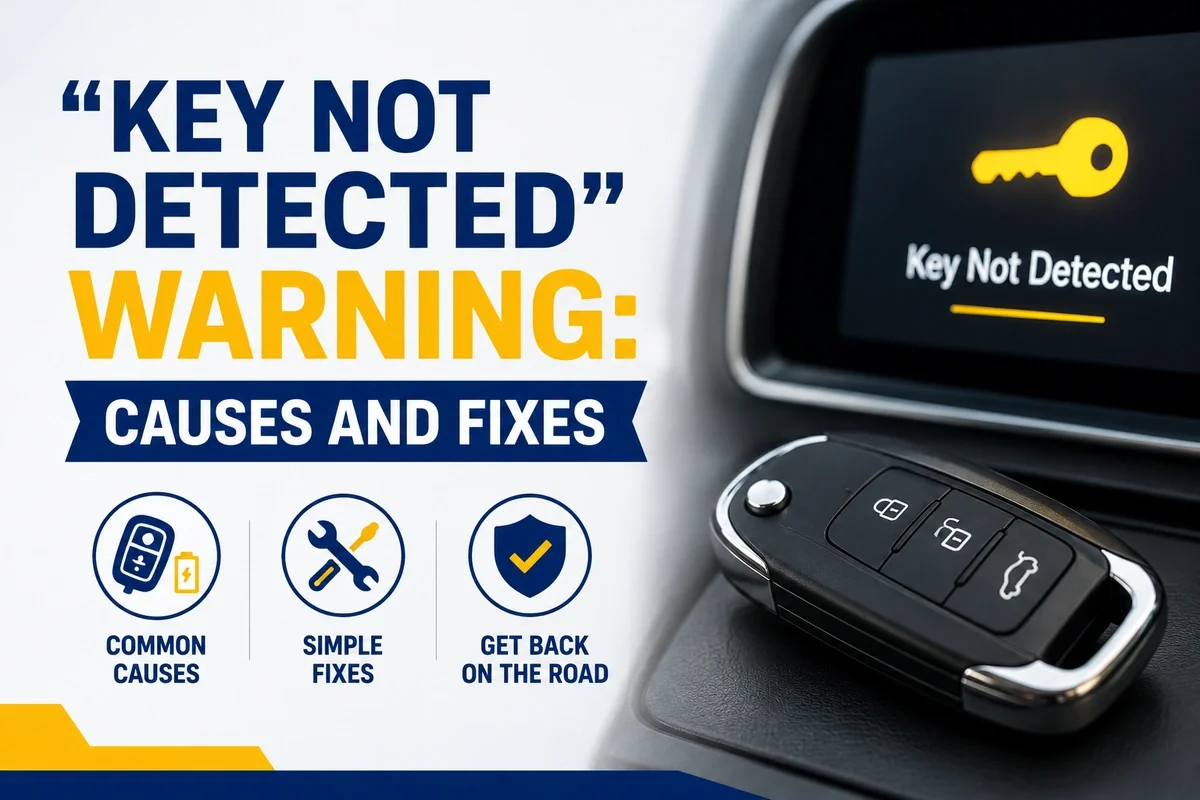
Credit: key.me
Common Reasons Ford Car Keys Stop Working
Understanding the root causes of key failure helps you target the right solution quickly. Below are the most frequent culprits, supported by industry statistics.
Dead Or Weak Key Fob Battery
A drained battery is responsible for over 70% of remote key failures. Symptoms include reduced range, intermittent operation, or total unresponsiveness.
Signs of a weak battery:
- Key fob works only when close to the car.
- Buttons require repeated pressing.
Key Fob Desynchronization
Ford fobs can lose synchronization with the car after battery replacement, exposure to strong magnetic fields, or software glitches.
Typical signs:
- Fob doesn’t unlock or start the car, even with a new battery.
- Security indicator flashes on the dashboard.
Damaged Or Worn Key Blade
Physical keys can wear out, bend, or snap. Even slight damage can prevent a key from turning in the ignition or door lock.
Watch for:
- Key sticks or requires wiggling to turn.
- Visible cracks or bends in the metal.
Faulty Transponder Chip
If the chip inside your key is broken or water-damaged, the immobilizer won’t recognize it. This is a common issue after dropping keys or exposing them to moisture.
Key indicator: Engine won’t start, but electronics power up.
Interference And Signal Blockers
Strong radio signals, mobile phone towers, or even nearby electronic devices can interfere with fob communication.
Common scenarios:
- Key fob fails to work in certain locations (e.g., crowded parking lots).
- Works normally after moving away from interference.
Car Battery Or Electrical Issues
A weak car battery can affect the receiver module, making it seem like the key is at fault.
Symptoms:
- Multiple electrical systems malfunction.
- Car doesn’t respond to any fob or manual key.
Water Or Impact Damage
Dropping your key in water or onto a hard surface can damage internal circuits, leading to permanent failure.
Indicators:
- Corrosion visible inside the fob.
- Key worked before impact, but not after.
Credit: ackodrive.com
Quick Fixes: Step-by-step Solutions
Most Ford key problems can be solved in minutes with the right approach. Follow these targeted fixes before scheduling a dealership visit.
Replacing The Key Fob Battery
- Identify the battery type (usually CR2032 or CR2026—check your manual).
- Use a small flathead screwdriver to gently pry open the fob.
- Remove the old battery and insert a new one, ensuring correct polarity.
- Snap the fob back together and test all functions.
Pro Tip: Always keep a spare battery in your glove box for emergencies.
Resynchronizing The Key Fob
If your key fob stopped working after a battery change, it may need to be resynced:
- Sit inside your Ford with all doors closed.
- Insert the key into the ignition and turn it from OFF to RUN eight times within 10 seconds. On the 8th turn, leave it in RUN.
- The locks should cycle, indicating programming mode.
- Press any button on the fob to resync.
- Turn the ignition off and test the key.
Reference: See Ford’s official programming guide at Ford Owner Support.
Using The Emergency Key
If your fob is dead and you need to unlock the door:
- Locate the hidden mechanical key inside your fob.
- Use it to unlock the driver’s door via the key slot (often under a removable cap).
- For push-to-start models, place the fob in the backup slot (often in the center console or under the cupholder) to start the car.
Cleaning And Inspecting The Key
- Open the fob and inspect for dirt, corrosion, or broken parts.
- Use isopropyl alcohol and a cotton swab to clean contacts.
- Allow all parts to dry completely before reassembly.
Warning: Avoid water or harsh cleaners that could further damage electronics.
When To Call A Professional
If you’ve tried all DIY fixes and your key still fails, it’s time to consult a certified locksmith or dealer. They can diagnose transponder issues, reprogram keys, or cut a new blade.
Cost estimate: Professional repairs typically range from $100–$400, depending on complexity.
Real-world Examples And Case Studies
The following short case studies illustrate how drivers have resolved Ford key failures using the strategies above.
Case Study 1: 2017 Ford Escape—dead Key Fob
Situation: After a weekend hiking trip, a driver found her Escape wouldn’t unlock via the fob. She suspected water damage but noticed the buttons felt normal.
Solution: She replaced the fob battery, resynchronized the fob using Ford’s programming sequence, and restored full function in under 10 minutes.
Takeaway:Battery replacement and resync fixed the issue without dealer involvement.
Case Study 2: 2012 Ford F-150—bent Key Blade
Situation: The owner’s key blade was bent after repeated drops. The key would stick and occasionally fail to turn.
Solution: A local locksmith cut a new blade, transferred the transponder chip, and restored reliable function. Total cost was $65, saving over $150 compared to the dealer quote.
Case Study 3: 2020 Ford Fusion—intermittent Push-button Start
Situation: Push-button start failed intermittently, especially in crowded mall parking lots.
Solution: The driver realized that interference was the cause. After moving the car to a less crowded area, the issue disappeared. A shielded key case further reduced the problem.
Lesson: Environmental signal interference can mimic key failure.
Comparing Ford Key Solutions: Diy Vs. Professional Service
Which solution is best for your Ford key issue? The following table compares the advantages and costs of DIY fixes versus professional service.
| Method | Success Rate | Average Cost | Time Required | Best For |
|---|---|---|---|---|
| DIY Battery Replacement | 90% | $3–$10 | 5 minutes | Dead fob battery |
| DIY Resynchronization | 80% | $0 | 10 minutes | Desynced fobs |
| Locksmith Key Cutting | 95% | $50–$120 | 30 minutes | Bent/broken blades |
| Dealership Reprogramming | 100% | $150–$400 | 2–24 hours | Transponder issues |
Key insight: Most Ford key failures can be resolved cheaply and quickly at home, but advanced problems require professional help.
Preventing Future Ford Key Failures
Preventative maintenance is the best way to avoid future key issues and unexpected expenses. Here are proven strategies for long-term reliability.
Regular Battery Replacement
- Replace your fob battery every 12–18 months, or at the first sign of reduced range.
- Use high-quality, name-brand batteries to ensure consistent performance.
Proper Key Storage
- Store keys away from moisture, extreme heat, or direct sunlight.
- Avoid dropping or crushing your fob, as impact can damage internal components.
Protecting Against Interference
- Keep key fobs away from strong magnetic fields (e.g., speakers, cell towers).
- Use a Faraday pouch when not driving to prevent hacking and interference.
Regular Cleaning
- Open your fob annually and clean the contacts with isopropyl alcohol.
- Inspect for early signs of corrosion or wear and address promptly.
Back-up Solutions
- Always carry your backup mechanical key.
- Memorize your Ford’s keypad entry code for emergencies.
Stat: According to the National Insurance Crime Bureau, key fob hacking incidents increased by 22% in 2026, highlighting the importance of signal protection (NICB).
Ford Key Fob Replacement: Dealer Vs. Aftermarket Options
If your Ford key is beyond repair, you’ll need a replacement. Both dealership and aftermarket solutions have pros and cons. The comparison below highlights the key differences.
| Option | Cost | Quality | Programming Required | Warranty |
|---|---|---|---|---|
| Ford Dealership | $150–$400 | OEM (Original) | Yes (by dealer) | Yes |
| Certified Locksmith | $100–$250 | OEM or High-Quality Aftermarket | Yes (on-site) | Limited |
| Online Aftermarket | $25–$80 | Varies | Yes (DIY or locksmith) | No/Short |
Tip: Always verify compatibility with your Ford model and year before purchasing aftermarket fobs.
Programming A New Ford Key: Step-by-step
Programming a new key varies by model, but most Fords allow DIY programming if you have two existing keys. If all keys are lost, dealer intervention is required.
Diy Programming For Ford Models (2000–2017)
- Insert the first working key into the ignition and turn to ON for 5 seconds.
- Remove the key and repeat with the second working key.
- Within 10 seconds, insert the new key and turn to ON.
- Wait for the security light to go off, indicating successful programming.
Reference: Full instructions are available at Wikipedia: Immobiliser.
Smart Key And Proximity Fob Programming
- Most modern Ford smart keys require dealer or locksmith programming.
- Some models support owner programming via the SYNC screen—check your manual.
Aftermarket Key Programming
- Always follow the seller’s instructions.
- Use only reputable aftermarket brands to avoid compatibility issues.
When Diy Programming Fails
If your car doesn’t recognize the new key, or you have only one working key left, a dealer or locksmith will need to use specialized diagnostic equipment.
Cost: Expect to pay $100–$200 for professional programming.
Troubleshooting Ford Keyless Entry Pads
Many Ford vehicles feature a keyless entry keypad on the driver’s door. Here’s what to do if it stops working:
Checking For Power
- If the pad doesn’t light up, check your car battery first.
- Replace the main vehicle battery if necessary.
Resetting The Keypad Code
- Enter your factory code (found on the owner’s card or inside the glove box).
- Press 1–2 within five seconds, then enter your new code.
Cleaning The Keypad
- Gently clean the pad with a damp microfiber cloth.
- Avoid harsh chemicals that can damage the electronics.
When To Seek Professional Help
If the keypad fails after power resets and cleaning, the module may need replacement. Consult a Ford technician for diagnosis.
Advanced Ford Key Security: What Owners Should Know
Ford’s anti-theft systems are among the most advanced in the industry, but no system is foolproof. Understanding your car’s security features can help you respond to key problems more effectively.
Pats (passive Anti-theft System)
- Most Fords since 1996 use PATS, which disables the engine unless a programmed key is present.
- If the immobilizer light blinks rapidly, your key isn’t recognized.
Rolling Codes And Encryption
- Modern Ford fobs use rolling codes to prevent replay attacks.
- Each button press generates a unique code, increasing security but requiring precise synchronization.
Key Cloning Risks
- Thieves can clone keys with specialized equipment if they gain physical access.
- Always store backup keys securely and never leave them in the vehicle.
Stat: The FBI reported over 700,000 vehicle thefts in the US in 2026, many involving exploited keyless entry systems (FBI).
Remote Start And Smartphone Integration
- FordPass and similar apps allow remote locking/unlocking and start.
- If your key fails, you can use the app as a backup—ensure it’s set up in advance.
Reference: Learn more about FordPass at Ford.com.
Comparing Ford Key Issues By Model Year
Certain Ford models and years experience higher rates of key failures due to design changes or software bugs. Below is a summary of common trends.
| Model Year | Key Type | Common Issues | Recommended Fix |
|---|---|---|---|
| 2005–2012 | Transponder/Remote Blade | Worn blades, battery failure | Key cutting, battery replacement |
| 2013–2018 | Remote Fob/Proximity | Sync errors, water damage | Resync, cleaning |
| 2019–2026 | Smart Key/Proximity | Signal interference, hacking risks | Faraday pouch, software updates |
Tip: Always check for recalls or technical service bulletins related to key fob issues for your specific Ford model. See NHTSA for official recall information.
Frequently Asked Questions
Why Is My Ford Key Fob Not Working Even After Changing The Battery?
If your Ford key fob remains unresponsive after a battery change, it may have lost synchronization with your car. Try the resynchronization steps outlined above. If that fails, the fob could have internal damage or there may be an issue with the car’s receiver module.
How Much Does It Cost To Replace A Lost Ford Key?
Replacing a Ford key typically costs $100–$400 depending on whether you use a dealership, locksmith, or aftermarket solution. Dealerships offer OEM quality and warranty but are the most expensive. Locksmiths and online options are more affordable but may require additional programming.
Can I Program A New Ford Key Myself?
For most Ford vehicles, you can program a new key yourself if you have two existing, working keys. Without two working keys, you’ll need professional help. Programming instructions are available in your owner’s manual or at Ford Owner Support.
What Should I Do If My Ford Push-button Start Doesn’t Recognize The Key?
First, check the fob battery and replace if needed. If the car still doesn’t recognize the key, place the fob in the designated backup slot (usually in the center console or under the cupholder) and try starting the car. If problems persist, consult a dealer or locksmith.
Is It Safe To Buy Aftermarket Ford Key Fobs Online?
Aftermarket Ford key fobs can be safe and cost-effective if purchased from reputable sellers. Check reviews, return policies, and ensure compatibility with your model and year. Avoid unknown brands or extremely cheap options, as quality and security may be compromised. Learn more at Consumer Reports.
Getting stranded by a non-working Ford car key can be frustrating, but most issues have simple, affordable solutions you can handle yourself. By identifying your key type, following the quick fixes in this guide, and practicing regular maintenance, you’ll minimize downtime and avoid costly repairs.
For persistent or advanced problems, professional locksmiths and Ford dealers are ready to help. With a little preparation, you can keep your Ford key—and your plans—moving smoothly.