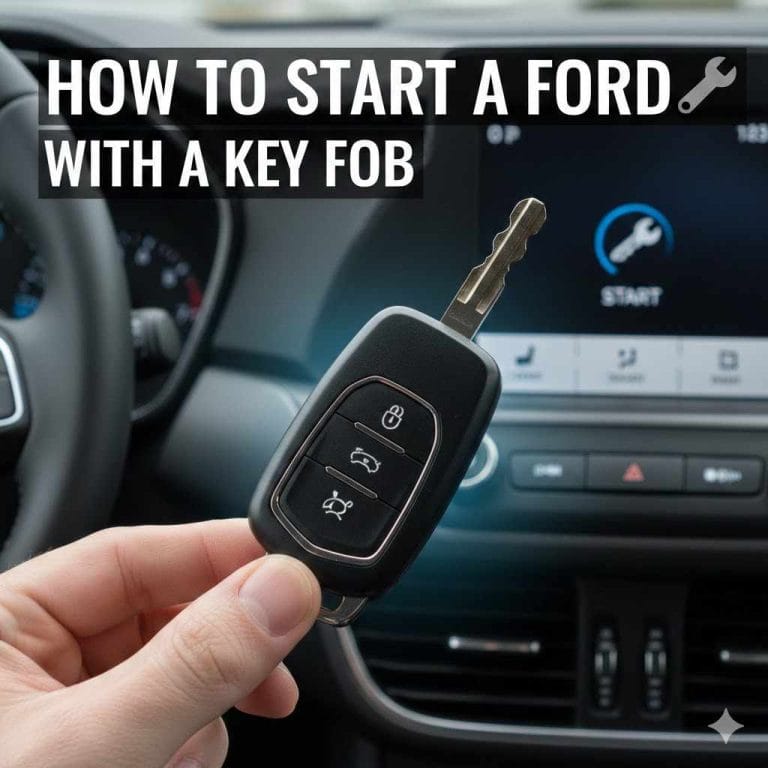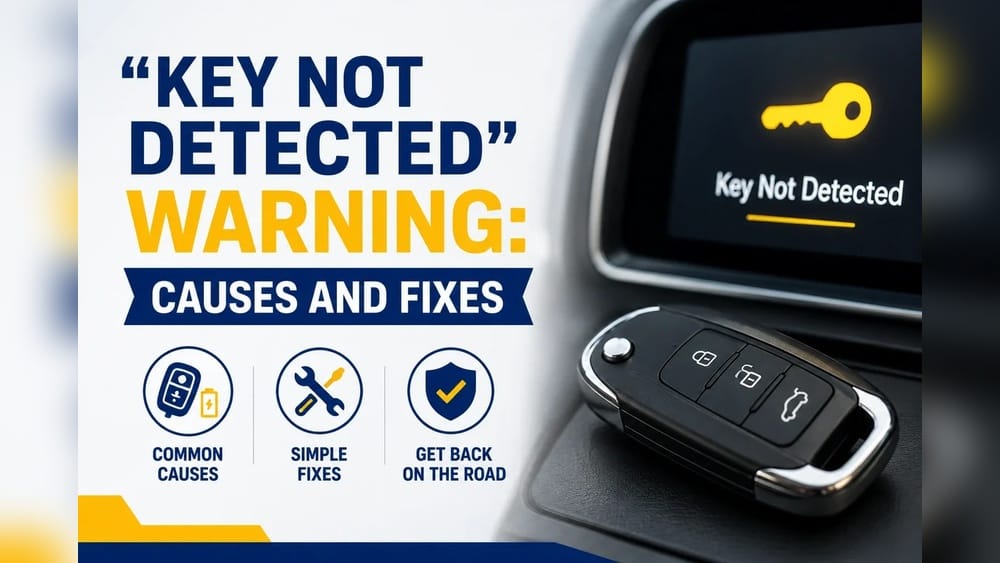
Ford Car Not Detecting Key? Here’S How to Fix It Now
If your Ford car suddenly refuses to detect your key fob, panic can set in quickly—especially if you’re on a tight schedule or parked somewhere inconvenient. Modern Ford vehicles depend on keyless entry and push-button start technology, making a key not detected error more than a minor annoyance. Whether you drive an F-150, Escape, Mustang, or Explorer, this issue can leave you stranded and frustrated.
Fortunately, most key detection failures can be swiftly diagnosed and resolved without a trip to the dealership. Understanding the root causes behind this problem—and how to fix it—will save you time, money, and stress. This guide will walk you through actionable troubleshooting steps, real-world examples, and expert advice to get your Ford back on the road—fast.
Key Takeaways
- Key not detected errors often stem from dead key fob batteries, interference, or receiver issues.
- Quick DIY fixes include replacing the key fob battery, resetting the vehicle system, or using the physical key.
- Technical problems like faulty antennas or immobilizer systems may require professional diagnosis.
- Preventive maintenance and carrying a backup battery can help avoid future lockouts.
- Understanding Ford’s keyless systems aids in troubleshooting and communicating with service professionals.
Credit: ackodrive.com
Understanding Ford’s Key Detection System
Modern Ford vehicles utilize advanced keyless entry and ignition systems to enhance convenience and security. These systems rely on a series of components working in harmony to recognize and authenticate your key fob.
How The Ford Keyless System Works
When you approach your car with the fob, the vehicle’s receiver antenna scans for a specific radio frequency signal. If detected, the system allows entry and, in push-button start models, enables engine ignition. The communication is encrypted, making it difficult for unauthorized access.
The key fob transmits a rolling code to the receiver, which the car verifies against its internal database. If the codes match, the vehicle unlocks and the immobilizer system is deactivated, allowing the engine to start. This process happens instantaneously and is designed to maximize both security and user convenience.
Common Ford Models With Keyless Entry
Ford’s keyless entry system is standard on many models, including:
- Ford F-150 (2015–present)
- Ford Escape (2013–present)
- Ford Explorer (2016–present)
- Ford Mustang (2015–present)
- Ford Edge (2015–present)
Additionally, high-end trims of other models such as the Ford Fusion, Expedition, and Bronco also include advanced keyless entry systems, reflecting Ford’s commitment to integrating this technology across its lineup. The system’s prevalence means that key detection issues can impact a wide range of owners.
Key Fob Types And Features
Not all Ford key fobs are identical. Some common types include:
- Smart Key/Proximity Fob: Enables push-button start and passive entry.
- Flip Key: Traditional key blade folds into fob, usually with remote functions.
- Remote Start Fob: Adds engine start capability from a distance.
Advanced fobs may also feature trunk release, panic alarms, or even customizable settings such as seat or mirror positions for multiple drivers. Higher-end Ford models sometimes use fobs with rechargeable batteries or integrated displays, which can provide additional vehicle information.
Security And Immobilizer Integration
Ford’s keyless system is integrated with an immobilizer that prevents the engine from starting without the correct fob. This system uses a rolling code algorithm to thwart cloning, but it also means lost or malfunctioning keys can cause a complete no-start condition.
The immobilizer, known as the Passive Anti-Theft System (PATS), is a critical layer of vehicle security. If it does not detect the correct chip or code, it disables crucial engine components, making the vehicle nearly impossible to start without the correct fob or proper reprogramming.
This means that while the system is highly effective at preventing theft, it can also be unforgiving when key issues arise.
Top Causes Of “key Not Detected” Errors
Understanding the likely reasons your Ford isn’t recognizing the key fob helps you act quickly and efficiently. Below are the most common causes, ranked by frequency and ease of resolution.
Dead Key Fob Battery
A dead or weak battery is the leading cause of key detection failure. Ford fobs typically use a CR2032 or CR2026 coin cell battery, which lasts 2–3 years under normal use.
- Symptoms: Car won’t unlock or start; may work intermittently before complete failure.
- Quick fix: Replace the battery (see instructions in the next section).
If your fob is slow to respond or only works from a very short distance, it’s likely the battery is nearing the end of its life. Some Fords provide a low battery warning on the dashboard, but not all do—making regular battery checks a smart habit.
Signal Interference
Radio frequency (RF) interference can block the signal between your fob and vehicle. Common sources include:
- Cell phones
- Wi-Fi routers
- Other key fobs
- Power lines
Parking near large metal structures or in underground garages can also exacerbate the problem.
In urban environments, interference is a frequent cause of intermittent key detection. Large buildings, public Wi-Fi networks, and even some anti-theft devices can disrupt the fob’s signal, making troubleshooting more challenging.
Faulty Key Fob
If the fob’s internal circuitry is damaged, it won’t transmit the proper signal. This can result from water exposure, drops, or manufacturing defects.
- Symptoms: Brand new battery doesn’t help; fob is physically damaged.
- Solution: Test with a spare fob or visit a Ford dealer for diagnosis.
Fobs are not waterproof—dropping one in water or exposing it to extreme heat or cold can damage internal components. Even a hairline crack in the housing can allow moisture inside, leading to corrosion or short circuits.
Vehicle Receiver Or Antenna Issues
The receiver antenna in your Ford may fail due to wiring problems, water intrusion, or electronic faults. This component is often located near the steering column or under the dashboard.
- Symptoms: Neither the main nor spare fob works; error persists after battery replacement.
- Solution: Professional diagnosis required; may involve module replacement.
Over time, wiring connections can loosen or corrode, especially in humid climates or after windshield leaks. Diagnosing these faults typically requires specialized equipment.
Immobilizer System Malfunction
The immobilizer (PATS—Passive Anti-Theft System) can experience software glitches or hardware failures. This is more common after battery changes or electrical work.
- Symptoms: Dashboard warning lights; engine cranks but won’t start.
- Solution: May require system reset or reprogramming at a dealership.
If your dashboard displays a flashing padlock or key icon, it’s a sign the immobilizer has not recognized the key. Sometimes, disconnecting the main battery can trigger a soft reset, but persistent failures often require reprogramming.
Damaged Or Lost Key
Physical damage, such as cracks or water ingress, can destroy the fob. If lost, a new key must be programmed to the car—a process only a dealer or qualified locksmith can perform.
Losing all keys to a Ford vehicle can be costly and time-consuming, often requiring proof of ownership and specialized programming tools.
Comparison: Common Causes Vs. Solutions
| Cause | Symptoms | DIY Solution | Professional Service Needed? |
|---|---|---|---|
| Dead Fob Battery | No response from fob | Replace battery | No |
| Signal Interference | Works in some locations | Move away from interference | No |
| Faulty Key Fob | No response, even with new battery | Test spare fob | Yes |
| Receiver Antenna Issue | All fobs fail | — | Yes |
| Immobilizer Problem | No start, warning lights | Reset system | Often |

Credit: www.sickthemagazine.com
Step-by-step Troubleshooting: Fixing Ford Key Detection Issues
When your Ford won’t detect the key, follow these systematic troubleshooting steps to pinpoint and resolve the issue.
Step 1: Check And Replace Key Fob Battery
- Tools needed: Small flat-head screwdriver, replacement CR2032 or CR2026 battery.
- Instructions:
- Remove the physical key blade by sliding the release latch.
- Pry open the fob’s case gently.
- Swap the old battery for a new one (note orientation).
- Snap the case closed and test.
- Pro Tip: Always carry a spare coin cell battery in your glove box.
For best results, use a high-quality battery from a reputable brand. Cheap, off-brand batteries can have inconsistent voltage output, which may cause erratic fob behavior.
Step 2: Test A Spare Key Fob
If you have a second fob, try using it. If the car recognizes the spare, the original fob is likely faulty. If neither works, the issue lies with the vehicle.
Testing with a spare can quickly isolate whether the problem is with the key or the car’s receiver system. If neither fob works, it strongly points to a vehicle-side issue.
Step 3: Use The Backup Start Location
Most Ford vehicles have a backup slot or sensor pad—often in the center console or under the steering column—where you can place the fob if the battery is dead. Consult your owner’s manual for the exact location.
- Process:
- Hold the fob against the marked spot.
- Press the brake and push the start button.
This bypasses the wireless function and uses passive RFID.
If you’re unsure where the backup location is, Ford’s support site or even YouTube tutorials can provide visual guides for your specific model.
Step 4: Eliminate Signal Interference
Move away from potential RF interference sources. Try unlocking or starting the car in a different location. Remove other electronics or key fobs from your pocket.
Even something as simple as a heavily loaded keyring or metallic objects near the fob can disrupt signal transmission. For persistent issues, try separating your key fob from other devices.
Step 5: Reset The Vehicle System
Sometimes, a simple reset can resolve glitches:
- Lock and unlock the car with the physical key.
- Disconnect the car’s battery for 10 minutes, then reconnect.
Be aware this may reset radio presets and clock settings.
A system reset can also clear certain error codes and restore normal communication between the key fob and the car’s control modules.
Step 6: Inspect The Key Fob For Damage
Look for signs of water damage, cracks, or loose buttons. If the fob has been submerged or dropped, internal damage is possible.
If you notice greenish corrosion on the battery contacts, clean them gently with a cotton swab and isopropyl alcohol. For severe damage, replacement is usually the only solution.
Step 7: Seek Professional Diagnosis
If all DIY steps fail, visit a Ford dealership or certified locksmith. They can:
- Test the fob with diagnostic tools.
- Check the vehicle’s receiver and wiring.
- Reprogram or replace keys if necessary.
In some cases, a failing receiver or control module may need reprogramming or replacement. Professionals have access to Ford’s proprietary software and diagnostic equipment, enabling precise troubleshooting.
Credit: www.thecarconnection.com
Real-world Examples And Case Studies
Examining real-world situations helps illuminate how these fixes work in practice.
Example 1: Ford F-150 Owner With Dead Fob Battery
Situation: An F-150 owner in Denver found their truck wouldn’t unlock or start after a ski trip. The dashboard displayed “Key Not Detected.” They recalled their fob had been acting up for weeks.
Resolution: They replaced the fob battery with a new CR2032 purchased at a convenience store. The truck recognized the fob immediately, and the issue was resolved.
This highlights the importance of changing batteries promptly at the first sign of trouble.
Example 2: Explorer Blocked By Signal Interference
Situation: A 2018 Explorer owner parked under a cell tower experienced intermittent “Key Not Detected” warnings. The car unlocked at home but not at work.
Resolution: Parking farther from the cell tower eliminated the issue, confirming RF interference as the culprit.
Signal interference can be highly location-specific, so always consider your environment when troubleshooting.
Example 3: Mustang With Faulty Antenna Module
Situation: A 2016 Mustang owner found that neither of their key fobs worked after a car wash. Diagnostics at the dealership revealed water damage to the receiver antenna.
Resolution: The antenna module was replaced under warranty, restoring normal operation.
This case demonstrates how water intrusion can impact sensitive electronics, particularly after events like car washes or heavy rain.
Example 4: Ford Escape Immobilizer Glitch
Situation: After replacing the main car battery, a Ford Escape owner was unable to start the vehicle, even though the key was present.
Resolution: A system reset was performed by disconnecting the battery for 10 minutes. The immobilizer recognized the key after reconnection.
Battery replacements can sometimes confuse the immobilizer, especially if the car is left without power for an extended period.
Example 5: Lost Key Fob In Ford Edge
Situation: An Edge owner lost their only key fob during a hike. A mobile locksmith was able to program a new fob using the car’s VIN and onboard diagnostics.
Resolution: The new key worked immediately after programming, and the lost key was deactivated.
Many modern locksmiths have the tools to program new fobs on-site, making recovery from lost keys much faster than in the past.
Professional Solutions: When To Call For Help
Some “key not detected” issues are beyond the scope of DIY fixes. Know when to seek professional assistance to avoid further complications.
Dealer Vs. Locksmith: Who To Call?
| Service Provider | Pros | Cons | Cost Range |
|---|---|---|---|
| Ford Dealership | OEM parts, advanced diagnostics | Expensive, may require appointment | $150–$400 |
| Automotive Locksmith | Mobile service, typically faster, lower cost | May lack advanced tools for new models | $100–$250 |
Services Typically Offered
- Key fob programming and replacement
- Receiver antenna repair or replacement
- Immobilizer system reset
- Diagnostic code reading
Both dealerships and locksmiths can often program new keys, but only dealerships have guaranteed access to the latest firmware updates and certain proprietary tools. For newer vehicles or complex immobilizer issues, the dealership may be the best option.
Warranty And Insurance Considerations
Most new Ford vehicles include a warranty covering keyless system faults, but key fob batteries and lost keys are excluded. Some car insurance policies offer roadside assistance for lockouts—check your coverage.
Extended warranties or vehicle service contracts may cover electronic module failures but rarely cover consumable items like batteries.
How To Prepare For A Service Visit
- Bring all keys and fobs
- Have your vehicle identification number (VIN) ready
- Be prepared to show ownership documents
Proper preparation ensures a smoother and faster service experience. If your car is immobilized, confirm whether the provider offers mobile service.
For more on Ford’s official guidance, see the Ford Owner Support portal.
Preventing Future Key Detection Problems
Being proactive can help you avoid the hassle and cost of key detection failures.
Regular Key Fob Maintenance
- Replace the fob battery every 2 years or when range decreases.
- Keep fob dry and away from moisture.
- Use a protective case to prevent drops and impact.
Routine maintenance can extend the life of your fob and reduce the risk of sudden failure. Clean the fob contacts and case occasionally to remove dirt or debris.
Carry A Backup
Store a spare key fob or at least a backup battery in your car or wallet, especially for road trips.
If you travel frequently or live in remote areas, consider keeping a spare fob in a magnetic lockbox hidden on your vehicle (following security best practices). This simple precaution can save you from expensive lockout situations.
Avoid Signal Interference
- Park away from large antennas, power substations, or other sources of RF interference.
- Don’t store multiple RFID devices together.
Being mindful of your environment, especially in urban areas or near infrastructure, can minimize key detection problems.
Schedule System Checks
During regular service appointments, ask your dealer to inspect the keyless entry system for software updates or recalls.
Technicians can check for firmware updates, inspect the receiver antenna, and ensure the immobilizer system is functioning correctly.
Stay Informed About Recalls
Occasionally, Ford issues recalls for keyless system software or hardware. Sign up for notifications at the NHTSA Recall Lookup.
Keeping up-to-date with recalls can prevent unexpected failures and ensure your vehicle benefits from the latest security improvements.
Example: Preventive Routine
A Ford Escape owner schedules battery replacement every two years and keeps a spare in the glove box. They have never experienced a lockout, even after five years of ownership.
Taking simple preventive steps can dramatically reduce the risk of inconvenient breakdowns.
Advanced Troubleshooting: Technical Details
For those with technical know-how, deeper troubleshooting can reveal hidden issues.
Keyless System Components Overview
The system consists of:
- Key fob (transmitter)
- Receiver antenna(s)
- Body control module
- Immobilizer (PATS) module
- Wiring harnesses
Modern Ford vehicles may have multiple receiver antennas located in the doors, trunk, and cabin, providing coverage for all entry points.
Diagnostic Tools
A professional-grade OBD-II scanner with Ford-specific software can read error codes related to the keyless system. Codes such as B10D7 (Key Transponder Failure) can pinpoint the issue.
Technicians may use Ford IDS (Integrated Diagnostic System) to access advanced diagnostics, perform system resets, or reprogram modules.
Firmware Updates
Ford occasionally releases software updates to address keyless entry glitches. These can be applied during routine service or at the dealership.
Firmware updates can improve system reliability, address security vulnerabilities, and add new features. Regularly checking for updates ensures optimal performance.
Battery Drain And System Glitches
If your vehicle’s main battery is weak, it can affect the keyless system. Ensure the battery and charging system are in good health.
A weak or failing 12V battery can cause low voltage at the body control module, resulting in erratic behavior or intermittent key detection.
For more technical details, visit the Remote Keyless System Wikipedia page.
Immobilizer System Locks
After multiple failed start attempts, the system may enter a temporary lockout mode. Wait 10–15 minutes before retrying.
Some models will require a specific procedure, such as cycling the ignition or using a master key, to exit lockout mode.
Water Damage Remediation
If water has entered the fob or receiver module, dry thoroughly and consult a professional. Do not attempt to use damaged electronics.
In severe cases, professional cleaning or replacement of affected modules may be necessary. Acting quickly can sometimes save expensive components.
Comparison: Ford Vs. Other Brands’ Keyless Systems
Understanding how Ford’s system compares to competitors can provide valuable context.
| Brand | Keyless Entry | Push-Button Start | Backup Start Method | Average Key Replacement Cost |
|---|---|---|---|---|
| Ford | Standard on most models | Available | Physical slot or pad | $150–$400 |
| Toyota | Standard on most models | Available | Touch start button with fob | $200–$450 |
| Honda | Standard on select trims | Available | Hold fob near button | $170–$350 |
| Chevrolet | Standard on higher trims | Available | Slot in center console | $150–$400 |
| BMW | Standard | Standard | Hold fob near steering column | $250–$600 |
Ford’s keyless system stands out for its extensive use across model lines and the inclusion of backup start methods, which add reliability in emergencies. Other brands may rely solely on proximity sensors or touch-sensitive start buttons, but Ford’s blend of physical and digital redundancy often results in higher user satisfaction.
For more on automotive key technology, see AAA’s Advanced Key Fob Guide.
Cost Analysis: Fixing Ford Key Detection Problems
Understanding the potential costs can help you make informed decisions and budget for repairs.
Key Fob Battery Replacement
- DIY cost: $3–$8 (battery only)
- Dealer/labor cost: $20–$40
Changing the battery yourself is fast and inexpensive. Dealerships may charge extra for labor, but the process is straightforward for most owners.
Key Fob Replacement
- Dealer (OEM): $150–$400
- Aftermarket/locksmith: $100–$250
OEM fobs ensure full compatibility, while aftermarket options may offer savings. Be aware that some advanced features (like remote start) may not work with all aftermarket fobs.
Receiver Antenna Repair
- Parts: $75–$200
- Labor: $100–$300
This repair typically involves accessing the dashboard or steering column and may require reprogramming modules.
Immobilizer System Repair
- Diagnosis and reprogramming: $100–$200
- Module replacement: $250–$600
Immobilizer issues can be complex. Costs may rise if multiple control modules are involved or if extensive diagnostics are necessary.
For more information on costs, check Consumer Reports.
Insurance And Warranty Coverage
- Basic warranties may cover electronic failures but not lost keys.
- Comprehensive insurance may cover theft or vandalism-related issues.
- Extended service plans may include key replacement.
Some insurers offer add-on policies specifically for lost or damaged keys. Check with your provider for details.
Frequently Asked Questions
What Should I Do If My Ford Says “key Not Detected” But I Have The Key?
First, try replacing the key fob battery and using the backup start location (usually detailed in your owner’s manual). Move away from possible signal interference sources and ensure the fob is not damaged. If the problem persists, test with a spare fob or contact a Ford dealer.
Can I Start My Ford If The Key Fob Battery Is Dead?
Yes, most Fords have a backup start location (such as a slot or sensor pad) where you can place the dead fob to start the car. Consult your manual for the exact location and method for your model.
How Much Does It Cost To Replace A Lost Ford Key Fob?
Replacement costs vary but typically range from $150 to $400 at a dealership. Locksmiths may offer lower prices, but programming and features may differ. Always verify compatibility with your specific model.
Why Does My Ford Key Fob Work Intermittently?
Intermittent function often points to a weak battery, RF interference, or a failing fob. Replace the battery first, keep the fob away from other electronics, and inspect for damage. If issues persist, test with a spare or seek professional help.
Is It Safe To Buy An Aftermarket Key Fob For My Ford?
Aftermarket fobs can be a cost-effective option, but quality varies. Always purchase from reputable suppliers and ensure the fob can be programmed to your vehicle. When in doubt, use OEM parts for maximum reliability. For more guidance, see Wirecutter’s Car Key Replacement Guide.
If your Ford refuses to detect your key, don’t panic. Most issues are minor and can be resolved with a new battery, clearing interference, or a quick system reset. When more serious problems arise, professional help is readily available. By understanding your vehicle’s keyless system, keeping up with maintenance, and preparing for the unexpected, you’ll minimize downtime and keep your Ford running smoothly.
For additional information, consult your owner’s manual or reach out to your local Ford service center.
Products related to this article
Sponsored / affiliate links. As an Amazon Associate I earn from qualifying purchases. I may earn additional commission from eligible campaigns.