How to Type Car Information Into Dmv Forms Correctly
Registering or updating a vehicle with your state’s Department of Motor Vehicles (DMV) is a pivotal process, one that hinges on accuracy and attention to detail. Whether you’re buying a new car, transferring ownership, or renewing your registration, the way you type car information into DMV forms can mean the difference between a smooth transaction and weeks of frustrating delays. A single typo or missing field can result in rejected paperwork, extra fees, or even legal headaches.
Many drivers are surprised to learn how exacting DMV requirements can be. From Vehicle Identification Numbers (VINs) to odometer readings and title details, each line on a DMV form is designed to verify ownership and maintain accurate records. Understanding the right way to enter car information not only saves time but also ensures compliance with state laws and helps protect you against fraud.
In this comprehensive guide, you’ll learn how to type car information into DMV forms correctly, backed by expert tips, real-world examples, and actionable checklists.
Key Takeaways
- Accurate car information is essential for timely DMV processing and legal compliance.
- Double-checking VINs, license plate numbers, and owner details prevents costly errors.
- Use official documents (title, registration, insurance card) as primary sources.
- Common mistakes include transposed numbers, typos, and use of incorrect abbreviations.
- Adhering to state-specific guidelines and formatting is crucial.
- Pro Tip: Always keep a copy of your completed DMV form for your records.
Understanding Dmv Forms And Car Information Requirements
Properly filling out DMV forms requires more than just basic knowledge of your vehicle; you must understand the purpose of each form and the specific car information required. This section breaks down the essentials you need to know before you start typing.
Types Of Dmv Forms Involving Car Information
There are several DMV forms where vehicle details are mandatory. The most common include:
- Vehicle Registration Application: Used for new registrations or renewals.
- Title Transfer Forms: Required when selling or buying a car.
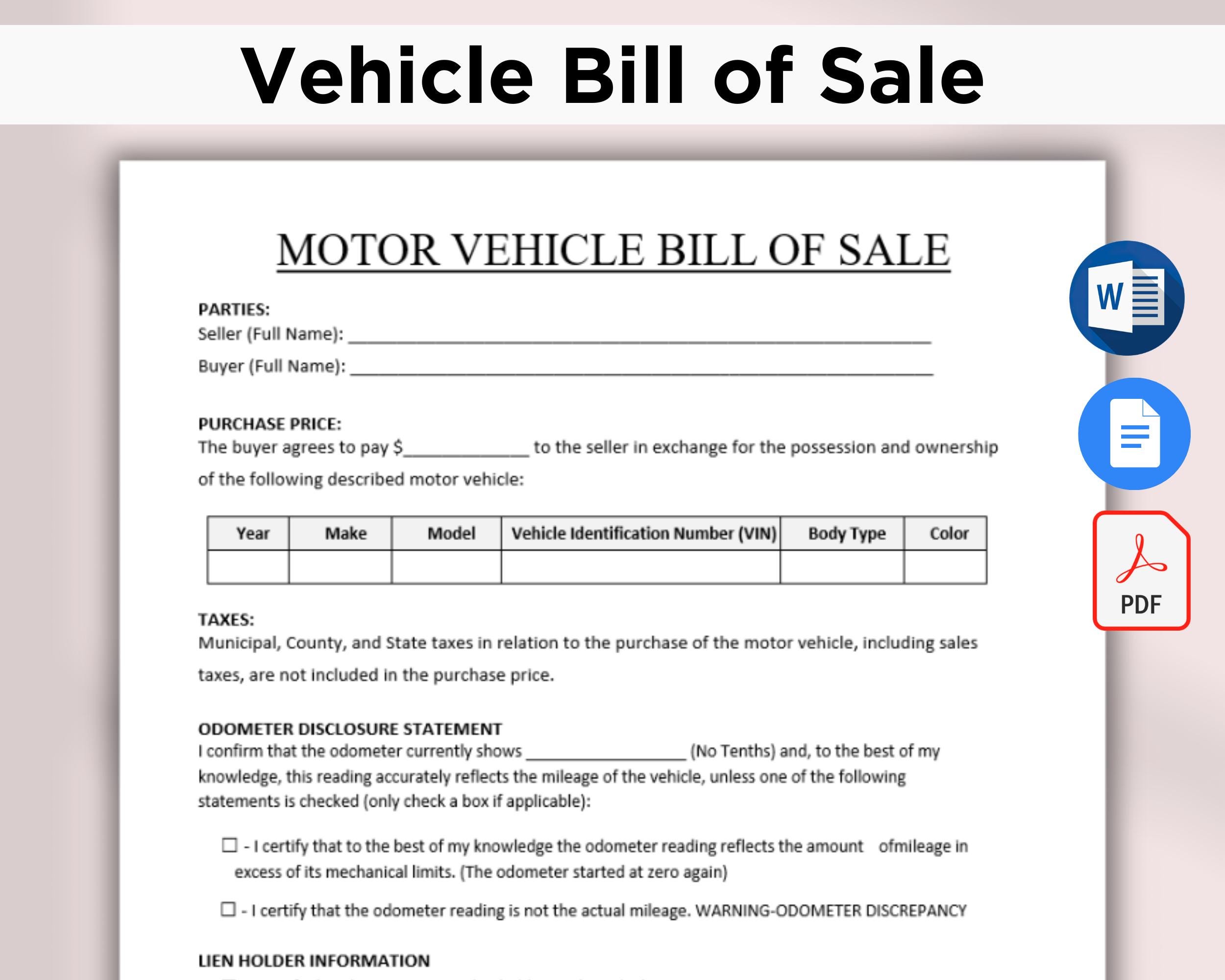
- Bill of Sale: Documents the transaction between buyer and seller.
- Odometer Disclosure Statement: Needed for vehicles under 10 years old.
- Application for Duplicate Title: Filed when the original title is lost or stolen.
Each form will specify the exact fields that must be completed, but they generally all ask for core vehicle data.
Core Car Information Fields
The majority of DMV forms require the following car information:
- Vehicle Identification Number (VIN)
- Year, Make, and Model
- Body Style and Color
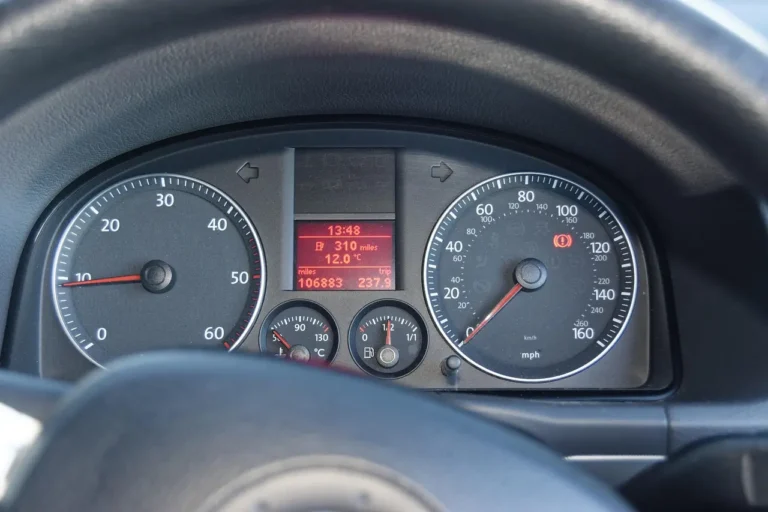
- Current Odometer Reading
- License Plate Number
- Title Number
- Owner(s) Name and Address
Where To Find Accurate Car Information
To avoid errors, rely on authoritative documents:
- Vehicle Title: For VIN, owner, and title number.
- Registration Card: For license plate and registration details.
- Insurance Card: For make, model, and VIN.
- Odometer: For the latest mileage.
Pro Tip: If you’re unsure about a specific entry, consult your local DMV website or call their help desk for guidance.
The Consequences Of Mistakes
According to the California DMV, errors in vehicle information are a leading cause of application rejections (California DMV). Typical outcomes include:
- Application denials
- Processing delays (often 2, 6 weeks)
- Additional fees for corrections
- Legal complications if incorrect information is recorded
Credit: www.etsy.com
Step-by-step Guide: Typing Car Information Into Dmv Forms
Typing car information correctly involves more than just data entry, it’s about careful verification and using the right formats. Here’s how to ensure your DMV form is error-free.
Step 1: Gather All Required Documents
Before starting, assemble the following:
- Vehicle title
- Current registration card
- Insurance card
- Bill of sale (if applicable)
- State-issued ID
Having these documents on hand reduces the risk of transposing numbers or missing fields.
Step 2: Review Form Instructions Thoroughly
Every DMV form comes with instructions, either printed or available online. Take these steps:
- Read all instructions before filling out the form.
- Note any state-specific requirements (e.g., use of capital letters, abbreviations).
- Check for any supporting documents needed for submission.
Step 3: Enter Vehicle Identification Number (vin) Precisely
The VIN is a 17-character code unique to every vehicle. It’s critical to enter this exactly as it appears.
- Use only uppercase letters and numbers.
- Never use the letters I, O, or Q (these are omitted in VINs to avoid confusion).
- Double-check the VIN from at least two documents (title and registration).
Example:
If your VIN is 1HGCM82633A004352, enter it as “1HGCM82633A004352”.
Step 4: Input Year, Make, And Model
- The year is the vehicle’s model year, not the year you purchased it.
- Make refers to the manufacturer (e.g., Toyota, Ford).
- Model is the specific vehicle line (e.g., Camry, F-150).
- Use the spelling and format on your registration card.
Step 5: Specify Body Style And Color
- Body style options include sedan, SUV, pickup, convertible, etc.
- Color should match the registration card or title. If two colors are present, list both (e.g., “Blue/Gray”).
Step 6: Enter Odometer Reading Accurately
- Record the exact mileage as shown on the odometer.
- Do not round up or down.
- If the odometer does not reflect the actual mileage, indicate this as required.
Step 7: Record License Plate And Title Numbers
- License plate numbers should match exactly, including any spaces or special characters.
- Title numbers can usually be found in the top section of your vehicle title.
Step 8: Owner And Address Information
- Enter your full legal name as it appears on your ID.
- Include all owners, if applicable.
- Use your current, legal address, PO boxes are not always accepted.
Step 9: Double-check For Typos And Omissions
Before submitting, review every field for accuracy. Typos in VINs or names are especially problematic.
Pro Tip: Have another person review your entries for a “fresh set of eyes.”
| Field | Common Mistake | Correct Practice |
|---|---|---|
| VIN | Transposed digits | Copy directly from title |
| Odometer | Rounded mileage | Enter exact number |
| Owner’s Name | Nickname used | Use full legal name |
| Color | Partial color entered | List both if two-tone |
State-specific Considerations And Common Pitfalls
Each state’s DMV may have unique rules and terminology. Familiarizing yourself with these nuances is crucial to avoid delays and rejections.
State-specific Formats And Abbreviations
Some states require specific abbreviations for car colors or body types. For example, California DMV accepts “BLK” for black, while Texas may prefer “BLACK”.
- Always use state-approved abbreviations.
- Look for formatting notes in the form’s instructions.
Electronic Vs. Paper Forms
- Electronic forms often prevent submission if fields are incomplete or formatted incorrectly.
- Paper forms may be more prone to manual errors and require clear, legible typing.
Pro Tip: If possible, use the DMV’s online portal, as it often flags errors before you submit.
Common Mistakes And How To Avoid Them
- Mixing up O and 0: The letter “O” is not used in VINs; always use the number zero.
- Incorrect owner order: If multiple owners are listed, order them as shown on the title.
- Mismatched addresses: The address must match your official ID unless otherwise directed.
Case Study: Title Transfer Delayed By Simple Typo
A recent report by the New York State DMV found that nearly 12% of rejected title transfers were due to owner name misspellings or VIN errors (New York DMV). In one case, a buyer had to wait six extra weeks for a corrected title because the seller entered “Jonh” instead of “John” and transposed two VIN digits. The DMV required both parties to complete new forms and pay additional fees.
Essential Tips For Efficient And Accurate Form Completion
Efficiency and precision go hand-in-hand when completing DMV forms. Below are actionable strategies to ensure your forms are accepted the first time.
Use Only Official, Up-to-date Forms
- Download forms directly from your state’s DMV website.
- Avoid outdated forms; older versions may not be accepted.
Type, Don’t Handwrite
- Typed entries are preferred for legibility.
- If you must handwrite, use black ink and print in all capitals.
Proofread Multiple Times
- Review every entry after completion.
- Compare each field with your documents.
- Ask a friend or family member to check your work.
Save A Copy Of Your Completed Form
- Print or save a digital copy for your records.
- This helps resolve any future disputes or questions.
Submit Supporting Documents
- Attach all required documents as specified.
- Staple or paperclip as instructed; some DMVs reject stapled forms.
Example: Efficient Completion For Lease Buyout
When my friend completed a lease buyout, she gathered her title, registration, and insurance card, typed all information, and double-checked each entry with her DMV’s online checklist. Her application was approved on the first submission, saving her at least two weeks.
| Tip | Time Saved (Est.) | Error Risk Reduced |
|---|---|---|
| Typed forms | 2, 5 days | High |
| Proofreading | 1, 2 weeks | Very High |
| Official forms | Up to 1 week | Medium |
| Supporting docs attached | Varies | High |
Real-world Examples And Case Studies
Learning from real-world scenarios illuminates the importance of accurate DMV form completion. Here are several examples that highlight best practices and common errors.
Case Study 1: New Registration Success
Maria, a new car owner in Florida, used her registration card and insurance documents to type every detail into her DMV registration application. She carefully checked the VIN and odometer reading, catching a minor typo before submitting. Her registration was processed in four days, half the average time for her county.
Case Study 2: Title Transfer Delay
When selling his vehicle, Mark in California filled out a paper title transfer form by hand. He accidentally wrote “2018” instead of “2019” for the model year. The DMV rejected the transfer, requiring both parties to resubmit corrected paperwork and pay an additional processing fee.
Case Study 3: Lease Buyout Efficiency
Lisa, in Texas, completed an online DMV application for her lease buyout. She triple-checked her VIN and used the color abbreviations listed on the Texas DMV website. Her approval arrived within three business days, with no corrections needed.
Example: Odometer Error Caught Early
A dealership employee noticed an odometer discrepancy on a customer’s form during a title transfer. Because the form had been typed, the error was easy to spot and correct before submission, preventing a potential legal issue.
Lessons Learned
- Always verify each detail against at least two documents.
- Use typing rather than handwriting for legibility and accuracy.
- Consult state-specific guides for abbreviations and requirements.
Comparing Dmv Form Fields: What’s Required In Different States
States vary in the information they require and how it must be formatted. The table below compares core car information fields for three large states.
| Field | California | Texas | New York |
|---|---|---|---|
| VIN | Required, 17 chars | Required, 17 chars | Required, 17 chars |
| Year/Make/Model | All required | All required | All required |
| Body Style | Abbreviation | Abbreviation | Abbreviation |
| Color | Primary & secondary | Primary only | Primary & secondary |
| Odometer | Exact, no rounding | Exact, no rounding | Exact, no rounding |
| Owner’s Name | Full legal | Full legal | Full legal |
| Address | Physical only | Physical or PO box | Physical only |
Pro Tip: Always check your state’s DMV website for the latest requirements and sample forms.
Troubleshooting And Fixing Common Car Information Errors
Despite your best efforts, mistakes can happen. Here’s how to identify and resolve common issues with DMV form car information.
Identifying Errors Before Submission
- Review every line item for typos and transposed numbers.
- Compare your entries with official documents.
- Check for missing fields or incomplete addresses.
Correcting Submitted Errors
If you discover an error after submitting your form:
- Contact your local DMV immediately to report the issue.
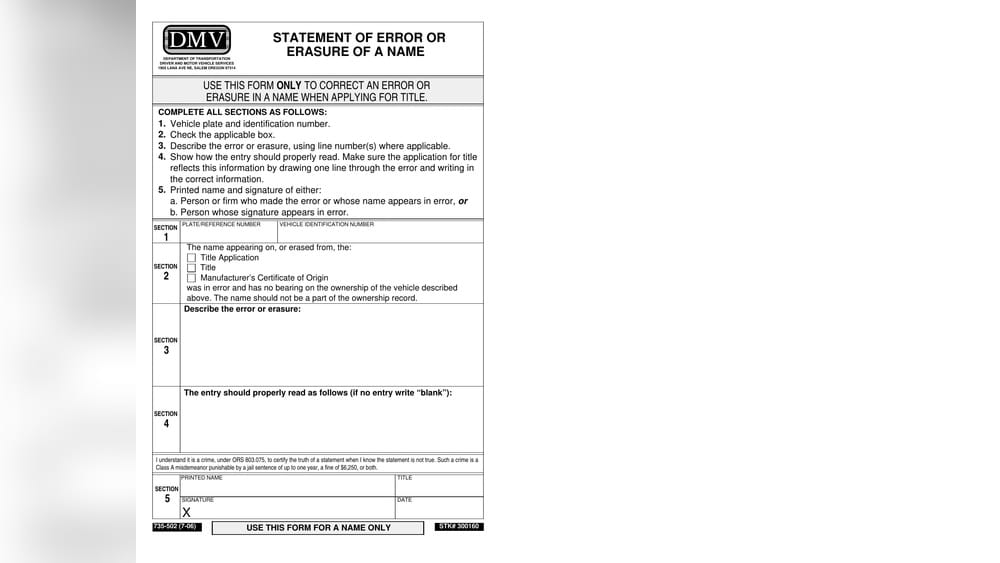
- Submit a correction form if required (most states provide this online).
- Provide supporting documents to verify the correct information.
What To Do If Your Application Is Rejected
If the DMV rejects your submission:
- Read the rejection notice carefully.
- Correct the highlighted errors.
- Resubmit the form, ensuring all supporting documents are included.
Preventing Future Mistakes
- Create a checklist for each car information field.
- Use online tools or checklists provided by your DMV.
- Save templates for forms you fill out frequently.
Example: In my experience, maintaining a digital copy of every DMV form I’ve submitted has allowed me to quickly correct errors and resubmit, minimizing delays.
Frequently Asked Questions
What Should I Do If I Don’t Know My Car’s Vin?
If you can’t locate your VIN, check the following places:
- Vehicle title or registration card
- Insurance policy documents
- The dashboard (driver’s side, visible through the windshield)
- The driver’s side door jamb
If the VIN is still missing or unreadable, contact your dealership or manufacturer for assistance before submitting your DMV form.
Can I Use Abbreviations When Entering Car Color Or Body Style?
You should only use state-approved abbreviations for car color or body style, as listed in your DMV’s instructions. For example, some states accept “BLK” for black, while others require the full word. Always consult your state DMV’s abbreviation guide to avoid processing delays.
How Do I Add Multiple Owners On A Dmv Form?
To add multiple owners, list each person’s full legal name in the order specified on your vehicle title. Some states require all owners’ signatures and addresses. If you’re unsure, refer to the DMV’s instructions or call your local office for clarification.
What If My Odometer Reading Is Not Accurate?
If your odometer does not reflect the actual mileage (e.g., due to replacement or malfunction), you must check the box indicating this on the form and provide an explanation as required by your state. Falsifying mileage is illegal and can result in penalties.
Is It Possible To Correct A Vin Error After My Form Is Processed?
If a VIN error is discovered after DMV processing, contact your DMV immediately. Most states require you to submit a correction request with supporting documents (such as your title and registration). Prompt action is essential to prevent legal or ownership issues.
Completing DMV forms with accurate car information is a task that rewards attention to detail and careful verification. By following the strategies outlined here, using official documents, double-checking every entry, and adhering to state-specific guidelines, you can avoid common pitfalls and ensure a smoother DMV experience. Remember, the time invested in accuracy up front saves you from unnecessary delays, fees, and complications down the road. For additional guidance, consult your state’s official DMV resources or visit reputable sources like the USA.gov Motor Vehicle Services page.
Products related to this article
Sponsored / affiliate links. As an Amazon Associate I earn from qualifying purchases. I may earn additional commission from eligible campaigns.

![Super Fast Type C Car Charger [63W Turbo], 45W PPS/PD 3.0 USB C Car Adapter](https://m.media-amazon.com/images/I/414OUAwJF3L._SL500_.jpg)