How Do You Know If Electric Car is Charging: Essential Signs
How Do You Know If Electric Car Is Charging
Electric cars are becoming more common every year. As more people switch from gasoline to electric vehicles (EVs), new owners often wonder how to know if their electric car is charging correctly. Unlike gas cars, you can’t just listen for the engine or smell fuel.
The process for charging is quieter and often less obvious. Missing the signs can mean you wake up to a car with low battery, which is frustrating and inconvenient.
Knowing when your electric car is charging helps you avoid surprises and get the most out of your vehicle. This guide explores all the ways you can check if your EV is charging, what signs to look for, and what to do if you suspect something is wrong. We’ll also cover some less-known tips that even experienced EV owners sometimes overlook.
Charging Basics: How Electric Cars Charge
To understand if your EV is charging, it’s helpful to know how the charging process works. Electric vehicles use batteries, usually lithium-ion. You charge these batteries by connecting your car to a power source using a charging cable.
There are three main charging levels:
- Level 1 (120V): Uses a standard home outlet. It’s slow and adds about 3-5 miles of range per hour.
- Level 2 (240V): Common for home and public charging stations. It adds 20-60 miles of range per hour.
- Level 3 (DC Fast Charging): Found at specialized stations. It can charge most EVs up to 80% in 20-40 minutes.
Each level has different connectors and charging speeds, but the signs your car is charging are similar.
Main Ways To Check If Your Electric Car Is Charging
Let’s look at the most reliable methods for confirming your car is charging, both at home and on the go.
1. Dashboard Display
Most modern electric cars show charging status on the dashboard screen. When you plug in your car, the dashboard usually lights up or shows a message. Look for:
- Charging icons (often a plug symbol or battery)
- Messages like “Charging,” “Charging Started,” or “Charging Complete”
- An animated battery or a percentage that increases
Some cars keep the dashboard active for a short time after you plug in, then go dark to save energy. If you want to check, you may need to open the door or press the start button (without turning on the car).
Pro tip: If the screen stays blank or shows an error, check your charging connection and power source.
2. Indicator Lights On The Car
Most EVs have external indicator lights near the charging port. These lights can tell you a lot:
- Blinking light: Usually means charging is in progress.
- Solid light: Often signals charging is complete or the car is ready.
- Red or flashing red: Warning—there may be a problem.
- No light: Could mean the car is not charging, or the port is not activated.
Each car brand has its own system. For example, Tesla uses a pulsing green light for charging, while Nissan Leaf uses blue lights. Always check your car’s manual to understand your model’s signals.
3. Charging Station Display
If you use a public charging station or a home wall charger, these often have their own display screens or lights. These can show:
- Charging status (In Progress, Complete, Error)
- How much energy has been delivered
- Estimated time remaining
Many public chargers require you to start a session using an app or card. If the station says “Connected” but not “Charging,” make sure your session has started.
4. Mobile App Notifications
Nearly all new electric cars have a companion app. After you plug in your car, the app can:
- Send push notifications when charging starts and stops
- Show real-time battery percentage
- Display estimated completion time
Apps can also warn you if charging stops unexpectedly. This is useful if you leave your car in a public place or want peace of mind overnight.
5. Audible Cues
Some electric cars make soft sounds when charging begins. These can include:
- A relay click from the charging port
- A slight hum or fan noise as the battery cooling system turns on
These sounds are subtle, but you may notice them if you charge in a quiet garage.
6. Physical Checks: Cable And Port
If you’re not sure, you can do a quick physical check:
- The charging cable should be firmly connected and not loose.
- Many charging cables lock into place and cannot be removed until you stop charging.
Some EVs also have a mechanical lock or click when the cable is connected properly.
7. Charging Port Covers
On some EVs, the charging port cover will lock automatically when charging starts. This prevents theft of the cable or accidental unplugging.
If your port cover is locked, it’s a sign that the car recognizes it’s charging.
8. Home Electricity Meter
If you charge at home and want extra confirmation, check your home power meter. When charging, you’ll notice a spike in electricity usage. Smart home systems can sometimes show which outlets or circuits are drawing power.
This method is especially useful if you’re using a basic home outlet (Level 1) without smart charging features.
9. Scheduled Charging Feature
Many electric cars allow you to schedule charging to start at a certain time (such as off-peak hours). If you plug in but see no charging activity, your car may be waiting to start. The dashboard or app often shows a message like “Charging Scheduled” or “Charging Will Start at 2 AM.
“
Knowing this feature exists can help you avoid confusion when you see that charging isn’t happening right away.
Signs Your Electric Car Is Not Charging
It’s just as important to recognize when charging is not happening. Here are the most common signs:
- No lights on the car or charger
- Error message on the dashboard or app
- Charging station shows “Error” or “Disconnected”
- Charging cable is loose or falls out easily
- Battery percentage stays the same after being plugged in for a while
In these cases, unplug and try again. If the problem continues, check the power source, cable, or consult your car’s manual.
Understanding Charging Status Lights: Brand Examples
Different EV brands use unique light systems to show charging status. Here’s a comparison of some popular models:
| Brand/Model | Charging Light | Meaning |
|---|---|---|
| Tesla | Pulsing Green | Charging in progress |
| Nissan Leaf | Blue LEDs (1-3) | Number of lights = charge level |
| Chevy Bolt | Flashing Green | Charging; solid green means done |
| BMW i3 | Pulsing White, then Blue | Charging, then complete |
| Hyundai Kona EV | Blinking Green | Charging; solid green means full |
Always check your car’s manual for exact meanings. These lights are more than decoration—they’re your first clue about charging health.
Common Charging Problems And How To Solve Them
Sometimes, things don’t go as planned. Here are some problems you might face and how to fix them:
1. Car Won’t Start Charging
This can happen if:
- The cable is not fully inserted
- The charging station is offline
- The car’s timer delays charging (scheduled charging)
- The car battery is already full
Solution: Re-insert the cable, check the station’s screen, and look at your car’s app or dashboard for clues.
2. Charging Stops Suddenly
Causes include:
- Power outage or surge
- Cable is unplugged
- Charging station error
- Overheating (rare)
Solution: Check your app for notifications. Most EVs alert you if charging stops. Try a different station or cable if the problem continues.
3. Slow Charging Speed
This is usually due to:
- Using a lower-level charger (Level 1 instead of Level 2)
- High battery temperature
- Shared power circuits at home
Solution: Use a faster charger if possible. Avoid charging immediately after a long drive (let the battery cool down).
4. Error Or Warning Lights
If you see a red light or error message, do not ignore it. Check:
- The charging port for debris or damage
- The cable for cuts or fraying
- The station for error codes
Sometimes, a simple unplug-wait-replug fixes minor faults. If not, contact your car’s service center.
Charging At Home Vs. Public Stations
The way you check charging differs slightly between home and public stations.
Home Charging
Most home chargers have simple lights: green for ready, blue or blinking for charging. Some models connect to Wi-Fi and let you check status on your phone.
If you use a basic wall outlet, you may have no lights at all—your car’s dashboard or app is your only clue.
Public Charging Stations
Public stations have more features but also more chances for confusion. You may need to:
- Use a card or app to start charging
- Confirm the session started on the station’s screen
- Check your app for updates
Tip: Always wait for confirmation on the station and your car before leaving.
How Weather Can Affect Charging Signs
Weather can change how you see or hear charging signs. For example:
- In bright sunlight, small charging LEDs may be hard to see.
- In freezing temperatures, charging may start slower, or fans may run longer.
- Rain or snow can cover external lights or make sounds harder to hear.
If you’re unsure, use your car’s app or dashboard for confirmation.
Charging Cables And Connectors: What To Look For
Different charging cables have different locking features and indicator lights. Here’s a comparison of popular connector types:
| Connector Type | Common Light Feature | Lock Mechanism |
|---|---|---|
| Type 1 (J1772) | LED ring on car or cable | Manual or automatic lock |
| Type 2 (Mennekes) | Flashing or solid LED | Automatic locking |
| CCS Combo | Lights on station and car | Strong automatic lock |
| CHAdeMO | Station display | Manual lever lock |
| Tesla | Light ring on port | Automatic lock |
If the cable is not locked in place, charging will not start. If the light is red or not lit, check the connections.
How To Use Mobile Apps For Charging Status
Mobile apps add convenience and security for EV owners. Here’s what you can do:
- Check Real-Time Status: See if charging is active, paused, or complete.
- Receive Alerts: Get notifications if charging stops or is interrupted.
- Schedule Charging: Set start times for cheaper electricity.
- View Charging History: See past sessions, energy used, and costs.
For example, the Tesla app shows a live battery percentage and estimated range. The NissanConnect EV app sends alerts when charging starts, stops, or if the car is unplugged.
Insider tip: Some apps can pre-condition your car (warm or cool the cabin) while plugged in, using grid power instead of battery.
Non-obvious Signs And Mistakes To Avoid
Here are two important things that many new EV owners miss:
- Silent Charging Failures: Sometimes, a cable or charger can fail quietly—no obvious error, but no charging. Always check battery percentage after plugging in, not just lights.
- Partial Connections: If a cable is not fully inserted, you may see a “Connected” light but no actual charging. Push the connector until you hear a click or see a “Charging” message.
Also, don’t assume the car will always stop charging automatically. Some older chargers do not communicate well with all models, so double-check before leaving your car for hours.
How To Tell Charging Speed And Progress
It’s not just about knowing if your EV is charging, but how fast. Here’s how to check:
- Dashboard/Screen: Shows kilowatts (kW) or miles per hour being added.
- App: Many show charging speed and estimated finish time.
- Charger Display: Public stations often show the kW rate.
Remember, charging speed can slow down as the battery gets close to full. This is normal and protects battery health.
Data And Statistics: Ev Charging Reliability
According to a 2023 study by the U. S. Department of Energy, over 96% of home charging sessions start and finish without a problem. At public stations, reliability drops to about 85%, usually due to user error or equipment issues.
Another survey found that over 60% of new EV owners experienced at least one charging confusion in the first month—often because they didn’t recognize status lights or forgot to start a session at public chargers.
How To Troubleshoot When You’re Still Unsure
If you’ve checked all the usual signs but still aren’t sure, try these steps:
- Unplug and re-plug the charger.
- Watch for lights or listen for sounds.
- Check the app or dashboard.
- Try a different charger or cable if possible.
- Ask for help—EV communities online are very active.
Some EVs can run a self-test of the charging system—check your manual or app for this feature.
Charging Etiquette: Public Station Tips
When using public stations, good etiquette helps everyone:
- Move your car when charging is done.
- Don’t unplug other cars unless it’s an emergency.
- Report broken stations to the operator.
- Don’t block the charger if you’re not using it.
These small acts help the whole EV community.
Preparing For Travel: Charging On The Road
If you’re planning a long trip, check:
- Your route for available chargers
- Charging station reviews (some apps show reliability ratings)
- Backup options in case a station is busy or offline
Apps like PlugShare or ChargePoint help you plan and confirm charging status in real time.
What To Do If Charging Fails
If your car won’t charge and you’ve tried all the steps, here’s what to do:
- Check your car’s manual for troubleshooting steps.
- Try a different charger or cable.
- Contact the charging station operator for help.
- If home charging, check your circuit breaker or outlet.
- If all else fails, contact your car’s roadside assistance or dealer.
Don’t ignore repeated charging problems—battery health and safety are important.
Environmental And Cost Benefits
Charging at home, especially overnight, uses cleaner and cheaper energy compared to gas. According to the U.S. Environmental Protection Agency, charging an EV costs less than half of fueling a gasoline car per mile, and produces much less pollution, especially if your electricity comes from renewable sources. Read more on U.S. Department of Energy.
Future Trends In Ev Charging
New technologies are making it even easier to know when your EV is charging:
- Wireless Charging: Some new models can charge without cables, and show status via app or dashboard.
- Vehicle-to-Grid: Cars will soon talk directly to the grid, optimizing when and how they charge.
- Smart Home Integration: Your car, charger, and smart home system will share status updates automatically.
Staying informed helps you get the most from your EV and avoid problems.
Frequently Asked Questions
How Long Does It Usually Take To Charge An Electric Car?
Charging time depends on the charger type and your car’s battery size. Level 1 (home outlets) can take 8-24 hours for a full charge. Level 2 (home or public) usually takes 4-8 hours. DC fast charging can bring most cars from 20% to 80% in 20-40 minutes.
Always check your manual for specific times.
Can I Leave My Ev Plugged In Overnight?
Yes, it’s safe to leave your EV plugged in overnight. Most modern EVs have systems that stop charging automatically when the battery is full. Scheduled charging can also help take advantage of lower electricity rates.
What Should I Do If My Ev Stops Charging Unexpectedly?
First, check your app and dashboard for error messages. Make sure the cable is secure and try unplugging and plugging in again. If using a public charger, try another station. If the problem continues, contact your car’s support or the charging station operator.
Do All Electric Cars Use The Same Charging Connectors?
No, different regions and car brands use different connectors. The most common are Type 1 (J1772), Type 2 (Mennekes), CHAdeMO, CCS Combo, and Tesla’s proprietary connector. Always use the right cable for your car model, and check the station for compatibility.
How Can I Check If My Ev Is Charging When I’m Not Near The Car?
Use your car’s mobile app if available—it will show real-time charging status and send notifications. Some home chargers also have their own apps or web portals. For extra peace of mind, check the battery percentage after a few hours.
Electric car ownership is full of small learning moments. By understanding the signs your EV is charging—and what to do if it’s not—you’ll enjoy smooth driving and less stress. The more you use your EV, the more confident you’ll become in recognizing these signals.
Products related to this article
Sponsored / affiliate links. As an Amazon Associate I earn from qualifying purchases. I may earn additional commission from eligible campaigns.
 Car Charger Fast Charging Type C, 2X Braided USB C to USB C Cable 6ft
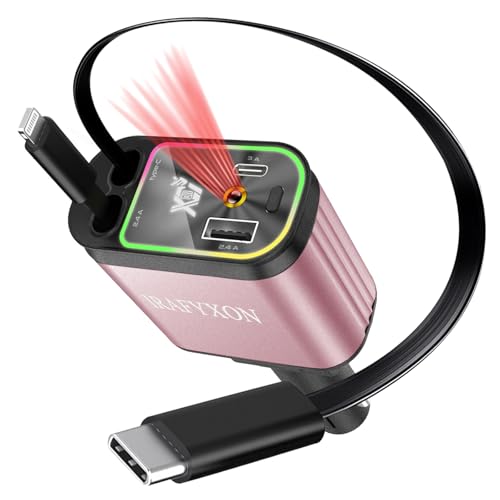 IRAFYXON Retractable Car Charger with 31-Inch Cables 4 in 1 Fast Car Charger USB C Car Adapter with Starry Sky Light for iPhone 17 16 15 14 Car Accessories Gifts for Men Women Drivers (Pink)
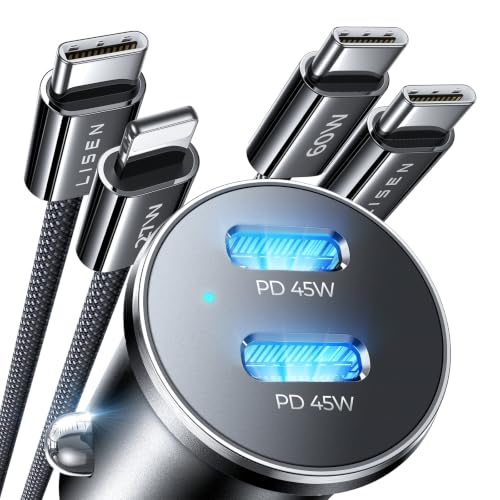 LISEN 90W Car Charger USB C Fast Charge,USB C Car Charger for iPhone 18 Pro