Best Cars with Android Auto and Apple CarPlay: Top Picks
The best overall pick is still the 2017 Honda Ridgeline because it offers a clean factory path to Android Auto and Apple CarPlay with relatively low retrofit risk. For buyers ranking by friction rather than badge prestige, the strongest short list also needs a budget hatchback, a luxury sedan, and a compact used-car value play. The key is not just whether a model name appears in support coverage, but whether the exact trim, infotainment system, and connection method match the car in front of you.
Which cars are best overall?


The best overall pick is the 2017 Honda Ridgeline because it gives a buyer a direct factory path to Android Auto and Apple CarPlay without leaning on a retrofit story. Other strong choices depend on body style, budget, and how much verification you want to do before you buy: the 2017 Kia Forte5 is the affordable pick, the 2017 Lincoln Continental is the luxury pick, the 2017 Mitsubishi Mirage is the easiest used buy, and Ford SYNC-equipped vehicles matter most for wireless support and update paths.
Why the Ridgeline leads
The Ridgeline is the cleanest answer for a used-car shopper who wants fewer compatibility surprises. Honda included it among the new vehicles with both systems available from the factory, which makes it easier to treat as a factory-support purchase rather than a software project. That matters because infotainment compatibility is rarely the same across trims or option groups.
Picture a buyer looking at a used Ridgeline with a center screen and a USB port already in place. If the window sticker and the infotainment menu both confirm Android Auto and Apple CarPlay, the buyer is looking at factory integration, not a dealer workaround. That lowers the chance of hidden add-on costs and makes the truck a simple answer-first purchase.
Quick picks
| Model | Model year | Wired or wireless support | Standard vs optional availability | Update or retrofit risk | What to verify before buying |
|---|---|---|---|---|---|
| Honda Ridgeline | 2017 | Factory support was wired; do not assume wireless. | Confirm the exact trim and package list. | Low if factory-equipped; higher if the screen shows later software changes or missing menu items. | Window sticker, infotainment home screen, and USB ports tied to phone mirroring. |
| Kia Forte5 | 2017 | Factory support is wired on the cars being cross-shopped here. | Check trim and option sheet carefully. | Moderate if you are relying on a used listing that omits package details. | Phone projection menu, settings screen, and the original equipment list. |
| Lincoln Continental | 2017 | Factory support is wired; verify the exact car. | Look for standard equipment on the specific trim, not the model name alone. | Moderate if the car has had infotainment work or a missing feature package. | Build sheet, screen menu, and any dealer-installed equipment notes. |
| Mitsubishi Mirage | 2017 | Factory support is wired; verify the data-capable connection. | Verify the U.S. trim and infotainment package. | Moderate if the listing is sparse or a prior owner changed head units. | Window sticker, head-unit branding, and phone projection screen. |
| Ford SYNC 3 vehicles | 2016 | Wired from the factory after the update path is in place. | Support depends on the specific SYNC 3-equipped vehicle and update eligibility. | Moderate, because the update must actually be installed and the car must have the right hardware. | SYNC 3 version, update history, and whether the car received the CarPlay/Android Auto update. |
| Ford SYNC 4 vehicles | 2020 | Wireless CarPlay and Android Auto are available on select vehicles. | Feature availability depends on the specific model and infotainment package. | Low when the vehicle is factory-equipped, but the buyer still needs the right radio stack. | SYNC 4 branding, wireless menu, and the exact option list on the sticker. |
| Honda Ridgeline | 2017 | Best overall used buy for factory wired support. | Often the cleanest factory path among the named models here. | Low when the original system is intact. | Sticker, screen menu, and original USB/data connection. |
Honda Ridgeline
The 2017 Honda Ridgeline matters because it sits in the middle ground between practical size and factory phone mirroring support. It was among the new vehicles with CarPlay and Android Auto support, so a buyer can focus on trim verification instead of wondering whether the truck needs a software patch or aftermarket radio. For a truck buyer, that lower friction is the main reason it ranks first.
What the 2017 model tells a buyer
The key lesson is simple: even a model with factory support still needs trim-level confirmation. The presence of Android Auto and Apple CarPlay depends on the infotainment hardware and the equipment package on the exact vehicle, so a used listing is not enough on its own.
What to check on the trim and infotainment screen
- Check the window sticker. Look for Android Auto and Apple CarPlay on the equipment list, not in a vague dealer summary. If the sticker is missing, ask for the original build sheet.
- Open the phone projection menu. The infotainment screen should show the supported phone-mirroring options. If only one appears, or the menu is absent, treat that as a warning sign.
- Inspect the USB ports. Factory phone mirroring often depends on the right port location and the right data-capable connection. A charge-only port is not enough.
Kia Forte5
The 2017 Kia Forte5 belongs on a short list because it gives budget-focused shoppers a smaller hatchback with factory smartphone mirroring in the right configuration. It is the affordable pick here because it keeps the buyer out of the retrofit lane while staying smaller and simpler than a midsize sedan or SUV. The key is still trim verification.
Why this hatchback belongs on a short list
The Forte5 fits a practical shopper who wants easier parking and a lower purchase price than a midsize sedan or SUV. The tradeoff is the same one that shows up across this category: the right trim matters, and a used listing may leave out the details that determine whether Android Auto and Apple CarPlay are actually present.
Support details to confirm before you sign
Ask whether the car left the factory with the phone-mirroring system or whether a prior owner added equipment later. A short test on the infotainment screen is worth more than a seller’s broad statement. If the car needs a cable, confirm that the data port is still active and not just a charging socket.
Lincoln Continental
The 2017 Lincoln Continental is useful for shoppers who want a larger sedan and still want factory smartphone mirroring. It was named in coverage of new vehicles with both systems, so it can be a smart used-car value play when the right trim is equipped and the infotainment hardware has not been altered. It is the luxury pick because it combines the feature set with a more upscale cabin, but only when the exact build supports it.
Why a luxury sedan can still be a used-car value play
Luxury-name cars can look attractive on a lot, but infotainment changes complicate the buy. Some trims include both systems as standard equipment; others can hide the feature in a package or software revision. That makes the Continental a good candidate only when the build sheet and screen both line up.
Standard versus optional equipment checks
Do not assume every Continental trim shares the same setup. Confirm whether Android Auto and Apple CarPlay are part of the standard equipment on that exact trim or bundled into an option package. If the seller cannot show the original equipment list, treat the feature as unverified.
Mitsubishi Mirage
The 2017 Mitsubishi Mirage matters because it shows that a small budget car can still include factory smartphone mirroring. Mitsubishi said this was the first U.S. Mitsubishi vehicle to support CarPlay, and the same coverage said it also supports Android Auto. That makes it a relevant low-cost answer for shoppers who do not want a large vehicle and want the easiest used buy on the list.
Why this model matters for budget shoppers
The Mirage is the kind of car where ownership friction matters more than badge prestige. If the infotainment setup is factory-supported and the menu behaves as expected, the buyer avoids the nuisance of a phone mount, separate charging cable, and a clumsy retrofit head unit.
How to confirm factory support and connected-phone behavior
Verify the presence of both systems on the car in front of you, not a brochure version of the car. Check the screen for phone projection, then connect the phone that will actually be used. A system that launches one feature but not the other may point to trim or software differences.
Cars buyer checklist
Use this checklist on any used car. The goal is to separate true factory support from a listing that only mentions smartphone mirroring in general. It also helps you catch trim exclusions, missing data ports, or an infotainment swap that removed compatibility.
| Check item | What to confirm | Why it matters |
|---|---|---|
| Model year | Confirm the exact year, not just the generation. | Support can appear on one year and not another. |
| Trim level | Match the trim on the sticker to the trim in the ad. | Phone mirroring may be standard on one trim and optional on another. |
| Wired or wireless | Check whether the car supports a cable or true wireless phone projection. | Wireless is easier to live with, but many cars still require a cable. |
| Update or retrofit risk | Ask whether the system needs a software update or dealer install. | Some cars can gain support later; others cannot. |
| Screen menu | Look for both Android Auto and Apple CarPlay in the infotainment settings. | The screen is the fastest proof of live support. |
- Match the sticker first. Start with the window sticker or build sheet and compare it with the seller’s listing. If the documents disagree, trust the original equipment list over the ad copy.
- Check the phone menu. Turn on the infotainment screen and open the phone projection area. You want both systems visible before you discuss price.
- Inspect the connection method. Confirm whether the car needs a cable or supports wireless pairing. Wireless is more convenient, but it is not universal.
- Ask about updates. If the system gained support through software, ask whether the update was installed and whether the dealer has records. Missing update history can mean missing features.
- Test the exact phone. Connect the phone you plan to use. A car can support the platform and still behave badly with a specific cable, port, or firmware combination.
Suppose a shopper finds a 2017 sedan with Android Auto listed in the ad, but the screen only shows Bluetooth and radio menus. That gap usually means the listing is incomplete, the software is out of date, or the car does not have the right head unit. A quick screen check prevents a bad assumption and keeps the buyer from paying for a feature that is not there.
How do you choose the right one?
Choose the car that matches your support need first, then sort by trim and connection method. Wireless support is preferable because it reduces cable clutter and daily friction, but factory wired support is still useful if the car is otherwise a better fit. The safest buy is the one with clear factory paperwork and a working screen menu.
Wired versus wireless support
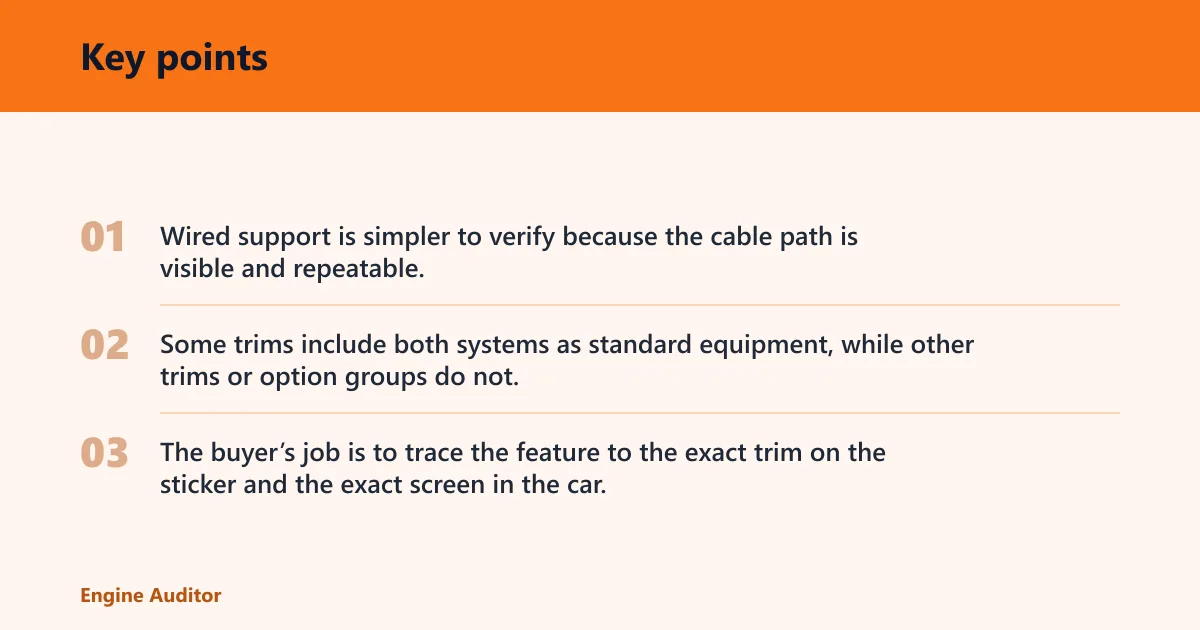
Wired support is simpler to verify because the cable path is visible and repeatable. Wireless support is more convenient, but it depends on the car’s infotainment hardware and radio stack, so you should confirm it on the actual vehicle rather than assume it from the model name.
Standard versus optional fitment by trim
Do not treat model-level support as enough. Some trims include both systems as standard equipment, while other trims or option groups do not. The buyer’s job is to trace the feature to the exact trim on the sticker and the exact screen in the car.
Retrofit and software-update risk
Ford shows why this matters. Ford said wireless CarPlay works over Bluetooth and Wi-Fi in SYNC 4, and Ford previewed SYNC 4 with wireless CarPlay and Android Auto for select 2020 vehicles. Ford also released a SYNC 3 update that adds CarPlay and Android Auto support to 2016 model year vehicles, with Wi-Fi-enabled vehicles able to receive the update automatically and dealer installation also available. That is good news only if the car you are buying matches the update path and has the right infotainment version.
BMW is the cautionary case. BMW was temporarily shipping new cars without Apple CarPlay and Android Auto functionality after a chip supplier change, and the cited coverage said updated software was needed to run both systems. That is why a used-car buyer should ask whether any feature loss was temporary, repaired, or never present on that specific car.
Frequently asked questions
Which cars come with both Android Auto and Apple CarPlay?
Among the named examples here, the 2017 Honda Ridgeline, 2017 Kia Forte5, 2017 Lincoln Continental, and 2017 Mitsubishi Mirage were all covered as new vehicles with factory support. Ford also said CarPlay was available across its entire 2017 lineup equipped with SYNC 3, but the exact trim still matters.
Is wireless Android Auto and CarPlay available or do I need a cable?
Wireless support is available on some cars, but it is not the default across the market. Ford previewed SYNC 4 with wireless CarPlay and Android Auto for select 2020 vehicles, and Ford said wireless CarPlay in SYNC 4 works over Bluetooth and Wi-Fi. Many other systems still need a cable.
Which affordable cars have Android Auto and Apple CarPlay?
The 2017 Kia Forte5 and 2017 Mitsubishi Mirage are the clearest budget-minded names in this article. They matter because they show that factory support is not limited to large or expensive vehicles. Still, you need to verify trim and screen support before buying any used example.
Does every trim of a model include Android Auto and CarPlay?
No. Trim-level traps are common, and support can be standard on one version, optional on another, or missing if the infotainment hardware differs. The safest check is the original window sticker plus the live menu on the screen. Never assume the whole model line behaves the same way.
Can I add Android Auto and Apple CarPlay to an older car?
Sometimes, but the path depends on the infotainment system. Ford released a SYNC 3 update that adds CarPlay and Android Auto support to 2016 model year vehicles, and Ford said Wi-Fi-enabled vehicles could receive the update automatically or through dealer installation. Other cars may need a hardware swap or may not be worth retrofitting.
Which cars support both systems through the factory infotainment setup?
Factory support is the goal because it reduces compatibility risk. The Ford SYNC 3 and SYNC 4 examples show how factory systems can add or carry support, while the Honda Ridgeline, Kia Forte5, Lincoln Continental, and Mitsubishi Mirage examples show model-level coverage. Always verify the exact car, not just the brand.
Why do BMW and Ford system differences matter to buyers?
They show two opposite risks. Ford demonstrates that support can depend on the infotainment version and an update path, while BMW shows that a feature can be unavailable or changed by hardware constraints and later software fixes. For buyers, that means the screen, the sticker, and the update history matter as much as the model name.
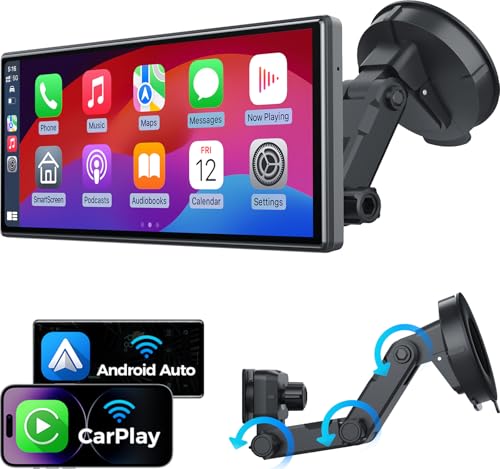
Products related to this article
Sponsored / affiliate links. As an Amazon Associate I earn from qualifying purchases. I may earn additional commission from eligible campaigns.