How to Use Pedal Assist on E Bike for Effortless Riding
Riding an electric bike feels like a new kind of freedom. With every pedal, you get a boost that makes hills flatter, distances shorter, and riding more fun. But to truly enjoy this experience, you need to know how to use pedal assist the right way. Too many new e-bike riders just hop on, press buttons, and hope for the best. The result? Wasted battery, sore legs, or a ride that feels awkward.
Whether you’re commuting, exploring, or just getting active again, learning pedal assist is the key to unlocking your e-bike’s full potential. In this guide, you’ll get a simple, clear, and complete explanation of how pedal assist works, how to use it, and how to avoid common mistakes. Get ready to ride smarter, not just faster.
What Is Pedal Assist?
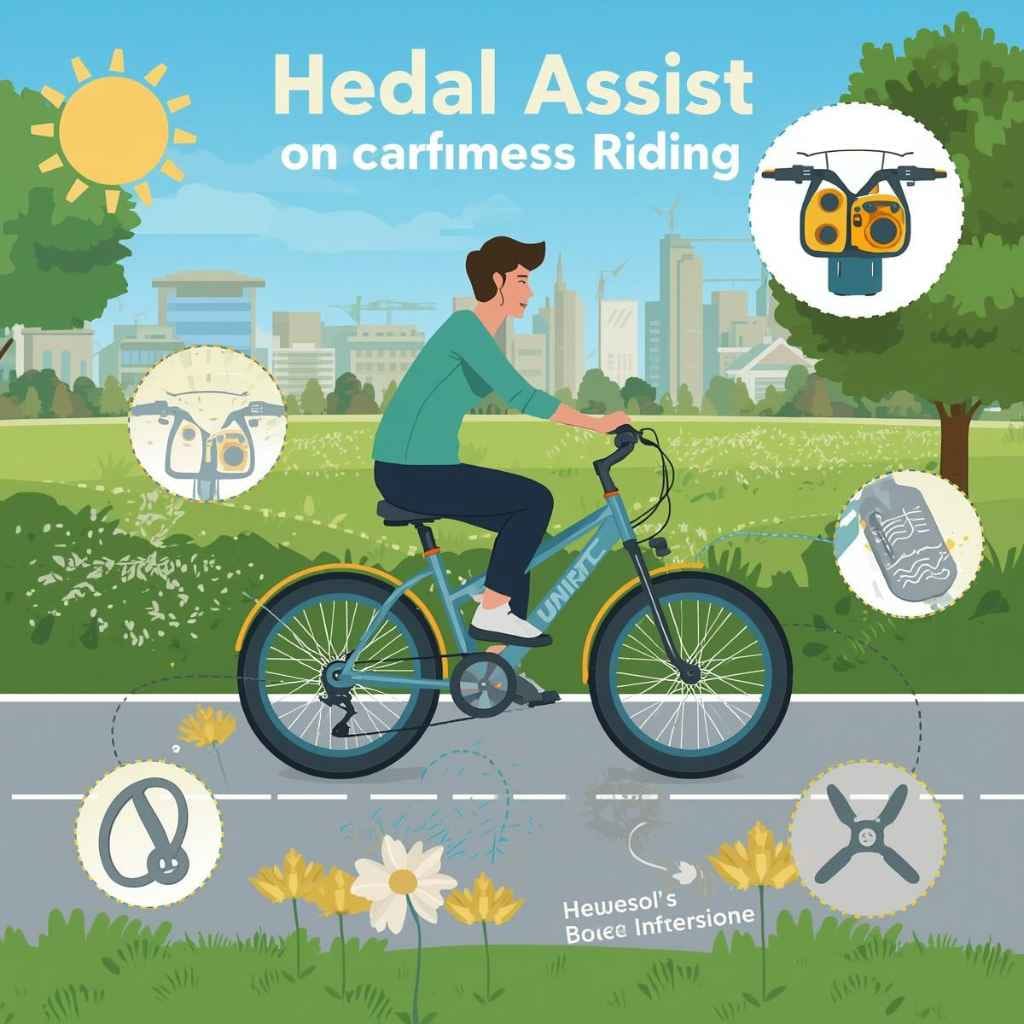
Pedal assist is a system that helps you pedal an electric bike. When you push the pedals, the motor gives you extra power. The harder or faster you pedal, the more help you get (depending on your settings). This is not the same as a throttle, where the motor moves the bike even if you don’t pedal. With pedal assist, you must keep pedaling—the bike and the motor work together.

Jwthee
Pedal Assist Sensor, Bike Pedal Assist Kit…
- Compatible: Compact electric pedal assist kit is designed for bicycle bottom brackets. Pedal assist electric bike kit, includes a…
- Easy Installation: Electric power pedal assist sensor is simply snap the sensor inner ring onto the bottom bracket and secure the…
- Precision Engineering: Pedal assist kit for bike is equipped with 12 powerful magnets and a high-precision Hall sensor, this compa…
As an Amazon Associate I earn from qualifying purchases.
Most e-bikes have several pedal assist levels. These are usually controlled by buttons on the handlebar. Each level gives a different amount of power. For example, Level 1 may add just a little help, while Level 5 might make you feel like you’re flying up a hill.
How It Works
There are two common types of pedal assist sensors:
- Cadence sensor: Detects if you’re pedaling. The motor gives a set amount of help as long as you move the pedals.
- Torque sensor: Measures how hard you push the pedals. The motor responds with more power when you pedal harder.
E-bikes with torque sensors often feel more natural and smooth. Cadence sensors are simple and common on entry-level bikes.
Why Use Pedal Assist?
- Less effort for hills and long rides
- Better control over your speed and energy
- Longer battery life if you choose the right level
- Keeps you active because you still have to pedal
Many riders find pedal assist makes cycling more enjoyable. It’s popular with commuters, older riders, and anyone who wants to go farther with less strain.
Getting Started: Setting Up Pedal Assist
Before you start riding, you need to know how to set up and understand your e-bike’s pedal assist system. This step is easy but important.
Find The Controls
Most e-bikes have a display panel on the handlebar. Here you can see your speed, battery level, and pedal assist level. Buttons near the display let you change the assist level up or down.
Look for:
- + / – buttons: These usually raise or lower the assist level.
- Mode switch: Some bikes use a single button to cycle through levels.
- Display indicators: Shows which level is active.
Check your bike’s manual if you’re not sure. Each brand may look a little different.
Turn On The System
- Press the power button on the display or battery.
- Wait for the screen to light up.
- The default assist level is usually Level 1 (lowest).
Always start at a low level. High assist can make the bike jump forward if you’re not ready.
Adjust The Levels
Use the + or – buttons to pick your pedal assist level. Start with Level 1 or 2 until you get used to the feeling.
Pro Tip: Try changing levels while the bike is stopped. This helps you learn how each one feels without surprises.
Understanding Pedal Assist Levels
E-bikes usually have between 3 and 9 pedal assist levels. Each level controls how much motor power helps your pedaling.
Here’s a typical breakdown:
| Assist Level | Motor Power (%) | Best For |
|---|---|---|
| Level 0 | 0% | Manual pedaling (no assist) |
| Level 1 | 20-30% | Flat roads, warm-up, max range |
| Level 2 | 40-50% | Gentle hills, casual rides |
| Level 3 | 60-70% | Mixed terrain, steady commuting |
| Level 4 | 80-90% | Steep hills, carrying loads |
| Level 5 | 100% | Maximum power, tough hills |
Note: Not all e-bikes use the same power percentages or number of levels. But the idea is similar: low levels = less help, high levels = more help.
How To Choose The Right Level
- Start low for city riding, flat roads, or if you want more exercise.
- Go higher on hills, with headwinds, or when you need a break.
- Use the lowest level that feels comfortable—this saves battery.
Non-obvious insight: Many beginners use high assist all the time and run out of battery too soon. Try to match the level to your needs, not your maximum speed.
How To Use Pedal Assist While Riding
Now that you know what pedal assist is, let’s focus on how to use it on the road or trail. It’s not just about pushing a button—timing, awareness, and technique matter.
Starting Off
When you start riding, use a low assist level. This gives you smooth acceleration and good control.
- Get on the bike and check your surroundings.
- Set pedal assist to Level 1 or 2.
- Start pedaling. The motor will gently help you move.
- As you pick up speed or face a hill, increase the assist if needed.
Common mistake: Jumping to the highest level at a stop. This can make the bike lurch or surprise you, especially in traffic.
Changing Pedal Assist Levels On The Go
You can change the assist level while riding. This is useful for adjusting to hills, wind, or tired legs.
- Use + to increase assist as you approach a hill.
- Use – to decrease on flat or downhill sections.
- Shift down to lower assist before you stop at lights. This gives you smoother restarts.
Pedaling Technique
Even with pedal assist, how you pedal matters.
- Smooth, steady pedaling keeps the motor working efficiently.
- Try to use a comfortable cadence (pedal speed). Most systems work best around 60–80 revolutions per minute.
- Don’t “mash” the pedals—pressing hard in a low gear. This can waste battery and wear out parts.
- Use your bike’s gears together with pedal assist for the best ride.
Pro Tip: If your bike has a torque sensor, pedal harder for more boost, lighter for less. With a cadence sensor, just keep spinning the pedals to keep the motor engaged.
Using Gears And Pedal Assist Together
Many new e-bike riders forget that gears still matter. Pedal assist is not a replacement for shifting.
- Shift to a lower gear (easier) for hills, then increase pedal assist if you need more help.
- Use higher gears (harder) on flat roads at higher speeds.
- Combining the right gear and pedal assist level saves battery and makes your ride smoother.
Non-obvious insight: Using a high gear with high pedal assist can drain your battery fast and overwork the motor. Shift down and let pedal assist do the work, especially on climbs.
Stopping And Starting Again
When you stop, like at a traffic light, remember:
- Lower your assist level before you stop.
- Start pedaling gently—don’t stomp on the pedals.
- Once you’re moving, adjust assist as needed.
This keeps you in control and avoids jerky starts.
When To Use Each Pedal Assist Level
Understanding when to use each level will make your rides more enjoyable and efficient.
- Level 0 (no assist): For exercise, saving battery, or legal zones where motor use is not allowed.
- Level 1–2: Flat terrain, long distances, or when you want to get more fitness.
- Level 3: Rolling hills, steady commuting, or mixed terrain.
- Level 4: Steep hills, carrying cargo, or when you’re tired.
- Level 5: Very steep climbs, heavy loads, or when you need a burst of speed.
Example: On a 10-mile commute, you might use Level 1 for most of the ride, Level 3 on gentle hills, and Level 5 for the steepest sections.
Saving Battery With Pedal Assist
One of the biggest benefits of pedal assist is battery efficiency. But using the highest level all the time will drain your battery quickly.
Tips For Longer Rides
- Use lower assist levels whenever possible.
- Shift gears to reduce the motor’s load.
- Coast on downhills or with a tailwind—turn assist off if you don’t need it.
- Avoid stop-and-go riding, which uses more power.
How Much Range Can You Get?
Your range depends on your bike, battery size, and how you use pedal assist. Here’s a general comparison:
| Assist Level | Estimated Range (miles) | Battery Consumption |
|---|---|---|
| Level 1 | 50–70 | Low |
| Level 3 | 30–50 | Medium |
| Level 5 | 15–30 | High |
These numbers are just examples. Your actual range depends on your weight, terrain, wind, and how much you pedal.
Common mistake: Expecting the maximum range using Level 5 all the time. Manufacturers’ “max range” numbers are usually based on the lowest assist level.
Pedal Assist Vs. Throttle: Key Differences
Some e-bikes have both pedal assist and a throttle. It’s important to know the difference.
- Pedal assist: Motor helps only when you pedal. Feels more like traditional cycling.
- Throttle: Motor works when you twist or push a lever. You don’t have to pedal.
Which Should You Use?
- Use pedal assist for exercise, longer battery life, and a more natural ride.
- Use throttle for quick starts, rest breaks, or when you need a boost without pedaling.
Pro Tip: Some countries and cities have rules about using throttles. Always check local laws before using one.
Safety Tips For Using Pedal Assist
E-bikes are faster and heavier than regular bikes. Using pedal assist safely is essential.
Ride At Your Skill Level
- Start slow. Use lower assist levels until you’re comfortable.
- Practice in a safe, open area before riding in traffic.
Watch Your Speed
- Pedal assist can make you go faster than you expect. Always check your speed, especially in busy areas.
- Slow down before turns or crowded paths.
Be Careful At Stops
- Lower assist before stopping.
- Keep both hands on the handlebars when starting again.
Wear Safety Gear
- Always wear a helmet.
- Use bright clothing and lights to be seen.
Watch For Pedestrians And Other Cyclists
- E-bikes are quiet. People may not hear you coming.
- Ring your bell or call out when passing.
Non-obvious insight: Many falls happen when riders forget how much extra weight and speed an e-bike adds. Give yourself more time to stop.
Common Mistakes To Avoid
Even experienced cyclists make mistakes with pedal assist. Here are some to watch out for:
- Using high assist all the time: Drains your battery and gives less exercise.
- Not shifting gears: Makes the motor work harder and can wear out parts.
- Forgetting to lower assist when stopping: Can cause jerky or unsafe starts.
- Ignoring local laws: Some areas limit where and how you can use pedal assist.
- Not watching battery level: Running out of power far from home can be a big problem.
- Overloading the bike: Too much weight makes pedal assist less effective and can damage the motor.
Pro Tip: Practice changing assist levels and gears together to find what feels best for you.
Advanced Tips: Getting The Most From Pedal Assist
Once you’re comfortable, these tips help you ride smarter and farther.
Customize Your Ride
- Some e-bikes let you adjust how much power each level gives. Check your manual or app.
- Upgrade to a bigger battery for longer rides if your model allows.
Maintain Your Bike
- Keep your chain clean and lubricated. A dirty chain wastes motor power.
- Check your tire pressure. Low tires make the motor work harder.
- Have your e-bike serviced regularly, especially the motor and battery.
Plan Your Route
- Choose routes with fewer stops for better battery life.
- Avoid very rough terrain unless your bike is made for it.
Use Regenerative Braking (if Available)
- Some e-bikes recharge the battery when you brake or go downhill. Use this feature if your bike has it.
Non-obvious insight: Even small things, like the weight of your bag or how often you stop, can affect how pedal assist works for you.
Real-world Example: A Day With Pedal Assist
Let’s walk through a typical ride to see pedal assist in action.
Anna uses her e-bike to commute 8 miles to work. The route has:
- 2 miles of city streets
- 4 miles of rolling hills
- 2 miles of flat bike path
Here’s how she uses pedal assist:
- Starts on Level 1 in the city for control and battery saving.
- Switches to Level 3 for the hills, shifting gears as needed.
- Drops to Level 2 on the flat bike path.
- Lowers to Level 1 before stopping at lights or intersections.
At the end of the week, Anna checks her battery app and sees she’s using about 40% of her battery each day. By matching pedal assist to the terrain, she gets more range and a more enjoyable ride.
Troubleshooting Pedal Assist Problems
Sometimes, pedal assist may not work as expected. Here’s what to check:
- No power when pedaling: Make sure the battery is charged and turned on.
- Motor cuts out: Check if the sensor or magnet near the crank is dirty or misaligned.
- Power is jerky: Look for loose connections or damaged wires.
- Display shows errors: Consult your manual or app for error codes.
If you can’t fix it, visit a certified e-bike shop.
Pro Tip: Carry a basic tool kit and know how to remove the battery in case you need to pedal home with no assist.

Frequently Asked Questions
How Do I Know Which Pedal Assist Level To Use?
Start with a low level and increase only as needed. Use higher levels for hills or when you feel tired. With experience, you’ll learn which levels work best for your route and riding style.
Can I Ride My E-bike Without Pedal Assist?
Yes, you can. Set the assist to Level 0 or turn off the motor. The bike will work like a regular bicycle, but it will be heavier because of the motor and battery.
Does Using Pedal Assist Wear Out The Battery Faster?
Using higher pedal assist levels uses more battery. For longer battery life, use lower levels and shift gears to help the motor. Proper charging and storage also keep your battery healthy.
What’s The Difference Between Cadence And Torque Sensors?
A cadence sensor turns on the motor when you pedal, no matter how hard. A torque sensor gives more power when you push harder. Torque sensors feel smoother and more natural, especially for hills.
Where Can I Learn More About E-bike Laws And Safety?
Check your local government’s transportation website or visit the Wikipedia page on e-bike laws for up-to-date rules in your area.
Pedal assist opens up a world of riding possibilities. With the right knowledge and some practice, you can ride farther, faster, and with less effort. Remember to match your assist level to your needs, use gears wisely, and ride safely.
Your e-bike is more than just a machine—it’s your ticket to easier, more enjoyable cycling adventures. See also how much does pedal commander cost full pricing breakdown.
Related pick: Check today's price on Amazon
Products related to this article
Sponsored / affiliate links. As an Amazon Associate I earn from qualifying purchases. I may earn additional commission from eligible campaigns.