Honda Civic Won’t Start and Lights Are Flickering? Read This
Honda Civic won’t start and lights are flickering is a clear sign of an electrical problem that typically points to battery, alternator, or connection issues. This guide walks you through the most likely causes and step-by-step fixes so you can get back on the road quickly.
Simply put, Honda Civic won’t start and lights are flickering is almost always caused by a failing battery, a faulty alternator, loose or corroded battery terminals, or a parasitic electrical drain. The flickering lights indicate low or inconsistent voltage reaching the electrical system.
Key Takeaways
- Honda Civic won’t start and lights are flickering is often due to a weak battery, not a starter issue.
- Flickering dashboard lights suggest voltage irregularities, which can be caused by bad alternator diodes or loose connections.
- Corroded battery terminals are a common and easy fix for this symptom.
- A professional diagnostic test is recommended if basic troubleshooting doesn’t resolve the problem.
- Ignoring flickering lights and a no-start condition can lead to more expensive repairs, like a dead alternator or damaged ECU.
Common Causes for a Honda Civic Not Starting with Flickering Lights
When your Civic refuses to crank but the lights dim and flicker, the root cause is almost always in the electrical system. The three main culprits are a dead or dying battery, a failing alternator, or poor connections at the battery terminals.
Understanding which component is failing saves you time and money. Let’s break down each cause with specific symptoms.
- Dead or weak battery – The battery cannot provide enough cranking amps. Interior and headlights may flicker as the voltage drops below 12 volts.
- Faulty alternator – A bad alternator can’t recharge the battery, causing a gradual drain. Flickering lights often get worse when you rev the engine (if it starts).
- Loose or corroded battery terminals – Poor electrical contact causes intermittent power flow that flickers lights and prevents the starter from engaging.
- Parasitic draw – Something (like a dome light, trunk light, or aftermarket accessory) drains the battery overnight, leaving it too weak to start.
- Bad ground connection – A loose engine-to-chassis ground wire can cause voltage fluctuations and mimic battery failure.
According to AAA, nearly 40% of all roadside service calls involve a dead battery. For Honda Civics, battery-related issues are the top reason for no-start complaints.
Warning: Do not repeatedly try to start the engine if you see strong flickering lights. This can damage the starter motor or fry sensitive electronics in your Civic’s ECU.
How to Diagnose a Weak or Dead Battery
The battery is the most common cause when a Honda Civic won’t start and lights are flickering. A multimeter is your best tool, but you can also do a visual inspection.
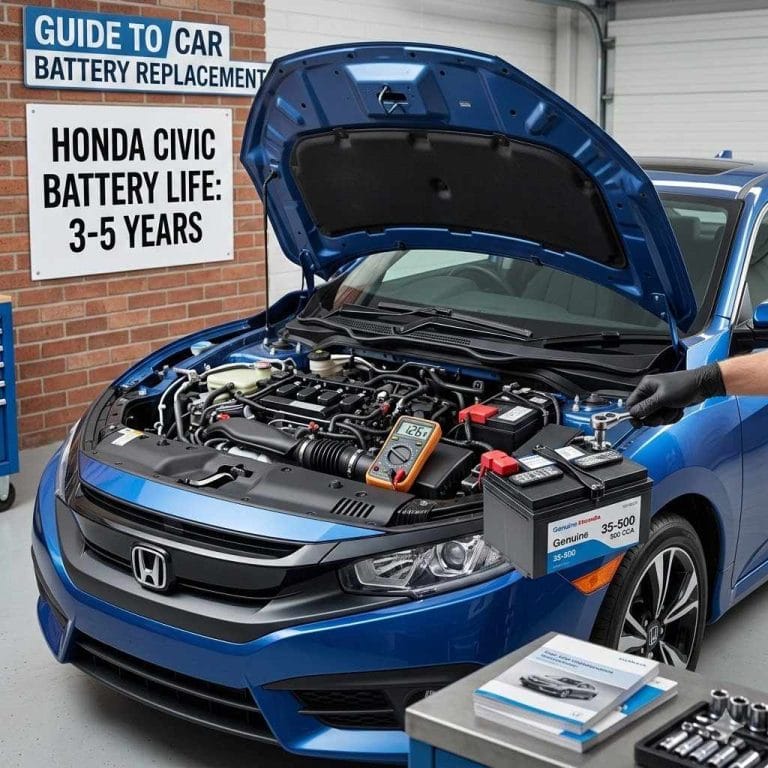
Start by checking the battery age. Most auto batteries last 3–5 years. If yours is older than that, replace it even if it tests okay.
- Set your multimeter to DC volts (20V range).
- Touch the red probe to the positive terminal and black to the negative.
- A healthy battery reads 12.6 volts or higher when the engine is off.
- If the reading is below 12.4 volts, the battery is partially discharged.
- Below 12.0 volts means deeply discharged and unlikely to start the car.
- While trying to start, voltage should not drop below 9.6 volts. If it does, the battery has failed.
| Battery Voltage (Engine Off) | Condition |
|---|---|
| 12.6 V or higher | Fully charged |
| 12.4 – 12.5 V | 75% charged (may start) |
| 12.0 – 12.3 V | 50% or less – likely won’t start |
| Below 12.0 V | Deeply discharged – needs recharge or replacement |
If the voltage is low but not extremely so, jump starting may work temporarily. However, if the battery is more than 4 years old or fails a load test, replacement is the best solution.
Tip: Many auto parts stores (AutoZone, O’Reilly, Advance Auto Parts) offer free battery testing. They can also load test the battery to confirm its condition.
How to Test the Alternator
A failing alternator can cause Honda Civic won’t start and lights are flickering because it fails to keep the battery charged. If the car does start but the lights flicker or dim when you press the gas, the alternator is suspect.
Test the alternator with your multimeter while the engine is running (if you can jump-start it). The charging voltage should be between 13.8 and 14.5 volts.
- Start the engine using a jump pack or another car.
- Measure voltage at the battery terminals with the engine idling.
- If voltage is below 13.5 volts, the alternator isn’t charging enough.
- If voltage is above 14.8 volts, the voltage regulator may be failing (overcharging).
- Turn on all electrical loads (headlights, AC, radio). Voltage should drop slightly but stay above 13.0 volts.
| Alternator Test Result (Engine Running) | Diagnosis |
|---|---|
| 13.8 – 14.5 V | Good alternator |
| 12.5 – 13.5 V | Weak alternator – replacing soon recommended |
| Below 12.5 V | Faulty alternator – no charging |
| Above 14.8 V | Bad voltage regulator – overcharging |
If the alternator is bad, replacing it yourself on a Honda Civic is doable with basic tools. The part typically costs $150–$300, and labor at a shop runs $100–$200.
Important: A failing alternator can quickly drain a new battery. If you replace the battery but still have flickering lights, the alternator is likely the root cause.
What to Do About Corroded or Loose Battery Terminals
Loose or corroded battery terminals are a simple fix that often solves Honda Civic won’t start and lights are flickering. Corrosion appears as white, blue, or green powdery residue around the posts.
Even a tiny gap can cause intermittent electrical contact. Flickering lights happen because the voltage jumps and drops as the connection shifts.
- Turn off the car and remove the key.
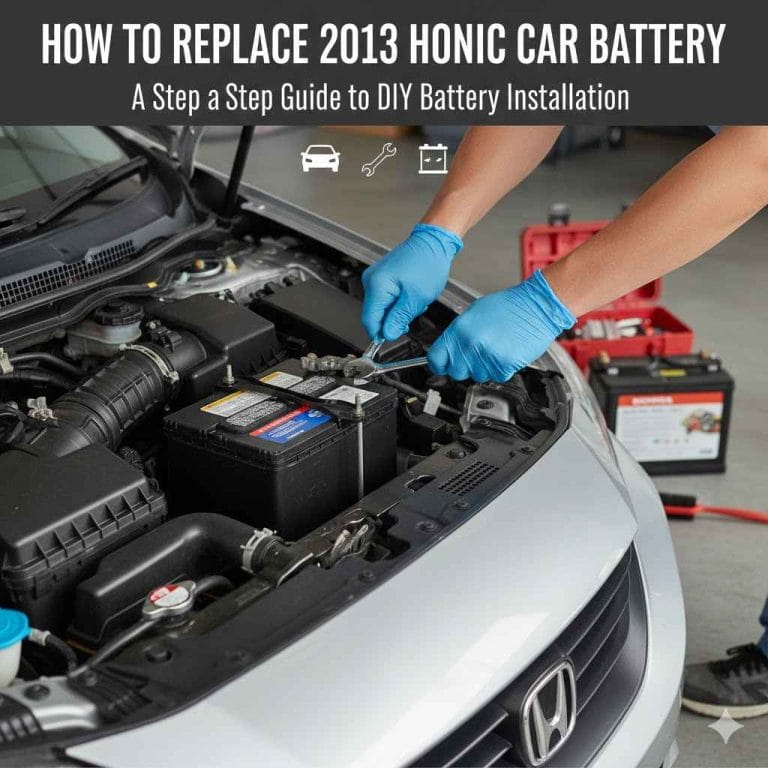
- Using a 10mm wrench, loosen the nut on the negative terminal first, then the positive.
- Clean the posts and cable ends with a wire brush or battery terminal cleaner.
- Mix a tablespoon of baking soda with water, apply to corrosion, and scrub with an old toothbrush.
- Rinse with water and dry completely.
- Reconnect the positive terminal first, then negative. Tighten firmly – but don’t overtighten.
- Apply a thin layer of dielectric grease to prevent future corrosion.
Warning: Always disconnect the negative terminal first when removing cables and reconnect it last. This prevents accidental short circuits.
According to a study by Bosch, loose or corroded battery connections account for around 15% of all no-start conditions. Checking and cleaning them takes less than 10 minutes and can save you a tow.
Can a Bad Starter Cause Flickering Lights?
A bad starter motor usually makes a clicking sound when you turn the key, not flickering lights. However, a failing starter can pull excessive current, which may cause voltage drops that make dash lights flicker.
If you hear a single loud click or rapid clicking when trying to start, and your Honda Civic won’t start and lights are flickering, the starter solenoid might be drawing too much power.
- Rapid clicking – Usually indicates low battery voltage, not a bad starter.
- One loud click – Starter solenoid is engaging but the motor isn’t turning. Possibly a seized starter.
- No click but lights dim – High resistance from a bad starter can cause a voltage drop that makes lights go dim.
- Lights stay bright but no crank – Starter is likely the issue, but the battery and connections are good.
Tip: To rule out the starter, try tapping the starter body with a hammer while someone turns the key. If the engine starts, the starter is stuck. Replace it soon.
Note that a bad starter itself won’t cause flickering lights while driving or when the car is off. That symptom points back to the battery or alternator.
Other Electrical Issues That Drain Your Battery
Sometimes the battery is fine, the alternator is fine, but something is draining the battery overnight. This is called a parasitic draw, and it can cause Honda Civic won’t start and lights are flickering in the morning after the battery has been drained.
Common parasitic draws in Hondas include interior lights that stay on, trunk light stuck on, aftermarket stereo that doesn’t sleep, or a stuck relay for the power windows.
- Remove the negative battery cable.
- Set your multimeter to amps (10A range).
- Connect one lead to the negative battery post and the other to the negative cable end.
- Wait 10–15 minutes for all modules to go to sleep. The reading should be below 50 milliamps (0.05A).
- If higher, start pulling fuses one at a time until the draw drops. That fuse circuit is the culprit.
| Parasitic Draw Level | What It Means |
|---|---|
| Below 0.05A (50mA) | Normal – no parasitic draw |
| 0.05 – 0.10A | Slightly elevated – may drain battery in 3+ days |
| 0.10 – 0.50A | High draw – will kill battery overnight |
| Above 0.50A | Severe draw – needs immediate repair |
Honda Civic models from 2016–2021 have had known issues with the audio system not going to sleep, causing excessive parasitic drains. If your Civic is in that range, check the radio fuse first.
When to Call a Professional
If you’ve tested the battery, terminals, alternator, and parasitic draw but still have Honda Civic won’t start and lights are flickering, it’s time to bring in a mechanic. Complex electrical faults like a failing engine control unit (ECU), bad ground straps, or wiring harness damage require advanced diagnostics.
A professional technician will use a scan tool to check for trouble codes related to the charging system or immobilizer. They can also perform a voltage drop test across all major circuits.
- If you don’t own a multimeter or are uncomfortable testing electrical systems.
- If the car is still under warranty – a dealer may cover diagnostics and repairs.
- If you’ve already replaced the battery and alternator but the problem persists.
- If you see smoke, smell burning plastic, or notice any unusual odor near the battery.
Important: Some Honda Civics have a known issue with the PCM (powertrain control module) not shutting down, causing a parasitic draw. This diagnosis requires a dealer-level scan tool.
Most independent shops charge $100–$150 for electrical diagnosis. If the issue is the alternator or battery, you can save money by fixing it yourself. For complex wiring problems, the investment in a pro is worth it.
Frequently Asked Questions
Why does my Honda Civic click but not start with flickering lights?
Rapid clicking combined with flickering dashboard lights almost always means a weak battery. The battery has enough power to engage the starter solenoid but not enough to turn the engine over. Start with a jump start or battery replacement.
Can a bad alternator cause flickering lights and no start on a Honda Civic?
Yes. If the alternator is not charging, the battery will be drained overnight. The next morning, you may see flickering lights and a no-start condition.
Even if the car does start briefly, the lights will flicker more noticeably when you rev the engine.
How do I know if my battery terminals are causing the problem?
Inspect the terminals for white or green corrosion. Also try wiggling the cables while the headlights are on. If the lights flicker when you move the cables, you have a loose or corroded connection.
Clean and tighten them immediately.
What is the most common cause of no start and flickering lights on a Honda Civic?
A dead or weak battery is the number one cause. AAA reports that battery failures account for 35% of all no-start calls for Japanese vehicles. Loose terminals are the second most common cause.
Can a Honda Civic’s immobilizer cause flickering lights and no start?
Yes, but it’s rare. A failing immobilizer system can prevent the engine from starting and may cause the security light to flash rapidly. However, flickering dash lights are more likely related to voltage issues.
Try your spare key first to rule out a transponder problem.
Final Thoughts
Diagnosing a Honda Civic won’t start and lights are flickering issue starts with a simple battery check. Most of the time, cleaning terminals or replacing an old battery solves the problem. If not, test the alternator and look for parasitic draws.
With a multimeter and a bit of patience, you can save hundreds in shop fees. Always prioritize safety and don’t ignore flickering lights – they’re your car’s way of telling you an electrical problem is brewing.