
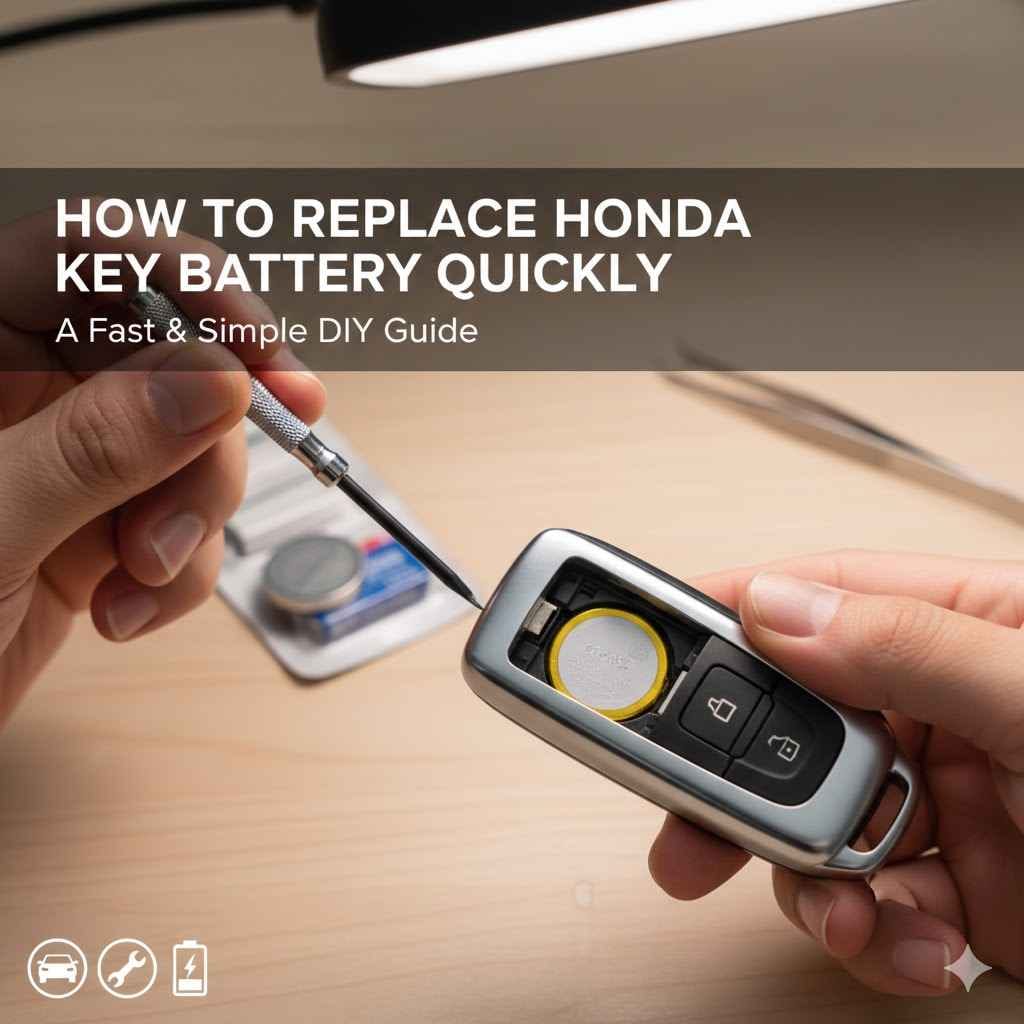
Your Honda Civic key fob is super handy, but like anything, the battery can die. When it does, you might feel a bit stuck, especially if you’re not used to car stuff. It’s not a big deal, though!
Many people find this a little tricky the first time they do it. But don’t worry, we’re going to show you exactly How to Replace Honda Civic Key Battery Quickly. It’s easier than you think, and we’ll break it down step by step so you can get your key fob working again in no time.
How to Replace Honda Civic Key Battery Quickly Easy Steps
This section is your go-to guide for a quick and easy key fob battery change. We’ll cover everything from identifying the right battery to safely opening your key fob and putting it all back together. If you’ve ever wondered if you can handle this yourself, the answer is a resounding yes!
We want to make this process so clear that anyone can do it without a second thought. You’ll be back to locking and unlocking your car with ease before you know it.
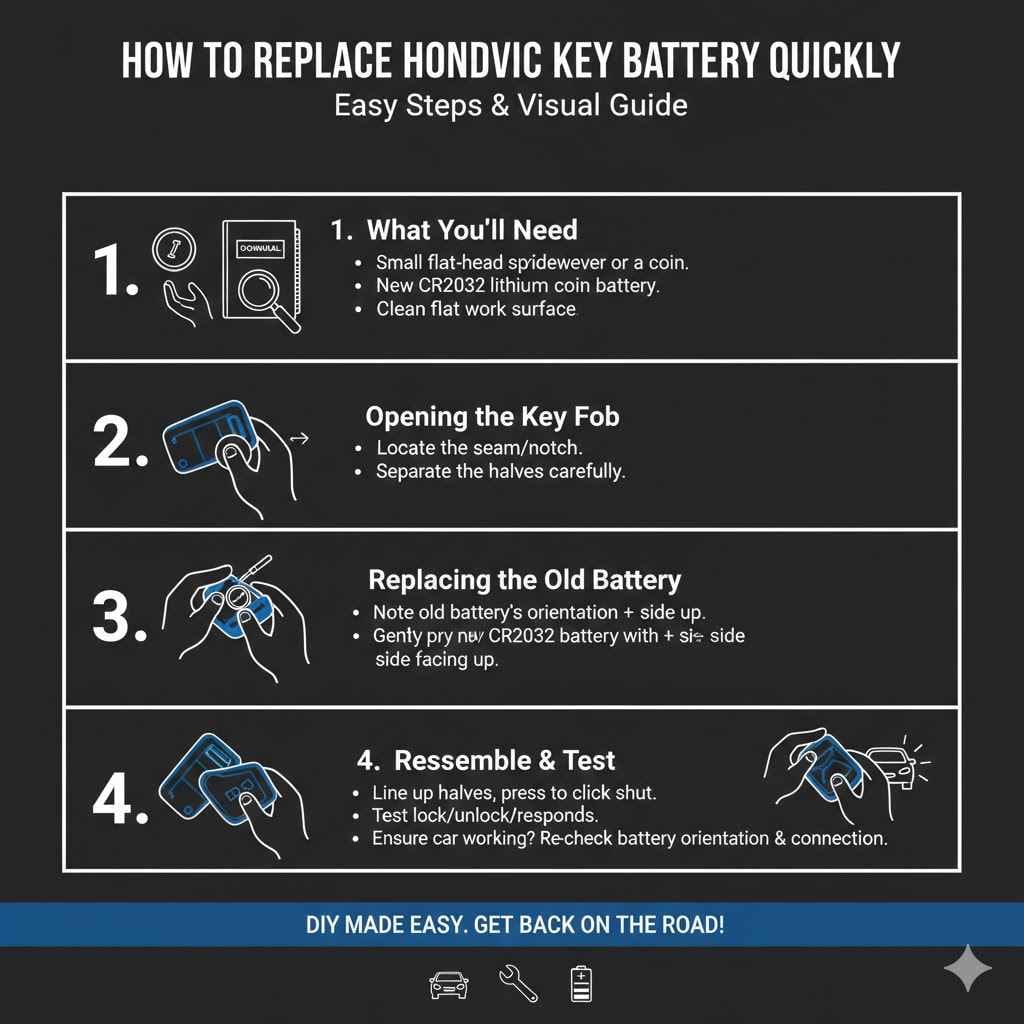
What You’ll Need for the Job
Before you start, gather what you need. This makes the whole process smooth. You won’t want to stop halfway to look for a tool.
A small flat-head screwdriver or a coin. This is for gently prying open the key fob. It needs to be small enough to fit into the seam without damaging the plastic. A butter knife can work in a pinch, but be very careful not to slip and cut yourself or scratch the fob.
The correct replacement battery. Most Honda Civic key fobs use a CR2032 lithium coin battery. These are very common and available at most drug stores, supermarkets, and electronics stores. It’s always a good idea to double-check your owner’s manual or the old battery to confirm the exact type before you buy.
A clean, flat surface to work on. This prevents small parts from rolling away or getting lost. A well-lit area will also help you see what you’re doing clearly.
Locating the Battery Compartment
Honda designs its key fobs to be user-friendly. The battery compartment is usually hidden but easy to find once you know where to look. It’s designed to blend in with the overall shape of the fob.
Inspect the back of your key fob. You’ll often see a small seam running around the edge where the two halves of the fob meet. Some fobs also have a small notch or groove specifically for prying.
Look for a small release or a slot. This is where your tool will come in. If there’s a physical switch, it’s usually a tiny slider. If it’s a slot, it’s meant for a flat-head screwdriver or a coin.
Consider the shape of your specific fob. Different model years might have slight variations. For example, some older models might have a screw, but most modern Honda Civics use a snap-together design. Always check the natural break lines on the plastic.
Opening the Key Fob
This is where you actually get to the battery. It might seem like you’re going to break it, but with a little care, it’s perfectly safe.
Insert your tool (screwdriver or coin) into the seam or notch. Apply gentle, steady pressure. You want to twist slightly or lever upwards to create a small gap.
Work your way around the seam. Once you have a small opening, carefully move your tool along the edge. This will help release the clips holding the two halves together. Don’t force it. If it feels stuck, try a different spot or apply pressure more evenly.
Separate the halves. Once the clips have released, the two halves of the key fob should come apart easily. Be careful not to let the internal components, like the circuit board or any buttons, fall out.
Replacing the Old Battery
With the fob open, you’ll see the old battery. It usually sits in a small holder. Removing it is usually straightforward.
The CR2032 battery is a flat, round silver battery. It’s typically held in place by a small metal clip or sits snugly in a molded plastic compartment. You might be able to gently lift it out with your fingernail or your small screwdriver.
If it’s stuck, carefully pry it up from one edge. Make sure you note which way the battery is facing (+ side up or down) before you remove it. This is critical for the new battery.
Installing the New Battery
This is where you bring your key fob back to life. Pay attention to the orientation.
Place the new CR2032 battery into the holder. Ensure it’s oriented correctly, matching the + and – sides to how the old battery was. Usually, the side with the writing (the plus sign) faces upwards. If you put it in backwards, the fob won’t work.
Gently press the battery into place. It should sit securely without wobbling. If it feels loose, double-check the compartment and the battery size.
Double-check the battery orientation. It’s worth saying again. Getting this wrong is the most common mistake people make. The positive (+) side should typically be facing up.
Reassembling the Key Fob
Putting it back together is the reverse of opening it. This should be simple.
Line up the two halves of the key fob. Make sure the buttons and any internal circuit board are correctly seated. Gently press the halves together.
You should hear and feel small clicks as the clips snap back into place. Work your way around the edge, ensuring a snug fit all the way around. Don’t force anything.
If the halves don’t want to close, there might be something misaligned inside.
Testing Your Key Fob
The moment of truth! Test your key fob to make sure it works.
Press the lock and unlock buttons. Check if the car’s lights flash or if the doors lock and unlock.
Try starting your car. If your key fob has a transponder chip, it needs to be close to the ignition. The new battery should allow it to communicate with the car.
If it doesn’t work, re-open the fob and check the battery installation. The most common issue is a backward battery or a loose connection.
How To Replace Honda Civic Key Battery
This section focuses on making sure you can achieve How to
Common Pitfalls and How to Avoid Them
Even with a simple task, mistakes can happen. Knowing them beforehand helps you avoid them.
Using the wrong battery type. Always verify CR2032. Other coin batteries look similar but have different voltages or sizes, which won’t work and could even damage the fob.
Forcing the fob open. This can break the plastic clips, leading to a loose or non-functional key fob. Be patient and gentle.
Losing small parts. The tiny screws (if applicable), buttons, or the circuit board can easily get misplaced. Work over a tray or a cloth.
Installing the battery backward. This is very common. Double-check the polarity before snapping the fob shut.
Tips for a Speedy Battery Replacement
Speed comes from preparation and knowing the steps. Here are some tips.
- Have all your tools and the new battery ready before you start. This eliminates downtime.
- Watch a quick video demonstration. Seeing someone else do it can make the process much clearer. Search for your specific Honda Civic model year if possible.
- Keep the old battery handy until the new one is successfully installed and tested. This way, you can re-confirm the type if needed.
- Once you’ve opened it, take a quick photo with your phone. This serves as a visual reminder of how the components are arranged inside.
When to Consider Professional Help
While this is a DIY task, there are times when it’s best to ask for help.
If your key fob has been damaged, such as if it was dropped in water or has cracked casing, a simple battery change might not be enough. Also, if you try to replace the battery and the fob still doesn’t work, there might be a deeper electronic issue. In these cases, it’s wise to visit a car dealership or a qualified automotive locksmith.
They have specialized tools and knowledge to diagnose and fix more complex problems.
Battery Life Expectancy in Honda Civic Key Fobs
How long does a key fob battery last? It varies, but understanding this can help you prepare.
Generally, a CR2032 battery in a Honda Civic key fob can last anywhere from 2 to 5 years. This depends heavily on how often you use the fob (e.g., how many times you press buttons) and the quality of the battery itself. Extreme temperatures can also affect battery life.
Some sources suggest that frequent use of the panic button can drain the battery faster.
| Factor | Impact on Battery Life |
|---|---|
| Frequency of Use | Higher usage leads to shorter life. |
| Battery Quality | Premium brands often last longer. |
| Environmental Conditions | Extreme heat or cold can shorten life. |
| Button Presses | More presses mean more power used. |
Replacing Your Honda Civic Key Fob Battery Step-by-Step
This detailed guide ensures you follow the correct procedure for How to Replace Honda Civic Key Battery Quickly. We will walk through each action, making it as simple as possible to complete the task yourself. This step-by-step approach is designed for clarity and ease of execution.
Step 1 Identify Your Key Fob Type
Honda Civics have had various key fob designs over the years. It’s essential to know yours to find the right opening method and battery type.
- Check your owner’s manual. This is the most reliable source of information for your specific vehicle model and year. It will often detail the type of battery and how to access it.
- Examine the physical key fob. Look for any markings, model numbers, or unique design features that can help you identify it online or by asking a dealership. Most modern fobs are integrated units with a physical key that slides out.
- Note the number of buttons. Fobs with more buttons might have slightly different internal layouts.
Step 2 Gather Your Supplies
Having everything ready makes the process efficient.
- Replacement Battery CR2032. This is the standard for most Honda Civics.
- Small Flat-Head Screwdriver or a Coin. A thin but sturdy tool is best.
- Clean Cloth or Tray. To hold small parts and prevent loss.
Step 3 Locate the Seam or Slot
Most key fobs have a subtle seam that separates the front and back covers.
Run your fingernail along the edges of the fob. You will likely feel a small gap or line. Some fobs have a tiny notch specifically designed for prying.
This is where you’ll insert your tool. If you can’t find a notch, the seam itself will work.
Step 4 Gently Pry the Fob Open
This is a critical step that requires a light touch.
- Insert the tip of your flat-head screwdriver or the edge of your coin into the seam or notch.
- Twist the tool gently or apply slight upward pressure. You should hear or feel the clips begin to release.
- Work your way around the edge of the fob. Continue to apply gentle pressure to pop open the rest of the seams. Don’t pull hard. The two halves should separate smoothly.
Step 5 Remove the Old Battery
Once open, locate the circular coin battery.
The battery usually sits in a small cradle. You may be able to lift it out with your fingernail. If it’s a bit stuck, use the edge of your flat-head screwdriver to carefully pry it up from one side.
Note the orientation of the battery before removing it.
Step 6 Insert the New Battery
Ensure the correct orientation.
Place the new CR2032 battery into the compartment with the positive (+) side facing up (this is the side with the writing). Press it down gently until it sits securely in place. If it doesn’t seem to fit, confirm you have the correct battery type.
Step 7 Reassemble the Key Fob
This should be straightforward.
Align the two halves of the key fob. Make sure any internal components, like the buttons, are in their proper places. Press the two halves together firmly until they snap and click into place all around the edge.
Ensure there are no gaps.
Step 8 Test the Key Fob
Confirm that your work was successful.
Press the lock and unlock buttons on your key fob. You should see the car’s lights flash or hear the locks engage. Try starting your car to ensure the ignition system recognizes the fob.
Troubleshooting Common Key Fob Issues After Battery Change
Even after following the steps for How to Replace Honda Civic Key Battery Quickly, sometimes things don’t work perfectly the first time. This section helps you troubleshoot those common snags and get your fob back to full functionality. It’s about addressing the unexpected and finding solutions.
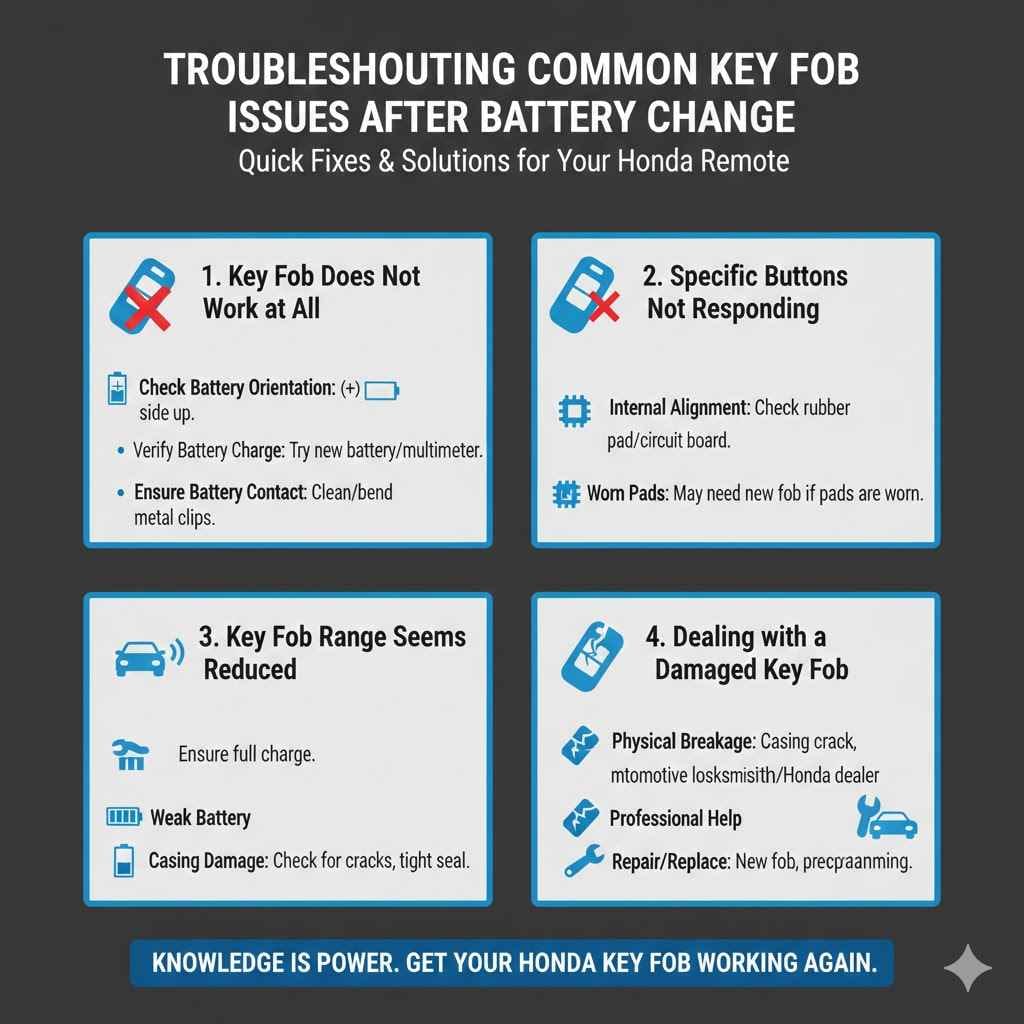
Key Fob Does Not Work at All
This is the most common and frustrating problem. Let’s figure it out.
- Check Battery Orientation: This is the number one reason a fob won’t work. The positive (+) side with the writing should be facing up. Remove the battery and reinsert it, ensuring correct polarity.
- Verify Battery Charge: Even new batteries can be faulty. If possible, try another new CR2032 battery from a different pack or brand. A multimeter can also confirm battery voltage, though this is less common for DIYers.
- Ensure Battery Contact: The battery needs to make good contact with both terminals. Ensure the metal clips are clean and making firm contact with the battery. Gently bend them outward slightly if they seem loose.
Specific Buttons Not Responding
Sometimes only one or two buttons on the fob might fail.
This often points to an issue with the internal contact points or the circuit board itself. When you opened the fob, did any of the rubber button pads or the circuit board shift out of place? Gently ensure these are aligned correctly.
Sometimes, the conductive pads on the rubber buttons can wear out over time. If the battery is fine and everything is aligned, this could indicate a need for a new fob.
Key Fob Range Seems Reduced
You might need to be closer to your car than before.
A weak battery can cause this. While a new battery should fix it, sometimes a slightly less robust connection or a battery that isn’t quite at full charge can lead to reduced range. Also, if the fob casing was damaged during opening or reassembly, it might affect the signal.
Ensure the fob is sealed tightly without any cracks.
Key Fob Works Intermittently
This is a tricky problem that can be hard to diagnose.
- Loose Battery Connection: The battery might not be making consistent contact. Try securing it better, perhaps by gently bending the metal clips slightly to apply more pressure.
- Internal Damage: A drop or impact could have caused a micro-fracture on the circuit board, leading to intermittent signals. This is difficult to fix without specialized knowledge.
- Environmental Factors: While less likely with a new battery, strong radio interference in your area could temporarily affect performance.
Dealing with a Damaged Key Fob
If your fob is physically broken, a battery change won’t help.
If the casing is cracked, a button is missing, or you suspect internal electronic damage, it’s time to consider professional help. An automotive locksmith or a Honda dealership can diagnose the issue. They can often repair or replace the fob, sometimes by reprogramming a new one to your car.
The cost will vary, but it’s usually more affordable than you might think.
Frequently Asked Questions
Question: What battery does a Honda Civic key fob use
Answer: Most Honda Civic key fobs use a CR2032 lithium coin battery. Always confirm with your owner’s manual or by checking the old battery.
Question: How often should I replace my Honda Civic key fob battery
Answer: A Honda Civic key fob battery typically lasts between 2 to 5 years, depending on usage and battery quality. Replace it when you notice reduced range or the buttons don’t respond.
Question: Can I open my Honda Civic key fob without a special tool
Answer: Yes, you can often use a coin or a small, flat-bladed object like a butter knife carefully to pry open the key fob at the seam.
Question: My Honda Civic key fob still doesn’t work after changing the battery
Answer: Double-check the battery’s orientation (positive side up). Ensure the battery is making good contact with the terminals. If it still fails, there might be an issue with the fob’s internal electronics.
Question: Where can I buy a CR2032 battery
Answer: CR2032 batteries are widely available at drugstores, supermarkets, electronics stores, and online retailers.
Summary
Learning How to Replace Honda Civic Key Battery Quickly is a simple skill. You just need the right battery and a few minutes. Follow the steps to open your fob, swap the battery, and snap it back together.
Test your fob to make sure it works. If it doesn’t, check the battery orientation and connections. This DIY fix saves time and hassle.