
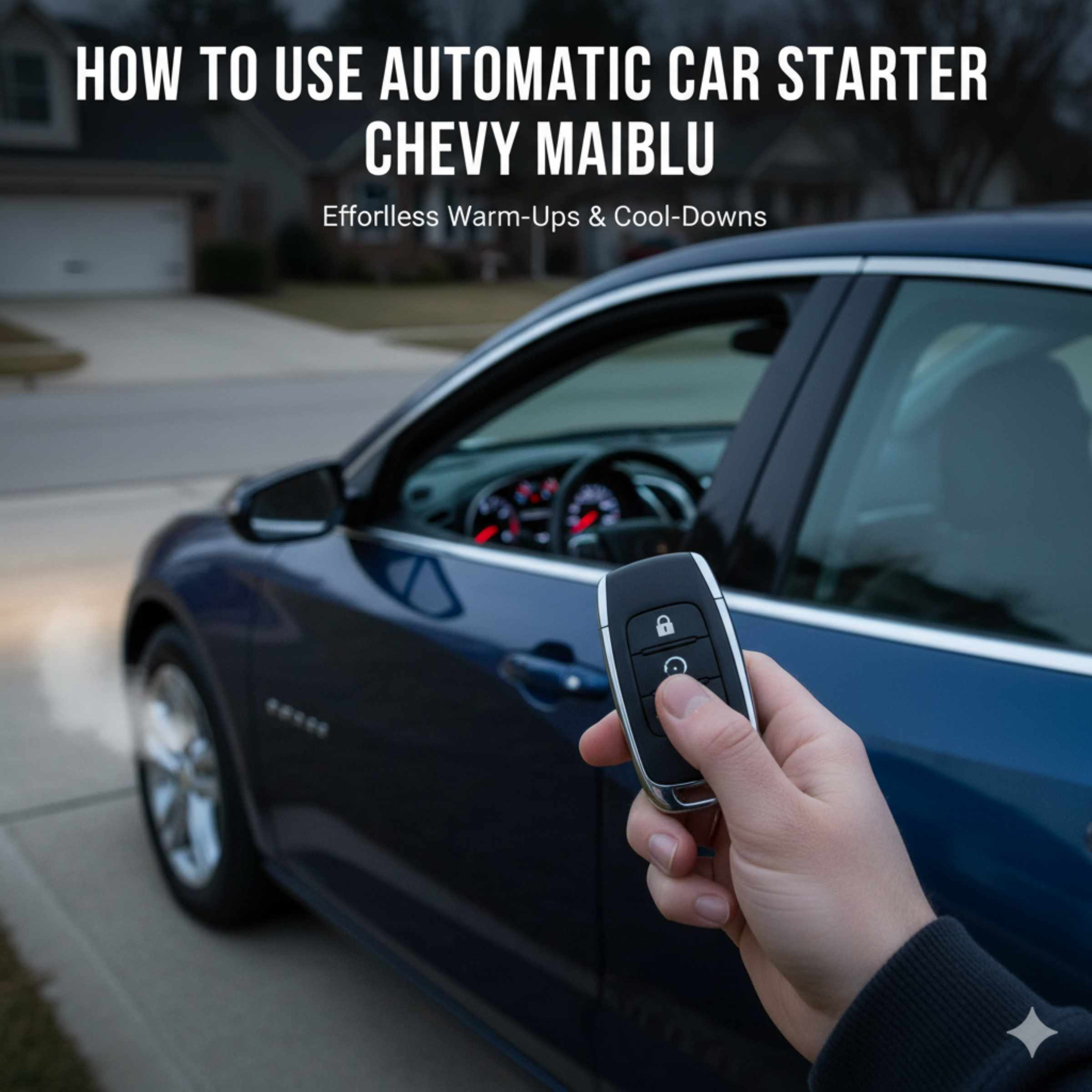
To use the automatic car starter in your Chevy Malibu, first confirm your Malibu has the factory-installed remote start system. Lock the doors using the key fob, then press the remote start button (usually marked with a circle and an arrow) twice quickly. The car will start, confirming a quick and safe warm-up or cool-down.
Welcome! Does the thought of hopping into a freezing cold or scorching hot Chevy Malibu bother you? Many modern drivers rely on the convenience of a remote starter, but figuring out the exact steps isn’t always obvious. If you own a newer Chevy Malibu equipped with this handy feature, you deserve to use it easily! This guide cuts through the confusion. I’m Dustin Hall, and I will walk you through exactly how to activate your remote start safely and effectively, step by step. Let’s get your Malibu ready before you even step outside.
Understanding Remote Start on Your Chevy Malibu
Remote start is more than just a luxury; it’s a fantastic tool for comfort and even minor maintenance tasks in certain weather conditions. For Malibu owners, this feature usually comes standard or as part of an upgrade package on LT, LTZ, and Premier trims, particularly those from 2016 onward.
Is Remote Start Standard on My Malibu?
Not every Chevy Malibu comes with a remote start system. It depends heavily on the specific year, trim level, and option package purchased when the car was new.
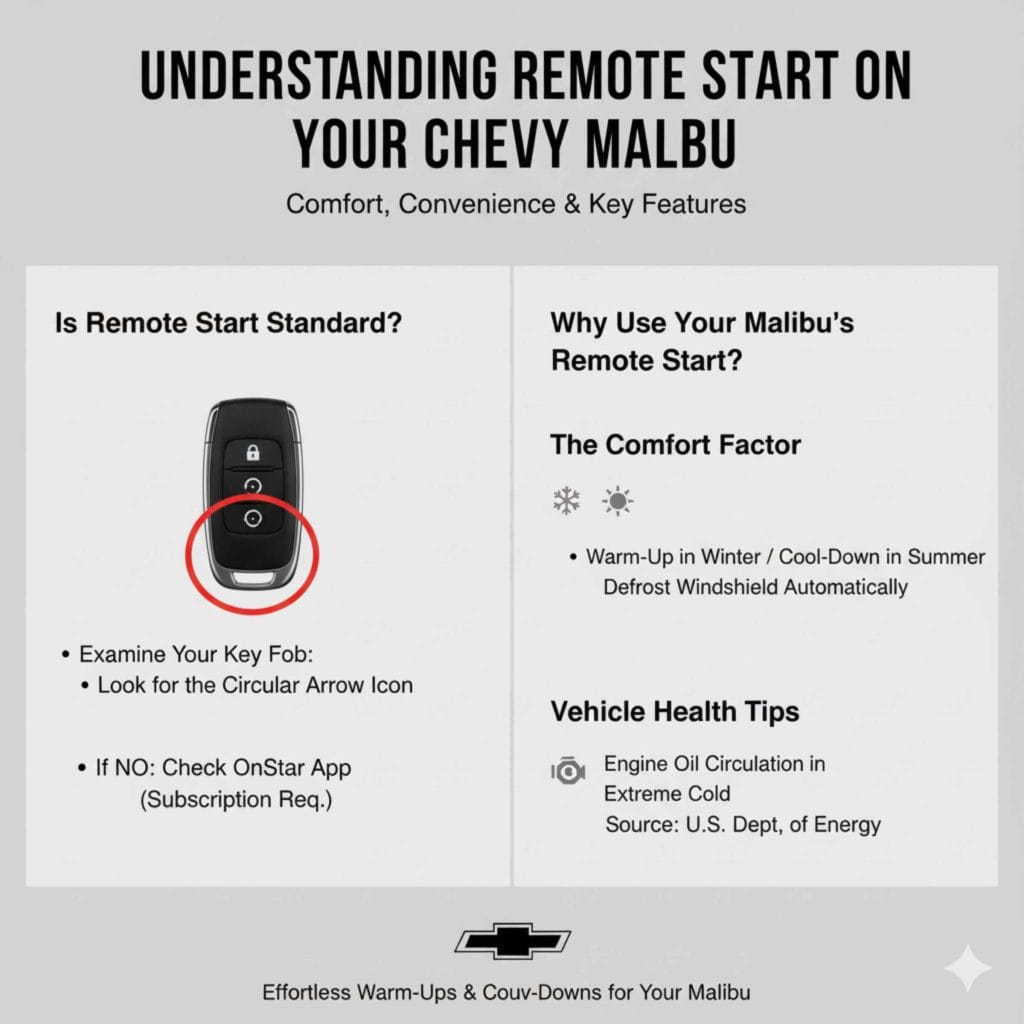
How can you check if your Malibu has this feature? Look closely at your key fob.
- Examine your key fob closely.
- Look for a button that has a circular arrow icon (it often looks like two arrows chasing each other in a circle, indicating a remote start function).
- If you see this icon, your Malibu is equipped for remote starting.
If you don’t see that specific button, your vehicle might rely on the OnStar RemoteLink mobile app if your subscription is active. However, for the direct key fob method, you need that dedicated button.
Why Use Your Malibu’s Remote Start?
Using the remote start offers immediate benefits that make driving more pleasant.
The Comfort Factor
When it’s sweltering outside, running the A/C for five minutes before you get in is a game-changer. In winter, you can defrost the windshield automatically. This saves you time scraping ice!
Vehicle Health Tips
Believe it or not, letting your car run for a few minutes before driving in extreme cold helps the engine oil circulate properly. While modern cars don’t need long warm-up times, a brief period ensures everything is ready to go smoothly. For more general engine health advice, resources like the U.S. Department of Energy often provide helpful tips on cold-weather driving preparation.
Step-by-Step Guide: How to Use Automatic Car Starter Chevy Malibu
This process is designed to be simple and safe. Chevrolet engineered this system to prevent theft and accidental starts. Follow these precise actions using your key fob.
Prerequisites for Remote Start Success
Your Malibu has several safety checks built in before the remote start will work. If you skip these, the system will not activate.
- The vehicle’s doors must be completely closed and latched.
- The hood of the car must be fully closed and secure.
- The vehicle must be in Park (P).
- The vehicle must be properly unlocked.
The Essential 3-Step Remote Start Sequence
This is the core procedure for how to use automatic car starter Chevy Malibu using the key fob. Remember, speed and sequence are important here.
| Step | Action | Purpose |
|---|---|---|
| 1 | Press the Lock button once. | Secures the vehicle and arms the system. |
| 2 | Press and hold the Remote Start button (circular arrow) for about 3–5 seconds. | Initiates the remote start sequence command. |
| 3 | After the first press, release the button, then quickly press and release the Remote Start button again within 5 seconds. | Confirms the command and starts the engine. |
What Happens When It Starts?
Once successful, you will see four things happen:
- The engine will turn on.
- The parking lights will flash twice.
- The doors will remain locked.
- The climate controls (A/C or heater) will activate based on the last setting or ambient temperature rules.
Stopping the Remote Start Engine
If you need to turn the engine off without getting in the car, or if you realize you accidentally started it, you have two options.
Advanced Remote Start Features and Settings
Your Chevy Malibu remote start isn’t just on or off—it has customizable features that can enhance your experience, especially regarding temperature control.
Understanding Automatic Climate Control
Modern Malibus are smart about how they warm up or cool down the cabin. They usually default to running the climate control based on the temperature when you left the car.
Cold Weather Operation
When the outside temperature is below a certain threshold (often around 40°F or 4°C), the system defaults to running the heater and defroster to clear the windshield.
Hot Weather Operation
When it’s very hot, the system will engage the air conditioning to cool the cabin down promptly.
Configuring Run Time Limits
For safety and fuel efficiency, remote start systems do not run indefinitely. Most factory Chevy systems have a default run time, usually 10 to 15 minutes.
If you need a longer duration—perhaps you are snow-blowing the driveway and need the car running—you usually need to use the OnStar system or adjust settings through the vehicle’s infotainment screen (depending on your model year).
Crucially: In the US, remote start systems like those found in the Chevy Malibu are designed primarily to run for 10 minutes before automatically shutting off, unless a specific OnStar service extension is activated. This adheres to various state regulations regarding idling vehicles.
What If I Want To Drive Away?
Starting the car remotely is only the first step. To actually drive the Malibu, you must complete these actions:
- Approach the vehicle with your key fob.
- Open the door (this will shut off the remote-started engine if you didn’t do it manually).
- Press the brake pedal.
- Press the standard Start/Stop button on the dashboard (if equipped with push-button start).
- If you have a traditional key ignition, insert and turn the key to the run position.
Troubleshooting Common Remote Start Issues
It can be frustrating when the system doesn’t work immediately. Don’t worry! Most issues come down to a simple prerequisite not being met. Here are the top troubleshooting tips for your Malibu.
Problem 1: Nothing Happens When I Press the Buttons
If you follow the sequence and the lights don’t flash, the communication hasn’t been accepted.
- Check the Fob Battery: A weak battery in your key fob is the number one culprit. Replace the battery if you haven’t recently.
- Verify Door/Hood Status: Double-check that every single door and the trunk/hatch is firmly shut. Even a slightly ajar door will prevent starting.
- Check Vehicle System Lights: If the security light on your dashboard flashes rapidly when you try to start it, the system may have temporarily locked you out due to too many failed attempts. Wait five minutes and try again.
Problem 2: The Engine Starts, Then Shuts Off Right Away
This usually means the vehicle didn’t recognize a proper starting condition.
| Symptom | Likely Cause | Quick Fix |
|---|---|---|
| Starts, runs for 2 seconds, stops. | Hood sensor failure or low battery voltage. | Ensure the hood is fully latched. Check battery terminals. |
| Starts, runs for 10 seconds, stops. | Ignition or fuel level issue, or attempting to shift gear remotely. | Ensure the car was in Park (P) before locking. Add gas if below ¼ tank. |
For issues related to vehicle battery health (which affects all electronic systems), it is always wise to check official guidelines, such as those provided by the National Highway Traffic Safety Administration (NHTSA) regarding vehicle maintenance, especially in extreme weather.
Problem 3: OnStar Activation Required Message
If starting via the app or voice command, this message means your subscription has lapsed or needs renewal. Remote starting using the key fob does not require OnStar, but using the mobile app does.
Maximizing Your Chevy Malibu’s Remote Start Efficiency
To get the most out of this convenience feature, consider these best practices.
The Role of Fuel Level
GM vehicles are often programmed to refuse a remote start if the fuel tank is critically low (usually under 1/8th or 1/4 tank). This is a feature designed to prevent your car from running completely dry while waiting for you. Always ensure you have a reasonable amount of fuel before relying on this feature.
Setting the Cabin Temperature
If you want the A/C blasting or the heat roaring, set your climate controls before you turn off and exit the car. The remote start system generally mimics your last settings.
Turn the fan speed up.
Set the temperature where you want it.
* Turn the climate control system OFF (or set it to Auto).
This ensures that when the remote start engages, it works hard to reach your desired interior environment quickly.
Parking Location Matters
If you live in a densely packed area, ensure the key fob has a clear line of sight or is close enough to the vehicle when you press the start sequence. While the range is usually good (often 100 to 200 feet), obstructions like thick concrete walls can interfere.
Safety Considerations When Remote Starting
Using any remote start system requires a responsible approach. Safety should always come first, especially when operating a vehicle remotely.
Never Leave Valuables in a Running Car
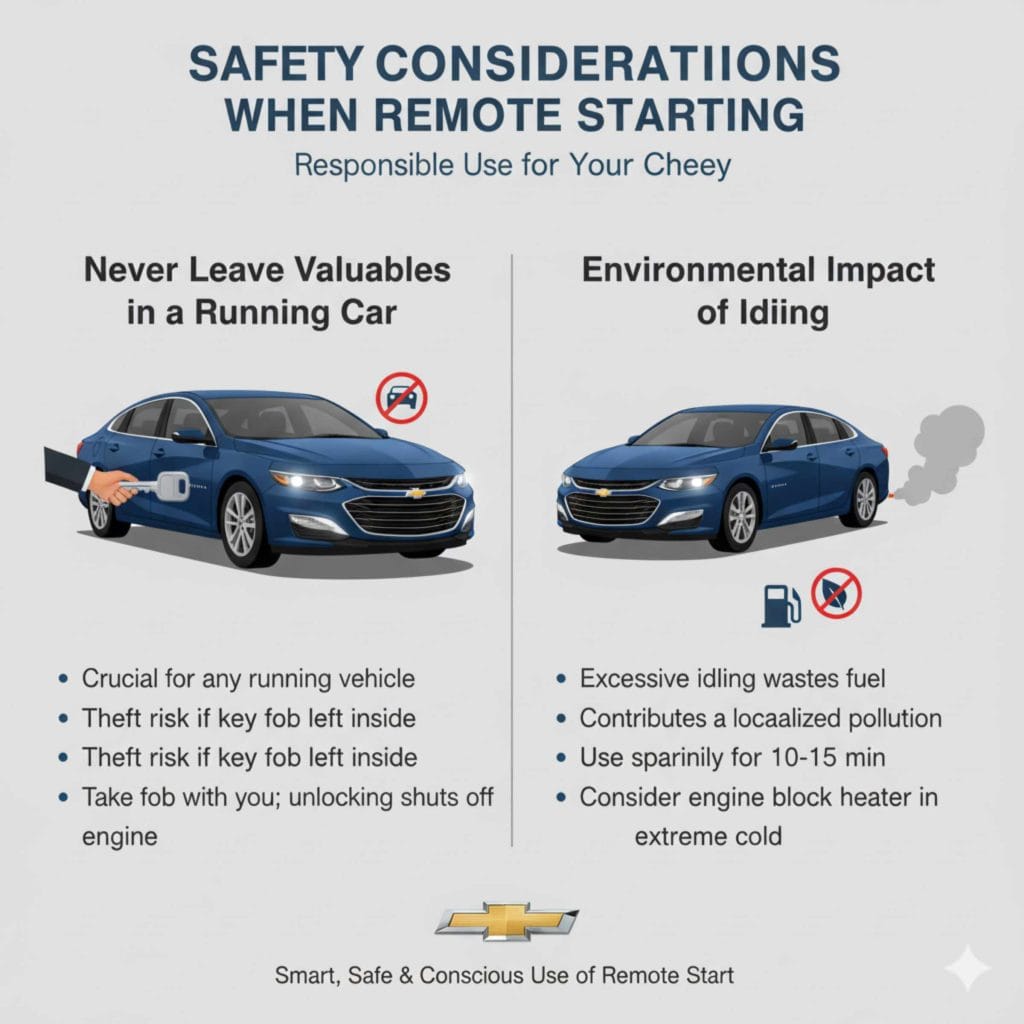
This is crucial advice for any vehicle, but especially one that is running unlocked (from the perspective of the outside world, even if the doors are technically locked). If you are using the remote start to warm up the Malibu, take your key fob with you. If the engine is running, unlocking the door shuts it off, but leaving the key fob inside the console or cup holder while the car is running is a significant theft risk if someone approaches the vehicle.
Environmental Impact of Idling
While remote start is convenient, remember that excessive idling wastes fuel and contributes to localized pollution. The estimated run time of 10-15 minutes is generally sufficient to clear light frost or cool a standard cabin. For longer needs, consider using the feature sparingly or utilizing the integrated engine block heater if your Malibu is equipped for very cold climates.
Frequently Asked Questions (FAQ) About Malibu Remote Start
Here are quick, straightforward answers to common newbie questions about the remote start system.
Q1: Does Cheaper Malibu Trim Level Mean No Remote Start?
A: Often, yes. Base model Malibus (like the L trim) usually do not include factory remote start. It’s typically found on higher trims like LT or Premier, or via the optional Remote Start Package.
Q2: Why won’t my remote start work if the check engine light is on?
A: The vehicle’s computer system (ECU) will often disable non-essential or comfort features, including remote start, if it detects a major fault indicated by the Check Engine Light. Get the code checked first!
Q3: How far away can I stand from my Malibu to use the remote start?
A: Factory key fob range is typically good for about 100 to 200 feet, but this heavily depends on obstructions. Always test the range near your typical starting location.
Q4: Can I set the remote start duration longer than 10 minutes?
A: Through the key fob sequence, generally no; it limits to about 10-15 minutes for safety. To extend this, you usually need to use the OnStar RemoteLink app, if available and subscribed.
Q5: What if my Malibu has push-button start instead of a traditional key?
A: The remote start procedure remains the same (Lock, then Start-Start). However, when you enter the car, you only need to press the brake pedal and the Push Button Start button—no need to insert a key.
Q6: Does the remote start activate the heated seats?
A: Yes, for many newer Malibus (especially higher trims), the remote start will power up selected climate features, including heated seats or heated steering wheel, provided they were on when you last turned the car off.
Q7: Is it safe to use remote start in a closed garage?
A: Absolutely not. Never run any gasoline vehicle inside an enclosed space, even with the garage door open. Carbon monoxide fumes are odorless and extremely dangerous. Only use remote start outdoors.
Conclusion: Confidence in Your Key Fob
Learning how to use automatic car starter Chevy Malibu is a simple victory that adds real value to your daily commute. By remembering the critical sequence—Lock first, followed by two quick presses of the remote start button—you can easily prepare your Malibu for any weather. You now know the prerequisites, what to do if it fails, and how to safely enter your comfortable ride afterward. Don’t hesitate to try this out the next time you are heading toward your car on a chilly morning or hot afternoon. You’ve got this!