
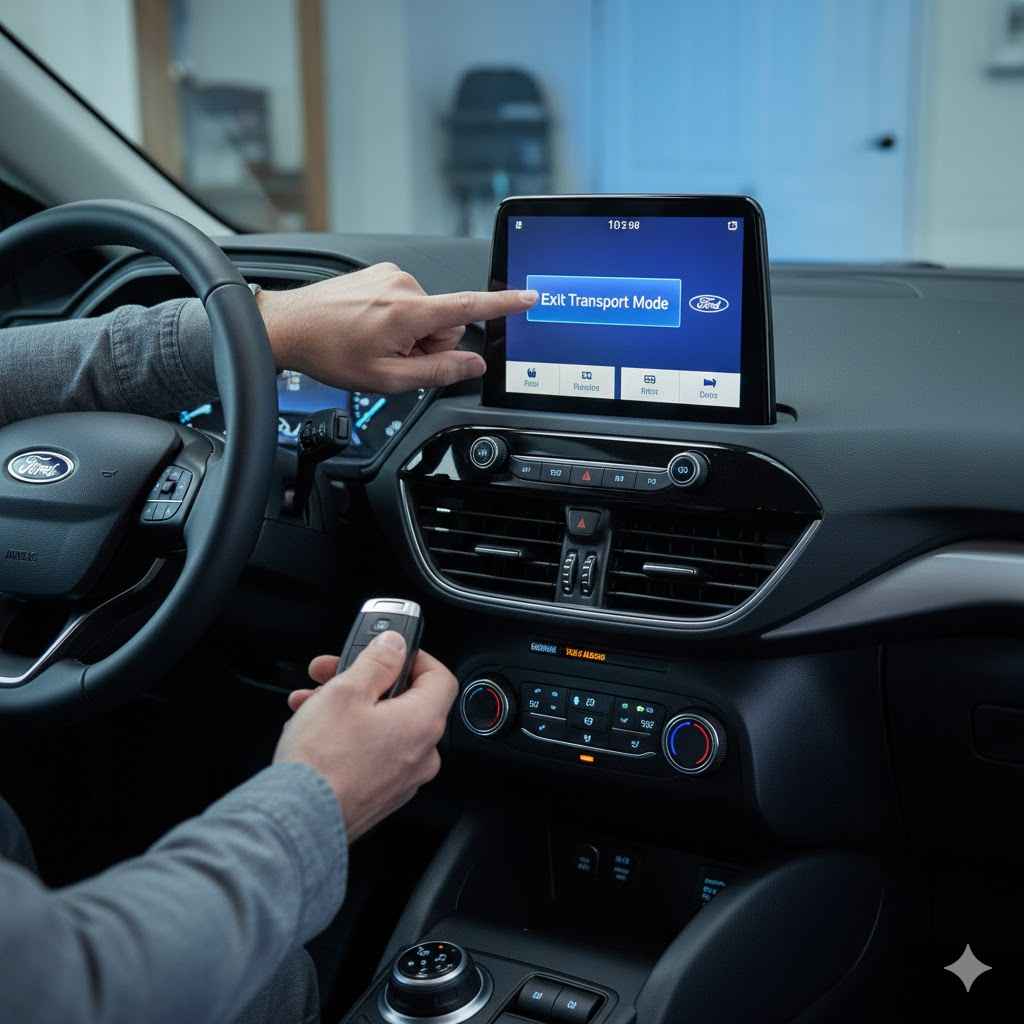
To get a Ford vehicle out of Transport Mode, enter the car and close all doors. Press and hold the brake pedal, then press the engine start/stop button. While still holding the brake, press the hazard light button five times in a row. A message like “Transport Mode Deactivated” should appear on your dashboard screen.
Hi, I’m Dustin Hall. Welcome to your friendly guide to simple car care. Has a “Transport Mode” or “Factory Mode” message popped up on your Ford’s dashboard? Don’t worry, you’re not alone. This is a very common situation, especially with new cars. It can be confusing and a little frustrating when your radio or other features won’t work correctly.
The good news is that fixing it is usually incredibly easy. You don’t need any special tools or a trip to the mechanic. In this guide, I’ll walk you through the simple steps to turn off Transport Mode quickly and get your Ford back to normal. Let’s get your car fully working again!
What Is Ford Transport Mode, Anyway?
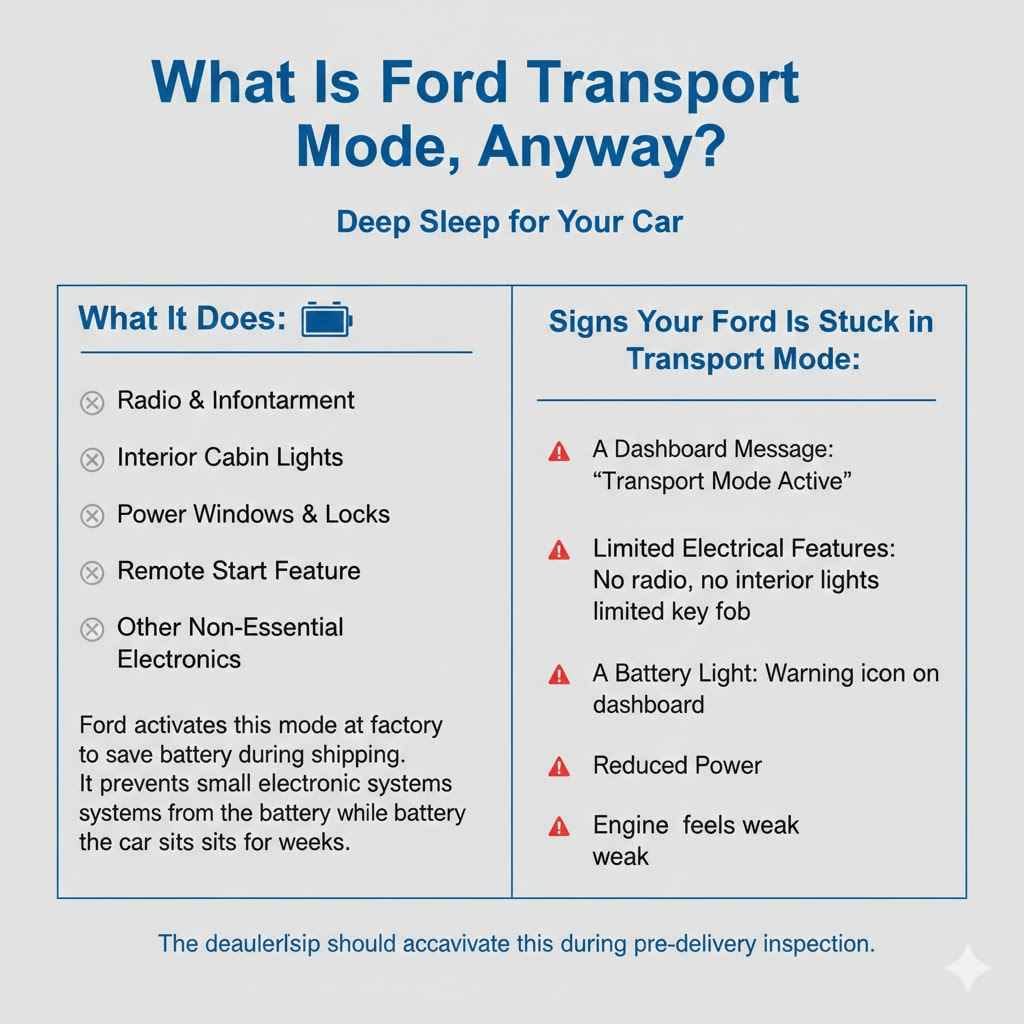
Before we fix it, let’s quickly understand what this mode is. Think of Ford Transport Mode as a “deep sleep” for your car. Ford activates it at the factory before shipping the vehicle to the dealership. Its main job is to save the battery.
When a car sits for weeks during transport or on a dealership lot, many small electronic systems can slowly drain the battery. Transport Mode prevents this by temporarily shutting down non-essential features. This ensures the car has enough power to start when it finally reaches its new owner—you!
Here are the systems that are often limited or turned off in Transport Mode:
- Your radio and infotainment system
- Interior cabin lights
- Power windows and locks (sometimes)
- Remote start feature
- Other non-essential electronic modules
The dealership is supposed to deactivate this mode during their pre-delivery inspection, but sometimes this step gets missed. That’s why you might be seeing it now.
Signs Your Ford Is Stuck in Transport Mode
Not sure if your car is in Transport Mode? It usually makes itself pretty obvious. You will likely notice one or more of these signs:
- A Dashboard Message: The most common sign is a clear message on your instrument cluster that says “Transport Mode Active” or “Factory Mode.”
- Limited Electrical Features: Your radio might not turn on, or it might turn off after a few minutes. Your interior lights might not work, and the key fob’s functions could be limited.
- A Battery Light: Sometimes, a battery warning icon might appear, even if the battery itself is perfectly fine.
- Reduced Power: In some very rare cases, the vehicle may have reduced power to protect the engine during its initial startup phase.
Why It’s Important to Deactivate Transport Mode
Leaving your Ford in Transport Mode isn’t dangerous, but it is very inconvenient. You paid for a fully functional car, and this mode prevents you from enjoying it. Here’s why you should turn it off right away:
- To Use Your Car’s Features: You won’t be able to listen to music, use navigation, or enjoy many of the modern comforts your car offers until the mode is deactivated.
- To Prevent Confusion: Seeing warning messages can be stressful. Turning off Transport Mode clears these messages and ensures everything is working as it should.
- To Avoid Battery Issues Later: While the mode is designed to save the battery, it’s not meant for everyday driving. Normal operation requires all systems to communicate properly. Keeping it in this state can sometimes cause confusion for the car’s computer, known as the Body Control Module (BCM).
The Easy Step-by-Step Guide to Deactivating Ford Transport Mode
Ready for the fix? It’s probably much simpler than you think. This main method works for the vast majority of modern Fords, including the F-150, Explorer, Mustang, Bronco, and Escape. We’ll cover some alternatives too, just in case.
Before you start, make sure your vehicle is parked in a safe, flat location. Your garage or a level driveway is perfect.
Method 1: The Standard Hazard Light Procedure (Most Common)
This is the go-to method that works over 95% of the time. It takes less than a minute.
- Enter Your Vehicle: Get into the driver’s seat and close all of the car doors, including the trunk or tailgate. The system needs to know the vehicle is secure.
- Press the Brake Pedal: Firmly press and hold down the brake pedal with your foot. Keep it pressed down through the next steps.
- Press the Start Button: With your foot on the brake, press the engine start/stop button one time. This will turn on your car’s accessories and light up the dashboard. You do not need to start the engine.
- Press the Hazard Lights Button: Now, locate your hazard lights button (the triangle symbol). While still holding the brake, press and release this button five times in a row. Try to do it at a steady pace—not too fast, not too slow. (Press… press… press… press… press).
- Watch the Dashboard: Keep your eye on the instrument cluster screen. Within a few seconds, you should see the doors lock and then unlock. A message should then appear that says “Transport Mode Deactivated” or something similar.
That’s it! You can now release the brake pedal. Start your car normally and test your radio and other features. They should all be working perfectly.
What if That Didn’t Work? Let’s Troubleshoot
If the first method didn’t work, don’t panic. Sometimes it just takes a second try. Here are a few things to check:
- Did you press the buttons in the right order? Make sure you are holding the brake down the entire time.
- Were all doors fully closed? A slightly ajar door can prevent the sequence from working.
- Try a different number of presses. Some Ford models might require you to press the hazard button 10 times, or flash the high beams 5 times instead. The hazard button method is most common, but small variations exist.
Method 2: The High Beam Flash Procedure
If the hazard light method fails, this is the next best thing to try. It’s very similar.
- Enter the car and close all doors.
- Press and hold the brake pedal.
- Press the engine start/stop button once to turn on the accessory power.
- Instead of the hazard button, pull the high beam stalk toward you five times (flashing the high beams).
- Watch the dashboard for the confirmation message.
This method is less common but is a known alternative for certain Ford models or software versions.
Understanding Variations Across Ford Models
Ford makes a wide range of vehicles, and while the deactivation process is standardized, there can be tiny differences. The good news is that for most modern Fords (from around 2015 onwards), the standard hazard light method is the correct one. The principles of safe vehicle maintenance are universal, as advised by institutions like the Federal Motor Carrier Safety Administration, and knowing your specific vehicle is key.
Here’s a quick reference table for some popular models.
| Ford Model | Most Common Deactivation Method | Important Notes |
|---|---|---|
| Ford F-150 | Hazard Light Method (5 presses) | This is extremely reliable on F-150 models from 2015 to the present. |
| Ford Explorer | Hazard Light Method (5 presses) | Applies to recent generations. Older models might have a different procedure. |
| Ford Bronco & Bronco Sport | Hazard Light Method (5 presses) | As a new vehicle, it uses Ford’s latest standard procedure. |
| Ford Mustang | Hazard Light Method (5 presses) | Works for the S550 and newer generations. |
| Ford Escape | Hazard Light Method (5 presses) | Consistent across recent model years. |
What About “Deep Sleep Mode”? Is It the Same Thing?
You might also see a message about “Deep Sleep Mode.” This is slightly different. Deep Sleep Mode is a feature that activates automatically if you haven’t driven your car in a while (e.g., over 14 days) or if the battery voltage drops. It’s another battery-saving feature for owners, not just for transport.
To exit Deep Sleep Mode, you simply need to start the engine. The car will wake up on its own. It does not require the special deactivation sequence that Transport Mode does.
Troubleshooting Table: When Things Don’t Go as Planned
Still stuck? Let’s break down the common roadblocks and how to solve them. Having a clear plan can make all the difference.
| Problem | Possible Cause | Simple Solution |
|---|---|---|
| I tried the steps several times and nothing happened. | The sequence timing might be off, or the car’s computer didn’t register it. | Turn everything off, open and close the driver’s door, and start the sequence again from step one. Try to be very deliberate with each button press. |
| The “Transport Mode” message is gone, but my radio still won’t work. | The mode is likely off, but there may be another issue, like a blown fuse or a separate fault with the infotainment system. | First, turn the car off and on again. If that doesn’t work, check the fuse for your radio. You can find the fuse box diagram in your owner’s manual. |
| My car won’t start at all now. | The battery may be completely drained. Transport Mode protects the battery, but it can’t perform miracles if it was already low. | You may need to jump-start the vehicle or use a battery charger. Once the engine is running, the electrical system will have enough power to exit Transport Mode. |
| I see a different warning light on my dash now. | The deactivation process may have revealed another underlying issue that was masked by Transport Mode. | Note what the warning light is. If it’s something serious like a check engine light, it may be time to consult a professional or use an OBD-II scanner to read the error code. |
When Should You Call a Professional?
The DIY methods above solve the problem for nearly everyone. However, there are a few situations where it’s best to let a professional handle it.
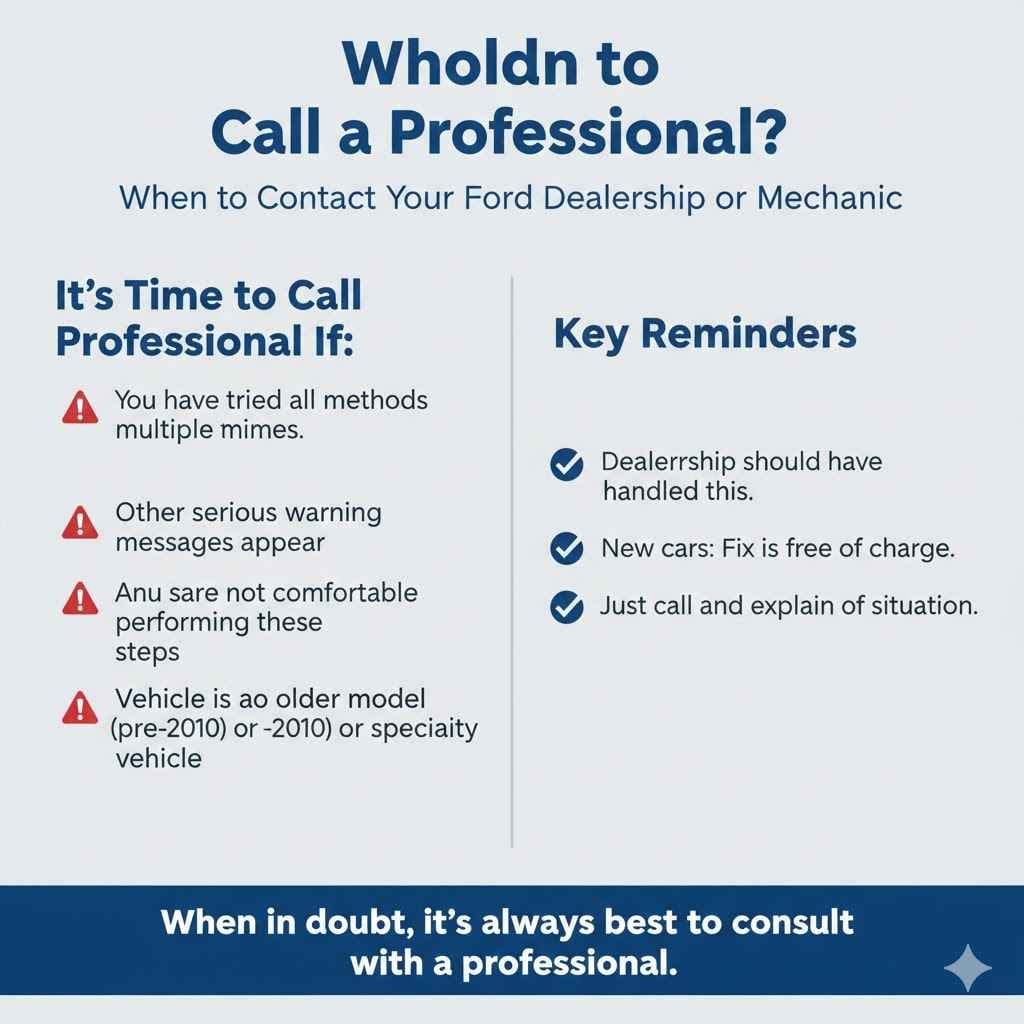
You should contact your Ford dealership or a trusted mechanic if:
- You have tried all the methods multiple times and they have not worked.
- The car displays other serious warning messages after you deactivate the mode.
- You are not comfortable performing any of these steps.
- Your vehicle is an older model (pre-2010) or a specialty vehicle (like a Transit van), as it may have a completely different procedure that requires a diagnostic tool.
Remember, the dealership was supposed to handle this. If your car is brand new, they should fix it for you free of charge. Just give them a call and explain the situation.
Frequently Asked Questions (FAQ)
1. What exactly is Transport Mode on a Ford?
Transport Mode is a special power-saving setting Ford uses when shipping new cars. It temporarily disables non-essential electronics like the radio and interior lights to prevent the battery from draining before the car is sold.
2. Will driving in Transport Mode damage my car?
No, it will not damage your car’s engine or transmission. It is safe to drive the vehicle to get it home from the dealership. However, it’s very inconvenient because many features you’d normally use while driving will be turned off.
3. How do I know for sure if my Ford is in Transport Mode?
The clearest sign is a message on your dashboard screen that says “Transport Mode” or “Factory Mode.” You will also notice that your radio, infotainment system, and some interior lights do not work.
4. Is it safe for me to disable Transport Mode myself?
Yes, absolutely! The procedure is designed to be simple and safe for owners and dealership staff to perform. It involves just a few button presses and requires no tools or technical knowledge. Just make sure your car is safely parked before you begin.
5. Why didn’t the hazard light trick work for my Ford?
If it didn’t work, first try the sequence again slowly. Make sure all doors are closed and you’re holding the brake. If it still fails, your specific model or year might use an alternative sequence, like flashing the high beams five times instead.
6. Does disconnecting the battery turn off Transport Mode?
Usually, no. This mode is stored in the car’s computer memory, and disconnecting the battery won’t reset it. In fact, it can sometimes cause other electronic systems to lose their settings. It’s best to use the proper button-press sequence.
7. Is Transport Mode the same as “Deep Sleep Mode”?
They are similar but not the same. Transport Mode is set at the factory for shipping. Deep Sleep Mode activates automatically on your car if the battery gets low or if it sits unused for over two weeks. You can exit Deep Sleep Mode just by starting the engine.
Conclusion: You’ve Got This!
Seeing an unfamiliar warning on your dashboard can be a bit alarming, but as you’ve seen, deactivating Ford’s Transport Mode is one of the easiest fixes you can perform on your car. In just a few seconds, you can restore full power to all your vehicle’s features and clear that pesky message from your screen.
By following the simple brake-pedal and hazard-button sequence, you’ve saved yourself a trip to the dealership and learned a little more about how your car works. Taking control of small issues like this is the first step toward becoming a more confident car owner. Now you can get back to what matters most—enjoying your ride with the music on!