

The internet connects billions of devices, but few people understand what makes this communication possible. Behind the scenes, a powerful technology called Transmission Control Protocol Internet Protocol (TCP/IP) is silently at work. Every email you send, every website you visit, and every file you download relies on TCP/IP.
This article breaks down what TCP/IP is, why it matters, and how it helps information travel across the world. Whether you are a student, a beginner in networking, or simply curious, you will find clear explanations and practical examples here.
What Is Transmission Control Protocol Internet Protocol (tcp/ip)?
TCP/IP is the main set of rules that allows computers and devices to talk to each other over the internet and most modern networks. It is not just one protocol, but a collection of communication rules that work together. When you hear “TCP/IP,” think of it as the language and the instructions that guide how data moves from one point to another.
This protocol suite was created in the 1970s to connect different computer networks. Over time, it became the global standard, allowing millions of networks to join the internet. Without TCP/IP, sharing information between different types of computers would be almost impossible.

The Four Layers Of Tcp/ip
TCP/IP is organized into four main layers. Each layer has its own role and works with the others to ensure data moves correctly. Think of them like steps in a delivery system, from packing a letter to handing it to the receiver.
1. Application Layer
The Application Layer is where users interact with network services. When you browse the web, use email, or download files, you are using protocols from this layer. Examples include:
- HTTP (for web browsing)
- SMTP (for email)
- FTP (for file transfer)
This layer translates what humans want to do into instructions the rest of the network can understand.
2. Transport Layer
The Transport Layer takes data from the application layer and breaks it into smaller pieces. It uses the Transmission Control Protocol (TCP) or User Datagram Protocol (UDP) to send these pieces, called segments or datagrams.
- TCP ensures data arrives without errors, in the correct order.
- UDP sends data faster but does not check for errors or order.
3. Internet Layer
At the Internet Layer, the main job is addressing and routing. The Internet Protocol (IP) adds addresses to each data packet, so it knows where to go. This layer decides the best path for each packet to reach its destination, even if it has to travel across many networks.
4. Network Access Layer
The Network Access Layer (sometimes called the Link Layer) is where data packets are turned into electrical signals, radio waves, or light, depending on the physical network (like Ethernet or Wi-Fi). This layer handles the details of how data moves across cables or wireless signals.
How Tcp/ip Works Step By Step
Let’s see what happens when you send a message using TCP/IP.
- You write an email. The application layer (using SMTP) prepares your message.
- The transport layer (using TCP) breaks your email into segments, adds numbers, and checks for errors.
- The internet layer (using IP) puts an address on each segment, like a postal address.
- The network access layer turns these into signals and sends them across the network.
- Each segment travels through routers and switches, possibly taking different paths.
- At the receiving end, the process is reversed. Segments are reassembled, errors are checked, and your email appears as a complete message.
This step-by-step process makes sure your data reaches the right place, correctly and reliably.
The Role Of Tcp And Ip: What’s The Difference?
Many people mix up TCP and IP. They work together but do different things.
- IP is in charge of addressing and sending data from one device to another. It is like writing the address on an envelope.
- TCP ensures the data is delivered completely, in order, and without errors. It is like making sure every page of a letter arrives and nothing is missing.
Sometimes, data is sent using UDP instead of TCP. UDP is faster but does not guarantee delivery. For example, online games and video calls use UDP because speed is more important than perfect accuracy.
Here’s a quick comparison:
| Feature | TCP | UDP |
|---|---|---|
| Connection | Connection-oriented | Connectionless |
| Reliability | Reliable, checks for errors | Unreliable, no error checks |
| Speed | Slower | Faster |
| Use Cases | Web, email, file transfer | Streaming, online games |
Ip Addressing: How Devices Are Identified
Every device on a TCP/IP network needs an IP address. This is a unique string of numbers that identifies a device, like a street address for your house. There are two main types of IP addresses:
- IPv4 (e.g., 192.168.1.1): Uses four groups of numbers, separated by dots. There are about 4 billion possible addresses.
- IPv6 (e.g., 2001: 0db8:85a3:0000:0000:8a2e:0370:7334): Uses longer addresses, allowing for trillions of devices.
IPv4 is still common, but IPv6 is slowly replacing it as more devices connect to the internet.
Packet Switching And Data Flow
TCP/IP uses a method called packet switching. When you send data, it is split into small pieces called packets. Each packet can travel a different route to the destination. Routers along the way read the address and forward the packets. When all packets arrive, TCP checks if any are missing and puts them in the correct order.
This approach is very efficient, especially when the network is busy. Even if one route is blocked, packets can find another path.
Why Tcp/ip Became The Standard
TCP/IP’s design made it the best choice for the internet. Here’s why:
- Open Standards: Anyone can use and improve TCP/IP. It is not owned by a company.
- Scalability: Works for small home networks and the global internet.
- Interoperability: Connects different types of computers and networks.
- Reliability: Ensures data arrives correctly.
- Flexibility: New technologies can work with TCP/IP.
Because of these strengths, TCP/IP replaced older systems and became the foundation for nearly all modern networking.
Common Protocols In The Tcp/ip Suite
TCP/IP is not just TCP and IP. There are many other protocols that handle different tasks. Here are some important ones:
- HTTP/HTTPS: For loading web pages securely.
- FTP: For transferring files.
- SMTP: For sending emails.
- POP3/IMAP: For receiving emails.
- DNS: For translating website names (like google.com) into IP addresses.
- DHCP: For automatically assigning IP addresses to devices.
Each protocol solves a specific problem, making the system more powerful and flexible.
Tcp/ip In Everyday Life: Real Examples
You interact with TCP/IP almost every time you use technology:
- When you open a website, your browser uses HTTP over TCP/IP.
- Sending a photo by email uses SMTP and TCP.
- Watching a YouTube video uses UDP for speed, with some TCP for other data.
At work, businesses use TCP/IP to connect computers, printers, and servers. Hospitals use it for medical equipment. Even smart home devices, like thermostats and cameras, use TCP/IP to communicate.
Key Advantages And Disadvantages Of Tcp/ip
Like any technology, TCP/IP has strengths and weaknesses.
Advantages
- Universal compatibility: Works on almost all devices and networks.
- Reliable delivery: TCP ensures data arrives correctly.
- Scalable: Handles networks of any size.
- Flexible: Supports many types of applications.
Disadvantages
- Complexity: Can be hard for beginners to understand.
- Security risks: Not designed with strong security; extra steps are needed to keep data safe.
- Overhead: TCP checks and error corrections can slow down data transfer.
Tcp/ip Vs. Other Protocol Models
Before TCP/IP, other models like OSI (Open Systems Interconnection) were popular in textbooks and early networks. OSI uses seven layers instead of four. However, TCP/IP’s simpler, more practical approach won out.
Here’s a comparison of the two models:
| OSI Layer | TCP/IP Layer | Main Function |
|---|---|---|
| Application | Application | User services |
| Presentation | Application | Data format/translation |
| Session | Application | Session management |
| Transport | Transport | End-to-end connections |
| Network | Internet | Routing and addressing |
| Data Link | Network Access | Physical addressing |
| Physical | Network Access | Hardware transmission |
Most real-world networks now use TCP/IP, but understanding OSI can help you learn the basics.
Setting Up A Simple Tcp/ip Network
If you want to build a small network at home or in the office, TCP/IP makes it easy:
- Connect your devices (computers, printers, etc.) To a router or switch.
- Make sure each device has a unique IP address (usually assigned automatically by DHCP).
- Devices can now share files, print, or access the internet.
Tip: If you have connection problems, check that your device has the correct IP address and can “ping” other devices.
Security And Tcp/ip
Because TCP/IP was designed for openness, it is not secure by default. Hackers can try to intercept, change, or block your data. Modern networks use extra protocols and tools to protect information:
- SSL/TLS: Encrypts web traffic (HTTPS).
- Firewalls: Block unwanted traffic.
- VPNs: Hide your data from outsiders.
If you manage a network, always think about security. Never trust that TCP/IP alone will protect your data.
Troubleshooting Tcp/ip Problems
When something goes wrong, TCP/IP offers simple tools to help:
- Ping: Checks if another device is reachable.
- Traceroute/tracert: Shows the path data takes to reach a destination.
- Ipconfig/ifconfig: Displays your device’s IP address and network settings.
Common problems include:
- Wrong IP address (causes no connection)
- DNS errors (website names don’t work)
- Firewall blocking communication
Understanding TCP/IP basics helps you fix these issues quickly.
Non-obvious Insights About Tcp/ip
While most guides cover the basics, here are two important insights many beginners miss:
- Packet fragmentation can slow down your network. If data packets are too large for the network, routers break them into smaller pieces. This process, called fragmentation, adds delays and increases the chance of errors. Smart network design avoids fragmentation by matching packet sizes (MTU) to the network.
- TCP/IP adapts to network changes automatically. If a path is blocked or a device fails, TCP/IP reroutes packets through different paths. This “self-healing” ability is a key reason why the internet is so reliable, even during traffic spikes or equipment failures.
The Future Of Tcp/ip
TCP/IP is still evolving. IPv6 adoption is growing as more devices connect. Security features are being added to protect privacy and data. New protocols and tools are making networks faster and more reliable.
Emerging technologies like the Internet of Things (IoT), 5G, and cloud computing all rely on TCP/IP. As the world becomes more connected, understanding TCP/IP is more important than ever.
Tcp/ip In Numbers: Key Statistics
- Over 5 billion people use the internet, all relying on TCP/IP.
- There are more than 370 million registered domain names, each using TCP/IP to resolve addresses.
- IPv4 has about 4.3 billion possible addresses; IPv6 can support 3.4 x 1038 addresses—enough for every grain of sand on Earth.
These numbers show the scale and importance of TCP/IP in today’s world.
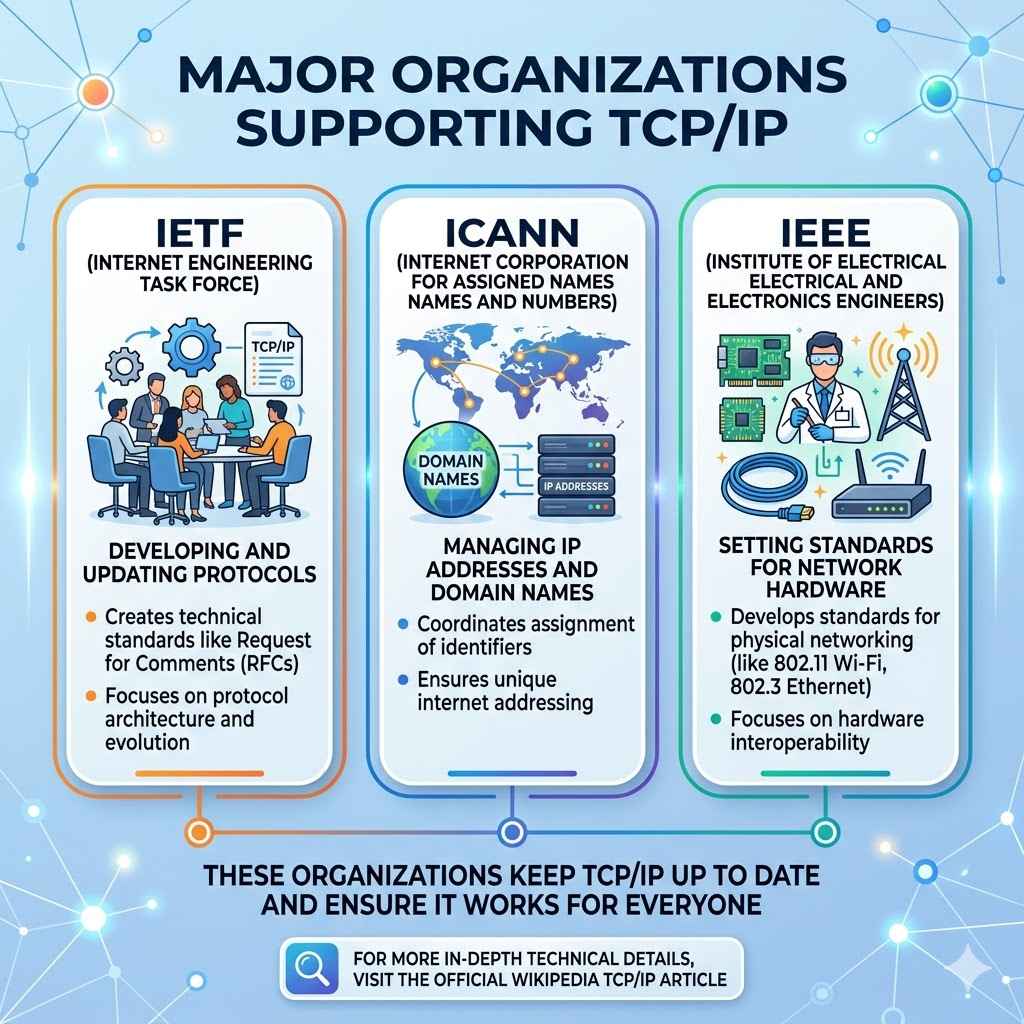
Major Organizations Supporting Tcp/ip
TCP/IP is managed and improved by several groups:
- IETF (Internet Engineering Task Force): Develops and updates protocols.
- ICANN (Internet Corporation for Assigned Names and Numbers): Manages IP addresses and domain names.
- IEEE: Sets standards for network hardware.
These organizations keep TCP/IP up to date and ensure it works for everyone.
For more in-depth technical details, you can visit the official Wikipedia TCP/IP article.
Frequently Asked Questions
What Does Tcp/ip Stand For?
TCP/IP stands for Transmission Control Protocol/Internet Protocol. It is the main suite of rules for sending and receiving data on the internet and other networks.
Why Is Tcp/ip Important For The Internet?
TCP/IP allows different types of devices and networks to communicate, making the internet possible. It handles addressing, data delivery, and error checking, ensuring information reaches the right place.
What Is The Main Difference Between Tcp And Ip?
TCP manages how data is broken up, sent, and checked for errors. IP handles addressing and routing, making sure data goes to the correct device.
Is Tcp/ip Used Only For The Internet?
No. TCP/IP is used in most local and wide-area networks. Offices, schools, and even smart homes use TCP/IP for everyday communication between devices.
How Can I Find My Device’s Ip Address?
On Windows, open Command Prompt and type `ipconfig`. On Mac or Linux, use `ifconfig` in the terminal. Your IP address will be listed in the output.
—
Understanding Transmission Control Protocol Internet Protocol gives you the foundation to explore networking, troubleshoot problems, and appreciate the technology that connects our world. Whether you are setting up a home network or curious about how the internet works, TCP/IP is the key that unlocks the digital universe.