
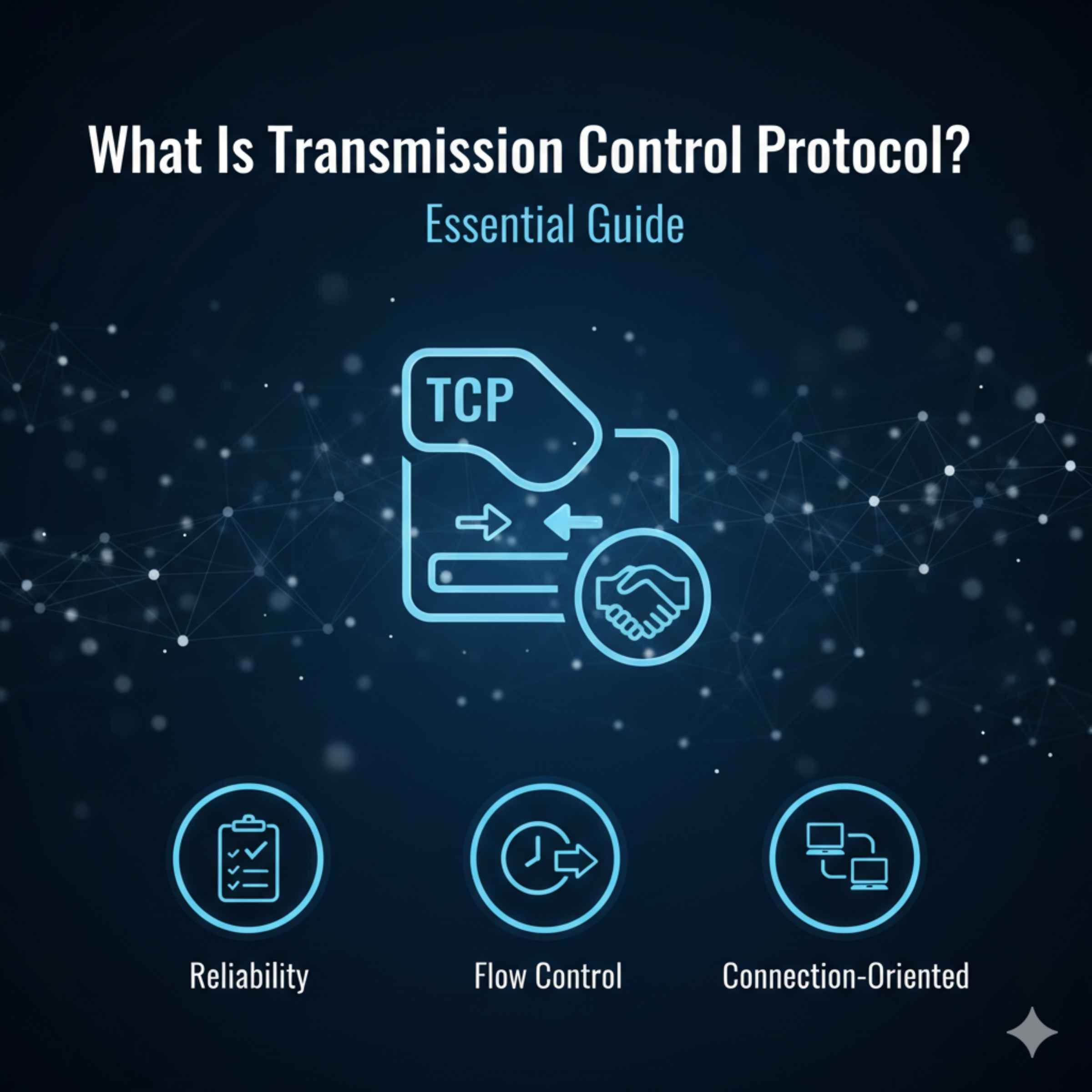
Transmission Control Protocol (TCP) is the fundamental set of rules that ensures data sent across the internet—like emails, web pages, and streamed videos—arrives reliably, completely, and in the correct order, acting like a trusted digital postal worker guaranteeing safe delivery.
Ever hit the refresh button on your browser only to see an error code? Or maybe a file you downloaded was missing a crucial part? It feels like sending a postcard that never arrives, right? In the digital world, keeping our information moving reliably is a huge deal. Just like you rely on your car’s reliable engine to get you where you need to go, the internet relies on a system called the Transmission Control Protocol (TCP) to move data smoothly.
It sounds technical, but TCP is actually pretty straightforward when you break it down. Think of me, Dustin, as your guide. We don’t need special tools or deep mechanical knowledge to understand this system. We just need to know how it keeps our online “journeys” safe and sound. We’re going to demystify what TCP is, why it matters for everything you do online, and how it works without you even noticing. Stick with me, and you’ll feel confident understanding this vital piece of the internet highway.
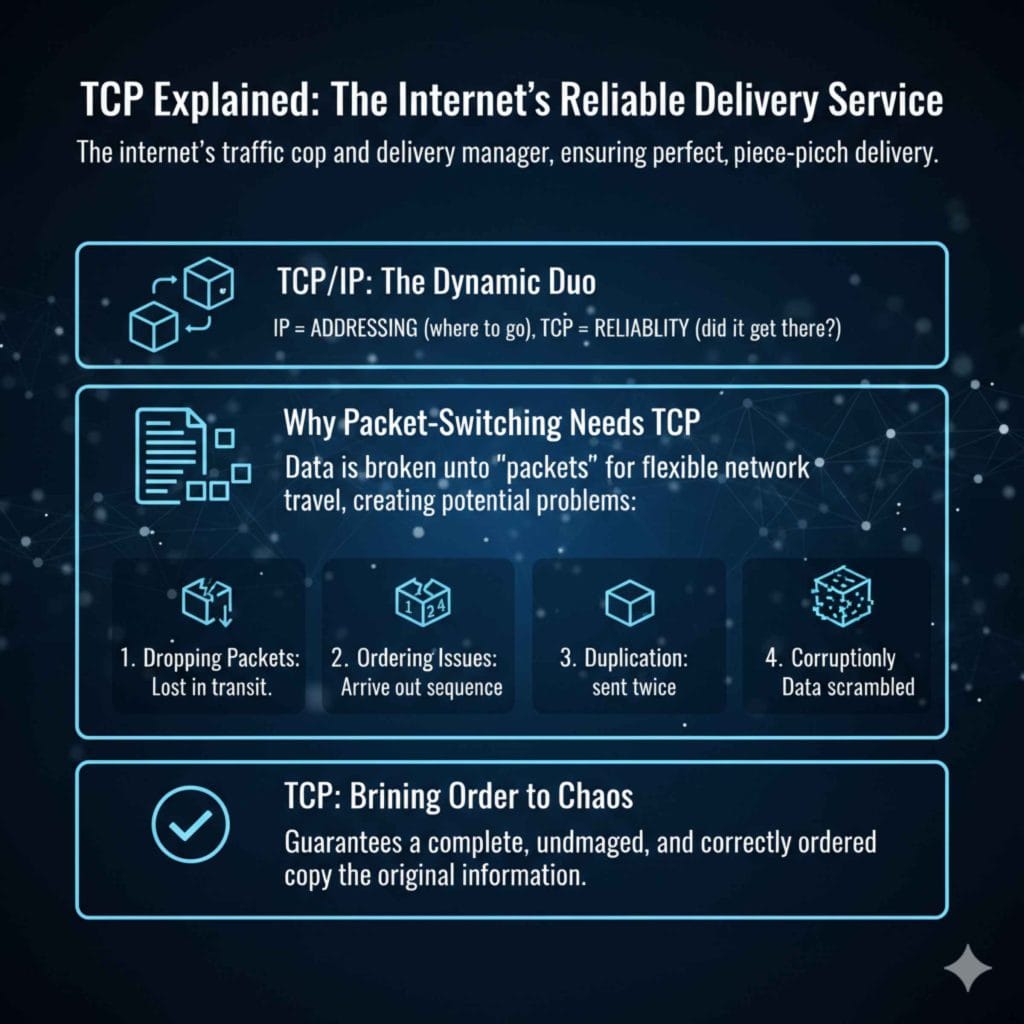
TCP Explained: The Internet’s Reliable Delivery Service
If the internet were a massive road system, TCP would be the traffic cop, the delivery truck manager, and the proof-of-delivery system, all rolled into one efficient package. Its main job is to make sure that when you ask for something online—whether it’s the latest news article or a software update—it gets delivered perfectly, piece by piece.
TCP sits high up in the internet’s structure, often working hand-in-hand with another protocol called the Internet Protocol (IP). They are so often mentioned together that people usually talk about the “TCP/IP Suite.” If IP is like the addressing system on an envelope (telling data where to go), TCP is the system that calls the recipient to confirm they got the envelope, and if they didn’t, sends it again.
Why We Need More Than Just an Address (The Problem TCP Solves)
Imagine mailing a huge set of car manuals across the country. You wouldn’t put all 500 pages into one massive envelope, right? If that one envelope got lost, you’d lose everything. Instead, you break the manuals into smaller, manageable packets.
The internet works the same way. Large chunks of data are broken down into smaller pieces called “packets” before they are sent. This packet-switching method makes the network more flexible and efficient. However, this process creates new problems that TCP is designed to fix:
- Dropping Packets: Some packets might get lost along the way due to network traffic or errors.
- Ordering Issues: Packets might arrive out of sequence. Packet 4 might show up before Packet 2.
- Duplication: Sometimes a packet might be accidentally sent twice.
- Corruption: Data within a packet might get scrambled slightly during transit.
TCP brings order to this chaos. It guarantees that even if things go wrong on the digital highway, the final destination gets a complete, undamaged copy of the original information.
How TCP Works: The 3-Step Handshake and Beyond
Understanding how TCP establishes a connection is like learning how to properly start your car before a long trip. You need to check your fluids, ensure the garage door is up, and confirm the destination. TCP uses a formal process to ensure both parties are ready to communicate.
Step 1: The Three-Way Handshake (Making the Connection)
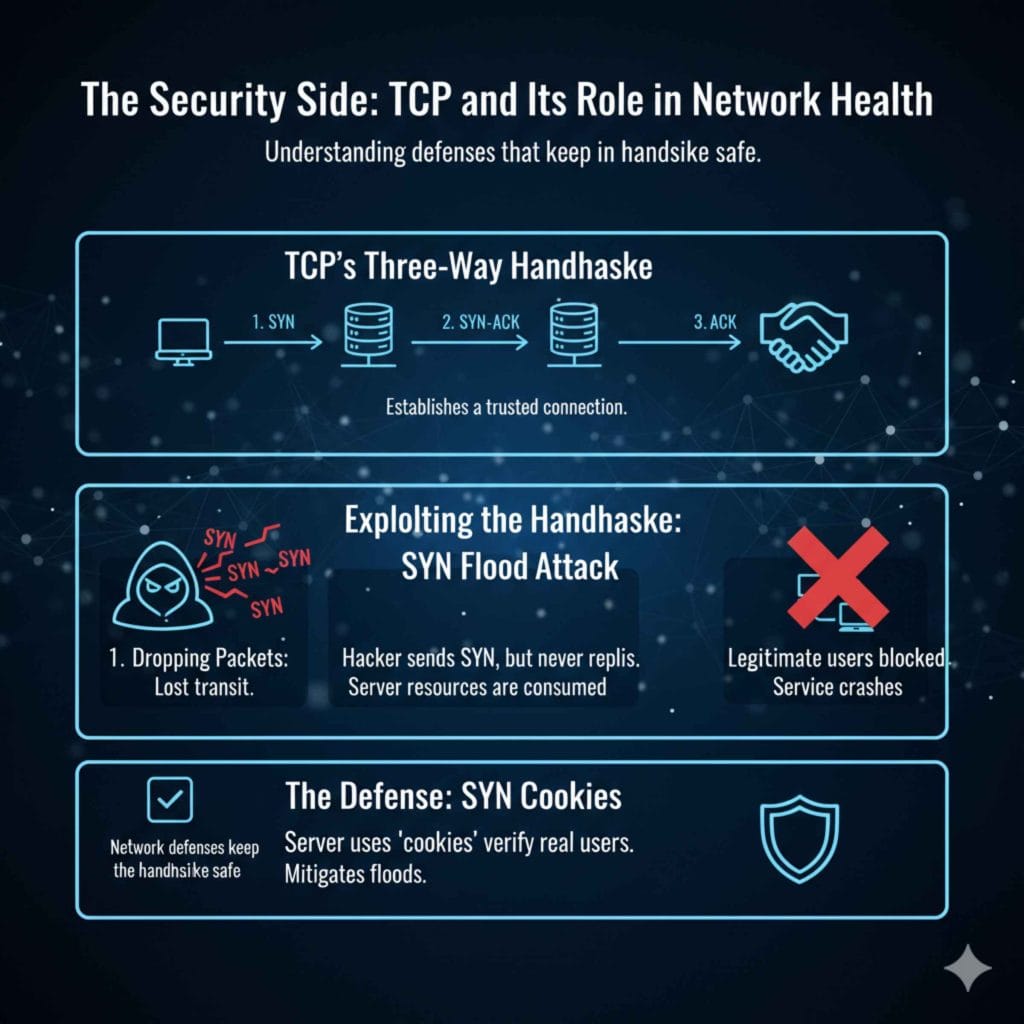
Before any actual data is sent, TCP establishes a reliable connection between two devices (like your computer and a web server). This setup phase is called the “Three-Way Handshake.” It’s a polite, digital introduction process:
- SYN (Synchronize): Your device sends a SYN packet to the server, essentially saying, “Hello! I want to talk. Are you ready?”
- SYN-ACK (Synchronize-Acknowledge): The server replies with a SYN-ACK packet, saying, “I hear you, and I am ready to talk too. Let’s start communication at this sequence number.”
- ACK (Acknowledge): Your device sends a final ACK packet back, confirming, “Great, I received your confirmation. The connection is established. I’m sending data now.”
Once this handshake is complete, the path is open, and the data transfer can begin with confidence. This three-step process is the backbone of reliable internet communication.
Step 2: Data Transfer and Sequencing
After the connection is set up, the actual information (like a picture or text) is broken down into those small TCP segments. Each segment is given a unique sequence number.
Think of sequence numbers as page numbers in a book. If I send you pages 1, 2, 3, 4, and 5, but they arrive in the order 3, 5, 1, 2, 4, your computer checks the sequence numbers, reassembles them back into the 1-through-5 order, and then hands the complete book to the application (like your web browser).
Step 3: Acknowledgement and Error Checking (Guaranteed Delivery)
This is where the “Control” part of TCP shines. As the receiving device gets these numbered segments, it sends back acknowledgments (ACKs) to the sender.
- If the sender doesn’t receive an ACK for a specific segment within a certain time, TCP assumes that segment was lost and automatically resends it. This automatic retransmission is key to reliability.
- TCP also uses checksums—small mathematical calculations attached to the data. Both the sending and receiving ends calculate the same checksum. If they match, the data arrived intact. If they don’t match, the segment is corrupted and discarded, and the sender is prompted to resend it.
TCP vs. UDP: Choosing the Right Tool for the Job
TCP isn’t the only way data travels across the internet. It works alongside the User Datagram Protocol (UDP). As an everyday user, you interact with both, often without knowing it. Choosing between TCP and UDP is a critical design decision for developers, much like choosing between driving your car carefully versus taking a shortcut that might involve some risk.
Here is a simple breakdown comparing the two protocols for crucial tasks:
| Feature | Transmission Control Protocol (TCP) | User Datagram Protocol (UDP) |
|---|---|---|
| Reliability | High (Guaranteed delivery) | Low (Best-effort delivery) |
| Connection | Connection-Oriented (Requires 3-Way Handshake) | Connectionless (Just sends data) |
| Overhead | High (Needs sequence numbers, ACKs, etc.) | Low (Very lightweight) |
| Speed | Slower (Due to checks and retransmissions) | Faster (No waiting for checks) |
| Use Case Example | Web browsing (HTTP/HTTPS), Email (SMTP), File Transfer (FTP) | Video streaming, Online gaming, DNS lookups |
For tasks where reliability is paramount—like ensuring every piece of a downloaded software update is present—TCP is the mandatory choice. For activities where losing a tiny packet is better than stalling for a resend, such as a live video conference where a split-second drop in quality is preferable to a three-second frozen screen, UDP is used. TCP prioritizes accuracy; UDP prioritizes speed.
Where Does TCP Fit in the Internet Model?
To understand TCP’s role fully, it helps to see where it sits in the grand scheme of how the internet works. Engineers use models to describe all the different layers of network communication. The most famous is the TCP/IP Model (which TCP is central to) or the OSI Model.
In the TCP/IP model, TCP operates at the Transport Layer (Layer 4). This layer is responsible for taking data from the Application Layer (where your browser or email program lives) and making sure it gets reliably transferred across the network, coordinating with the Network Layer (which handles the actual routing via IP addresses).
Here are the four main layers of the TCP/IP model, showing where TCP fits in:
- Application Layer: Where user applications run (HTTP, FTP, DNS). This is what you see.
- Transport Layer (TCP/UDP): This layer organizes the data stream, manages connections, and ensures segments are delivered correctly. TCP operates here.
- Internet Layer (IP): Handles logical addressing (IP addresses) and routing packets across networks.
- Network Access Layer: Deals with the physical transmission of data over the local link (like Wi-Fi or Ethernet cables).
If you’re interested in deeper network architecture, you might find educational resources, such as those provided by organizations like W3C (World Wide Web Consortium), helpful in understanding how these layers interact to form the modern web experience.
Practical Implications: Why You Should Care About TCP
As a car owner, knowing about your transmission fluid is important because it directly impacts how your car drives and lasts. Similarly, knowing about TCP helps you understand why some online interactions are fast, and others are slow or error-prone. Here are tangible ways TCP affects your daily life online:
1. Website Loading Speed
When you visit a secure HTTPS website (like your bank), TCP is working overtime. It must establish that secure connection (the handshake), constantly confirm data receipt, and manage traffic flow. If your network connection is slow or dropping many packets, TCP spends more time retransmitting lost data than downloading new data, leading to slow page loading.
2. File Transfers
Any time you download a large file (a software update, a movie, or a high-resolution photograph), you are relying heavily on TCP’s error correction. TCP guarantees that the file you end up with is an exact, bit-for-bit copy of the original. Without it, downloaded files would corrupt easily.
3. Troubleshooting Connection Issues
When a connection seems “stuck,” it often relates to TCP failing to complete its handshake or timing out waiting for an acknowledgment. Knowing that TCP manages the connection cycle means you understand that network congestion upstream might be causing the “stuck” feeling on your end.
Configuring TCP: Basic Checks You Can Do
Mostly, TCP configuration is handled automatically by your operating system and router—you don’t need to touch it. It’s built to “just work.” However, in rare cases (usually when dealing with advanced networking equipment or troubleshooting severe lag), basic network resets can help ensure TCP is performing optimally.
If you suspect a general network reliability issue possibly tied to communication protocols, here are a few safe, beginner steps to try:
- Reboot Your Router/Modem: This clears out old connection tables on your network hardware, forcing a fresh start for all protocols, including TCP connections.
- Flush Your DNS Cache: Sometimes, connection issues are related to outdated address information. On Windows, you can open Command Prompt and type:
ipconfig /flushdns. This is less about TCP and more about connection establishment, but it’s a great first troubleshooting step. - Update Network Drivers: Make sure the software controlling your computer’s network card is current. Old drivers might not handle high-volume TCP traffic efficiently.
Safety Note: Never attempt to manually change the TCP window size or other deep transport layer parameters unless you are following specific, expert advice for a known problem. These settings are highly optimized by default.
The Security Side: TCP and Its Role in Network Health
While TCP’s main job is reliability, it also has security considerations. Because TCP relies on that three-way handshake to establish trust before sending data, attackers sometimes try to exploit this mechanism.
One common low-level attack is a SYN Flood. In this attack, a hacker repeatedly sends the initial SYN packet but never replies with the final ACK. This floods the server’s connection table with half-open connections, consuming server resources until legitimate users cannot complete their own three-way handshakes and the service crashes. Defenders use techniques like SYN Cookies to mitigate these floods and keep TCP connections flowing for real users.
Understanding the connection process helps us appreciate the network defenses in place designed to keep that handshake mechanism safe and sound.
Summary Cheat Sheet: TCP Key Takeaways
Just as knowing the proper oil viscosity is important for your engine, knowing the core function of TCP is important for understanding your digital life. Here is a quick reference guide:
| TCP Term | What It Means (Simple Analogy) |
|---|---|
| Connection-Oriented | You must shake hands before starting any conversation. |
| Sequence Number | Page numbers on a document to ensure correct reassembly. |
| Acknowledgement (ACK) | A “Got it!” confirmation from the receiver. |
| Retransmission | Automatically mailing a lost part of the document again. |
| Checksum | A quality control check to ensure the data wasn’t damaged. |
Frequently Asked Questions (FAQ) About TCP
Q1: Is TCP part of my operating system, or is it hardware?
TCP is primarily a software protocol—it’s managed by the TCP/IP stack built right into your operating system (like Windows, macOS, or Linux). While your network hardware (like your Wi-Fi card) handles the physical sending, the rules for how that data is structured, confirmed, and managed are handled by the OS software.
Q2: Do I ever need to manually install or update TCP?
No, not usually. TCP is a core component of the networking stack. When you update your operating system, you are updating the TCP implementation. For the vast majority of home users, manually touching TCP settings is unnecessary and potentially disruptive.
Q3: If my internet connection is slow, is TCP the problem?
TCP is often the symptom responder, not the root cause of slowness. If your physical connection (your ISP line, your Wi-Fi signal) is poor, TCP will have to work harder, retransmitting lost packets, which makes the connection feel slow. The actual problem is usually the line quality or network congestion, not TCP itself.
Q4: What happens if the TCP handshake fails?
If the Three-Way Handshake fails (usually because the server doesn’t reply to the SYN or SYN-ACK), the connection attempt times out. This results in an error message like “Connection Timed Out,” and no data transfer occurs until you try again or the server starts responding again.
Q5: Is HTTPS different from TCP?
Yes. HTTPS (Hypertext Transfer Protocol Secure) uses TCP as its underlying delivery mechanism. Think of it this way: TCP reliably delivers the package, and HTTPS is the special, locked, secure box the package is placed inside before TCP delivers it. HTTPS adds encryption (SSL/TLS) on top of TCP’s guaranteed delivery.
Q6: Is TCP only used for web browsing?
No. TCP supports many foundational internet services beyond web browsing (HTTP/HTTPS). It is crucial for secure email transmission (SMTP/POP3/IMAP), secure connections to remote servers (SSH), and transferring large files reliably (FTP).
Conclusion: Why TCP is Your Unsung Internet Hero
You rely on TCP every single time you look up directions, check your bank balance, or send a friend a quick photo. It is the tireless, behind-the-scenes worker that brings order to the wild frontier of digital data exchange. Like knowing that quality oil ensures your engine doesn’t seize up, understanding TCP helps you appreciate the hidden engineering that makes the modern internet reliable.
Don’t worry about memorizing sequence numbers or checksum calculations. Just remember this: TCP makes the connection, keeps track of every piece of data sent, and double-checks everything upon arrival. It’s the protocol that says, “We won’t just send it; we’ll make sure it gets there right.” With this knowledge, you’ve taken a major step in understanding the fundamentals of computing, putting you firmly in the driver’s seat of your digital life. Drive safely, and enjoy the reliable connection!