
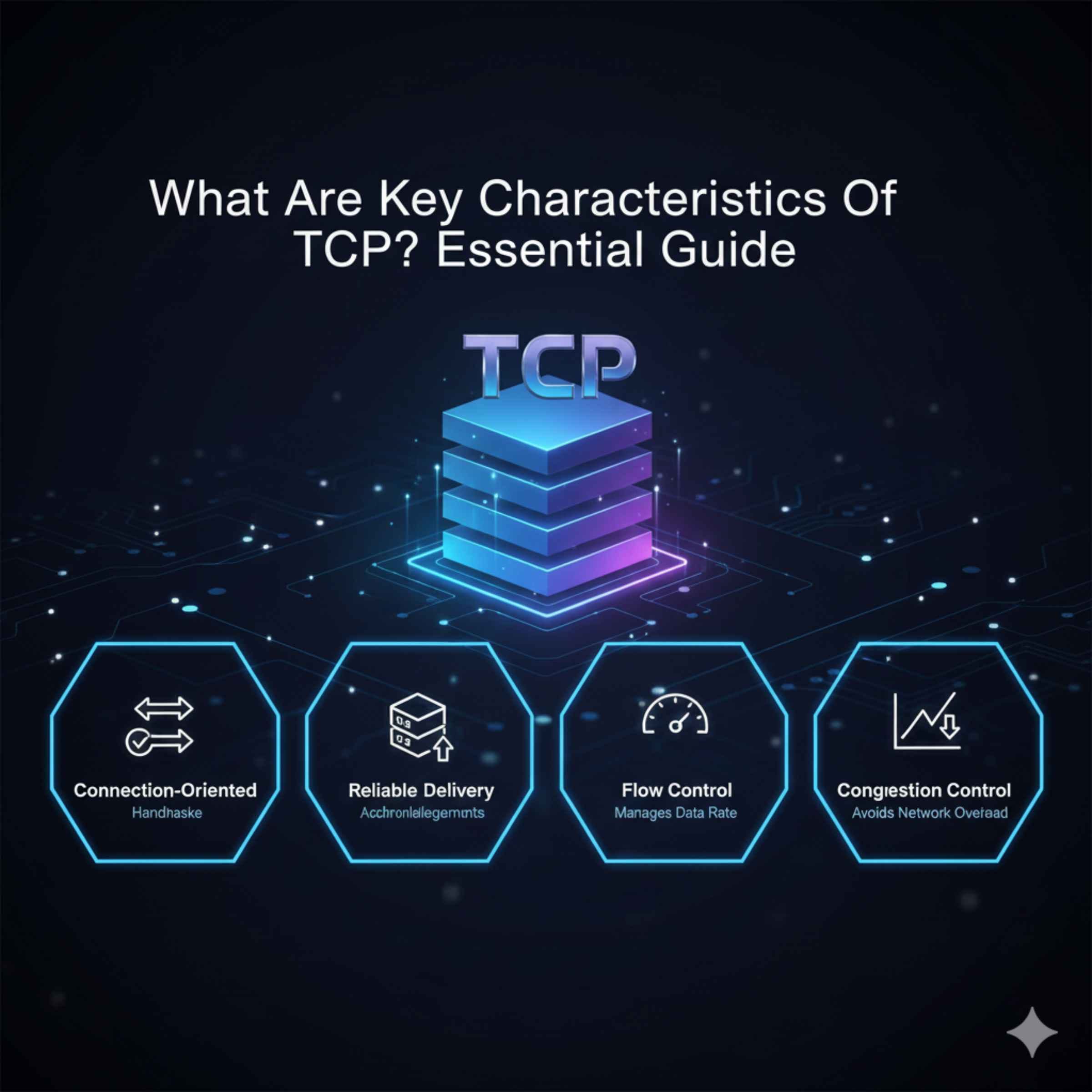
The Transmission Control Protocol (TCP) is a core internet rule set that ensures data arrives reliably and in the correct order. Its key characteristics include connection-orientation, reliability, ordered data delivery, flow control, and congestion control, which make it vital for web browsing and email.
What Are Key Characteristics Of TCP? Your Essential Guide to Reliable Data Transfer
Ever click a link, send an email, or stream a video only for it to arrive garbled or completely missing pieces? That frustrating experience usually means something went wrong with the data transfer. When you’re driving, you rely on smooth roads; on the internet, you rely on TCP! The Transmission Control Protocol (TCP) is the unsung hero making sure your data gets where it’s going safely.
You don’t need to be an IT expert to understand how this works. Think of TCP like sending a certified, trackable package through the postal service instead of just tossing a letter in a box. We are going to break down the main features of TCP using simple, everyday language. By the end of this guide, you will confidently understand why TCP is the backbone of reliable internet communication and how its key characteristics keep everything running smoothly.
Understanding TCP: More Than Just “Connecting the Dots”
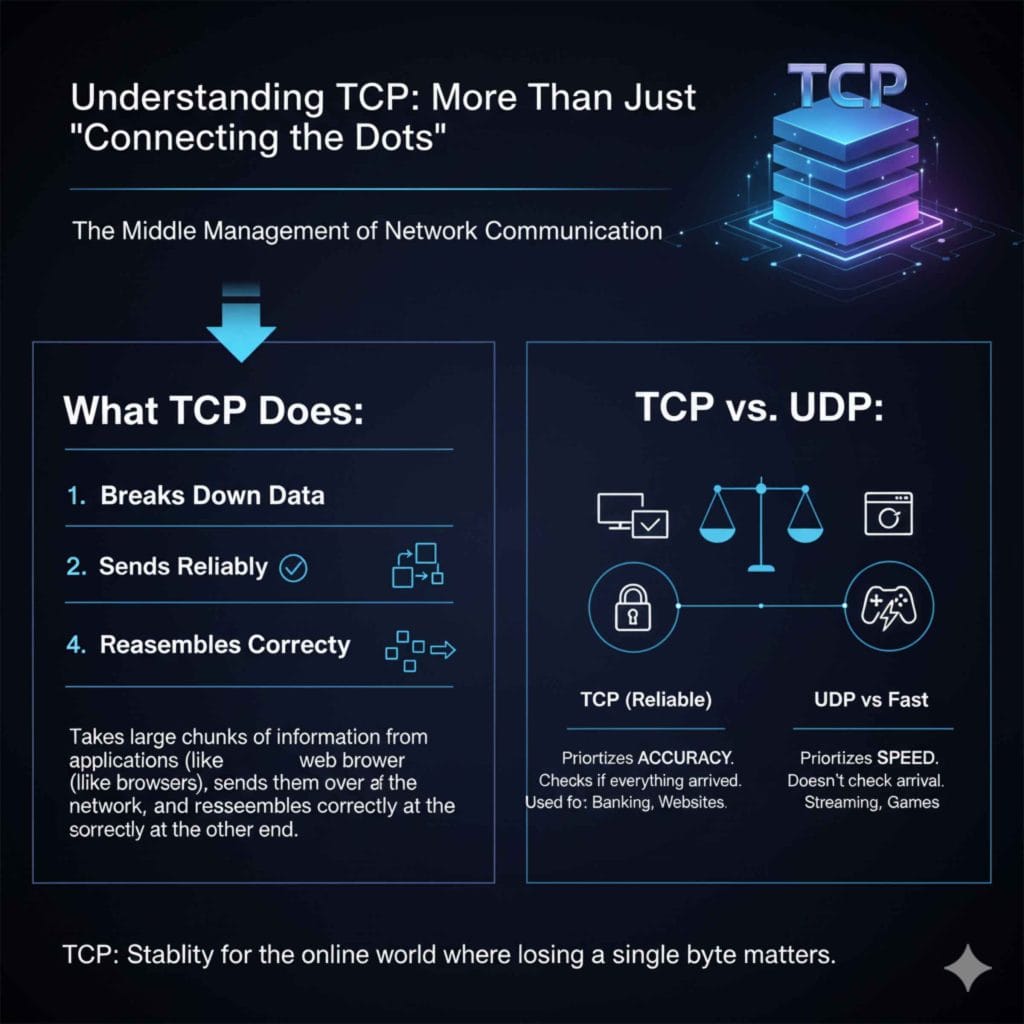
Before we dive deep into its technical features, let’s get a quick grasp of what TCP is. TCP is one of the most important protocols in the Internet Protocol Suite (often called TCP/IP). It lives at the Transport Layer, which is like the middle management of network communication. Its main job is to take large chunks of information from an application (like your web browser) and break them down, send them reliably over the network, and reassemble them correctly at the other end.
Its counterpart, UDP (User Datagram Protocol), is much faster but doesn’t check if everything arrived. TCP, on the other hand, prioritizes accuracy over sheer speed, which is why it powers things where losing a single byte matters—like banking transactions or website loading. Knowing the key characteristics of TCP helps you appreciate the stability of the online world.
The Five Essential Key Characteristics of TCP
What makes TCP the reliable workhorse of the internet? It comes down to five fundamental characteristics. These features work together to create a robust, error-checked communication channel. When you are learning what are key characteristics of the Transmission Control Protocol (TCP), focus on these main pillars:
- Connection-Oriented Communication
- Reliable Data Transfer (Guaranteed Delivery)
- Ordered Data Delivery
- Flow Control
- Congestion Control
Let’s look at each one closely, using analogies that make sense, especially if you’re used to dealing with physical systems, like keeping your car running perfectly.
1. Connection-Oriented Communication: The Pre-Flight Check
This is perhaps the most defining feature of TCP. Before any actual data gets sent, TCP requires both the sender and the receiver to formally agree that they are ready to talk. This process is called the “Three-Way Handshake.”
What the Three-Way Handshake Means for You
Imagine you are calling a friend. You don’t just start shouting information; first, you have to make sure they pick up and say “Hello?”
- SYN (Synchronize): You send a request to connect (like dialing the number and waiting for the ring).
- SYN-ACK (Synchronize-Acknowledge): The receiver picks up and confirms they got the call, and they are ready to listen (Hello, I hear you!).
- ACK (Acknowledge): You confirm you heard them back, and now the real conversation can start.
Because of this handshake, TCP ensures both machines are present and aware of the session before any valuable data is transmitted. This setup is crucial for maintaining session integrity. If this handshake fails, no connection is established, and you get an error—but at least you know why the connection failed.
2. Reliable Data Transfer: Guaranteed Delivery
If a data packet gets lost or corrupted on its way across the internet—which happens frequently because networks can be messy—TCP notices. Reliability is achieved through acknowledgments (ACKs) and retransmissions.
Acknowledgments and Retransmission
Every time the receiver gets a chunk of data, it sends an ACK back to the sender. This is like sending a certified package where the post office requires a signature upon delivery.
- If the Sender Gets the ACK: Great! The sender knows that segment is successfully delivered and moves on to the next piece of data.
- If the Sender Does Not Get the ACK (Timeout): If the sender waits too long for that signature (the ACK), it assumes the data was lost or damaged and automatically resends that exact segment. This safety net prevents data loss.
This overhead—checking and re-sending—is what makes TCP slower than UDP, but it guarantees that when you download a file, every single bit is present, which is non-negotiable for things like software updates or financial records. For more technical background on how network protocols handle errors, you can look at resources describing the OSI Model layers, where TCP operates at Layer 4.
3. Ordered Data Delivery: Putting the Pieces Back Together
When you send a large document, TCP breaks it into segments. Because the internet is essentially a bunch of different roads data can travel, these segments often arrive out of order. Imagine sending a car manual in twelve envelopes, but envelope #5 arrives before envelope #2.
Sequence Numbers are the Key
TCP solves this by assigning a sequence number to every single segment it sends. This number tells the receiver exactly where that piece belongs in the original message.
| Segment Sent | Sequence Number | Arrival Order (Unordered Network) | Receiver Action |
|---|---|---|---|
| Part A | 100 | Arrives Third | Stored (Waiting for 50 & 75) |
| Part B | 50 | Arrives First | Stored (Waiting for 75) |
| Part C | 75 | Arrives Second | Stored (Waiting for 50) |
| Reassembly | N/A | Data is presented to application in order: 50, 75, 100 | Completed Message |
The receiving computer buffers (temporarily holds) the out-of-order segments until the missing ones arrive. Once all segments are present and in the correct numerical sequence, the original message is flawlessly reconstructed. This ensures that the data your browser displays is the exact data the website intended to send.
4. Flow Control: Preventing Overwhelming the Receiver
TCP has a built-in mechanism to prevent a fast sender from sending data faster than a slow receiver can process it. This is called Flow Control. Think of this like the speed limit enforcement between two cars on a road trip.
The Sliding Window Mechanism
Flow control is managed using a “sliding window.” The receiver tells the sender exactly how much empty space (buffer) it has left to receive data before it has to pause and process what it already has. This amount of space is called the “Receive Window Size.”
If your computer (the receiver) is busy running intensive antivirus software, its memory buffer might fill up quickly. It will tell the server (the sender), “Hold on, my window size is now small; please slow down!” Once it clears some space, it tells the sender to speed up again.
This dynamic adjustment keeps the system balanced. It prevents the slow device from dropping packets because it simply ran out of room to store them before they could be processed. This is vital for maintaining stability between different types of devices—say, a powerful server communicating with a low-power mobile phone.
5. Congestion Control: Managing Traffic Jams on the Highway
While Flow Control manages the speed between two specific devices, Congestion Control manages the speed considering the entire network in between. This is like watching the traffic on the massive highway system, not just the interaction between your car and the car in front of you.
If too many users try to send data across an already busy network segment (a network bottleneck or “congestion”), the whole system slows down. TCP tries to be a good network citizen.
How TCP Fights Congestion
TCP uses sophisticated algorithms to probe how much bandwidth is available and backs off when it detects signs of network exhaustion—mainly when ACKs stop returning quickly (which suggests packets are being lost in the jam).
- Slow Start: TCP starts slowly, gradually increasing the amount of data it sends until it notices signs of trouble.
- Congestion Avoidance: Once it reaches a certain threshold, it increases transmission rates much more slowly, cautiously testing the waters.
- Fast Retransmit & Fast Recovery: If many packets are lost, TCP assumes heavy congestion and quickly cuts its sending rate to ease the pressure, then slowly builds it back up in the Recovery phase.
This is essential for the health of the global internet. Were TCP not smart about congestion, heavy traffic from just a few users could slow down connectivity for everyone else.
Comparing TCP to Its Fast Cousin: The UDP Difference
To fully appreciate the characteristics of TCP, it helps to see what you give up by choosing it over its main alternative, the User Datagram Protocol (UDP). This comparison highlights exactly which TCP features are providing the reliability you depend on.
| Feature | TCP (Transmission Control Protocol) | UDP (User Datagram Protocol) |
|---|---|---|
| Reliability | High (Guaranteed delivery via ACKs) | Low (Best effort delivery) |
| Connection | Connection-Oriented (Handshake required) | Connectionless (Fire and forget) |
| Order | Guaranteed sequential order | No guaranteed order |
| Speed | Slower (Due to checks and controls) | Faster (Minimal overhead) |
| Primary Use Case | Web browsing (HTTP/HTTPS), Email (SMTP), File Transfer (FTP) | Video Streaming, Online Gaming, DNS Lookups |
This table shows clearly: if you need every single piece of data to arrive perfectly—like reading this article or downloading an important document—you need TCP. If you can tolerate a dropped frame or a small glitch—like in a live video call—UDP is often better because the speed of the rest of the data is more important.
Practical Application: Where TCP’s Characteristics Are Non-Negotiable
Understanding what are key characteristics of TCP means understanding why certain applications must use it. If you are a beginner DIYer or car enthusiast, you might see this reflected in how your car’s diagnostic tools communicate.
Consider the tasks below. Which ones absolutely require TCP’s reliability?
- Checking your car’s diagnostic codes (OBD-II via Wi-Fi/Bluetooth): If the tool asks for engine temperature and receives corrupted numbers, it could lead to a wrong diagnosis or unnecessary repair on your vehicle. You need TCP here to ensure the commands and the returned sensor data are perfect.
- Sending a critical system update to your car’s onboard computer: If even one line of code is missing or scrambled during this update, you could “brick” or permanently damage your car’s sensitive electronics. TCP’s guaranteed, ordered delivery is mandatory.
- Streaming a live video from a backyard security camera: If a frame representing 1/30th of a second gets lost, you might only see a shimmer or brief blur in the video. It’s inconvenient, but not catastrophic. UDP is usually preferred here for low latency.
In essence, any function that requires transactional integrity—where the data must be exactly as sent—relies heavily on the combination of TCP’s reliability, ordering, and connection setup.
Dive Deeper: The Role of Ports and Sockets
A final, crucial characteristic often associated with TCP is its use of ports. TCP doesn’t just connect two computers; it connects specific applications running on those computers.
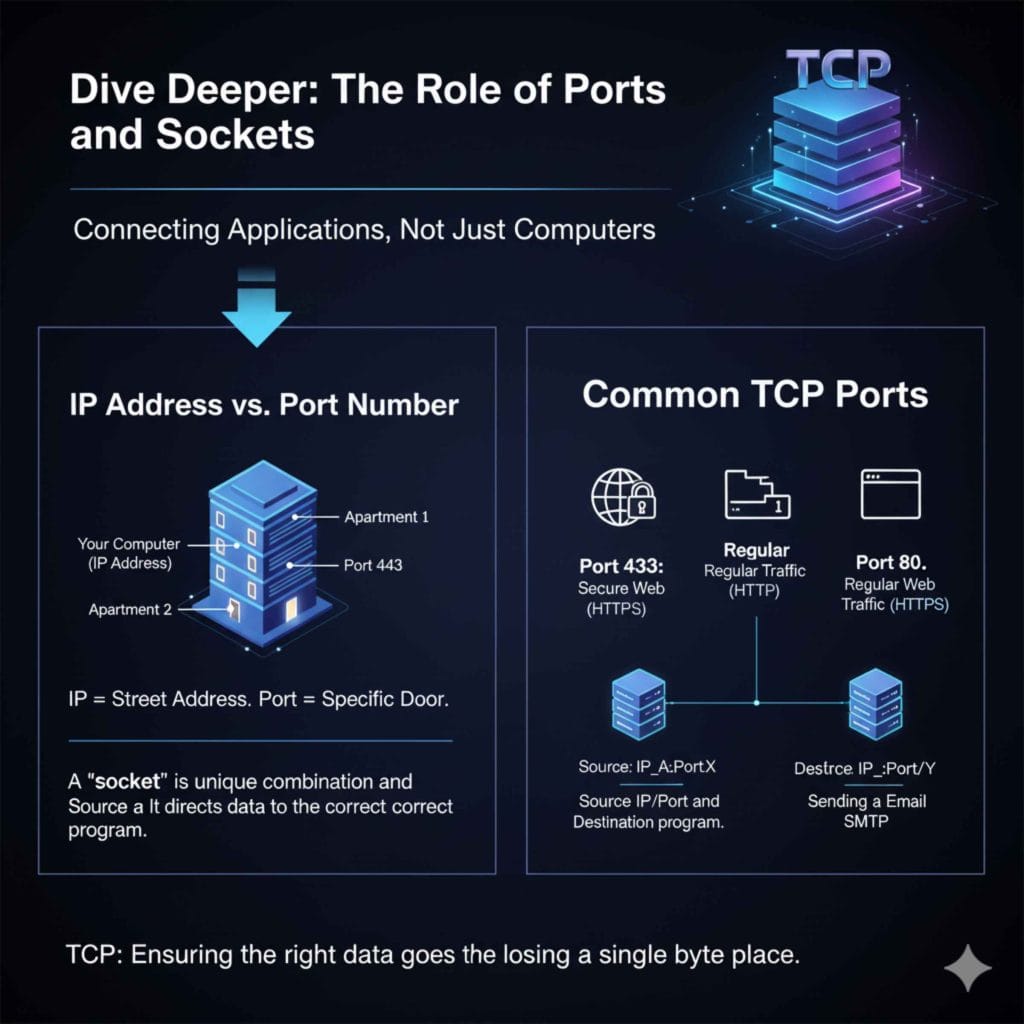
If your computer is a house, the IP address is the street address. The TCP Port Number is the specific apartment number or door within that house.
- Port 80: Reserved for regular web traffic (HTTP).
- Port 443: Reserved for secure web traffic (HTTPS)—crucial for secure online banking or shopping.
- Port 25: Used for sending outgoing email (SMTP).
When the three-way handshake happens, the connection is established between a specific source IP/Port and a destination IP/Port. This combination is often called a TCP “socket.” This ensures that when data arrives reliably via TCP, the operating system knows exactly which program—your web browser, your email client, or your remote desktop session—needs to receive and reassemble that information.
Frequently Asked Questions (FAQ) About TCP Characteristics
Q1: Is TCP faster or slower than UDP?
TCP is generally slower than UDP. This is because TCP spends extra time setting up the connection (the handshake), checking every packet to make sure it arrived (acknowledgments), and reordering pieces that arrive out of sequence. UDP skips all these reliability steps, making it quicker but less certain.
Q2: If TCP guarantees delivery, why can my website still crash or time out?
TCP guarantees delivery between the two endpoints (your computer and the server), but it cannot guarantee the network path between them stays open or that the server itself doesn’t fail. If the server is overloaded or crashes during the connection, the TCP session will terminate, and you will get a timeout error.
Q3: What is the primary purpose of the TCP port number?
The TCP port number identifies which application or service on the receiving computer should handle the incoming data. For example, traffic destined for port 443 goes straight to your secure web browser, bypassing your email program.
Q4: Does TCP control how much data I download per second?
Yes, indirectly. TCP uses Flow Control (the sliding window) to prevent the receiver from being overwhelmed, and Congestion Control to prevent the network from being overwhelmed. Both mechanisms cap the speed at which your connection can transfer data to maintain stability.
Q5: Where does TCP fit in the networking model?
TCP operates at the Transport Layer (Layer 4) of the OSI model. It sits directly above the Network Layer (where IP, the address system, lives) and manages the conversation between applications running on different hosts.
Q6: What is the biggest sign that a connection is using TCP instead of UDP?
The biggest sign is that communication begins with a setup phase (the three-way handshake) and ends with a graceful tear-down. If you see a connection latency or overhead is a concern for the application, it strongly suggests TCP is in use.
Your Takeaway: Confidence in Connectivity
We’ve covered the essential roadmap for the Transmission Control Protocol. When you are troubleshooting why a download stalled or why a secure payment page loaded correctly, remember these five characteristics:
- It sets up a formal conversation (Connection-Oriented).
- It checks receipts (Reliability).
- It puts scrambled mail back in order (Ordered Delivery).
- It ensures the receiver isn’t swamped (Flow Control).
- It watches out for network traffic jams (Congestion Control).
As a driver, you appreciate reliable brakes and steering—those features make driving safe. On the internet, TCP is the equivalent of those critical, non-negotiable safety systems. Now that you know what are key characteristics of TCP, you understand the silent guardian ensuring your online interactions are accurate and dependable. You don’t have to be a technician to appreciate smooth, reliable operation, whether it’s under the hood of your car or deep within your modem!